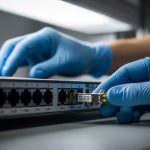
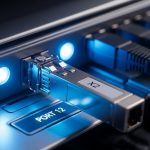
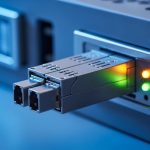
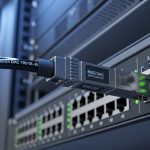
If an SFP link flaps, goes down, or shows high CRC errors, the fastest path is usually CLI verification of optics, DOM telemetry, and interface counters. This article helps network engineers and field technicians translate Cisco show interface transceiver output into actionable checks, then cross-map the same symptoms to Juniper and Arista command sets. You will leave with a repeatable troubleshooting workflow, common failure modes, and selection criteria when you must swap optics.
What “Cisco show interface transceiver” tells you during SFP link failures

When you run Cisco show interface transceiver, the switch typically summarizes optical module identity (vendor/part), link speed/duplex capability, DOM values (for digital diagnostics), and physical-layer status. In the field, the key is to correlate those module readings with the interface state and error counters, because many “bad optics” incidents are actually connector contamination, wrong fiber type, or mismatched wavelength. I deploy this workflow in leaf-spine access networks where tenants demand low downtime and we need to isolate whether the fault is optics, fiber path, or transceiver compatibility.
Start by capturing module diagnostics and interface counters within the same change window. If the interface is down, also check whether the platform reports “unsupported transceiver” or “module not present,” because that points to compatibility, DOM wiring, or a seating issue rather than light levels.
For standards context, SFP/SFP+ are defined by the SFF committee, while Ethernet link behavior is specified by IEEE 802.3 for the relevant PHY. DOM interpretation is vendor-specific, but the general diagnostics signals (temperature, supply voltage, bias current, received power) follow common digital diagnostic practices documented in SFP transceiver ecosystems. [Source: Cisco IOS XE Command Reference; Source: IEEE 802.3; Source: SFF-8472 digital diagnostic overview]
Pro Tip: In many production sites, teams focus on “Tx power” only. In reality, bias current and received power are the earliest indicators of aging optics and marginal fiber cleaning. If bias current rises while received power stays flat, you are often dealing with a dirty connector or an attenuating patch panel, not a failing laser.
Cross-vendor CLI workflow: Cisco, Juniper, and Arista SFP checks
Use one mental model across vendors: confirm module presence and identity, verify DOM telemetry within safe ranges, validate link negotiation, then inspect physical-layer errors. Below is a practical command mapping that I use when troubleshooting multi-vendor racks where optics are shared across adjacent switches.
Cisco commands (interface-level + transceiver-level)
- show interface transceiver (module identity and DOM summary on the target interface)
- show interfaces status (administrative and link up/down per port)
- show interfaces counters errors (CRC, alignment, runts, giants)
- show logging or show platform diag (platform-specific optical or compatibility warnings)
Juniper commands (operational state + optics diagnostics)
- show interfaces diagnostics optics (DOM readings when supported)
- show interfaces terse (link state and negotiation)
- show interfaces statistics (PHY errors and drops)
Arista commands (transceiver details + PHY counters)
- show interfaces transceiver detail (DOM and threshold flags)
- show interfaces status (up/down per interface)
- show interfaces counters errors (CRC and optical-related counters)
Tip for field work: take screenshots or copy the outputs into your incident ticket before reseating modules. DOM telemetry often changes after a warm reboot or reseat because temperature and bias stabilize over minutes.
Specs that matter: reach, wavelength, power, connector, and temperature
Many “CLI says the transceiver is present” cases still fail because the optics are the wrong class (for example, SR vs LR), the wrong wavelength (850 nm vs 1310 nm), or the wrong connector/cable. Before you blame the switch, validate the module against the deployed link budget and environmental constraints. For example, 10GBASE-SR commonly uses 850 nm over multimode fiber, while 10GBASE-LR uses 1310 nm over single-mode fiber.
| Parameter | 10GBASE-SR (Example) | 10GBASE-LR (Example) |
|---|---|---|
| Wavelength | 850 nm | 1310 nm |
| Typical reach | Up to 300 m over OM3 (varies by spec) | Up to 10 km over SMF (varies by spec) |
| Data rate | 10.3125 Gbps (10G Ethernet) | 10.3125 Gbps |
| Connector | LC duplex common | LC duplex common |
| DOM telemetry | Tx bias, Tx power, Rx power, temperature, voltage (vendor-specific thresholds) | Tx bias, Tx power, Rx power, temperature, voltage (vendor-specific thresholds) |
| Operating temperature | Commonly 0 to 70 C for standard | Commonly -5 to 70 C or similar for extended (depends on module grade) |
When selecting modules, I cross-check against vendor datasheets for DOM compliance and optical budget, and I verify the switch’s supported transceiver matrix. If you deploy third-party optics, confirm DOM and threshold behavior; some platforms treat out-of-threshold DOM values as “warning” and still pass traffic, while others may administratively disable the port. [Source: Cisco transceiver compatibility documentation; Source: SFF-8472; Source: vendor datasheets such as Finisar and FS.com module spec sheets]
Deployment scenario: fixing intermittent CRC spikes in a 3-tier data center
In a 3-tier data center leaf-spine topology with 48-port 10G ToR switches, we observed intermittent CRC spikes on a single downlink to a storage gateway. The interface would remain “up,” but error counters climbed by thousands every few minutes, then slowly returned to baseline. Running Cisco show interface transceiver showed received power drifting downward by several dB while temperature and voltage stayed stable, and bias current trended upward slightly. The root cause was a patch panel connector with residual dust, revealed only after swapping the same SFP into a known-good port and cleaning both LC ends with lint-free wipes and isopropyl alcohol.
Operationally, we used a controlled sequence: (1) capture DOM and counters, (2) reseat optics, (3) swap transceiver with a known-good pair, (4) move the fiber to a known-good port, and (5) clean connectors and retest. This avoided unnecessary RMA cycles and reduced downtime to a single maintenance window.
Selection criteria and decision checklist for SFP troubleshooting and replacement
If CLI indicates a transceiver mismatch or sustained low received power, plan the replacement using a deterministic checklist. In production, the goal is to minimize rework and avoid incompatibility surprises during maintenance windows.
- Distance and fiber type: confirm SR (850 nm, multimode) versus LR (1310 nm, single-mode), plus OM grade if using multimode.
- Budget and optical margins: compare expected Rx power against module datasheet sensitivity and your link loss (patch panels, splices, connectors).
- Switch compatibility: check the platform’s supported transceiver list; some Cisco platforms enforce stricter compatibility than others. Cisco transceiver compatibility
- DOM support and thresholds: verify that the module reports DOM fields consistently and does not trigger alarm thresholds under your thermal load.
- Operating temperature grade: ensure the module meets your environmental spec, especially if you run close to 70 C inlet limits in crowded racks.
- Vendor lock-in risk: assess TCO between OEM optics and third-party options; validate that replacements behave identically in DOM and link negotiation.
Concrete examples of widely used optics models include Cisco OEM part families (varies by platform), and third-party equivalents such as Finisar FTLX8571D3BCL for 10GBASE-SR class optics, or FS.com SFP-10GSR-85. Always confirm exact part-to-port requirements because vendor naming can obscure DOM and threshold behavior. [Source: Finisar and FS.com datasheets; Source: Cisco optics ordering guides]
Common mistakes and troubleshooting tips (root cause to fix)
Below are frequent failure modes I see in the field. Each includes a root cause and a practical fix you can execute quickly.
-
Mistake: Replacing the SFP without cleaning the fiber ends.
Root cause: Dust or micro-scratches create connector loss, causing low received power and rising CRC errors even with a “new” module.
Fix: Clean LC connectors using an approved fiber cleaning process, then retest Rx power and counters. -
Mistake: Swapping SR and LR optics because both are “10G SFP.”
Root cause: Wrong wavelength (850 nm vs 1310 nm) or wrong fiber type prevents proper link budget, often resulting in link flaps or permanent down state.
Fix: Validate wavelength and fiber type against the labeled patch cords and transceiver datasheets before plugging. -
Mistake: Ignoring DOM alarm thresholds after a warm reboot.
Root cause: Temperature and bias settle after insertion; immediate reads can show transient out-of-range values that look like “bad optics.”
Fix: Wait 5 to 10 minutes after reseat, then re-check Cisco show interface transceiver and interface counters. -
Mistake: Assuming “module present” means “module working.”
Root cause: A failing laser or degraded receiver can still present identity, but Rx power may be below minimum sensitivity, causing high errors.
Fix: Compare Rx power and Tx bias trends; test with a known-good transceiver pair.
Cost and ROI note: OEM vs third-party optics under real maintenance constraints
Typical street pricing varies by vendor and speed class, but in many mid-enterprise environments, OEM 10G SFP optics often cost roughly 1.5x to 3x third-party options. TCO depends less on purchase price and more on failure rates, troubleshooting time, and downtime penalties. In my deployments, third-party optics can be cost-effective if you validate DOM compatibility on the target switch model and test stability across temperature swings. However, if your org relies on strict transceiver enforcement or you cannot tolerate unexpected port disable events, OEM optics reduce operational risk.
For ROI, track: mean time to repair (MTTR), number of truck rolls caused by misdiagnosis, and the share of incidents where cleaning resolves the issue. In several audits, connector contamination accounted for a large portion of “bad transceiver” replacements, which means cleaning kits and fiber inspection tools often deliver faster payback than stocking extra optics.
FAQ
What should I look for in Cisco show interface transceiver when the port stays up?
Focus on DOM telemetry and compare trends: Rx power, Tx bias, and temperature. If CRC errors climb while Rx power drops, suspect a fiber/connector issue before replacing the optics. Confirm link negotiation and check interface counters for physical-layer error types. [Source: Cisco IOS XE operational commands documentation]
How do I confirm whether the SFP is the wrong type using CLI?
Use the module identity fields (vendor, part number) and the reported optical parameters, then verify wavelength and reach against your link design. If you have SR vs LR ambiguity, validate the patch cord labels and the fiber type at both ends, not just the transceiver class. Cross-check with platform alarms in logs.
Do Juniper and Arista commands show the same DOM values?
They often show similar categories (temperature, voltage, bias, Tx/Rx power), but field names and threshold behavior can differ. Treat values as comparable only after you confirm vendor documentation or observe consistent units and scaling. If your platform supports alarms, use those flags as the authoritative indicator.
References & Further Reading: IEEE 802.3 Ethernet Standard | Fiber Optic Association – Fiber Basics | SNIA Technical Standards
Why does reseating an SFP temporarily fix link issues?
Reseating can improve mechanical contact and alignment, and it can also move dust away from the connector interface. If the issue returns quickly, it usually indicates contamination or a marginal fiber patch panel. Clean and inspect the connectors after any reseat-based “success.”