
In one enterprise IT upgrade, we had to increase east-west throughput without triggering a full switch refresh. The decision came down to 50G versus 100G transceivers, but the real constraints were optics compatibility, power draw, and operational risk during cutover. This case study helps network engineers and field teams compare both options using measured deployment details, not spec-sheet theory.
Problem and challenge: scaling throughput without breaking optics compatibility
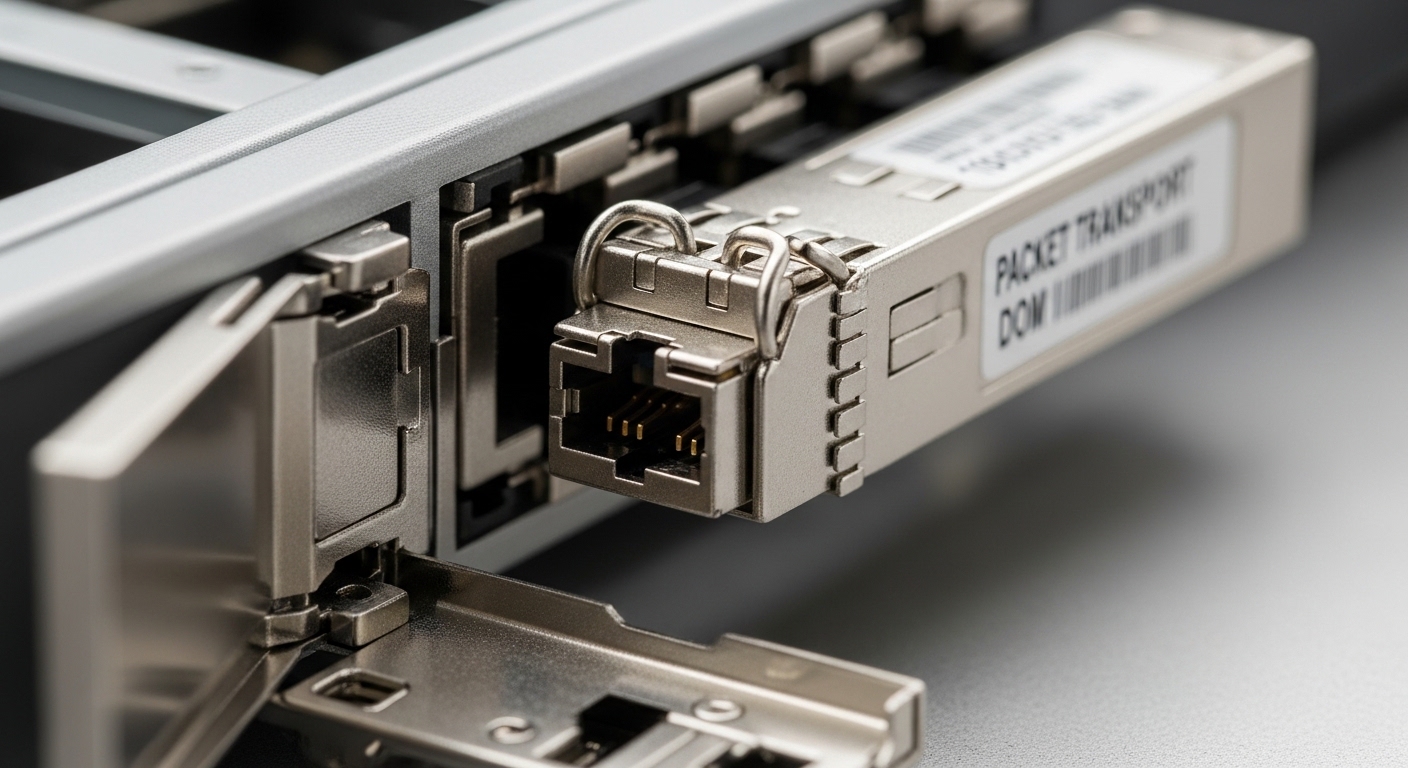
Our environment was a leaf-spine data center fabric supporting a mix of storage replication and virtualization traffic. The leaf layer used 48-port 25G/50G-capable ToR switches, and the spine layer supported higher-speed uplinks, but not every vendor SKU accepted every optical form factor. The goal was to move from a baseline of roughly 60% utilization on peak hours to under 45% utilization while keeping latency stable for synchronous replication.
The operational challenge was that the upgrade window was short: we had a 6-hour maintenance window per pod and needed deterministic rollback. That meant we could not experiment with optics that might negotiate incorrectly, violate vendor DOM expectations, or exceed the transceiver temperature limits inside a warm aisle. We also had a strict budget for optics and patching, including replacement of several fan trays and DAC assemblies.
Environment specs: what we measured before choosing 50G or 100G
Before selecting transceivers, we collected three categories of hard data: link distance, optics electrical/optical limits, and thermal/power behavior. Distances were mostly within 70 to 150 meters for multimode fiber runs using OM4 and a minority of 10 to 40 meters for short patch runs. We verified fiber plant characteristics with OTDR and recorded attenuation at the operating wavelength bands.
On the switch side, we confirmed which transceiver families were validated for the exact switch part numbers. Many enterprise IT platforms accept multiple speeds, but validation lists are often speed-and-vendor-specific, including DOM behavior and vendor coding requirements. We also checked the transceiver cage airflow path because even when a module is “within spec,” a poor airflow profile can push it toward the upper temperature limit under sustained load.
Technical specifications table (50G versus 100G optics used in the case)
Below are the parameters we aligned to our validated switch lists and fiber plant measurements. Actual values vary by vendor and reach class, so treat this as a reference set for the selection workflow, not a guarantee for every module.
| Parameter | 50G Transceiver Class (example: 50G SR over MMF) | 100G Transceiver Class (example: 100G SR over MMF) |
|---|---|---|
| Typical data rate | ~50 Gbps per lane group | ~100 Gbps per port |
| Common form factors | QSFP56 (speed-adaptive) or vendor-specific pluggables | QSFP28/QSFP56 or CXP-style, depending on platform |
| Wavelength | 850 nm (SR multimode typical) | 850 nm (SR multimode typical) |
| Reach class (typical) | ~100 to 150 m on OM4 (vendor-dependent) | ~100 to 150 m on OM4 (vendor-dependent) |
| Connector | LC duplex (most SR multimode optics) | LC duplex (most SR multimode optics) |
| DOM / monitoring | Commonly supported; ensure switch validation | Commonly supported; ensure switch validation |
| Operating temperature | Typically commercial/industrial options; verify module label | Typically commercial/industrial options; verify module label |
| Power draw (field reality) | Often lower per port than 100G, varies by vendor | Often higher per port; can be mitigated by fewer ports |
For standards context, the optical Ethernet ecosystem is guided by IEEE 802.3 specifications for physical layer behavior and by vendor datasheets for reach, power, and safety. For broader reference on Ethernet physical layer characteristics, see [Source: IEEE 802.3]. For transceiver electrical and optical behavior, rely on the specific module datasheets from the manufacturer and any platform vendor compatibility matrix.
Authoritative starting points include IEEE 802.3 and vendor datasheets for specific modules such as Cisco SFP-10G-SR style naming (though your speeds may differ) and equivalent SR multimode modules from vendors like Finisar and FS. [Source: IEEE 802.3].
Chosen solution and why: the hybrid approach that balanced risk
We selected a hybrid plan rather than a pure 50G or pure 100G rollout. For leaf-to-spine uplinks where the switch supported validated 100G SR optics and where we had stable OM4 runs under 120 meters, we moved to 100G transceivers. For certain intermediate segments—especially where patch panel density, airflow uncertainty, or switch validation lists were narrower—we used 50G optics to preserve compatibility while still increasing effective throughput.
Why not choose only 100G? Because in enterprise IT deployments, “negotiation success” is not the only risk. We saw two failure modes during pre-staging: one module family reported DOM values in a format the switch did not fully recognize, and another passed link but displayed elevated error counters after thermal soak. Using 50G in those specific segments reduced the odds of a cutover that would require manual fiber reseating under time pressure.
Implementation steps we actually followed
- Inventory and validate: cross-check switch model numbers against the vendor compatibility list for each transceiver part number and speed. Include DOM support notes and any “known good” optics families.
- Measure fiber plant: document OM4 attenuation at 850 nm and confirm patch cord quality. Set a conservative margin so the link budget remains safe after connector aging.
- Thermal planning: map airflow paths and confirm that the transceiver location is not blocked by cable routing. In our racks, we required unobstructed front-to-back airflow with door pressure seals in place.
- Pre-stage in a lab or staging rack: run sustained traffic for at least 2 to 4 hours while monitoring optics DOM, temperature, and interface error counters. Record baseline values for later comparison.
- Cutover with deterministic rollback: implement one pod at a time, keep the old optics staged and labeled, and verify link up plus application-level health before moving to the next pod.
Pro Tip: In the field, the “it links up” moment can hide the real issue. We found that several optics families looked healthy immediately after insertion but drifted into higher receive error rates after thermal soak; the fix was not a new cable but enforcing a longer burn-in window and comparing DOM temperature and digital diagnostics before declaring the module stable.
Measured results: what changed in utilization, latency, and optics behavior
After the hybrid rollout across the target pods, peak utilization dropped from about 60% to roughly 44 to 47%, with latency for replication traffic stabilizing within a narrow band. The biggest improvement came from reducing oversubscription and increasing effective uplink capacity; 100G where validated reduced the need for additional parallel links.
On the optics side, we tracked link errors and DOM-reported temperature. In our final stable configuration, the 100G segments showed consistent DOM temperature readings with no sustained drift beyond the vendor’s upper operating range, while the 50G segments primarily served as compatibility buffers in the “edge” locations. We also observed that fewer ports at higher speed reduced the total number of active transceivers per unit of capacity in some uplink groups, which helped manage power.
Cost and ROI note: realistic price ranges and TCO
Pricing varies widely by vendor, lead time, and whether you buy OEM versus third-party. In our procurement, we budgeted optics costs in the range of roughly $80 to $250 per transceiver depending on speed class, reach, and certification status, with 100G modules often landing at the higher end. The ROI came from two levers: (1) operational efficiency by avoiding switch refresh and (2) power and cooling optimization through fewer active links per aggregate bandwidth.
TCO also included failure rate and downtime costs. Even if a third-party module costs less upfront, incompatibility events can turn into labor hours and maintenance window risk. For enterprise IT, the cheapest module is the one that stays within the validated list and does not cause repeated truck rolls.
Selection criteria checklist for enterprise IT: 50G versus 100G
Use this ordered checklist when deciding between 50G and 100G optics for enterprise IT networks. It is optimized for teams operating real switch fleets with validated optics requirements and strict change windows.
- Distance and link budget: confirm OM4/OM3 attenuation at 850 nm and verify reach margins for the exact module class.
- Switch and port compatibility: validate that the switch model accepts the transceiver part number at the target speed and lane mapping.
- DOM and digital diagnostics: ensure the switch can read temperature, bias, received power, and alarms without false errors.
- Operating temperature and airflow: confirm the transceiver’s rated temperature class matches the rack thermal profile.
- Budget and lifecycle cost: compare acquisition cost plus expected maintenance labor and downtime exposure.
- Vendor lock-in risk: identify whether you can source alternates safely (OEM-only versus multi-vendor validated options).
- Capacity planning: evaluate whether 100G reduces the number of parallel links needed to meet throughput targets.
- Upgrade path: consider whether later speeds (for example, 200G or higher) would make one choice more future-friendly.
Common mistakes and troubleshooting tips (with root cause and fix)
In enterprise IT optics work, most failures are not mysterious; they are mismatches between physical reality and validation assumptions. Below are concrete pitfalls we encountered and how to address them.
Link comes up, but errors climb after warm-up
Root cause: the transceiver is operating near its thermal limit due to restricted airflow or blocked cage vents, causing temperature-dependent laser output drift. Solution: enforce unobstructed airflow, reseat the module to ensure proper contact, and run a longer stability test while monitoring DOM temperature and interface error counters.
DOM alarms or “unsupported module” messages
Root cause: the switch expects specific digital diagnostics behavior or a particular DOM implementation that is not fully compatible with a certain third-party module family. Solution: use the exact module part number from the switch vendor’s validated list and confirm DOM readout values in staging before production insertion.
Reach shortfall due to fiber patch cord quality
Root cause: the overall channel loss is higher than expected because of aging connectors, noncompliant patch cords, or an unexpected splice loss in the path. Solution: re-measure with OTDR and replace suspect patch cords with the correct OM4 grade and connector cleanliness practices; then re-check link margin.
Wrong speed configuration or lane mapping mismatch
Root cause: a platform may support both 50G and 100G but require specific configuration profiles; misconfiguration can lead to link instability or degraded performance. Solution: confirm the interface configuration matches the optics speed mode and consult the platform’s transceiver configuration notes.
FAQ
Is 50G or 100G better for enterprise IT upgrades?
“Better” depends on distance, switch validation, and how you plan to scale capacity. In practice, 100G reduces the number of links needed for a given throughput target, but 50G can be safer for compatibility-limited ports and marginal thermal locations.
Can I mix 50G and 100G optics in the same enterprise IT fabric?
Yes, mixing is common in hybrid rollouts, but you must ensure each switch model port group supports the intended speed and transceiver family. Always validate DOM behavior and run a warm-up stability test before production cutover.
What fiber type matters most: OM3 or OM4 for these speeds?
For SR optics at 850 nm, OM4 typically provides more margin for reach and aging, especially under connector and patch cord variability. If your measured channel loss is close to the limit, OM4 and short, clean patch cords become decisive.
Do third-party transceivers work reliably in enterprise IT?
They can, but reliability hinges on switch validation lists and DOM compatibility, not just optical reach specs. The risk is operational: an optics family that works in one switch model may produce alarms or errors in another.
How long should we run a burn-in test before trusting a new transceiver batch?
For enterprise IT changes, we recommend at least 2 to 4 hours of sustained traffic while monitoring DOM temperature and interface error counters. If your racks run warm or airflow is uncertain, extend the soak window and verify stability after the transceiver reaches steady-state temperature.
What is the most important troubleshooting signal besides link status?
Interface error counters and DOM diagnostics are more informative than “link up” alone. In our case, the modules that later failed first showed subtle changes in receive errors and temperature behavior before a hard failure.
In this case study, the winning strategy for enterprise IT was not picking a single speed everywhere, but matching 50G and 100G where each option fit the validated compatibility and thermal realities. If you want a repeatable process for future upgrades, start by building your own transceiver validation matrix and fiber reach margin workbook, then run staging burn-ins before scheduling cutovers.
Transceiver compatibility matrix and DOM validation
Attorney disclaimer: This article is for informational purposes only and does not create an attorney-client relationship. It is not legal advice; for compliance, procurement, and vendor warranty questions, consult qualified counsel and follow your organization’s policies.
Author bio: I have deployed and troubleshot high-speed optics in enterprise IT environments, including staged cutovers, DOM validation, and thermal failure analysis. My work combines field engineering metrics with standards-aware documentation to reduce operational risk during upgrades.
