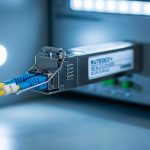
In modern networks, a single mismatched setting can turn a healthy SFP+ link into a flapping or non-linking interface. This article helps network engineers and field technicians understand fiber speed negotiation behavior in SFP+ optics, compare autonegotiation versus forced speed, and apply practical troubleshooting steps. You will also get a decision checklist, common failure modes, and a cost-aware selection view for real deployments.
Top 1: How fiber speed negotiation actually happens in SFP+
SFP+ modules implement Ethernet physical layer signaling using electrical control and optical transmit/receive. When autonegotiation is enabled, the link partner and the transceiver exchange capability information so both sides can converge on a compatible operating mode. In practice, negotiation is mediated by the transceiver’s PHY behavior, including link timing, training sequences, and the management interface for capabilities. If you disable autonegotiation or force speed, you remove the convergence logic and rely on both ends being set consistently.
Engineers often validate the mechanism by correlating switch interface counters with module diagnostics: link status changes, optical power thresholds, and signal detect events. In deployments, technicians commonly observe that autonegotiation convergence time is sensitive to optical power levels, connector cleanliness, and module temperature. If you are operating near the transceiver’s power budget, forced settings can “lock” the PHY into a mode that never becomes stable.
- Best-fit: Mixed vendor environments, new builds, and links where optics age or temperature swings are expected.
- Pros: Higher probability of compatibility convergence; easier recovery after partial outages.
- Cons: Longer initial link bring-up during training; can still fail if capabilities are inconsistent.
Top 2: Autonegotiation behavior vs forced speed: what changes
With autonegotiation, both link partners attempt to agree on a common speed and duplex (where applicable). In many Ethernet PHY implementations, duplex is effectively fixed by the standard operating mode, while speed negotiation is the critical piece for SFP+ class optics. With forced speed, you configure one side (often the switch) to a specific rate and disable negotiation, assuming the other side will comply. This assumption is where failures begin: not all transceivers expose the same capability set, and some switch modules may not honor forced constraints cleanly.
| Parameter | Autonegotiation (typical SFP+ Ethernet) | Forced Speed (common field approach) |
|---|---|---|
| Convergence | PHY training and capability exchange | No capability exchange; relies on matching config |
| Failure mode | Link may not come up if capabilities mismatch or power budget is exceeded | Link may stay down or flap if the PHY cannot lock to the forced mode |
| Operational stability | Often better after optics drift or partial repairs | Can be stable only when both ends are perfectly aligned |
| Typical monitoring signals | Negotiation state transitions; training events; stable link after convergence | Immediate “configured up” but no data; repeated loss-of-signal or CRC errors |
| Compatibility risk | Lower across heterogeneous optics (still not zero) | Higher with vendor or firmware differences |
For standards grounding, refer to IEEE Ethernet physical layer behavior described in IEEE 802.3 and transceiver management expectations in SFF-8472 for optical diagnostics. While the exact autonegotiation details vary by switch PHY, the engineering principle remains consistent: autonegotiation reduces the configuration surface area that can drift over time. [Source: IEEE 802.3, [Source: SFF-8472]]
Pro Tip: If you are troubleshooting a “forced speed” outage, do not only check the switch port setting. Verify the transceiver’s reported capabilities over the management interface (DOM) and confirm the link partner’s actual PHY mode via switch diagnostics. In the field, engineers often discover that the optics can report a different supported rate set than what the switch assumes, leading to a PHY lock that never stabilizes.

Top 3: SFP+ speed modes and optics reach constraints that affect negotiation
Even when the speed setting matches, fiber attenuation and optical power budget can prevent stable lock. SFP+ typically targets 10 Gbps operation with specific optics classes: SR for multimode short reach, LR for longer single-mode reach, and ER for extended single-mode reach depending on module design. Autonegotiation cannot overcome a physically marginal link; it can only select a mode that the PHY can sustain. Forced speed can make this worse by skipping the negotiation path and leaving the PHY to attempt lock under unstable signal conditions.
Technicians should treat the link budget as a negotiation gate: if the receive power is below the module’s minimum sensitivity or above the maximum (overload), the receiver can fail signal detect. Cleaning and connector inspection matter because even small contamination can swing receive power by multiple dB, especially in high-density patch panels. When you are near the margin, the “most compatible” configuration is often the one that tolerates small drift, which usually favors autonegotiation.
| Optics Class | Typical Wavelength | Typical Reach | Connector | Operating Temp Range |
|---|---|---|---|---|
| 10G SR (MMF) | 850 nm | Up to ~300 m (OM3/OM4 class dependent) | LC | 0 to 70 C typical (varies by vendor) |
| 10G LR (SMF) | 1310 nm | Up to ~10 km class dependent | LC | -40 to 85 C available on enterprise modules |
| 10G ER (SMF) | 1550 nm | Up to ~40 km class dependent | LC | -40 to 85 C available on enterprise modules |
Examples of commonly deployed modules include Cisco SFP-10G-SR and Finisar FTLX8571D3BCL, as well as FS.com equivalents such as SFP-10GSR-85. Always validate the exact vendor datasheet for DOM thresholds, sensitivity, and temperature ratings before comparing behavior across models. [Source: vendor datasheets for Cisco, Finisar, and FS.com]
- Best-fit: Environments where fiber types vary (OM3 vs OM4 vs single-mode) and patching changes during maintenance.
- Pros: Autonegotiation can recover from configuration drift; link budget still governs final stability.
- Cons: If optical power is outside spec, negotiation will not save the link.
Top 4: A field deployment scenario: leaf-spine data center with mixed optics
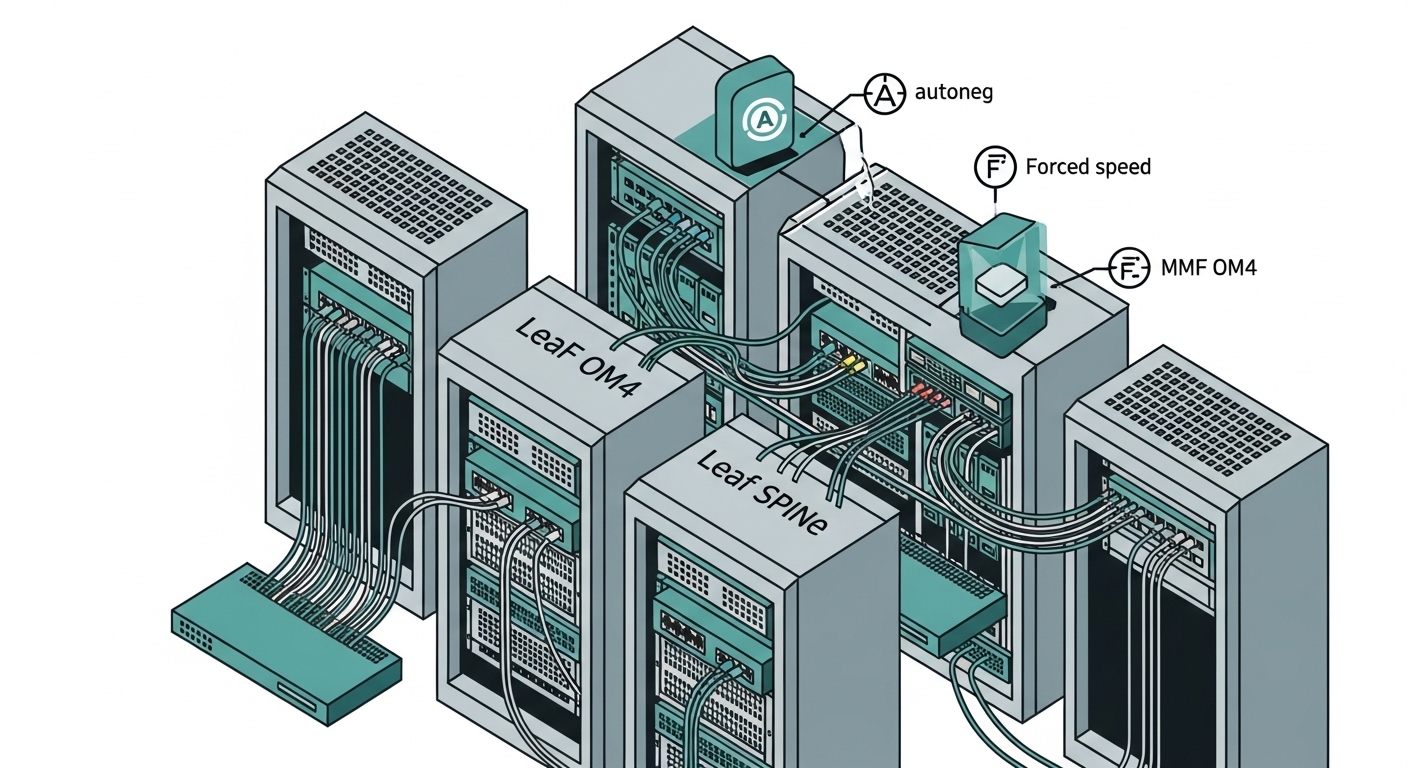
Consider a 3-tier data center leaf-spine topology with 48-port 10G ToR switches connecting to a spine via 10G uplinks. Each rack uses SR optics over OM4 patching for top-of-rack to aggregation, while some long runs use LR optics over single-mode. During a maintenance window, a subset of uplinks is replaced with third-party SFP+ modules because of lead-time constraints. After swap-out, the team notices intermittent link drops under peak load.
In this scenario, engineers typically compare the switch port configuration across affected uplinks: which ports have autonegotiation enabled, which are forced, and whether the optics DOM shows stable receive power and signal detect. If forced speed was configured to “10G full” without verifying the transceiver’s capability set, the PHY may fail to converge when the new module’s training characteristics differ. The resolution is often to revert to autonegotiation, standardize the optics SKU class for the fiber type, and re-clean LC connectors before retesting. This approach reduces the chance that a “works on the bench” forced setting fails under real patch-panel conditions.
Top 5: Selection criteria checklist for fiber speed negotiation settings
Use this ordered checklist before you change negotiation behavior on production ports. It is designed to minimize downtime and avoid silent incompatibilities between switch PHY settings and transceiver capability sets.
- Distance and fiber type: Confirm MMF vs SMF, OM3/OM4 class, and measured attenuation. Keep a safety margin for connector loss.
- Budget and link margin: Verify DOM-reported RX power and compare against datasheet thresholds for the specific module.
- Switch compatibility: Check whether the switch supports autonegotiation properly with the exact transceiver family; consult vendor compatibility matrices.
- DOM support and monitoring: Ensure the module supports digital optical monitoring (SFF-8472) and that the switch reads it correctly.
- Operating temperature and airflow: Validate that module temperature stays inside spec, especially in top-of-rack enclosures with high exhaust temperatures.
- Vendor lock-in risk: Evaluate whether forcing speed increases dependency on a specific vendor’s PHY behavior; prefer autonegotiation for mixed optics.
- Change control and rollback plan: If forced speed is required, document the exact port settings and have a fast rollback to autoneg enabled.
- Best-fit: Standardization programs across heterogeneous vendors and phased rollouts.
- Pros: Prevents “configuration drift” that produces intermittent link failures.
- Cons: Requires disciplined validation and measurement, not just a config change.
Top 6: Common mistakes and troubleshooting tips for negotiation failures
Below are concrete failure modes engineers commonly see when dealing with fiber speed negotiation and SFP+ links. Each item includes the root cause and a practical fix.
-
Mistake 1: Forcing speed on one end only
Root cause: The switch port is forced to 10G while the link partner expects autonegotiation or advertises different capabilities. The PHY can fail to lock, producing link-down or CRC bursts.
Solution: Ensure both ends are configured consistently; if you cannot guarantee partner settings, enable autonegotiation and verify with interface state and optics DOM.
-
Mistake 2: Ignoring optical power and signal detect
Root cause: Receive power is outside the module’s sensitivity window due to dirty connectors, excessive patch loss, or marginal fiber. Autonegotiation cannot overcome physical-layer instability.
Solution: Inspect and clean LC connectors, re-measure with an optical power meter, and check DOM RX power and alarm/warning flags.
-
Mistake 3: Mixing SR optics with the wrong fiber type
Root cause: Using 850 nm SR optics on cabling that does not meet OM3/OM4 performance can create marginal link budgets. Forced speed may appear to work briefly, then degrade under load.
Solution: Confirm fiber plant type and patch lengths; standardize SR on OM4 for best margin or move to LR/ER for longer SMF runs.
-
Mistake 4: Overlooking module temperature and airflow constraints
Root cause: In top-of-rack hot spots, module temperature rises, affecting laser bias and receiver sensitivity. Negotiation can become unstable across reboots.
Solution: Validate thermal design, check module temperature via DOM, and correct airflow or swap to modules with appropriate temperature ratings.
Top 7: Cost and ROI note: OEM vs third-party optics under negotiation changes
Price varies by reach, vendor, and whether the module is OEM-locked or broadly compatible. In real procurement, OEM 10G optics often cost more but may reduce compatibility and support friction; third-party modules typically lower upfront cost but can increase the need for validation and monitoring. A realistic planning range for SFP+ 10G optics is roughly $50 to $200 per module depending on reach and temperature grade, with installation labor and troubleshooting time often dominating TCO.
From an ROI perspective, if forced speed settings increase troubleshooting cycles, the savings on optics can disappear quickly. Autonegotiation-friendly designs usually reduce operational risk in mixed-vendor environments and can lower mean time to repair (MTTR) after patch-panel changes. Budget for connector cleaning supplies, optical test equipment time, and spares strategy, because negotiation failures are frequently rooted in physical-layer issues rather than speed settings alone.
- Best-fit: Cost-sensitive rollouts where you still need operational stability.
- Pros: Better long-term reliability when paired with autonegotiation and consistent fiber standards.
- Cons: Requires disciplined acceptance testing and DOM verification.
Top 8: Summary ranking table: pick the safest default for your environment
Use this ranking to decide how aggressively you should rely on fiber speed negotiation behavior. “Safest default” assumes you want stable uptime and low troubleshooting overhead.
| Scenario | Recommended Setting | Why | Risk Level |
|---|---|---|---|
| New build, mixed optics vendors, patch-panel changes expected | Enable autonegotiation | Improves convergence likelihood across capability differences | Low |
| Homogeneous environment, validated optics SKU, strict change control | Autonegotiation or forced speed (only after validation) | Forced can be stable when both ends match exactly | Medium |
| Intermittent link flaps after optic replacement | Revert to autonegotiation and verify DOM RX power | Forced often masks capability mismatch but cannot fix power budget issues | Low to Medium |
| Legacy equipment with known autoneg incompatibility | Forced speed on both sides, documented | May be required if partner PHY cannot negotiate | High |
Bottom line: fiber speed negotiation is not just a checkbox; it interacts with transceiver capabilities, PHY training, and optical power budget. If you want the fastest path to stable uptime, start with autonegotiation, validate DOM and link budget, and only consider forced speed after controlled testing. Next step: review fiber optic transceiver compatibility to reduce vendor mismatch risk before you change any port settings.
FAQ
Q1: What does fiber speed negotiation mean on an SFP+ port?
It is the process where the link partners coordinate to select a compatible operating speed using PHY training and capability exchange. With autonegotiation enabled, the system converges on a stable mode; with forced speed, you bypass negotiation and require exact matching settings.