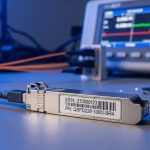
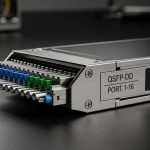
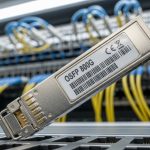
If your network team is planning the jump from 400G to 800G, the most expensive mistakes usually happen at the ordering stage. This guide helps enterprise engineers and procurement partners compare 800G optics options by reach, connector type, power, and switch compatibility, then avoid the failure modes that show up after installation. You will get hands-on selection checklists, troubleshooting patterns, and a practical cost and ROI view.
What changes in the 800G optics transition (and why it matters)
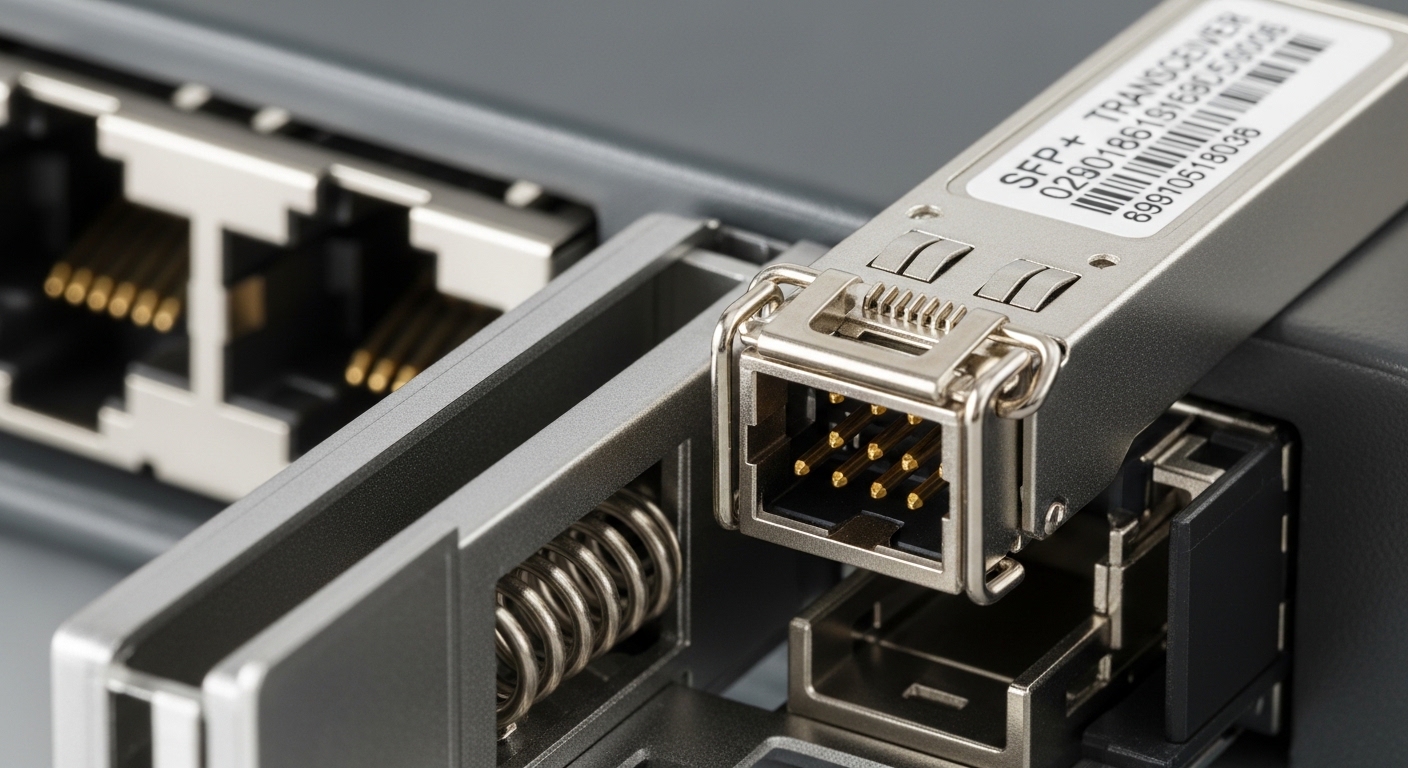
Moving to 800G is not just a higher data rate; it changes the physical and electrical assumptions behind your links. Many platforms use QSFP-DD800 or similar high-density form factors, which combine higher lane counts with stricter optical budgets and tighter timing tolerances. In practice, that means your choice of transceiver type, fiber plant cleanliness, and switch optic support all become more sensitive than in prior generations.
From an standards perspective, 800G Ethernet implementations align with IEEE 802.3 specifications for high-speed optics and signaling, while the optics themselves follow vendor-defined coding, diagnostics, and thermal behavior. For link performance confidence, engineers also lean on vendor datasheets and module compliance documentation, and they verify that the host switch supports the exact optical part number and power class.
In the field, the biggest “gotcha” is that two optics that both say “800G SR” may not share the same internal lane mapping, reach class, or DOM behavior across vendors. Your safest path is to validate on the specific switch model and firmware revision, not just the broad technology label. IEEE 802.3 standard
Key 800G optics specs that drive real link decisions
Before you compare vendor SKUs, build a short list of the specifications that actually affect deployment outcomes: wavelength band, reach, connector type, optical power and receiver sensitivity, operating temperature, and transceiver power. If you are doing a 3-tier or leaf-spine upgrade, you also care about how the module reports DOM data and whether the switch supports it without “unknown module” alarms.
Core specification table (how to compare like an engineer)
Use this table as a baseline reference for how optics are commonly described in datasheets. Exact values vary by vendor and part number, so always confirm against the specific datasheet for the module you intend to buy.
| Spec | Example 800G SR (MMF) | Example 800G DR (SMF) | Example 800G FR (SMF) |
|---|---|---|---|
| Typical wavelength | 850 nm nominal (MMF) | ~1310 nm nominal (SMF) | ~1550 nm nominal (SMF) |
| Reach class | Up to ~100 m over OM4/OM5 (varies) | Up to ~500 m (varies) | Up to ~2 km (varies) |
| Connector | Common: MPO-16 or MPO-12 (varies by module) | MPO-16 (varies) | MPO-16 or LC (varies) |
| Data rate | 800G Ethernet | 800G Ethernet | 800G Ethernet |
| DOM support | Temperature, voltage, bias, Tx/Rx power (vendor-specific) | Same class of telemetry | Same class of telemetry |
| Power consumption | High; typically ~10 W to 20+ W per module (datasheet dependent) | Often similar order of magnitude; confirm exact class | Often similar order of magnitude; confirm exact class |
| Operating temperature | Common industrial or extended ranges; confirm -5 to 70 C or similar | Confirm per datasheet | Confirm per datasheet |
| Host compatibility | Switch-specific; verify exact part number support | Switch-specific; verify exact part number support | Switch-specific; verify exact part number support |
Practical note: if your switch vendor publishes an optics compatibility list, treat it as the “source of truth.” Even when optical specs look close, host firmware may enforce power class or lane mapping expectations.
Reach, fiber plant, and power budgets: choosing the right 800G optics type
In most enterprise deployments, the “right” 800G optics type is determined by distance and fiber plant readiness. For leaf-spine within a data hall, MMF-based 800G SR optics are often the easiest path because they fit short-reach economics and simplify cabling. For inter-rack or cross-row links that exceed your MMF budget, you move to SMF options like DR or FR depending on the required distance and available splice/connector loss.
Power budget discipline matters more at 800G than at older generations. A field engineer might start with a link budget spreadsheet using transmitter launch power, receiver sensitivity, and estimated link loss from connectors, splices, and fiber attenuation. Then they validate with an optical power meter and a continuity test, especially after any patch panel rework.
Real-world deployment scenario: 3-tier data center leaf-spine
On a recent enterprise upgrade for a 3-tier data center (ToR leaf, aggregation, core), the team planned a leaf-spine refresh with 48-port 10G-to-100G legacy replaced by 10G-to-800G capable uplinks. The cabling team had OM4 backbone with typical patch overhead, and they needed ~70 m average link distance from leaf to spine. They selected 800G SR optics with MPO-16 cabling and enforced a cleaning policy using lint-free wipes and inspection before every re-seat. After staging 12 links, they confirmed DOM telemetry stability (Tx/Rx within vendor thresholds) and only then scaled to all 96 uplinks.
Pro Tip: In 800G SR rollouts, the most frequent “mystery” link failures come from patch-panel connector contamination and not from the optics themselves. If you track DOM-reported Rx power trends link-by-link, you can often spot progressive degradation that correlates with a specific MPO cassette or a single repeatedly handled trunk cable.
800G optics selection checklist for enterprises (ordered like a PO review)
When procurement and engineering align early, the 800G transition gets dramatically smoother. Use this checklist in order, and you will reduce late-stage compatibility surprises.
- Distance and reach class: confirm the planned link lengths including patch cords, not just trunk cable. Choose SR for short reach, DR for medium, FR for long where SMF is available.
- Host switch compatibility: verify the module is explicitly supported by the exact switch model and firmware. Do not rely on generic form-factor claims alone.
- Connector and polarity requirements: confirm MPO type (often MPO-16) and any required polarity method. Ensure your patching design matches the module expectations.
- DOM and monitoring needs: check that the switch can read standard telemetry and that alarms map cleanly into your monitoring stack.
- Operating temperature: confirm the module’s temperature range and airflow conditions in your racks, especially in warm aisles.
- Vendor lock-in risk: evaluate OEM-only vs third-party availability. Consider your spares strategy and RMA process.
- Power and thermal budget: compare module power consumption and confirm switch thermal headroom at full port population.
- Testing plan: reserve a validation window for a representative sample of links, including the worst-case distance and highest-loss patch path.
If you want concrete starting points to match datasheet terminology, many teams look at known 800G optics part families and then map them to the switch compatibility list. Examples of commonly referenced optics categories include OEM and third-party modules such as Cisco SFP-10G-SR for older generations, and for 800G-class optics you will typically find QSFP-DD800 SR/DR/FR listings from major vendors and resellers; always confirm the exact 800G module form factor and host support before purchase.
Common mistakes and troubleshooting wins with 800G optics
Even careful teams run into predictable issues during 800G transitions. Below are concrete failure modes, the most likely root causes, and what to do next.
“Link up/down flapping” after installation
Root cause: MPO connector mis-seating, endface contamination, or polarity mismatch can cause marginal optical alignment that fails under thermal variation. At 800G, the margin is tighter, so what “worked” at 400G may not hold.
Solution: Inspect and clean both ends with an inspection scope, re-seat the MPO carefully, verify polarity method, and test a known-good patch cord. If the problem isolates to one cassette or trunk, replace or re-terminate that segment.
“DOM alarms” or “unsupported module” warnings
Root cause: The module may not be on the switch vendor’s supported optics list, or the switch firmware expects specific DOM behavior and power class. Some third-party optics report telemetry differently, triggering warnings even when the link could operate.
Solution: Confirm the optics part number against the host compatibility matrix for your firmware. If you must use third-party, run a limited pilot and capture DOM telemetry outputs to ensure your monitoring system interprets them correctly.
Receiver power too low or too high compared to threshold
Root cause: Excessive connector loss, too many splices, incorrect fiber type (OM3 vs OM4 vs OM5), or high-reflection events from dirty connectors can push Rx power outside safe thresholds.
Solution: Use an optical power meter or validated DOM readings to compare against the vendor’s recommended operating window. Then correct cabling loss drivers: clean, re-terminate, reduce patch hops, and verify fiber grade and attenuation.
Thermal-related performance degradation over a burn-in window
Root cause: Insufficient airflow or blocked vents can shift module temperature beyond spec, causing intermittent errors during high traffic.
Solution: Measure inlet and outlet temperatures at the switch and confirm fan tray operation. Schedule a burn-in test for at least 24 hours on representative links, monitoring error counters and DOM trends.
Cost and ROI: OEM vs third-party 800G optics in enterprise terms
Pricing for 800G optics varies widely by reach class (SR vs DR vs FR), module form factor, and supply conditions. In many enterprise procurement cycles, OEM optics can cost more upfront but may reduce integration risk due to tighter switch validation and predictable RMA handling. Third-party modules can offer better unit cost, yet they can introduce compatibility friction if your switch firmware enforces strict support rules.
For a realistic TCO view, consider: module purchase price, expected failure rate over your lifecycle, downtime cost during RMA swaps, and engineering time spent on validation. A common pattern is that the “cheap” optics can erase savings if you need multiple firmware iterations or extended troubleshooting because DOM alarms trigger monitoring noise or link margins are thinner than expected.
As a planning heuristic, teams often budget for: a small pilot batch (for example 10 to 20 percent of total expected optics), a spares pool sized to your operational tolerance, and a cleaning and test kit line item. If you are upgrading a large uplink count, the ROI improves when you standardize on a single optics family and connector/cabling design.
FAQ: buying 800G optics without surprises
Which 800G optics should we choose for leaf-spine short links?
For typical within-row or leaf-to-spine distances under roughly 100 m, many enterprises start with 800G SR over MMF using MPO cabling. Confirm the exact reach class for your fiber type (OM4 vs OM5) and validate against the switch’s supported module list.
Can we mix vendors for 800G optics across the same switch?
In principle you can, but in practice it depends on your platform’s supported optics policy and DOM behavior. If your monitoring stack expects consistent telemetry formats, mixing can increase operational overhead. Always pilot a mixed-vendor set before scaling.
How do we verify compatibility beyond “it fits the port”?
Verify the exact transceiver part number against the switch vendor compatibility matrix and your firmware version. Then validate with a representative test set: worst-case distance, highest-loss patch path, and the most thermally stressed rack location.
What cleaning process prevents most 800G SR failures?
Use an MPO inspection scope before mating, clean with approved materials, and re-inspect after cleaning. Treat every re-seat event as a new inspection requirement, because contamination can spread across cassettes and trunk connectors.
Do we need optical power meters if we have DOM telemetry?
DOM telemetry is useful for trend detection, but it is not a substitute for calibrated measurements when troubleshooting major outages. For sensitive deployments, having a meter and a repeatable measurement workflow speeds root-cause analysis.
Are 800G optics worth it compared to staying at 400G for longer?
It depends on your traffic growth and your upgrade timeline, but many enterprises adopt 800G when they hit switch port saturation or want fewer uplink lanes for the same aggregate throughput. If you plan a staged migration, validate the optics and cabling foundation early to avoid rework.
Updated: 2026-04-30. For your next step, build a pilot matrix using the checklist above, then compare part numbers against your switch’s compatibility list using optics compatibility and DOM validation for enterprise switches.
Author bio: I design and deploy fiber and transceiver validation labs for enterprise networks, with hands-on testing on live leaf-spine topologies and DOM telemetry monitoring. I also write practical migration runbooks focused on measurable link budgets, failure modes, and operational cost control.