
When you push higher launch power and longer reach, a fiber link can fail in ways that look like “random” packet loss. In reality, SBS threshold fiber is about managing Stimulated Brillouin Scattering so your receivers stay stable under worst-case conditions. This article helps data center and metro engineers size power budgets, select compatible optics, and troubleshoot SBS-related degradation before it reaches production.
Top 8 SBS threshold fiber decisions that prevent Brillouin failures
Think of SBS threshold fiber as a system-level constraint: it depends on the fiber’s effective Brillouin gain profile, the optical linewidth of your laser, the length, and the acoustic-phonon interaction. Engineers typically discover SBS after increasing transmit power for margin, upgrading to higher rates (25G, 100G, 200G, 400G), or extending reach. The goal is to keep the link below the SBS threshold with a safety margin, while avoiding unnecessary cost and vendor lock-in.
Choose fiber type by SBS mechanism: standard SMF vs low-Brillouin designs
Stimulated Brillouin Scattering is strongest in narrow-linewidth, high-coherence sources over long spans where the interaction time is long. Standard single-mode fiber can be acceptable for many DWDM and short-reach links, but high-power long-haul designs often require SBS-optimized fibers. Low-Brillouin or engineered fibers target reduced effective Brillouin gain and/or modified acoustic properties, raising the practical threshold.
Key specs to check: specified SBS threshold at a defined linewidth and length, effective area (Aeff), and any vendor test conditions. For reference, the SBS phenomenon is described across telecom literature and reflected in practical engineering guidelines; the baseline physical model aligns with the SBS behavior in optical fiber used in system planning. For the Ethernet optics side, link budgets and reach targets typically follow IEEE 802.3 class requirements, while the fiber constraints come from fiber vendor datasheets. IEEE 802.3
- Best-fit scenario: metro and long-reach upgrades where you must increase launch power or extend span length.
- Pros: higher SBS threshold, fewer “mystery” outages at peak traffic.
- Cons: higher fiber unit cost; compatibility with splicing and handling procedures must be validated.
Match wavelength and dispersion regime to your optics plan
SBS threshold is not only “fiber type”; it also depends on the wavelength band and how your system manages dispersion and signal coherence. Many SBS-optimized fibers are characterized in C-band, but some deployments run near 1310 nm for O-band metro. Dispersion affects pulse evolution and can change the effective interaction with noise over distance.
What to verify: vendor SBS test wavelength (often 1550 nm region), whether the threshold is specified for continuous-wave vs modulated signals, and how the vendor defines “threshold” (gain criterion and measurement setup). If you run 1310 nm optics, confirm the fiber’s SBS behavior in that band, not just in C-band.
- Best-fit scenario: mixed-band networks where you must ensure consistent margins across O-band and C-band spans.
- Pros: fewer surprises during wavelength re-use.
- Cons: incomplete datasheets can force conservative margins.
Control laser linewidth: narrow sources lower SBS threshold
Even with SBS threshold fiber, your transmitter matters. SBS gain depends on the spectral overlap between the optical field and the Brillouin frequency shift; narrow linewidth lasers have higher coherence and can drive SBS at lower power. Practical mitigation includes using broader linewidth sources, modulating formats that effectively increase linewidth, or choosing optics with specified spectral properties.
Decision points: confirm the transmitter’s optical linewidth and whether it is “tunable” or fixed wavelength; check if the optics vendor provides SBS mitigation notes. In coherent systems, linewidth and phase noise can be critical; in direct-detect systems, the laser’s spectral width still influences SBS onset.
Pro Tip: In the field, operators often “fix” SBS by reducing transmit power, but the better approach is to verify laser spectral linewidth and modulation-induced spectral broadening before you cut headroom. A 1–2 dB power change may mask the root cause while your replacement optics later reintroduce the issue.
- Best-fit scenario: upgrades from older optics to newer fixed-frequency optics where linewidth characteristics changed.
- Pros: can preserve reach and margin without fiber swaps.
- Cons: not all optics provide enough spectral detail for confident modeling.
Use a real link budget with SBS power margin, not just attenuation
Engineers usually start with attenuation and dispersion, but SBS requires an additional power margin calculation. You need to compute the effective peak power along the span under worst-case conditions: maximum transmit power, worst-case optical loss (aging, dirty connectors, patch panel changes), and any automatic power control behavior.
How teams operationalize it: set a target receive power window per optics class and then apply an SBS safety margin based on the fiber’s specified SBS threshold condition. If your network uses dynamic power adjustment, model the maximum possible launch power during peak operation.
- Best-fit scenario: networks with power control, long-term aging, or frequent patching.
- Pros: avoids “works in test, fails in production” outcomes.
- Cons: requires accurate loss and transmitter behavior models.
Validate connector and splice performance because local loss can trigger higher launch power
SBS is driven by launch power. If patch cords, connectors, or splices degrade, the system may raise transmit power to maintain receive level, which can push you closer to SBS onset. Dirty connectors and poor polish can add localized loss; while that might not directly cause SBS, it changes the power profile the fiber experiences.
What to check: connector type (LC, SC), insertion loss specs, APC vs UPC practices where relevant, cleaning standards, and splice loss distributions. For field troubleshooting, inspect and clean endfaces before replacing optics, and verify patch panel labeling to avoid incorrect fiber routing.
- Best-fit scenario: high-turnover environments like data centers with frequent cabling changes.
- Pros: reduces both SBS risk and general link instability.
- Cons: requires disciplined change management and test procedures.
Compare reach and data rate: higher rates often tempt higher power and longer spans
As systems move from 10G to 25G, 100G, and beyond, operators may increase transmit power to achieve margin under stricter optical budgets. SBS threshold fiber becomes more important when you combine higher rates, longer reach, and higher effective launch power. Also consider that some optics have tighter receiver sensitivity requirements, changing the power you must launch.
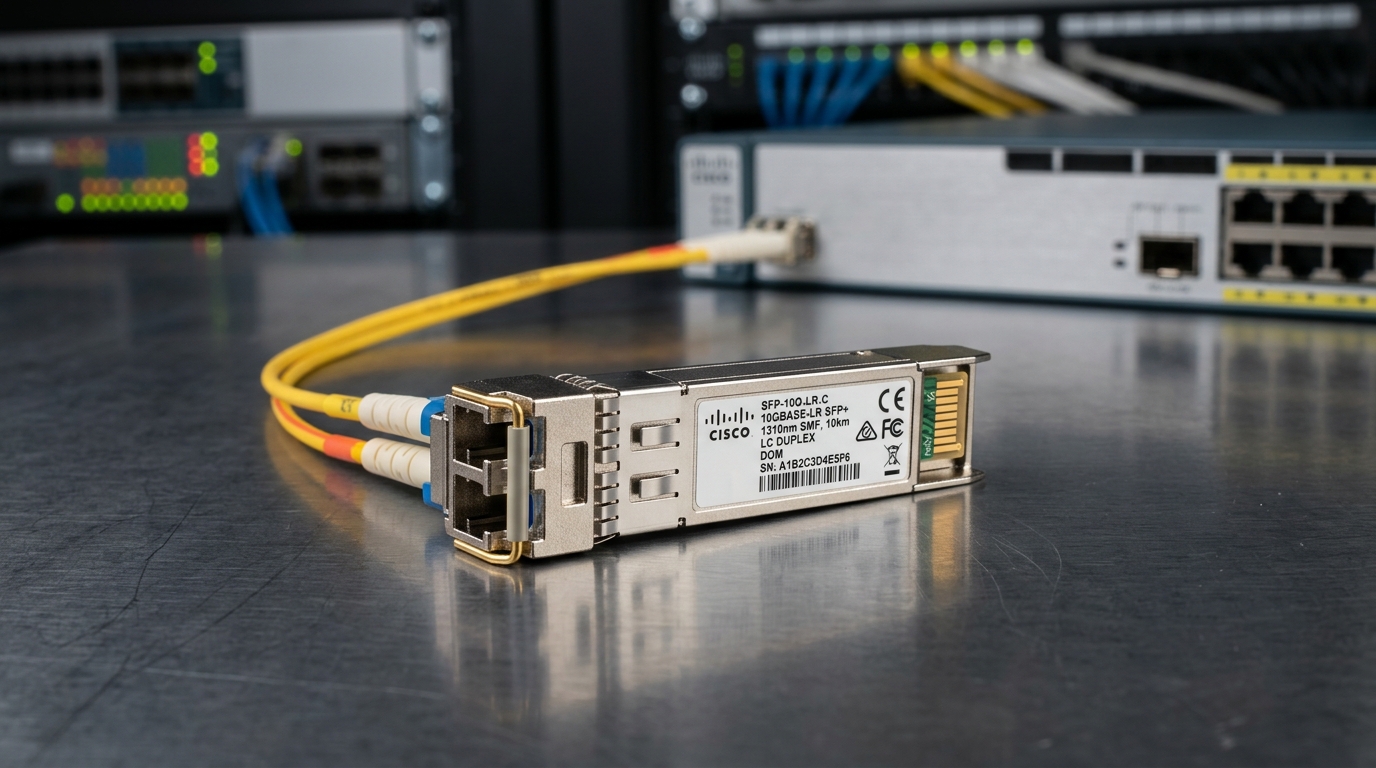
Representative optics examples engineers commonly evaluate: Cisco and vendor ecosystems offer SFP/SFP+ and QSFP variants for SR (MMF) and LR/ER (SMF), though SBS concerns typically apply to SMF long spans and coherent or high-power scenarios. For example optics may include modules like Cisco SFP-10G-SR for multimode links; SBS is not the dominant limiter there because the physics and power levels differ. For SMF, vendors list reach and power budgets in datasheets, and you must align those with the SBS threshold fiber specification. Cisco support
- Best-fit scenario: leaf-spine expansions that add longer SMF uplinks or metro interconnects.
- Pros: more stable upgrades; fewer last-minute fiber changes.
- Cons: requires careful coordination with optics procurement.
Demand DOM and compatibility testing to prevent “threshold fixes” from breaking optics
Many operational incidents come from swapping transceivers or optics classes without fully validating compatibility. Digital Optical Monitoring (DOM) helps you observe transmit power and temperature, but DOM does not replace SBS modeling. Ensure the switch or line card supports the transceiver type and that DOM readings match expected optical power.
Checklist: verify DOM support mode, confirm vendor part number compatibility, and run a burn-in test that includes worst-case temperature. If you are using third-party optics, confirm they meet your vendor’s interoperability constraints and that they do not behave unexpectedly under power control.
- Best-fit scenario: mixed-vendor environments where you need repeatable monitoring.
- Pros: faster detection of power drift that approaches SBS.
- Cons: DOM granularity may vary by vendor.
Operational temperature and aging: plan for drift in threshold over time
Fiber characteristics can drift with aging, and environmental conditions affect splices, connectors, and system power control. Temperature gradients can change laser behavior and receiver sensitivity, which indirectly affects launch power. A conservative SBS margin that is valid at commissioning can become insufficient after months if loss increases or power control algorithms adapt.
What to measure: periodically trend DOM transmit power, receiver power, and bit error rate proxies. For long-term stability, use automated alerts when transmit power exceeds a defined ceiling that accounts for SBS margin.
- Best-fit scenario: long-lived metro links with seasonal temperature changes.
- Pros: predictable maintenance and earlier intervention.
- Cons: requires monitoring maturity and alert tuning.
Specifications snapshot: SBS-relevant fiber parameters engineers compare
The table below summarizes the fiber parameters that matter when you are selecting SBS threshold fiber. Exact SBS threshold values vary by vendor test method, so treat these as decision categories rather than universal constants.
| Parameter | What to look for | Typical target / range | Why it matters for SBS |
|---|---|---|---|
| Wavelength band | C-band vs O-band characterization | Often specified around 1550 nm | Brillouin interaction and calibration differ by band |
| Specified SBS threshold | Threshold at given linewidth and length | Vendor-defined criterion | Direct input to your power budget margin |
| Effective area (Aeff) | Fiber geometry / mode confinement | Vendor-specific for SMF | Larger Aeff can reduce gain per unit power |
| Connector and splice loss | Max insertion loss and field performance | Keep patch loss low and stable | Loss increases can cause power control to raise launch |
| Operating temperature | Splice/connector survivability and fiber spec | Varies by deployment | Drift affects receiver sensitivity and power behavior |
| PMD / dispersion profile | System dispersion tolerance match | Depends on modulation format | Indirectly affects signal coherence and stability |
Selection criteria checklist for SBS threshold fiber projects
- Distance and span count: longest continuous fiber run drives SBS interaction time.
- Launch power behavior: verify transmitter max power and any automatic power control ceiling.
- Wavelength and modulation format: confirm vendor threshold applies to your band and signal type.
- Switch and optics compatibility: validate transceiver part numbers with your platform and DOM support.
- DOM support and telemetry: ensure you can trend power and temperature to detect drift early.
- Operating temperature and installation method: confirm splice/connector practices and environmental limits.
- Vendor lock-in risk: require test reports and acceptance criteria so you can avoid “unrepeatable builds.”
- Documentation quality: demand SBS test conditions, threshold definition, and measurement methodology.
Real-world deployment scenario: metro upgrade that triggered SBS risk
In a 3-tier metro network with 48-port 100G aggregation switches, a team extended SMF uplinks from 8 km to 14 km to consolidate sites. They used 100G optics with tight receive sensitivity windows and increased transmit power by 2 dB to preserve link margin after planned connector upgrades. Within two weeks of commissioning, telemetry showed transmit power creeping upward during peak hours, while error counters spiked intermittently. The root cause was SBS onset behavior under the new effective launch power and the long continuous run; the fix combined a reduced transmit ceiling, improved connector cleanliness, and replacement of one span with vendor-certified SBS threshold fiber.
Common mistakes and troubleshooting tips for SBS threshold fiber
Below are failure modes engineers repeatedly encounter. Each includes the root cause and a practical solution.
-
Mistake: Using SBS threshold values without matching linewidth and signal type
Root cause: vendor threshold may be measured under continuous-wave or a different spectral linewidth criterion.
Solution: request full test conditions (linewidth, modulation conditions, length) and re-run your power budget with the correct assumptions. -
Mistake: Fixing SBS by lowering power but ignoring long-term loss drift
Root cause: connector aging or dirty patching increases loss; power control then pushes launch power back toward the old ceiling.
Solution: set a hard transmit ceiling in configuration (where supported), and implement DOM-based alerts on transmit power and receiver power trends. -
Mistake: Treating “SBS” as a pure fiber issue while neglecting optics compatibility
Root cause: swapping transceivers can change linewidth, output power calibration, and DOM reporting, invalidating the SBS model.
