
If your FRRouting fiber network is flapping, stuck at low link rates, or refusing to come up after a swap, the culprit is often the SFP module details—not the routing config. This guide helps VyOS users and open-source router teams validate SFP optics for FRRouting fiber interfaces using practical checks: DOM status, optical power, link negotiation, and temperature/compatibility constraints. You will leave with an implementation path that reduces downtime and accelerates PMF-style learning in production labs.
Prerequisites: what you must measure before touching FRRouting fiber
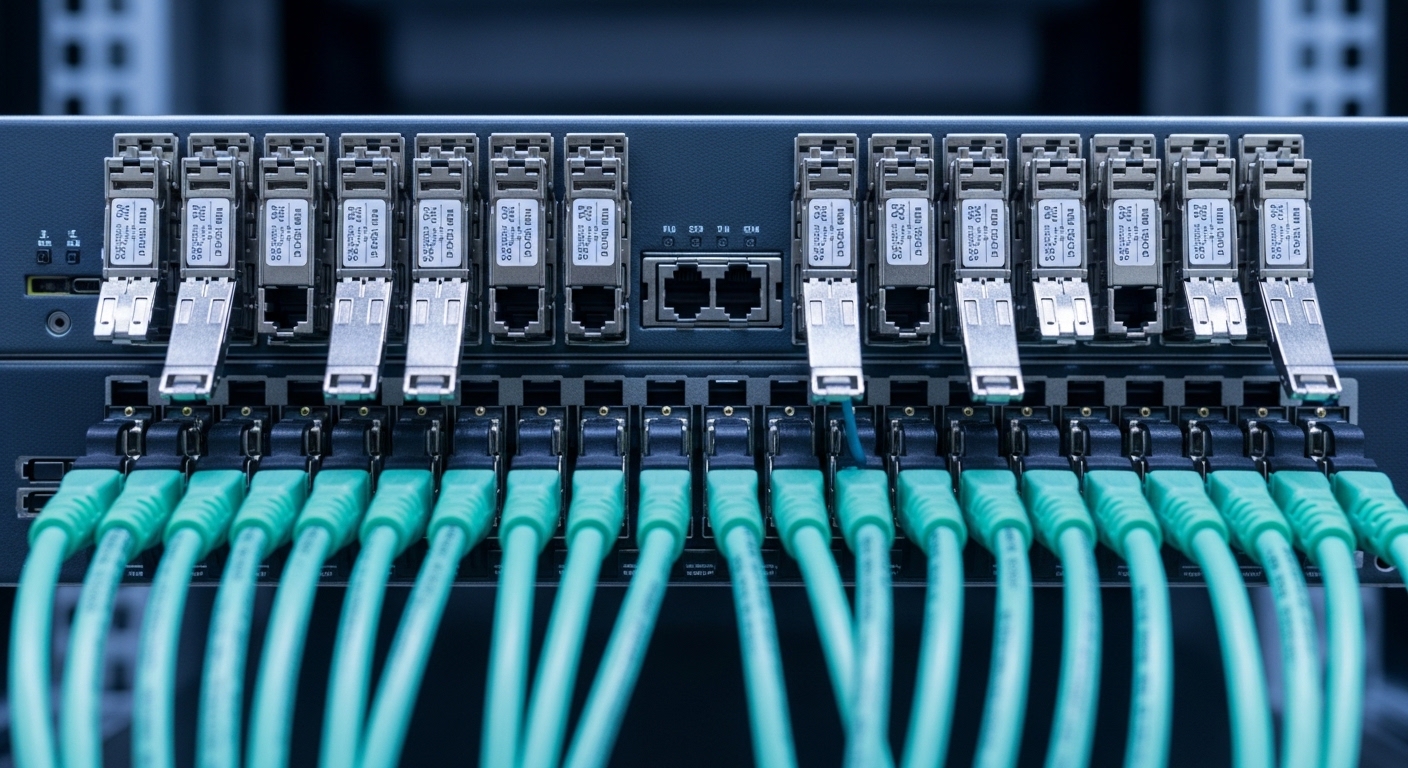
Before you change FRRouting fiber settings, collect the physical-layer facts that determine whether the link will train successfully. You need an optics-capable switch or router platform, plus either a DOM-aware test tool or platform CLI output that exposes RX/TX power and alarms. For repeatability, standardize your test patching: same fiber type, same patch cords, same splitters, and same cleaning process.
Hardware and optics you should have on hand
At minimum, plan for one known-good transceiver pair and one candidate SFP module. Use real part numbers when you can: for example, Cisco SFP-10G-SR or Finisar FTLX8571D3BCL for 10G SR; for third-party, FS.com SFP-10GSR-85 is a common reference point for 10G multimode short reach. If you are targeting 25G/40G/100G, confirm the exact form factor and optics class, because “it fits the cage” does not guarantee signal format compatibility.
- Router: VyOS box (or similar open-source router) with SFP cages and verified optical support
- Switch: leaf/spine switch or aggregation switch that terminates the link
- Fiber: MMF OM3 or OM4, or SMF with correct wavelength plan
- Test gear: optical power meter (or built-in DOM readings) and a fiber inspection scope
- Documentation: vendor datasheets for the specific SFP modules and the host platform
Standards and vendor references to anchor your checks
Base your expectations on IEEE physical-layer specs and vendor optics datasheets. Ethernet over fiber uses defined electrical/optical behaviors, but each transceiver’s DOM and safety thresholds are vendor-specific. For Ethernet PHY expectations, consult IEEE 802.3 and the vendor SFP datasheets; for network cabling guidance, reference ANSI/TIA cabling standards.
Pro Tip: In the field, “link up” can still be misleading. Always check DOM optical power and error counters after activation; a marginal RX power level can pass link training but cause intermittent CRC/FEC events that only appear under load. This is especially common when someone swaps a “compatible-looking” SFP while keeping the same patch cords and cleaning shortcuts.
Step-by-step: validate FRRouting fiber SFP optics before routing changes
This section is written as a numbered implementation plan. The goal is to prove the fiber link is stable and within optical budgets, then only afterward enable FRRouting fiber interfaces and routing neighbors.
Identify your link type and wavelength plan
Start by matching the SFP class to the link speed and fiber type. If you use SR optics, you typically pair 850 nm multimode (MMF) optics at 10G. If you use LR optics, you may use 1310 nm single-mode (SMF). Mixing optics families can physically seat correctly but fail to train or operate at a fallback mode.
Expected outcome: A clear matrix of speed, connector type, wavelength, and fiber type for both ends.
Confirm host compatibility and DOM behavior
Many open-source router platforms support optical modules electrically, but DOM parsing and alarm handling can vary. Check the host platform’s documentation for supported transceiver vendor lists or minimum compliance requirements. When DOM is supported, verify that the module reports vendor OUI, wavelength, and temperature without raising “unsupported optics” warnings.
Expected outcome: No DOM errors or “module not recognized” alarms at boot.
Measure optical power budget with real numbers
Use DOM readings or a power meter to confirm RX power at the receiver and validate that you are inside the transceiver’s recommended operating range. For example, a typical 10G SR multimode link may specify a maximum reach under a defined attenuation budget, but actual reach depends heavily on patch cord quality and cleaning. Treat connector insertion loss, patch cord length, and switch port quality as first-class variables.
Expected outcome: RX power is comfortably above the module’s minimum sensitivity and below any “too high” warning thresholds.
Bring up the physical link, then validate error counters
Only after optical validation, bring up the interface and confirm that it negotiates the expected speed. Then generate traffic (even a simple ping storm is enough) and watch interface counters for CRC errors, symbol errors, and drops. If your platform supports it, check for FEC (forward error correction) status for higher-speed optics.
Expected outcome: Stable link at the targeted speed with negligible error counters during sustained traffic.
Enable FRRouting fiber interface only after stability
Now configure FRRouting on the validated interface. Keep routing changes minimal at first: bring up the interface, confirm it is operational, then add neighbors. This avoids conflating routing issues with physical-layer flaps.
Expected outcome: Neighbor sessions establish, route tables converge, and interface remains stable under load.
Run a controlled failure test (validation for PMF learning)
To reduce long-term risk, deliberately exercise one variable: swap patch cords, re-seat the SFP, or clean the connector and re-measure DOM. Track time-to-recover and whether link training behaves consistently. This is the fastest way to learn which parts of your “fiber bundle” are fragile.
Expected outcome: Documented recovery behavior and an evidence-backed decision on which optics are safe to standardize.
Key SFP specs that determine FRRouting fiber behavior
FRRouting fiber issues often look like routing problems but originate in optics: wavelength mismatch, incorrect reach class, connector type errors, or DOM alarms triggered by temperature or supply voltage. The fastest way to avoid guesswork is to compare the candidate SFP module specs against the host requirements and your fiber link budget.
Core parameters you must compare
- Data rate class: 1G/10G/25G/40G/100G and signaling expectations
- Wavelength: e.g., 850 nm SR vs 1310 nm LR
- Reach: depends on MMF OM3/OM4 or SMF OS2 specs
- Connector: LC vs MPO and polarity requirements
- Power: TX optical power and receiver sensitivity (via datasheet)
- Temperature range: ensure it matches your enclosure conditions
- DOM support: digital optical monitoring availability and alarm thresholds
| Example SFP module | Class / data rate | Wavelength | Connector | Typical reach | DOM | Operating temp |
|---|---|---|---|---|---|---|
| Cisco SFP-10G-SR | 10G SR | 850 nm | LC | Up to ~300 m on OM3 (datasheet-defined) | Supported (platform dependent) | Commercial / vendor-specified range |
| Finisar FTLX8571D3BCL | 10G SR | 850 nm | LC | Up to ~300 m on OM3 (datasheet-defined) | Supported (platform dependent) | Vendor-specified range |
| FS.com SFP-10GSR-85 | 10G SR | 850 nm | LC | Up to ~300 m on OM3 (datasheet-defined) | Often supported; verify host parsing | Vendor-specified range |
Use this table as a template for your own optics. The exact reach number you should trust is the datasheet reach under defined conditions, not marketing claims. If your link runs longer than the nominal reach, you need conservative budgeting and cleaner installation practices.
Real-world FRRouting fiber deployment scenario (numbers included)
In a 3-tier data center leaf-spine topology with 48-port 10G ToR switches, we validated FRRouting fiber on a pair of open-source routers used as route reflectors. Each router had 4 uplinks at 10G SR to aggregation switches over OM4 MMF with 35 m patch runs plus 5 m cross-connect pigtails. We standardized on LC SR optics and required DOM to report temperature within normal range at boot.
During rollout, two links flapped only under peak traffic. DOM showed RX power drifting close to the module’s minimum sensitivity after a switch port remap, and interface counters revealed intermittent CRC errors. The fix was not “tuning FRRouting fiber”; it was replacing a single patch cord batch and cleaning the connector ends with inspection-verified technique. After the change, link stability improved and neighbor sessions converged without manual intervention.
Expected outcome: Stable link state, predictable convergence time, and a repeatable optics standard for future deployments.
Selection criteria checklist for FRRouting fiber on open routers
Use this ordered checklist like a gate in your deployment pipeline. If any item fails, do not proceed to routing configuration yet.
- Distance vs optics reach: confirm the real measured link length and patch cord losses; do not rely on “up to” marketing numbers.
- Fiber type and wavelength alignment: SR at 850 nm must pair with MMF; LR at 1310 nm must pair with SMF.
- Switch and host compatibility: verify the router platform accepts the module type and speed without falling back.
- DOM support and alarm visibility: confirm you can read DOM values or at least see module warnings. If DOM is ignored by the host, you lose early detection.
- Operating temperature and enclosure airflow: SFPs can derate outside recommended ranges; check your rack ambient and airflow.
- Vendor lock-in risk: OEM modules can be reliable but pricier. Third-party can work, but validate with a short burn-in test and record compatibility behavior.
- Power and TCO: factor failure rates and replacement logistics; a cheaper module with higher RMA costs can raise total cost of ownership.
Common mistakes and troubleshooting for FRRouting fiber
When FRRouting fiber links fail, teams often jump straight to routing. Resist that. Troubleshoot the physical layer first, because routing cannot stabilize a link that is training poorly or experiencing optical errors.
Failure point 1: Link comes up but traffic drops under load
Root cause: Marginal RX optical power or connector contamination causing CRC errors. This can still show “link up” while errors accumulate.
Solution: Check DOM RX/TX power and interface error counters. Replace the patch cord(s), clean and re-inspect connectors, and re-measure. If you have a power meter, validate against the transceiver datasheet sensitivity.
Failure point 2: Wrong optics class causes negotiation failure or fallback
Root cause: Mixing SR and LR optics, or mixing MMF and SMF plan. Some hosts may attempt fallback modes, which breaks expectations for bandwidth and reduces reliability.
Solution: Verify wavelength, fiber type, and connector polarity at both ends. Confirm the host negotiates the intended speed after insertion. If possible, standardize optics part numbers across both ends to reduce variability.
Failure point 3: DOM alarms or “unsupported optics” warnings
Root cause: DOM parsing differences, non-compliant transceiver behavior, or temperature/supply voltage excursions inside the cage.
Solution: Read host logs and DOM status. If alarms persist, try a known-good OEM or a validated third-party module. Also check airflow and rack temperature near the cage; ensure the module’s operating range matches your environment.
Cost and ROI note: how to budget optics for FRRouting fiber
Optics pricing varies widely by speed, reach, and whether you buy OEM vs third-party. As a realistic range for 10G SR LC modules, OEM modules often cost more per unit (commonly tens to over a hundred USD depending on vendor channel), while third-party modules can be lower but require validation and sometimes higher RMA rates. The ROI comes from reduced downtime and fewer escalations: a module that fails intermittently can cost far more in engineer time than the initial price difference.
For TCO, include: module cost, labor for swaps, cleaning supplies, spares inventory strategy, and the operational risk of incompatibility. A practical approach is to run a short burn-in test for candidate third-party optics in a staging lab, measure error rates under sustained traffic, and only then expand rollout.
FAQ about FRRouting fiber SFP modules for VyOS and open routers
Which SFP types work best for FRRouting fiber on VyOS?
The best choice depends on your host’s SFP cage electrical support and DOM behavior. In practice, teams standardize on the optics class their switch vendor and router platform both tolerate reliably, then validate DOM readings and error counters before routing changes. If your platform ignores DOM, you must compensate with external monitoring or stricter burn-in tests. IEEE 802.3
How do I verify DOM support without guessing?
Check the router or switch CLI/log output immediately after insertion. You want to see parsed vendor and diagnostics fields (or at least clear “module present” plus no alarms). If DOM values are missing, confirm whether the host supports DOM for that transceiver type; if not, treat the module as a “black box” and rely more on power meter checks and interface counters.
What fiber length limits should I trust for SR optics?
Trust the datasheet reach under defined test conditions, then budget additional margin for real cabling losses and connector insertion loss. If you are near the edge of nominal reach, expect that patch cord quality and cleaning become the deciding factors. Measure end-to-end attenuation when possible and treat every connector as a potential variable.
Can third-party SFP modules reduce costs without increasing risk?
Yes, but only if you validate them in your environment. Run burn-in tests with sustained traffic, monitor CRC errors, confirm stable link training at the intended speed, and record DOM/alarms behavior. The ROI improves when your validation process is consistent and you keep a “known-good” spare set for rapid rollback.
Why does routing neighbor formation fail even though the link shows up?
Neighbor formation can fail when the interface is experiencing intermittent packet loss due to optical errors. The link state alone does not guarantee low BER. Check interface error counters and, if available, optical DOM RX power; then retest under load before re-tuning routing timers.
What is the fastest troubleshooting path for FRRouting fiber flaps?
First verify optics compatibility and wavelength/fiber type at both ends. Next check DOM and error counters, then swap patch cords and clean connectors with inspection. Only after physical stability is proven should you adjust FRRouting configuration.
FRRouting fiber stability is won or lost at the optics and cabling layer, long before routing policy enters the conversation. Next, build a repeatable validation pipeline by pairing optics checks with interface counter monitoring using FRRouting fiber interface validation checklist.
Author bio: I build and validate production routing on open platforms, focusing on optics, link health telemetry, and fast failure isolation. I optimize for PMF learning loops: measure, standardize, and remove ambiguity from every FRRouting fiber deployment.
