
If your homelab keeps breaking links after a switch upgrade or you are troubleshooting intermittent drops on fiber, the root cause is often the transceiver—not the fiber. This article helps prosumer builders choose budget homelab optics SFP modules that are compatible with real switches, understand the specs that matter, and avoid common failure modes. You will get a field-style checklist, a specs comparison table, and practical troubleshooting steps you can apply during an outage.
Why budget homelab optics SFP modules fail in prosumer setups
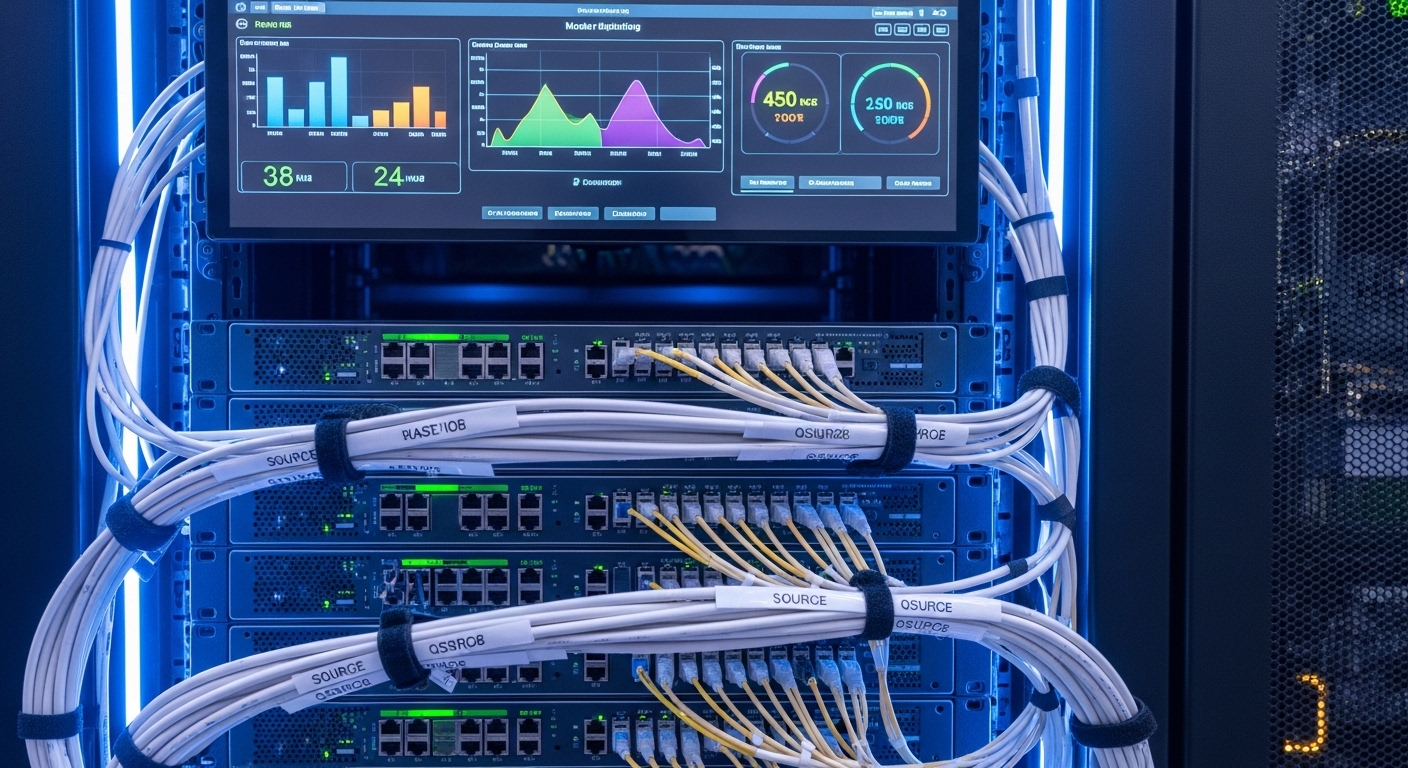
In small labs, you usually run a mix of gear: a managed switch for VLANs, a router for routing, and maybe a NAS with SMB or NFS. Fiber transceivers are “plug and play,” but they still depend on strict electrical and optical expectations: transmit power, receiver sensitivity, link training behavior, and sometimes vendor-specific DOM interpretation. Many budget SFPs also cut corners on thermal design, which shows up as errors when the switch room is warm.
The biggest misconception is that “SFP is SFP.” In practice, compatibility hinges on form factor (SFP vs SFP+), optical wavelength (850 nm vs 1310 nm), fiber type (OM3/OM4 vs single-mode), and link speed (1G vs 10G). Even if the port negotiates, marginal optics can cause CRC errors, link flaps, or packet loss under load.
Core specs that decide whether your homelab optics will link
Before you buy, map your network’s physical layer to the transceiver’s optical and electrical parameters. For SFPs, the most important fields are wavelength, reach class, connector type, and whether the module uses multi-mode or single-mode optics. You also need the operating temperature range because a cheap module that works at room temperature might fail when the switch is enclosed.
Quick compatibility mapping (what to check on your switch)
- Port speed and standard: For example, 10GBase-SR expects 10.3125 Gbps and SR optics; 1000Base-SX expects 1.25 Gbps.
- SFP vs SFP+ support: Many switches accept SFP and SFP+ in different slots or with different firmware behaviors.
- DOM support: Digital Optical Monitoring may be required for monitoring dashboards, but some budget modules have incomplete thresholds.
- Vendor compatibility lists: Some enterprise switches enforce optics parameters more strictly than others.
Technical specifications comparison (common budget-friendly SFP targets)
Below are representative specs you will see when shopping for budget homelab optics. Values vary by vendor and exact part number; always verify against the datasheet.
| Module type | Typical part examples | Wavelength | Reach (typical) | Fiber + connector | Data rate | DOM | Operating temperature |
|---|---|---|---|---|---|---|---|
| 10GBase-SR (MMF) | Cisco SFP-10G-SR, Finisar FTLX8571D3BCL, FS.com SFP-10GSR-85 | 850 nm | ~300 m (OM3), ~400 m (OM4) typical | OM3/OM4 LC duplex | 10.3125 Gbps | Commonly supported | 0 to 70 C typical (varies) |
| 1GBase-SX (MMF) | Generic 1000BASE-SX SFP | 850 nm | ~550 m (OM2), ~500 m (OM3) typical | OM2/OM3 LC duplex | 1.25 Gbps | May vary | 0 to 70 C typical |
| 10GBase-LR (SMF) | Generic 10G LR SFP | 1310 nm | ~10 km typical | Single-mode LC duplex | 10.3125 Gbps | Commonly supported | -5 to 70 C or 0 to 70 C typical |
Pro Tip: When you are selecting budget homelab optics for 10GBase-SR, treat your link budget like an engineering problem: a short cable run can still fail if the fiber is poor quality or the patch panel adds excessive loss. If you do not have an OTDR, start with known-good jumpers and keep connectors clean—most “bad optics” tickets are actually contamination or mismatched fiber type.
Budget buying strategy: match optics to distance and fiber type
The most reliable way to buy budget SFPs is to pick the optics class that matches your cabling, not your ambition. If your homelab uses OM4 multimode, prioritize 10GBase-SR at 850 nm. If you are spanning floors or using long single-mode runs, use 10GBase-LR at 1310 nm and ensure you have true single-mode fiber end-to-end.
Decision checklist engineers actually use
- Distance and fiber plant: Determine whether you have OM3/OM4 or single-mode, then choose SR or LR accordingly.
- Switch compatibility: Check the switch model’s documented optics expectations and any compatibility notes from the vendor.
- DOM behavior: Decide if you need real-time RX power and temperature in your monitoring stack; if yes, pick modules with full DOM support.
- Operating temperature: Confirm the module spec covers your enclosure temperature; add margin for fan failure scenarios.
- Budget vs vendor lock-in risk: OEM modules can cost more but may reduce downtime risk during firmware changes.
- Optics quality signals: Prefer reputable third-party vendors with published datasheets, not “no-name” listings with missing parameters.
- Return policy and warranty: Budget optics are still a critical component—ensure you can swap quickly if a batch is defective.
Practical buying examples for common homelab layouts
In many prosumer homes, the simplest route to 10G is short multimode runs from a core switch to a NAS rack. If your runs are under a few hundred meters and you have OM4, SR optics are usually the best value. For long-distance links between buildings or distant network rooms, LR optics become the safer choice despite higher module cost.
Real-world deployment scenario: a 10G prosumer lab that stays up
Consider a 3-tier prosumer network: a core managed switch at the rack, two 48-port 10G ToR switches for distribution, and a NAS and lab servers connected over fiber. In one deployment, the builder used 10GBase-SR SFPs on OM4 cabling with LC duplex jumpers, targeting 30 to 120 meters per link. Over 90 days, monitoring showed no link flaps, but the team saw CRC spikes immediately after swapping patch panels because dust on LC ends reduced optical power.
To harden operations, they implemented two practices: (1) they used only pre-tested jumpers for first installation and (2) they enabled switch port error counters and alerts for rising CRC and FCS errors. When they replaced the first batch of budget homelab optics due to one DOA module, they kept a spare pair and validated DOM readings against the switch display. The result was fewer outages and faster recovery during troubleshooting.
Common mistakes and troubleshooting tips for homelab optics
Even with the right specs, real failure modes happen. Below are concrete pitfalls that repeatedly show up in labs and small data centers, along with root causes and fixes.
Wrong fiber type: OM3/OM4 vs single-mode mismatch
Root cause: Using 850 nm SR optics on single-mode fiber, or using LR optics on multimode fiber. The port may link at first but will be unstable or fail under load.
Solution: Verify fiber type by labeling records or testing with a fiber tester; confirm that patch panels match the intended plant. If unsure, test with a known-good jumper and the correct optics pair.
Dirty LC connectors causing RX power collapse
Root cause: Budget modules can be less tolerant of low received power. Dust and micro-scratches on LC endfaces create higher insertion loss, leading to CRC errors and intermittent link drops.
Solution: Clean with approved fiber cleaning tools, then re-seat connectors. After cleaning, check switch counters (CRC/FCS) and DOM RX power if available. If errors persist, inspect for damaged ferrules and replace jumpers.
Thermal issues in enclosed racks
Root cause: Some budget homelab optics modules have narrower thermal margins or run hotter under load. In an enclosed cabinet with limited airflow, the transceiver temperature can exceed its operating range.
Solution: Measure inlet temperature and verify module temperature via DOM. Improve airflow (front-to-back cooling, fan redundancy) and avoid blocking vent paths. If a module fails repeatedly at higher temperatures, retire it and use a version with a better temperature spec.
Incomplete DOM support causing monitoring failures
Root cause: A budget module may report values incorrectly or not provide DOM fields. Some switches still link, but monitoring dashboards show missing data or trigger false alarms.
Solution: If monitoring is critical, validate DOM behavior on one port first. Confirm the module reports RX power, TX power, bias current, and temperature in a format your switch expects.
Mixing incompatible transceiver generations
Root cause: Using an SFP module in a port that expects a specific electrical class or firmware behavior, especially when upgrading switch firmware. Some ports enforce stricter compliance on optical parameters.
Solution: Stick to the switch vendor’s supported list when available. If you use third-party optics, test in a non-critical port first and keep a known-good OEM spare for rollback.
Cost and ROI: what budget homelab optics really costs over time
Budget SFP modules can look attractive because the purchase price is low, but total cost depends on downtime risk, compatibility friction, and failure rates. Typical street pricing varies by market, but many homelab builders see:
- 10GBase-SR SFP often ranges from moderate third-party pricing to higher OEM pricing depending on brand and warranty.
- 10GBase-LR SFP usually costs more due to single-mode optics components.
- OEM modules can cost significantly more but may reduce troubleshooting time when a switch is strict.
ROI improves when you standardize: buy enough identical modules for a batch, confirm compatibility with your specific switch model, and keep spares. In my deployments, the biggest hidden cost was not the optics itself—it was time spent diagnosing link flaps caused by connector contamination, mislabeled fiber runs, or inconsistent DOM support. If you can afford it, spending a bit more on a reputable third-party module with published datasheets and warranty often beats buying the cheapest option repeatedly.
For standards grounding, remember that Ethernet optical modules are aligned to IEEE 802.3 requirements for the relevant link type; the transceiver must meet electrical and optical characteristics for the interface to behave predictably. See [Source: IEEE 802.3]. For DOM details and SFP electrical interfaces, rely on vendor datasheets and the SFF committee documentation where applicable.
Reference sources: [Source: IEEE 802.3], [Source: vendor SFP datasheets for DOM and optical parameters], [Source: ANSI/TIA cabling guidance for fiber performance].
FAQ: choosing homelab optics SFPs without regret
What is the safest budget choice for homelab optics: SR or LR?
If your cabling is multimode OM3/OM4 and the distances are within the SR reach class, 10GBase-SR at 850 nm is usually the best budget option. If you have true single-mode fiber or long runs, 10GBase-LR at 1310 nm is safer even if it costs more.
Do I need DOM support for a prosumer homelab?
You do not strictly need DOM for basic connectivity, but it helps a lot for operations. DOM lets you track TX/RX power, bias current, and temperature, which is valuable when diagnosing rising CRC errors.
Can I mix OEM and third-party homelab optics in the same rack?
Often yes, especially when both modules are the same optical type and speed (for example, both are 10GBase-SR). However, behavior can differ in DOM reporting and in how strict the switch is about optical parameters, so validate on one link first.
Why does my link come up but errors spike under load?
This pattern often indicates marginal optical power or connector issues rather than total incompatibility. Clean LC connectors, verify fiber type and quality, and check switch counters for CRC/FCS trends. If errors correlate with temperature, reassess airflow and module thermal specs.
How can I verify reach without an OTDR?
Use conservative assumptions: keep SR distances well below the theoretical maximum and use known-good patch cords. If you cannot test end-to-end loss precisely, minimize the number of connectors, avoid damaged jumpers, and confirm the fiber type through labeling or documentation.
What should I keep as spares for a small lab?
Keep at least one known-good pair of the exact optics type you use most (for example, a spare 10GBase-SR SFP set). Also keep a spare short fiber jumper for rapid isolation tests during outages.
If you want reliable fiber links, buy homelab optics by matching speed, wavelength, fiber type, and thermal limits, then validate with monitoring and clean connectors. Next, compare your current cabling and switch port specs against a vetted optics selection list using how to choose fiber optic transceivers for home labs.
Author bio: I deploy and troubleshoot fiber transceivers in prosumer and small data center networks, validating DOM readings, link budgets, and switch compatibility in real racks. I also write based on vendor datasheets and IEEE 802.3 behavior observed during migration and failure recovery.
