In many storage area network rebuilds, the failure is not the array or the switch, but the storage network optics that quietly decide whether Fiber Channel links come up cleanly. This article helps SAN engineers, procurement managers, and field technicians compare transceiver options, align specs to IEEE expectations, and forecast lead time and supply chain risk. You will get a practical checklist, a spec comparison table, and troubleshooting patterns drawn from real cabinet-to-cabinet rollouts.
Why Fiber Channel optics decisions make or break SAN uptime

Fiber Channel (FC) uses optical transceivers that negotiate link parameters at the physical layer, then rely on stable signal integrity across the full optical path: transceiver, patch cords, connectors, and fiber plant. When optics are mismatched or underspecified for distance, the symptom is often intermittent link resets, CRC-like errors at higher layers, or ports that never reach login readiness. Procurement matters here because third-party optics can be compatible yet still fail due to firmware version expectations, DOM behavior, or vendor-specific thresholds.
From a procurement specialist perspective, I treat FC optics as a controlled substitution: every change must be validated against switch vendor compatibility lists, optical budget calculations, and operational temperature ranges. In the field, a “works on the bench” module can still fail in a hot row or when transceiver aging shifts bias currents over time. That is why the buying decision should combine engineering specs with supply chain reliability, not just per-unit price.
Key transceiver parameters you must verify before ordering
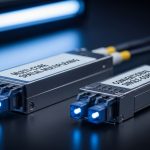
Fiber Channel transceivers are typically specified by data rate, wavelength, reach class, connector type, and the electrical/optical budget assumptions used by the vendor. Even when the label says “SR” or “LR,” the practical limit depends on fiber type (OM3 vs OM4 multimode, or single-mode grade), patch loss, and insertion loss of connectors. Also confirm whether your SAN uses 8GFC, 16GFC, or 32GFC—the optics must match the switch port speed and signaling.
What to check on the optics spec sheet
- Wavelength: SR modules generally use 850 nm; long-reach options commonly use 1310 nm or 1550 nm depending on class.
- Reach: vendors publish a maximum distance under defined loss budgets; you must recompute using your actual link loss.
- Connector: LC is common for enterprise fiber patching; ensure polarity and cleanliness practices match your MPO/LC harness plan.
- Optical power and receiver sensitivity: needed for a budget calculation, especially for LR links with higher cumulative loss.
- DOM support: Digital Optical Monitoring via I2C is frequently required for monitoring dashboards and proactive failure detection.
- Operating temperature: hot-aisle deployments can exceed assumptions; pick modules with appropriate industrial or extended ranges.
Pro Tip: In many SAN deployments, the hidden link killer is not the transceiver model but the fiber patching chain. A “within spec” optics reach can still fail after adding one extra patch panel, because each additional mated connector increases insertion loss and cleanliness risk. Always run the optical budget using your actual fiber route and measured link loss, not only vendor reach claims.
Fiber Channel optics comparison: SR vs LR, and what procurement should notice
Below is a practical comparison of common FC optics families you will see in storage network optics procurement. Treat it as a spec sanity check, then validate the exact part numbers against your switch vendor compatibility guidance. For reference, FC optics align with optical transceiver practices discussed in IEEE 802.3 for optical interfaces, while FC-specific timing and link training are defined by the Fiber Channel standards and vendor implementations. For optical interface background, see IEEE 802.3.
| Transceiver family | Example part numbers | Data rate | Wavelength | Typical reach class | Connector | DOM | Operating temp |
|---|---|---|---|---|---|---|---|
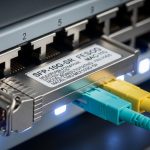
| FC-SR (multimode) | Cisco SFP-10G-SR (example optics pattern), Finisar FTLX8571D3BCL (10G SR family) | Commonly 8G/16G FC variants by vendor | 850 nm | Short reach over OM3/OM4 | LC (or MPO for higher density) | Often supported | Commercial or industrial depending on vendor |
| FC-LR (single-mode, 1310 nm) | Finisar or OEM FC-LR modules (consult your switch matrix) | 8G/16G FC variants | 1310 nm | Longer reach over OS2 | LC | Commonly supported | Extended ranges available |
| FC-ER (single-mode, extended) | Vendor-specific FC-ER optics | 8G/16G FC variants | Commonly 1550 nm class | Extended reach over OS2 | LC | Commonly supported | Extended ranges available |
| Procurement note | FS.com and OEM equivalents exist | Match speed and port type | Match fiber plant and loss budget | Verify with measured link loss | Match harness/polarity | Check I2C/DOM thresholds | Confirm hot-aisle margin |
In practice, the “SR vs LR” decision is a distance and fiber-type question, but the procurement risk is a compatibility question. If your switch firmware expects a specific DOM implementation or alarm threshold behavior, a technically similar module can still be rejected or show alarming readings that trigger operational distrust. Always request the vendor’s DOM and compatibility documentation, especially if you plan a third-party substitution.
In the deployment floor, I treat optics as part of the “signal path chain.” When a SAN migration spans cabinets, I ensure the patching plan preserves connector cleanliness, uses the correct polarity for LC pairs, and keeps bend radius within vendor guidance. That is where many link bring-ups succeed or fail, long before the first zoning or fabric login.
Selection criteria checklist: distance, compatibility, DOM, and lead time
Use this ordered decision checklist. It mirrors how engineers and procurement teams converge during a live refresh, when the clock is measured in maintenance windows and risk registers.
- Distance and fiber plant: choose SR on OM3/OM4 where possible; choose LR/ER on OS2 single-mode; compute optical budget using measured link loss and connector count.
- Switch port compatibility: confirm module support on your SAN switch model and firmware; validate whether the platform supports third-party optics and what DOM features are required.
- Data rate and FC speed: ensure the optics are specified for your 8G/16G/32G FC signaling and that the switch negotiates correctly at link bring-up.
- Connector and harness fit: LC vs MPO, polarity labels, and transceiver cage type; confirm that your patch panels and harnesses align with the module form factor.
- DOM and monitoring behavior: verify I2C address behavior, alarm thresholds, and whether your monitoring stack expects specific DOM fields.
- Operating temperature and airflow: compare your row temperature and module thermal spec; hot-aisle installations can reduce optical margin over time.
- Supply chain lead time: request confirmed ship dates; ask for buffer stock policy for spares and how the vendor handles module end-of-life.
- Vendor lock-in risk: weigh OEM certainty against third-party availability; decide based on compatibility documentation and your historical failure rates.
Procurement note: lead time is not just “days until delivery.” It is also days until you can validate in a maintenance window. If you are running a mixed-fabric environment, plan a staged rollout with at least one known-good optics pair per distance class to isolate variables.
When I coordinate optics purchases, I align the procurement request with the engineering test plan: which ports to validate, what link metrics to capture, and what constitutes a pass. This prevents the common failure where modules arrive, are installed, and then the team discovers the wrong reach class only after the window closes.
Common mistakes and troubleshooting patterns in storage network optics
Even skilled teams encounter predictable failure modes. Below are concrete pitfalls with root causes and fixes I have seen during SAN expansions and replacements.
SR optics installed on the wrong fiber type
Root cause: OM3/OM4 multimode optics used on a link that is actually OS2 single-mode, or vice versa, causing severe power mismatch and link instability. Sometimes the patch panel labels are outdated after cabling rework.
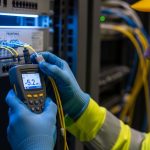
Solution: verify fiber type at the patch panel using documentation and, when possible, an optical test tool or verified cable records. Rebuild the link using correct transceiver family and validate with measured receive power and error counters.
Connector contamination causing intermittent link resets
Root cause: dirty LC/MPO endfaces increase insertion loss and can create intermittent optical dropouts, especially on high-density patching where cleaning is skipped between moves.
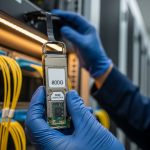
Solution: enforce a cleaning SOP: inspection microscope, approved cleaning method, and re-check after each remating. Replace suspect patch cords; do not “blow out” fibers with unverified air methods.
DOM/monitoring mismatch leading to false alarms or port disable
Root cause: third-party modules with DOM fields that do not align with switch expectations, or monitoring software that interprets thresholds incorrectly. The optics can be electrically functional but operationally “untrusted.”
Solution: confirm DOM support requirements with your switch vendor. During pilot validation, capture DOM readings and compare them against baseline known-good OEM optics under stable conditions.
Thermal margin overlooked in hot-aisle deployments
Root cause: optics rated for commercial temperature installed in a cabinet with sustained high airflow restrictions; bias currents drift and optical power falls below receiver sensitivity over time.
Solution: measure inlet air temperature and ensure airflow paths are not blocked. If needed, use extended temperature-rated optics and schedule preventive replacement based on operational wear indicators.
Cost and ROI: OEM certainty versus third-party availability
Pricing for storage network optics varies by speed class, reach, and whether the module is OEM-branded or third-party compatible. In typical procurement cycles, OEM FC optics often cost roughly $300 to $1,200 per module depending on generation and reach, while third-party modules can be materially less, sometimes $150 to $600. The ROI question is not only purchase price; it is the cost of failed bring-ups, maintenance window rework, and the operational risk of “works sometimes” optics.
For TCO, include: expected failure rate during the first year, warranty terms, RMA shipping friction, and the labor cost of swapping modules during outages. In high-availability SANs, I often justify OEM for the first deployment batch where compatibility validation is strict, then expand third-party use after collecting DOM and link stability evidence over several maintenance cycles.
FAQ: buying Fiber Channel optics for SANs
How do I calculate whether LR optics will work on my SAN?
Start with the vendor’s optical budget assumptions, then subtract measured link loss from your fiber route: patch panels, connectors, and any splices. Confirm receiver sensitivity requirements and ensure your calculated margin remains healthy at end-of-life expectations. If you lack measurements, schedule an optical test and do not rely solely on “spec reach.”
Are third-party storage network optics safe for production Fiber Channel?
They can be, but only after compatibility validation with your switch model and firmware. Pay close attention to DOM behavior and alarm thresholds, because operational monitoring can trigger corrective actions even when links appear up. Run a pilot on a non-critical fabric segment first.
What DOM fields should procurement and engineering care about?
Focus on receive power, transmit power, temperature, and any vendor-specific alarm/warning thresholds. Your monitoring stack should map those fields consistently so you can detect aging early. Ask for sample DOM outputs or a DOM compatibility statement during evaluation.
Why does a link come up sometimes and fail during traffic?
Intermittent failures often indicate contamination, marginal optical power, or a connector/harness polarity mismatch. Collect error counters and correlate link drops with physical changes like patch cord remakes or cabinet airflow adjustments. Clean and re-seat connectors before replacing hardware.
What operating temperature matters for optics?
It matters because optical output and receiver sensitivity can drift with temperature and aging. Compare your cabinet inlet temperature and airflow conditions with the module’s specified operating range. In hot-aisle environments, extended temperature-rated optics can reduce risk.
Do I need to match wavelength exactly when swapping optics?
Yes, wavelength must align with the fiber plant and the transceiver family. Even when the connector and form factor match, using the wrong wavelength class can severely reduce optical margin. Always match wavelength and reach class to the cable type and distance.
Choosing storage network optics for Fiber Channel SANs is a marriage of physics and logistics: spec alignment, DOM behavior, and optical budget discipline must travel together, or uptime will pay the price. If you are planning a broader refresh across switch ports and cabling, review storage network cabling best practices next to complete the end-to-end signal path plan.
Author bio: I have coordinated SAN optics procurement and field validation for high-density storage fabrics, including DOM monitoring alignment and optical budget checks during maintenance windows. My work blends vendor datasheet rigor with on-site troubleshooting patterns engineers can repeat under pressure.