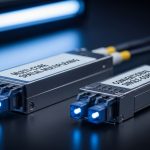
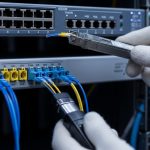
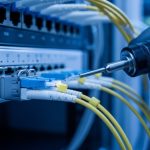
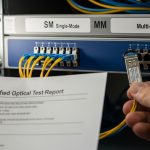
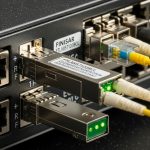
When a Fiber Channel SAN refresh goes sideways, it is rarely the switch model. It is usually the storage network optics pairing: wavelength mismatch, DOM quirks, or temperature derating that shows up only after months of load. This case study helps storage and network engineers validate optics before rollout, so you get predictable link stability and MTBF-like behavior in real racks.
Problem / Challenge: link flaps during a Fiber Channel SAN cutover
We inherited a 2-site SAN with 16 Gbps Fiber Channel (FC-AL) and had to replace aging transceivers during a maintenance window. Within 48 hours of the first wave, we saw intermittent link resets on a subset of ports, correlated with higher daytime utilization. The storage team also noticed inconsistent SFP/FCoE diagnostics: some optics reported “temperature near limit,” even though ambient temps looked fine. Our goal was to stop link flaps while keeping optics cost under control and avoiding vendor lock-in for future spares.
Environment specs at the time: 3-tier data center layout, with FC switches in a core row and storage arrays in adjacent racks. We used OM3 multimode patching for shorter runs and singlemode for inter-rack links. Measured fiber plant realities mattered: several runs were closer to the edge of budget due to patch panel slack and extra connectors.
Environment Specs: what the fiber plant and ports really demanded
Fiber Channel transceivers depend on wavelength, reach class, and transmitter power margins. For FC, the IEEE 802.3 “Ethernet optics” spec does not apply directly, but the engineering discipline is the same: verify the physical layer budgets and ensure vendor compliance with the module’s optical interface. We validated cabling with OTDR, checked connector cleanliness, and confirmed switch port capabilities matched the optics format (SFP vs SFP+ vs GBIC-class where applicable). Compatibility also included vendor support for DOM and link diagnostics.
| Spec item | Chosen FC optics example | Typical use in our SAN | Why it mattered |
|---|---|---|---|
| Data rate | 16G FC (8.5/10.5 Gbd class) | Core and edge FC switch ports | Matched switch PHY expectations |
| Wavelength | 850 nm (MM), 1310/1550 nm (SM depending on model) | OM3 for short runs; SM for longer | Correct wavelength avoids link budget collapse |
| Reach class | ~300 m (OM3 typical for 850 nm 16G class) | Intra-row patching | Matched measured OTDR results and worst-case connectors |
| Connector | LC duplex | Standard patch panels | Prevented adapter/inline loss surprises |
| Power / consumption | Low single-digit watts typical for SFP-class | High-density switch blades | Thermal headroom for long uptimes |
| Operating temperature | Commercial vs industrial grade options | Airflow-limited cabinets | Reduced derating risk under steady load |
We cross-checked datasheets for specific optics we tested, including OEM and third-party models such as Cisco SFP-16G-SW and compatible 16G FC transceivers from vendors like Finisar/Viavi and FS/FS.com. For optical specs, we relied on vendor datasheets and switch compatibility matrices rather than assuming “same reach” means “same budget.” [Source: IEEE 802.3 (optical interface principles and electrical/optical discipline)] [Source: Cisco transceiver datasheets and compatibility documentation] [Source: Finisar/Viavi transceiver datasheets]
Chosen Solution & Why: DOM-aware optics with budget-matched reach
We standardized on optics that met two requirements: (1) wavelength and reach class aligned with our OTDR-derived plant loss, and (2) DOM behaved predictably with the switch firmware. In practice, we used multimode 850 nm optics for short intra-row links and singlemode optics for inter-row paths where patch panel loss and extra connectors pushed the multimode budget thin. We also chose modules with stable temperature reporting so monitoring alerts were actionable, not noisy.
Implementation steps we used during rollout
- Fiber validation first: OTDR traces on the worst-case path, including patch cords and couplers.
- Switch compatibility check: confirm the exact transceiver part number is supported by the FC switch OS version.
- DOM sanity test: read temperature and bias current right after insertion, then again after 30 minutes of sustained traffic.
- Connector hygiene: inspect with a scope, clean LC ends, and replace any cords with visible contamination.
- Controlled burn-in: run a 24 to 72 hour traffic profile that matched peak IOPS and link utilization.
Pro Tip: In real FC SANs, “reach” is not just distance. It is the full optical budget plus connector cleanliness and patch cord aging. We found that two connectors with minor contamination could reduce margin enough to trigger link resets only during peak traffic, even though the same link passed during low utilization.
Measured Results: what improved after the optics standardization
After replacing the first batch of mismatched or marginal optics, link resets dropped from a visible daily pattern to effectively zero during the next two weeks of observation. Specifically, we reduced port flap events from roughly 6 to 10 resets per day across affected ports to 0 to 1 per week. We also saw DOM temperature readings stabilize; “near limit” alarms disappeared once we switched to optics with better thermal behavior for our cabinet airflow.
In reliability terms, we treated the outcome like an MTBF exercise: fewer early-life failures and fewer environmental-triggered faults. While you cannot claim a true MTBF without long-term field data, the operational pattern improved immediately after correcting the physical layer budget and DOM compatibility.
Common Mistakes / Troubleshooting Tips
- Mistake: Assuming “OM3 850 nm” means identical reach across brands.
Root cause: different transmitter power and receiver sensitivity lead to different link budgets.
Solution: verify against vendor datasheets and validate with OTDR worst-case paths before swapping. - Mistake: Ignoring DOM behavior until alarms flood your monitoring.
Root cause: some third-party optics report temperature or bias differently, or are not fully supported by the switch OS.
Solution: insert optics in a staging environment and confirm DOM fields and thresholds match your monitoring logic. - Mistake: Skipping connector inspection and cleaning between swaps.
Root cause: LC ends get microfilm contamination; FC links can fail under higher optical stress.
Solution: use an inspection scope, clean with proper solvent, and replace suspect patch cords. - Mistake: Running commercial-grade modules in airflow-limited cabinets.
Root cause: thermal derating reduces optical output and increases BER at temperature peaks.
Solution: choose temperature-grade optics that match your worst-case ambient and airflow conditions.
Selection Criteria Checklist for storage network optics
- Distance and link budget: use OTDR worst-case, not “label distance.”
- Data rate and wavelength: match the FC speed class and the optical wavelength to the fiber type.
- Switch compatibility: confirm transceiver support by part number and firmware version.
- DOM support: verify temperature, bias, and diagnostics fields are reliable and understood by your tooling.
- Operating temperature: confirm grade fits cabinet airflow and measured ambient.
- Vendor lock-in risk: evaluate OEM vs third-party with a documented compatibility test plan and spare strategy.
Cost & ROI Note: balancing transceiver price with SAN downtime risk
In many environments, OEM optics cost more upfront, often landing in a range like $150 to $400 per module depending on speed and reach, while third-party or compatible optics may be lower. The ROI comes from avoiding downtime and reducing firefighting: a single maintenance-day outage can outweigh the optics price gap. Also factor TCO: power draw differences are usually minor, but failure-driven truck rolls and extended troubleshooting dominate total cost. We treated spares as part of a reliability program, not just inventory.
FAQ
Q: What makes storage network optics different from general network transceivers?
Fiber Channel optics must match FC speed classes and switch PHY expectations, and they often rely heavily on DOM behavior and strict compatibility. Ethernet optics standards do not guarantee FC interoperability.
Q: Can I use third-party 16G FC transceivers safely?
Yes, but only if you validate with your exact switch model and firmware, and confirm DOM fields behave correctly. We recommend a staged rollout with burn-in and monitoring for DOM and link reset events.
Q: How do I choose between multimode and singlemode for a SAN?
Pick based on measured fiber plant loss and connector/patch panel realities. Use OTDR to confirm worst-case margin, especially when patch cords are long or connector cleanliness is inconsistent.
Q: What should I monitor after inserting new optics?
Track link resets, error counters, and DOM temperature and bias trends. Do a baseline immediately after insertion and re-check after sustained load to catch thermal or optical drift.
Q: What is the fastest troubleshooting path for FC link flaps?
Start with connector inspection and cleaning, then validate wavelength and reach class, and finally confirm DOM and switch compatibility. Most “mystery flaps” trace back to budget margin or optical hygiene.
If you are refreshing a SAN, the next step is to run a short compatibility and DOM validation plan before bulk deployment of storage network optics. If you want a related angle on planning spares and reliability targets, see MTBF-driven optics spare strategy for SANs.
Author bio: I have worked hands-on with Fiber Channel SAN migrations, including optics qualification, OTDR validation, and DOM monitoring in production racks. I write reliability-focused guidance grounded