When a fiber link “goes dark,” it is rarely one single cause. This optical troubleshooting checklist helps network engineers and field techs narrow down the failure fast by combining switch-side optics checks, physical fiber inspection, and power/continuity measurements. It is written for hands-on deployments using SFP/SFP+/QSFP transceivers and standard fiber plant practices.
Start with switch symptoms: prove it is optical before you touch fiber
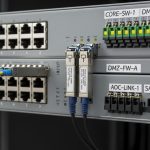
Before you open a patch panel, confirm the failure signature on the switch. Look for interface admin/oper status, transceiver alarms (LOS/LOF), and error counters. On Cisco IOS-XE, for example, you typically correlate show interfaces counters with transceiver diagnostics via show interface transceiver and confirm the optic is present and DOM data is readable. If the port is up/up but throughput is low, you may have marginal power or bad cleaning rather than a complete fiber break.
Quick decision tree
- Port down / LOS asserted: likely no receive power, fiber break, wrong fiber strand, or bad connector contamination.
- Port up / high CRC or FCS errors: suspect marginal link budget (dirty connectors, damaged fiber, oversubscription, wrong mode mismatch, or excessive attenuation).
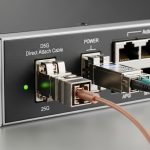
- Transceiver not recognized / DOM absent: possible incompatible optic, bent pins, or failing module/connector.
Pro Tip: If LOS is asserted but the transceiver DOM shows normal transmit power, do not assume the module is bad. In practice, the most common “dark link” root cause is a swapped pair or contaminated connector that kills the receive signal even when the laser is outputting normally. Clean and verify polarity first, then measure.

Measure like an engineer: power, continuity, and end-to-end loss
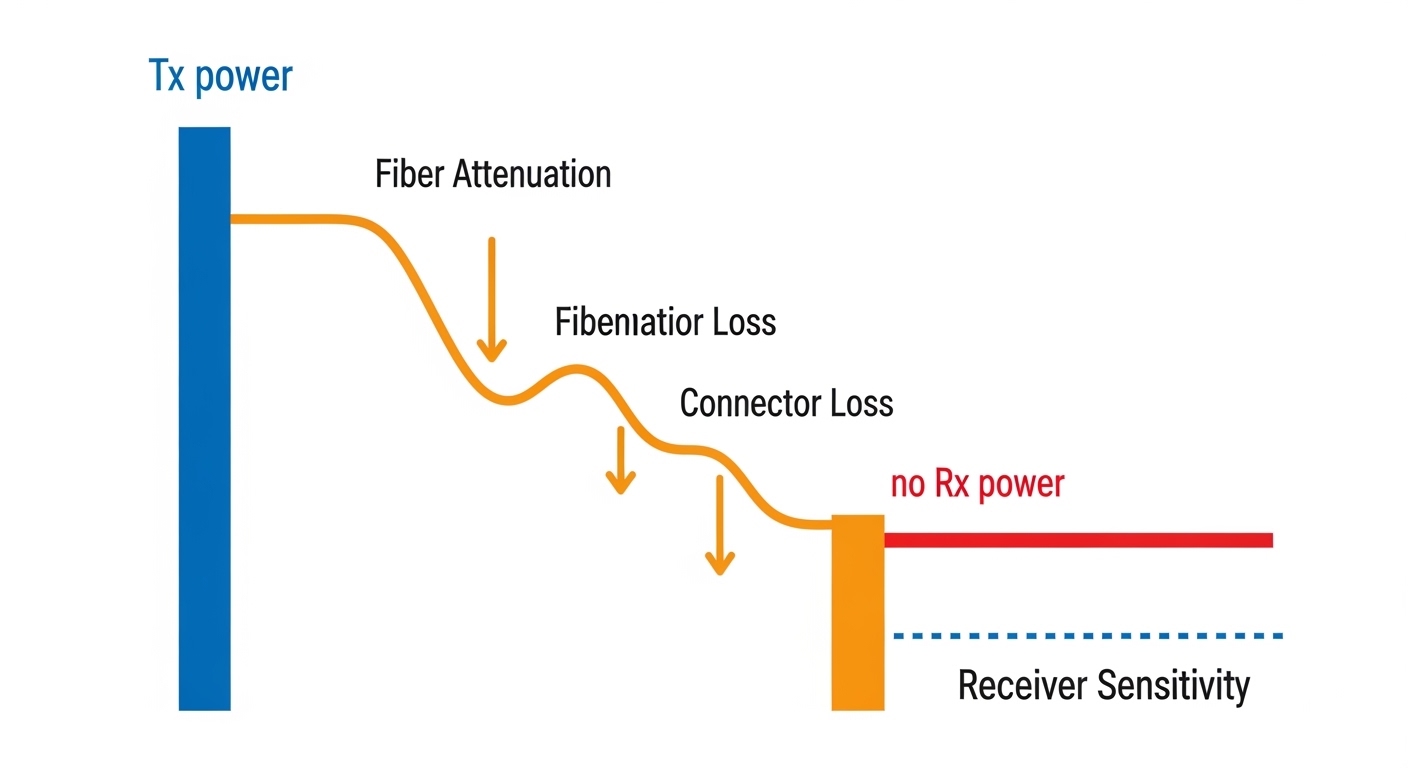
Optical troubleshooting works best when you separate three questions: is there light, does the fiber carry it, and is it within the link budget. Use a calibrated optical power meter and light source (or a fiber test set) to measure Tx to Rx receive power at the far end. Then validate continuity and proper polarity with a visual tracer or continuity tester, especially after any patch changes.
Minimum measurement set
- Receive power (dBm) at the receiver end for the live link.
- Tx power (dBm) from the transmitter side (optional but helpful).
- Continuity and polarity from patch panel to device.
- End-to-end attenuation if you have a link loss budget target and suspect damage.
Spec your transceiver before interpreting results
Transceivers come with very different wavelengths, reach classes, and receiver sensitivity. A mismatch between your fiber type (OM3/OM4 vs OS2) and the optic (850 nm vs 1310/1550 nm) can produce exactly the symptoms you see: no link or high errors. Always verify the module part number and the expected wavelength.
| Transceiver example | Wavelength | Typical reach | Connector | Receiver class (sensitivity) | DOM/diagnostics | Operating temp (typ.) |
|---|---|---|---|---|---|---|
| Cisco SFP-10G-SR (10G SR) | 850 nm | ~300 m on OM3/OM4 (variant dependent) | LC | Class varies by vendor; check datasheet | Yes (per-vendor DOM) | 0 to 70 C (typ.) |
| Finisar FTLX8571D3BCL (10G SR) | 850 nm | ~300 m (OM3/OM4) | LC | Check exact revision sensitivity | Yes | 0 to 70 C (typ.) |
| FS.com SFP-10GSR-85 (10G SR) | 850 nm | ~300 m (OM3/OM4) | LC | Check exact product sensitivity | Often yes | 0 to 70 C (typ.) |
| Typical 1310/1550 nm SMF SFP/SFP+ (example) | 1310 or 1550 nm | 10 km+ (variant dependent) | LC | Check datasheet | Yes | -5 to 70 C or 0 to 70 C (typ.) |
For standards context, verify your Ethernet PHY behavior and optical interface expectations against IEEE 802.3 (your specific speed and PCS/PMA layer) and your vendor’s transceiver compliance documentation. For general fiber cabling practices and test methods, consult ANSI/TIA-568 and related cabling test standards. [Source: IEEE 802.3 series] [Source: ANSI/TIA-568 standards]
Fix the usual suspects: polarity, contamination, and connector damage
In real deployments, most “link down” cases trace back to fiber plant issues rather than transceiver electronics. Polarity errors (especially in LC duplex cabling), dirty endfaces, and cracked ferrules are the top three failure modes I see during rack-to-rack moves, patch panel rework, and incident response.
Field steps that work
- Verify polarity: confirm Tx is connected to the receiver fiber on the far end. For 10G SR optics, ensure the duplex pair mapping matches the equipment labeling.
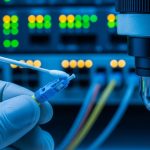
- Inspect endfaces with a fiber microscope. If you cannot image it, assume contamination and clean anyway.
- Clean correctly: use lint-free wipes and approved cleaning tools; never “dry rub” a dirty ferrule.
- Re-seat connectors and check for mechanical damage. A slightly lifted LC can create intermittent LOS.
Selection criteria: choosing the right optic and test approach under time pressure
When you swap optics or plan a diagnostic campaign, selection decisions affect both downtime and reliability. Use the checklist below to keep optical troubleshooting fast and repeatable.
- Distance and fiber type: confirm OM3/OM4 vs OS2 and match wavelength (850 nm vs 1310/1550 nm).
- Switch compatibility: check vendor interoperability guidance; some platforms enforce transceiver vendor requirements.
- DOM support and alarm behavior: ensure the platform reads LOS and temperature/bias/Tx power; missing DOM can slow root cause.
- Operating temperature: high ambient or blocked airflow can push bias/Tx power out of safe ranges.
- Budget and optics class: OEM optics often cost more but can reduce time spent debugging compatibility edge cases.
- Vendor lock-in risk: third-party optics can be fine, but plan for firmware/platform quirks and maintain a tested spare list.

Common optical troubleshooting mistakes (and how to recover fast)
Below are failure modes I have seen repeatedly during maintenance windows. Each includes the root cause and a practical fix.
Swapping the wrong fiber pair
Root cause: Polarity confusion after patch changes, especially with duplex LC connectors where Tx/Rx mapping is reversed. Solution: Use a continuity tester or visual tracer to confirm strand mapping end-to-end, then re-terminate or re-patch to restore correct polarity.
Measuring at the wrong point in the link
Root cause: Taking power readings inside the rack while the issue is in the cross-connect; you end up “proving” the wrong segment. Solution: Measure at both ends and, if needed, insert a controlled test jumper at the suspected splice/cross-connect boundary.
Ignoring DOM alarms and assuming “it must be the fiber”
Root cause: A failing transceiver can show normal link state until it hits marginal bias conditions, or it can fail to read DOM entirely. Solution: Compare DOM values (Tx bias, Tx power, temp) against known-good optics and swap optics between known-working ports to isolate module vs fiber.
Cleaning once, but not verifying with a microscope
Root cause: Cleaning tools can recontaminate if the endface is not inspected; micro-scratches can also increase attenuation. Solution: Inspect before and after cleaning. If endfaces are scratched or cracked, replace the connector or re-terminate.
Cost and ROI note: what to budget for beyond the optic itself
Typical OEM 10G SR optics (SFP class) often land in the $50 to $200 range depending on vendor and lifecycle support; third-party equivalents can be lower, but compatibility testing time can erase savings. A calibrated test set rental (power meter/light source) can cost less than a full hour of downtime, especially in production leaf-spine environments. For TCO, factor in failure rates and MTTR: investing in a fiber microscope and good cleaning supplies usually pays back quickly because it prevents repeat clean-and-reseat cycles.
If you are planning spares, keep at least one known-good optic per speed class and connector type (for example, 10G SR LC duplex and any SMF variant your network uses). That turns optical troubleshooting from a multi-hour investigation into a targeted swap test.
FAQ: optical troubleshooting questions engineers actually ask
What is the first measurement I should do for optical troubleshooting?
Start with the receiver side: check LOS/alarm state and measure receive power (dBm) at the far end. If you cannot measure, still validate polarity and inspect connector endfaces because contamination can fully suppress signal even when Tx power looks normal on DOM.
Can a wrong transceiver wavelength cause total link failure?
Yes. If you connect an 850 nm multimode optic to a fiber plant that is actually single-mode OS2 (or vice versa), the link may stay down or show heavy errors. Always confirm fiber type and expected wavelength before blaming the optics.
How do I tell if the module is bad versus the fiber?
Swap the optic into a known-good port and observe whether the issue follows the module. If the link comes up on a working port, suspect fiber polarity/attenuation/contamination; if it fails on multiple ports, suspect the transceiver.
Why do I get intermittent LOS after cleaning?
Intermittent LOS often points to micro-scratches, connector damage, loose seating, or a marginal patch cord. Inspect the endfaces again with a microscope after reseating and replace any suspect jumpers.
Are third-party optics safe for production?
They can be, but validate compatibility with your switch model and firmware. The most important practical step is to test a small batch under real traffic and confirm DOM/alarm behavior matches expectations.
Should I follow IEEE or cabling standards during troubleshooting?
Yes. IEEE 802.3 helps interpret PHY behavior and link states, while ANSI/TIA-568 and related testing guidance help you measure and document loss correctly. Using those references keeps your root-cause reports consistent for future audits.
For the next step, map your findings to a repeatable maintenance workflow using fiber link maintenance checklist. Once you standardize measurements and inspection points, optical troubleshooting becomes faster, less stressful, and easier to prove during incident reviews.
Author bio: I have deployed and troubleshot SFP/SFP+/QSFP optical links across enterprise and data center networks for over a decade, with hands-on experience in DOM diagnostics, power budgeting, and fiber test workflows. I focus on practical, field-verified recovery steps that minimize downtime and reduce repeat failures.