In a busy storage area network, one flaky optical module can stall backups, slow replication, or trigger link resets that ripple across a whole rack. This article helps storage and network engineers choose and operate 16G FC SFP+ transceivers with confidence, including compatibility checks, realistic reach limits, and field-tested troubleshooting. You will also get a decision checklist, cost and ROI considerations, and common failure modes that show up in day-two operations.
What “16G FC SFP+” really means for a SAN link
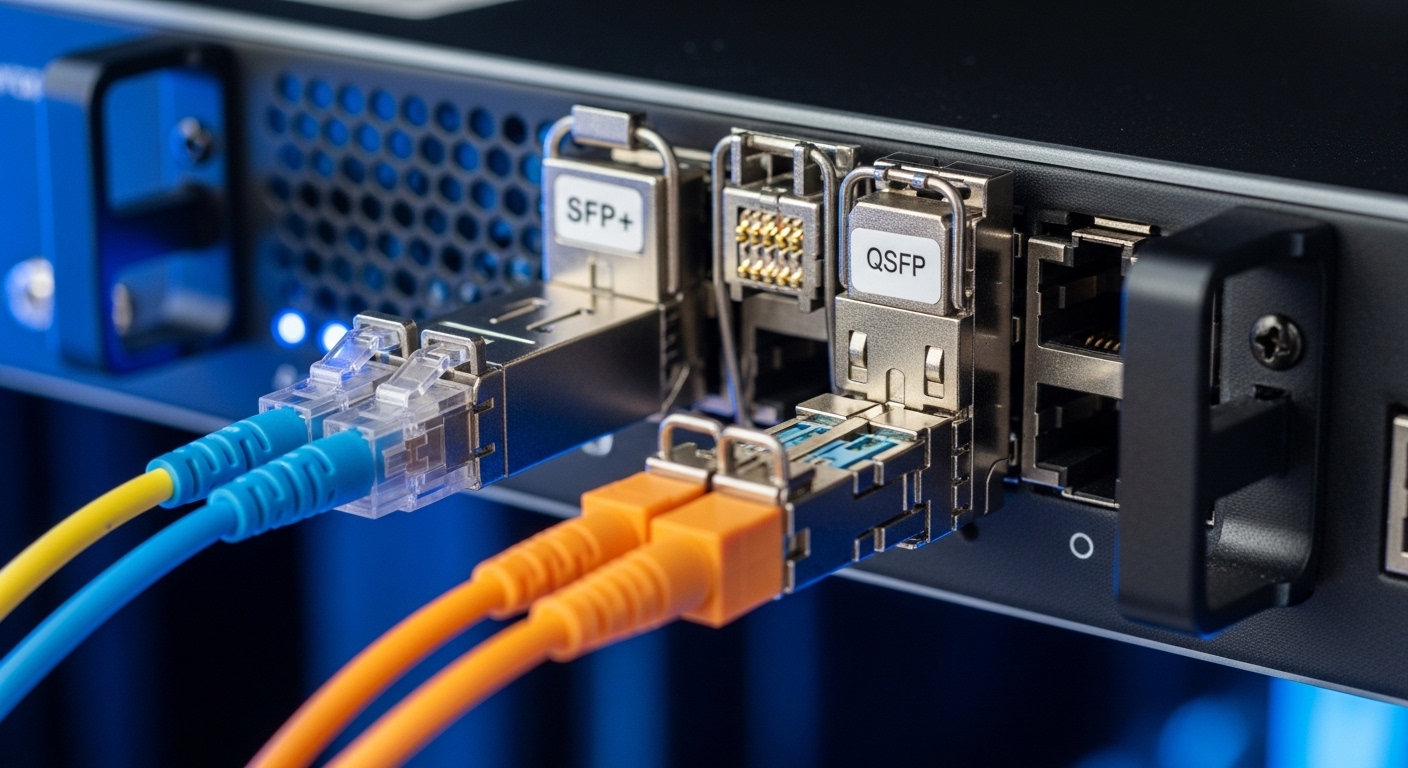
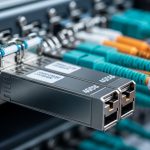
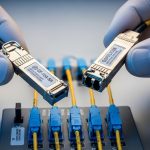
“16G FC” refers to Fiber Channel running at 16.0 Gbit/s per lane over optical fiber, typically using FC-PI-5 signaling for 16G operation. “SFP+” is the form factor: the transceiver plugs into an SFP+ cage, but the module is still a Fiber Channel optical device, not Ethernet. In practice, you are matching four things: the host port’s optics support, the transceiver’s wavelength and reach class, the fiber type and polarity, and the firmware or DOM behavior expected by the switch or HBA.
Most enterprise SANs use either short-reach or long-reach optics. Short-reach common wavelengths are 850 nm over OM3/OM4 multimode fiber, while longer reach options use 1310 nm over single-mode fiber (SMF). A 16G FC SFP+ module is usually specified with a target distance (for example, hundreds of meters on OM3/OM4, or multiple kilometers on SMF) and an optical budget that accounts for connectors, splices, and aging.
For authority on how Fiber Channel maps to physical layer requirements, consult IEEE 802.3 for related optics background and vendor datasheets for module-specific limits. For Fiber Channel signaling and link behavior, also reference the T11 Fiber Channel standards ecosystem via reputable summaries such as [Source: Brocade Fabric OS documentation] and [Source: Cisco MDS documentation] where available, plus each transceiver manufacturer’s compliance and test notes.
Pro Tip: In the field, “it should work” often fails because the module is electrically compatible but mechanically or logically mismatched. Before swapping a 16G FC SFP+, verify the host port’s optics type (for example, FC vs Ethernet SFP+) and confirm DOM fields are supported; several outages traced back to DOM monitoring differences that caused management software to treat the link as non-compliant even when the light levels were fine.
16G FC SFP+ optics: key specs you must compare
Engineers typically shortlist modules by wavelength and reach, then validate connector type and temperature rating for the enclosure environment. In a storage chassis, temperature and airflow can be tighter than in network switches, especially near hot-swap fans or in top-of-rack cabinets with restricted front-to-back flow. Pay attention to whether the module is rated for 0 to 70 C or -5 to 85 C (or another vendor-specific range) and whether the SAN platform expects that temperature class.
Below is a comparison table using representative, commonly deployed 16G FC SFP+ examples. Actual part numbers and reach can vary by vendor and firmware, so treat this as a template for how to compare your exact candidates.
| Module type (examples) | Data rate | Wavelength | Typical reach class | Fiber & connector | DOM / monitoring | Operating temperature |
|---|---|---|---|---|---|---|
| Short-reach MM (e.g., Cisco SFP-10G-SR vs 16G FC equivalents; vendor-specific 16G MM parts) | 16.0 Gbit/s FC | 850 nm | ~100 to 300 m (OM3/OM4, distance depends on budget) | OM3/OM4 multimode, usually LC | Usually supports DDM/DOM (vendor-specific) | Often 0 to 70 C (check datasheet) |
| Long-reach SM (e.g., Finisar or FS.com 16G FC LR SFP+) | 16.0 Gbit/s FC | 1310 nm | ~10 km typical for SMF (varies) | SMF, usually LC | DDM/DOM supported | Often -5 to 85 C for enterprise variants |
To ground the discussion in real product families, many deployments source optics from vendors such as Finisar (now part of II-VI), Cisco-branded modules, and third-party optics suppliers like FS.com. For concrete examples of wavelength and reach claims, review each transceiver datasheet; for instance, [Source: Finisar optics datasheets] and [Source: FS.com transceiver product pages].
When you compare candidates, also check whether the module uses LC connectors, whether it is rated for the exact fiber grade you have (OM3 vs OM4), and whether it is certified for 16G FC on your target platform. Some modules that work on 8G FC can fail link stability at 16G due to optical budget margins and vendor-specific equalization behavior.
Real deployment scenario: leaf-spine SAN with 16G FC SFP+
Consider a 3-tier data center setup where the SAN core uses two director-class switches, each with 48–96 FC ports, and each server has dual HBAs. In one common pattern, you might run 16G FC from servers to an edge fabric, then aggregate into a core fabric that handles replication and backup workflows. In a 20 TB per night backup window, a link flap can force session resets and delay snapshot completion.
In this environment, you may deploy short-reach optics over OM4 multimode from HBAs to top-of-rack FC switches in runs of 60 to 120 meters through patch panels and cable trays. Engineers confirm reach by counting connectors and splices: a typical field estimate might budget around 1 dB per connector and 0.3 dB per splice as a working assumption, then compare against the module’s optical budget. For longer cross-room links between core directors and a remote replication site, you switch to 1310 nm long-reach modules over SMF, targeting distances up to 8 to 10 km depending on the design.
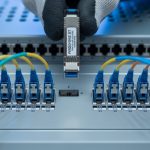
Operationally, the SAN team monitors DOM telemetry for transmit power and receive power, then correlates link resets with environmental changes like fan failures or dust accumulation in patch bays. After a field replacement, they verify the link comes up at 16G, not down-negotiated at a lower rate, and they validate that the switch reports the expected module vendor and part ID.
Selection criteria: an engineer’s checklist for 16G FC SFP+ fit
Choosing the right 16G FC SFP+ is less about “buy any compatible module” and more about matching platform expectations. Start with your SAN hardware, then validate optics type, fiber type, and management compatibility. Finally, confirm temperature rating and optical budget under real cabling conditions.
- Distance and fiber type: Choose 850 nm short-reach for OM3/OM4 multimode, or 1310 nm long-reach for SMF, then verify the module’s stated reach for your exact fiber grade.
- Switch and HBA compatibility: Confirm the port supports FC optics at 16G and that the cage is truly SFP+ for Fiber Channel (not an Ethernet-only expectation).
- DOM/DDM support: Validate that the module provides the expected digital diagnostics (transmit power, receive power, temperature) and that your management software accepts the readings without alarms.
- Operating temperature and insertion constraints: Match enclosure airflow and temperature class; modules near the edge of spec can drift and trigger marginal link errors.
- Vendor lock-in and risk: Assess whether the SAN platform has optics validation policies, part-number whitelists, or strict vendor ID checks that can block third-party modules.
- Connector and polarity handling: Confirm LC connector cleanliness and correct polarity; also ensure patch panel mapping matches the transceiver orientation.
- Optical budget with real cabling: Account for patch cords, connectors, splices, and aging; do not design to the module’s maximum label without margin.
For compatibility and expectations, consult the host vendor’s optics documentation and the transceiver datasheet. Many enterprise switch guides explicitly note supported vendor lists and optics modes; if you are using third-party optics, confirm the platform does not enforce strict part-number whitelisting. [Source: Cisco MDS and Brocade compatibility guides] are a good starting point, alongside each module vendor’s “tested with” notes.
Common pitfalls and troubleshooting tips in the field
Even experienced teams encounter recurring failure modes with 16G FC SFP+ optics. The good news: most issues have identifiable root causes that you can catch with repeatable checks, especially when you combine switch logs with optical power measurements.
Pitfall 1: Link comes up but runs unstable at 16G
Root cause: Optical power margins are too tight due to excessive patch cord length, dirty connectors, or higher-than-expected attenuation in the cabling path. At 16G, equalization and receiver sensitivity are less forgiving than at 8G.
Solution: Clean LC connectors with appropriate fiber cleaning tools, re-seat the modules, then measure DOM transmit/receive power if your platform exposes it. If you have margin issues, shorten patch cords or move to a reach class with more budget.
Pitfall 2: Module is “recognized” but alarms trigger continuously
Root cause: DOM/DDM values differ from what the platform monitoring expects, or the module advertises a diagnostics profile that your SAN management software flags. In some environments, this can cause policy-driven interface resets.
Solution: Compare logs before and after replacement, confirm the exact module part number, and test with a known-good optics model from the same vendor family. If you must use third-party modules, validate DOM compatibility in a lab or during a maintenance window.
Pitfall 3: Link never comes up after swap
Root cause: Transceiver polarity or fiber mapping is wrong, or the fiber type does not match the module wavelength class (for example, using multimode patch fibers with a long-reach single-mode module). Another frequent cause is a damaged or contaminated connector face.
Solution: Verify the fiber type and labeling, confirm correct transmit-to-receive mapping, and clean both ends. Use an optical inspection tool to check connector end faces and replace any visibly damaged patch cords.
Pitfall 4: Temperature-related throttling and intermittent errors
Root cause: The module operates outside its rated temperature range due to airflow changes, blocked vents, or fan degradation. Optical components can drift, leading to receive power falling below a reliable threshold.
Solution: Check enclosure fan health, confirm airflow paths are clear, and verify module operating temperature via DOM. If the environment is hot, prefer higher temperature-rated modules or improve cooling design.
Cost and ROI: OEM vs third-party 16G FC SFP+
Cost is real, but total cost of ownership depends on failure rates, compatibility friction, and downtime risk. In many markets, OEM-branded 16G FC SFP+ optics often carry a premium, while third-party modules can reduce purchase price but may introduce validation and monitoring differences.
Typical street pricing varies by region and part type. As a realistic planning range, short-reach modules might land in the low tens of dollars per unit to around the low hundreds depending on vendor and temperature grade, while long-reach optics often cost more due to higher-performance components. For TCO, include: maintenance labor for swaps, downtime during failures, cleaning consumables, and the operational overhead of testing third-party compatibility. A single avoidable outage during a backup window can outweigh the savings from buying lower-cost optics.
Practically, teams often standardize on one or two optic families that are known to behave well with their SAN platform. If you need to mix vendors, stage replacements in batches and monitor error counters and link stability for at least a full change window cycle.
FAQ: 16G FC SFP+ questions from buyers and operators
Which wavelength should I choose for my 16G FC SFP+ links?
Choose 850 nm for short-reach over OM3/OM4 multimode fiber and 1310 nm for long-reach over SMF. If you are unsure of your fiber type, verify it in the cable jacket records and by inspection of patch panel labeling before ordering.
Can I use a third-party 16G FC SFP+ in a director or HBA?
Often yes, but it depends on the platform’s optics validation behavior and DOM/DDM expectations. Check the host vendor’s compatibility guidance and test in a maintenance window if you are introducing a new third-party vendor.
How do I confirm the link is truly running at 16G?
Use the SAN switch or HBA management interface to confirm negotiated speed and port status, not just “link up.” Then correlate with error counters over a few hours to ensure stability under normal I/O load.
What should I monitor after swapping a 16G FC SFP+ module?
Monitor DOM telemetry (transmit and receive power, temperature) and check for link resets, CRC-like optical errors, or interface log messages. If your platform exposes it, watch for rising error counters that precede link instability.
Why does a module work in one rack but fail in another?
Differences in cable plant loss, connector cleanliness, patch cord length, and airflow can change optical margins. A module that is barely within budget may pass in one environment and fail in another when dust accumulates or fans run slower.
How often should I clean fiber connectors for SAN optics?
Cleaning frequency depends on handling and dust exposure, but many teams clean before insertion and after any maintenance that opens patch bays. If you see repeated marginal link events, clean and inspect immediately and re-test.
If you want a smoother rollout, start by mapping your SAN port requirements to fiber type, reach class, and DOM behavior using the checklist above, then validate with a controlled test. For related planning, see How to choose fiber optic transceivers for high-density data centers.
Expert author bio: I have deployed and troubleshot Fiber Channel optics in enterprise SANs, including DOM-driven monitoring and optical budget validation across multi-site cable plants. I focus on practical change control, measurable link checks, and field-ready documentation that reduces downtime.