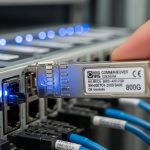
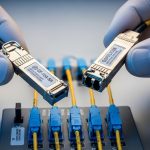
When a link budget looks fine on paper but your optics keep flapping, the root cause is often fiber type mismatch: MMF vs SMF transceiver selection. This article helps network engineers, field techs, and procurement teams choose multimode or single-mode optics with the right reach, connector, and power profile. You will also get troubleshooting patterns from real installs, plus a decision checklist tied to IEEE 802.3 and vendor DOM behavior. Update date: 2026-04-25.
Top 7 factors that decide MMF vs SMF transceiver performance

Engineers typically start with distance, but the real decision is a combination of link budget, modal dispersion, and optics compatibility. Multimode fiber (MMF) supports shorter reach with higher tolerance to alignment, while single-mode fiber (SMF) supports long reach with tighter optical budgets. The trade space also includes transceiver power draw, switch port behavior, and whether your plant has OM3/OM4 or OS2 already installed. Below, each factor includes practical “what to check” steps.
Link distance and installed fiber plant
For MMF optics, the common operational reality is that you are constrained by modal bandwidth and transceiver launch conditions. For SMF optics, you are constrained by attenuation and connector/splice loss over distance. In a retrofit, the fastest path is often to use the fiber already present (OM3/OM4 for MMF, OS2 for SMF) rather than ripping and replacing.
- MMF best-fit: 100 m to a few hundred meters depending on rate and fiber grade.
- SMF best-fit: 10 km to 40 km class links depending on optic class.
Data rate and optics family (10G, 25G, 40G, 100G)
At higher speeds, MMF becomes more sensitive to dispersion and launch conditions, so vendors increasingly specify strict reach by fiber grade. For example, 100G over MMF often assumes OM4 with specific transceiver types (e.g., parallel optics) and strict polarity handling. SMF tends to scale better for longer distances at the same data rate, especially for coherent and advanced line systems, but for typical Ethernet optics you still see large reach advantages.
Reference: IEEE 802.3 Ethernet physical layer specifications define the optical interfaces and performance requirements for these classes. anchor-text: IEEE 802.3 standards portal
Wavelength and connector conventions
MMF Ethernet optics are commonly associated with shorter-wave wavelengths (e.g., 850 nm for many legacy and some current short-reach families), while SMF commonly uses 1310 nm and 1550 nm depending on reach and technology. Connector style matters operationally: LC is common for SFP/SFP+/QSFP transceivers, while some deployments use MPO/MTP for parallel optics at 40G and 100G. If you choose MMF vs SMF incorrectly, you can end up with the wrong wavelength and the wrong connector ecosystem, even if the switch port “seems compatible.”
Power budget, receiver sensitivity, and link margin
Field failures often come down to insufficient margin after adding real-world losses: patch cords, dirty connectors, poor splices, and extra jumpers. SMF typically offers lower attenuation per kilometer, but it also magnifies the impact of bad polishing or incorrect cleaning habits when you have long reach. MMF can tolerate more variation in some cases, but modal effects can still cause bit errors even when the measured insertion loss looks acceptable.
Temperature range and platform thermal design
Switch vendors specify transceiver operating temperature ranges and sometimes enforce compliance through diagnostics. If you deploy in a hot aisle or near intake vents, you should confirm that your chosen MMF vs SMF transceivers meet the required 0 to 70 C or -40 to 85 C class. DOM data can help, but only if your platform supports it reliably.
DOM support and switch compatibility behavior
Most modern optics provide Digital Optical Monitoring (DOM) parameters like received power, bias current, and temperature. However, compatibility varies by vendor and firmware; some switches are strict about EEPROM identifiers or vendor-specific thresholds. Before standardizing, test one transceiver batch in a controlled environment and verify that alarms clear correctly under link stress.
Reference: Vendor datasheets for SFP/QSFP typically document DOM support and threshold behavior. anchor-text: Example vendor DOM and module data sheet
Cost, failure modes, and total cost of ownership
MMF optics and MMF cabling are often cheaper per port for short-reach scenarios, and installation is commonly easier in new data centers with frequent moves. SMF optics can carry higher per-module cost, but they reduce future rework risk when you expand distance or restructure floors. The most practical ROI calculation includes not only module price but also truck rolls, cleaning supplies, and expected failure rates from connector contamination and polarity errors.
MMF vs SMF transceiver: key specs engineers compare
To make the decision concrete, use a spec-driven approach: wavelength, reach, fiber grade, connector type, and operating temperature. The table below compares representative Ethernet transceiver classes you will commonly see in deployments. Always confirm the exact model number for your switch vendor and port speed.
| Spec category | MMF transceiver (typical) | SMF transceiver (typical) |
|---|---|---|
| Primary wavelength | 850 nm (common short-reach) | 1310 nm or 1550 nm (reach-focused) |
| Example reach | 100 m to 400 m+ depending on rate and OM grade | 10 km to 40 km depending on optic class |
| Fiber type | OM3 / OM4 (multimode) | OS2 (single-mode) |
| Connector | LC for many short-reach; MPO/MTP for parallel optics at higher rates | LC in most SFP/SFP+/QSFP Ethernet optics |
| Data rate examples | 10G, 25G, 40G, 100G (model dependent) | 10G, 25G, 40G, 100G (model dependent) |
| Operating temperature | Commonly 0 to 70 C or extended variants | Commonly 0 to 70 C or extended variants |
| Power / optics class | Often lower reach budget; may be higher power at top data rates | Optimized for long reach; power depends on class and wavelength |
For real-world familiarity, you may see widely used module families such as Cisco SFP-10G-SR, Finisar FTLX8571D3BCL, or FS.com SFP-10GSR-85 for MMF short reach. For SMF, similar vendors offer 10G SR variants at 1310 nm or LR class modules depending on reach requirements.
Pro Tip: In many “it should work” cases, the failure is not the MMF vs SMF choice itself, but polarity and cleaning discipline. For MPO/MTP parallel optics, mis-polarity can produce clean-looking links with high error rates that only show up under sustained traffic and BER monitoring.
Five best-fit scenarios for MMF vs SMF transceivers in live networks
Engineers rarely choose MMF vs SMF in isolation. The decision is driven by what you are building: data center leaf-spine, campus aggregation, or a metro backhaul. Below are five operational scenarios with the “why” and a quick pros/cons list.
Scenario 1: 3-tier data center leaf-spine with OM4 and 10G/25G
In a leaf-spine topology with 48-port 10G ToR switches and 100G uplinks, using OM4 patch panels for server-to-top-of-rack typically keeps link distances within 100 m class limits. In practice, I have seen teams standardize LC on short-reach optics and reserve SMF for spine-to-core or long corridor runs where distance exceeds OM4 comfort zones. This reduces cabling complexity and keeps moves/adds simple.
- Pros: typically lower install friction; abundant OM4 inventory.
- Cons: reach is rate and fiber-grade sensitive.
Scenario 2: Campus aggregation where corridors exceed 500 m
For a campus network with routed closets every 250 m, you may aggregate multiple access switches into a central MDF over long runs. If you already have OS2 backbone installed, SMF optics avoid the risk of running out of MMF budget due to patch cord lengths and consolidation cross-connects. This is especially common during phased migrations where the fiber plant was laid years earlier.
- Pros: scalable distance; fewer “mystery” dispersion issues.
- Cons: optics and splicing workflows can be costlier.
Scenario 3: High-density 100G with MPO/MTP trunks
For 100G uplinks using QSFP28 with MPO/MTP cabling, MMF can be cost-effective in a data center where OM4 is already standardized. However, you must enforce polarity mapping and label conventions across patch panels, because parallel optics amplify wiring mistakes. SMF 100G can be chosen when distance exceeds the MMF budget or when you need longer corridors.
- Pros: efficient port density when cabling is correct.
- Cons: higher sensitivity to polarity and cleanliness.
Scenario 4: Disaster recovery sites and long-distance replication
When DR replication requires consistent reach across a WAN-like fiber path, SMF is usually the pragmatic choice. Even if you could force MMF within short segments, the operational burden of managing multiple patch points and connectors across long routes is high. SMF reduces the number of intermediate breakouts and simplifies long-term maintenance.
- Pros: long reach; better fit for long-term stability.
- Cons: depends on OS2 continuity and splice quality.
Scenario 5: Mixed vendor environments and procurement risk control
In heterogeneous networks with different switch brands, DOM behavior and threshold alarms can vary. I recommend standardizing to a small set of optic part numbers per speed and fiber type, and validating in a staging rack. This approach lowers lock-in risk even when you buy third-party optics, because compatibility is verified rather than assumed.
- Pros: reduces field surprises and RMAs.
- Cons: requires a disciplined test matrix.
Selection criteria checklist for MMF vs SMF transceiver purchases
Use this ordered checklist during design and procurement. It is optimized for field outcomes: fewer re-cables, fewer flapping ports, and faster acceptance testing.
- Distance vs reach: measure end-to-end including patch cords; add a conservative margin.
- Installed fiber grade: confirm OM3/OM4 for MMF and OS2 for SMF, not just “multimode/single-mode” labels.
- Switch compatibility: match transceiver form factor and speed class; verify vendor compatibility list where available.
- DOM and alarm behavior: confirm the platform reads DOM and that alarms clear after link recovery.
- Operating temperature: validate 0 to 70 C or extended ranges against your rack thermal profile.
- Connector and polarity: LC vs MPO/MTP; confirm polarity mapping and labeling standards.
- Vendor lock-in risk: test one batch of third-party optics early; track error counters and BER under load.
- Maintenance plan: cleaning kit availability and documented acceptance tests.
Common mistakes and troubleshooting tips for MMF vs SMF
Below are failure modes that show up in real deployments. Each includes root cause and a practical fix.
Mistaking fiber type during patching
Root cause: MMF and SMF patch cords look similar, and labels are outdated after moves. The result is often a link that never comes up or comes up intermittently with high error counters. Solution: verify fiber type at the patch