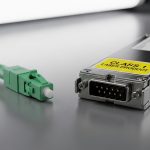
Introducing 1G SFP Modules for SMB Network Deployments
Small and medium-sized businesses (SMBs) often face a delicate balancing act: achieve reliable, scalable connectivity without breaking the bank. 1G Small Form-factor Pluggable (SFP) modules provide a practical, cost-effective solution for SMB networks that need flexible, enterprise-grade performance without the overhead of higher-speed optics. This article explores how 1G SFP modules can power SMB deployments, from core concepts to practical implementation tips, and why they remain a smart choice in today’s networking landscape.
What is a 1G SFP Module and Why It Matters for SMBs
A 1G SFP module is a hot-swappable transceiver that plugs into a network switch or router’s SFP/SFP+’ slot to enable fiber or copper connectivity at 1 gigabit per second (Gbps). Key benefits for SMBs include:
- Cost-efficiency: Lower upfront hardware and maintenance costs compared to higher-speed options.
- Scalability: Easy to upgrade by swapping modules without replacing existing switches.
- Flexibility: A wide range of fiber standards (SR, LR, LRM) and copper options (RJ-45) to fit different distances and media.
- Remote connectivity: Supports remote sites with fiber or copper links, essential for distributed SMBs.
1G SFP modules are compatible with most managed switches and routers, enabling features like VLANs, QoS, and link aggregation (LACP) to optimize performance for business applications such as VoIP, video conferencing, and cloud services.
Key 1G SFP Types: Choosing the Right Fiber or Copper Media
Understanding the different types of 1G SFPs helps you match your network topology and distance requirements:
- SR (Short Reach) 1G SFP: Multimode fiber, typically 850 nm, designed for short distances within a data center or campus (up to ~300 meters on standard OM3/OM4 fiber). Ideal for intra-building connections.
- LR (Long Reach) 1G SFP: Single-mode fiber, 1310 nm, suitable for longer distances (up to 10 km or more, depending on fiber quality). Great for campus backbones and remote sites.
- LX/LX10 1G SFP: Early generations focusing on single-mode long-distance connectivity, often compatible with LX10 standards in older networks; verify compatibility with your devices.
- CR/Active Copper 1G SFP: Copper-based SFPs that use RJ-45 to deliver 1 Gbps over Ethernet twisted pair (up to 100 meters for Cat 5e/6, with Category-6a supporting longer runs in some cases). Good for cost-effective, shorter-distance connections.
- CX/Direct Attach 1G SFPs: Short, fixed copper twinax assemblies used for very short, high-density connections between devices like switches in a cabinet. Generally not hot-swappable in the field.
When selecting a 1G SFP, consider distance, fiber type (multimode vs single-mode), connector type (LC is most common), and the equipment’s supported SFP profiles. Always verify vendor compatibility to avoid interoperability issues.
Practical Deployment Scenarios for SMBs
1G SFP modules excel in a variety of SMB deployment scenarios. Here are common use cases and best practices:
- Branch Office Connectivity: Use LR 1G SFPs over single-mode fiber to connect remote sites to a central office. Pair with VPN or SD-WAN for secure, reliable access to resources.
- Campus Core and Distribution: SR 1G SFPs can connect buildings within a campus. Implement VLANs, QoS, and LACP to ensure traffic from voice, video, and data devices is prioritized.
- Server Upholstery and NAS Access: For small data centers or edge deployments, 1G SFPs with SR or LR optics provide dependable uplinks to core switches, ensuring ample bandwidth for file sharing and backups.
- Edge PoE and Access Switches: Combine 1G SFP uplinks with PoE-enabled access switches to deliver power and data to IP phones, cameras, and wireless access points without overburdening the core network.
In each scenario, proper network design—redundant links, proper IP addressing, and consistent QoS policies—helps SMBs maximize uptime and performance using 1G SFPs.
Technical Considerations: Performance, Compatibility, and Reliability
To ensure a smooth 1G SFP deployment, keep these technical considerations in mind:
- Compatibility: Verify that the SFP module is listed as compatible with your switch/router model and firmware version. Some vendors enforce strict module compatibility, while others are more flexible with third-party or “SFP+” modules.
- Distance and Medium: Choose LR for longer runs on single-mode fiber, or SR for shorter, high-bandwidth campus links on multimode fiber. Remember that distance is influenced by fiber quality and connector cleanliness.
- Wavelength and Connector: Most 1G SFPs use 1310 nm or 1550 nm wavelengths for single-mode, with LC connectors. Multimode SR variants typically use 850 nm with LC connectors. Ensure fiber type and connectors align on both ends.
- Power and Heat: SFPs draw modest power, but dense deployments can affect heat in a cabinet. Plan for adequate airflow and avoid stacking devices in sealed spaces without ventilation.
- Monitoring and Management: Use your switch’s management interface to monitor link status, SFP temperature, and error counts. Implement SNMP alerts for link failures or degraded performance.
- Redundancy: For critical SMB links, implement redundant uplinks using LACP or VRRP-based failover to minimize downtime in case of a single fiber cut or switch failure.
Installation Best Practices and Troubleshooting Tips
Effective installation and quick troubleshooting preserve uptime and performance. Consider these guidelines:
- Pre-Installation Checks: Confirm the device supports SFP modules, check firmware versions, and review the vendor’s compatibility matrix. Inspect fiber cables for bends, kinks, and cleanliness before installation.
- Proper Handling: Handle SFPs by the edges, avoid touching optical connectors, and store unused modules in anti-static bags. Use ESD precautions during installation.
- Clean Connectors: Clean fiber connectors with appropriate cloth and cleaning solution before mating. Dirty connectors are a common cause of link instability.
- Testing After Installation: Verify link up status, negotiate speed, and test basic throughput with a network performance tool. Check for CRC errors, jetting, or buffer drops in the switch logs.
- Common Issues and Fixes: If a link does not come up, confirm fiber pair polarity, verify correct cable type (single-mode vs multimode), and check for a mismatch in wavelength or vendor-specific profiles. Re-seat the module and reboot if necessary as a last resort.
Cost, Availability, and Vendor Considerations for SMBs
Budget-conscious SMBs should weigh total cost of ownership when selecting 1G SFPs. Consider these factors:
- Initial Cost: 1G SFPs are affordable relative to 10G or 25G options. Copper 1G SFPs (RJ-45) can be a cost-effective solution for shorter runs.
- Licensing and Features: Some switches offer advanced features (e.g., advanced QoS, security features) embedded in firmware; ensure your SFP choice doesn’t incur licensing hurdles that affect performance.
- Warranty and Support: A solid warranty and vendor support reduce long-term TCO, especially for SMBs relying on rapid resolution of hardware issues.
- Availability: Popular 1G SFP models are widely available, but always confirm stock, especially if you’re aligning with a strict device compatibility policy.
Conclusion: Why 1G SFP Modules Remain a Smart SMB Choice
For many SMBs, 1G SFP modules strike a practical balance between performance, flexibility, and cost.