
Upgrading a high-density switch from QSFP28 to QSFP-DD can look straightforward on paper, but field teams often hit link negotiation failures, DOM mismatches, or unexpected power limits. This article explains how QSFP-DD backward compatible transceivers actually work with QSFP28 ports, what to verify before you buy, and how to troubleshoot when links come up at the wrong speed or not at all. It is written for network engineers, datacenter architects, and field technicians who need predictable optics behavior under real operating conditions.
What “QSFP-DD backward compatible” means at the electrical and optical layers
“Backward compatible” in this context means the physical module form factor supports operation in systems designed for the older QSFP28 electrical/management expectations, but only within specific constraints. QSFP-DD modules increase lane count and bandwidth density compared with QSFP28, so the switch must support the appropriate breakout mode or reduced lane operation. IEEE Ethernet PHYs and vendor switch ASICs interpret lane mapping and signal integrity differently, so compatibility is not just about “it fits.”
At a practical level, QSFP28 typically uses a quad-lane electrical interface (common speeds include 25G per lane for 100G total, or 10G per lane for 40G total depending on the PHY generation). QSFP-DD modules extend capacity with additional lanes and higher aggregate rates; when inserted into a QSFP28 port, the switch may force a subset of lanes and a specific modulation profile. That forced mode can change expected reach, target power draw, and even which diagnostic thresholds are acceptable.
Lane mapping and speed negotiation: the hidden compatibility gate
Most modern switches determine the module type using management interface signals (commonly I2C) and then attempt a PHY training process. If the module identifies as QSFP-DD but the port only supports QSFP28 modes, the switch may either fall back to a supported mode or refuse to bring the link up. The behavior depends heavily on the switch vendor’s optics compatibility table and their handling of reduced-lane operation.
On the optical side, reach depends on wavelength and transceiver technology (SR, LR, ER, DR) and on the receiver sensitivity requirements of the specific PHY. Even if the port “accepts” the module, you can still get marginal link stability if the switch expects a different transmitter optical power range or if fiber plant loss is near the limit.
Pro Tip: In field deployments, “link up” is not the same as “link optimized.” After insertion, validate the negotiated speed, lane usage, and error counters (CRC/FEC) for at least 15 to 30 minutes under traffic load; some QSFP-DD backward compatible fallbacks only stabilize after PHY re-training.
Key specs comparison: QSFP-DD versus QSFP28 ports you must match
The safest approach is to treat QSFP-DD backward compatible as a compatibility matrix problem, not a universal plug-and-play rule. Before ordering optics, compare the module’s supported data rate modes and the switch port’s advertised optics support. Below is a practical comparison table that engineers can use when planning a mixed optics fleet.
| Parameter | QSFP28 (typical) | QSFP-DD (typical) | What to check for backward compatibility |
|---|---|---|---|
| Form factor | QSFP28 pluggable | QSFP-DD pluggable | Switch must physically and electrically support QSFP-DD in QSFP28 cages (vendor-specific) |
| Aggregate data rate | Up to 100G | Up to 400G (varies by mode) | Port must support reduced-lane operation and the exact lane-to-speed mapping |
| Lane count (common) | 4 lanes | 8 lanes (varies) | Verify how the switch remaps lanes when training on a QSFP28 port |
| Wavelength examples | 850 nm (SR), 1310/1550 nm (LR/ER variants) | 850 nm (SR variants), 1310 nm (DR/FR variants), etc. | Match the switch optics profile and confirm expected fiber type (OM3/OM4/OM5) |
| Connector | LC (most common for fiber SR) | LC (most common for fiber SR) | Confirm you have the correct patch cord and polarity conventions |
| DOM / management | Standard QSFP28 diagnostics | QSFP-DD diagnostics (DOM compatible but thresholds may differ) | Confirm DOM support and alarm threshold behavior on the switch |
| Operating temperature | Commercial often 0 to 70 C; extended options vary | Commercial and extended options vary by vendor | Match environment; verify derating expectations in high-density racks |
| Typical power class | Often lower than DD in high-rate modes | Higher potential power draw in full-rate modes | Ensure the switch port power budget supports the module in the fallback mode |
For a concrete reference point, common 100G SR optics include OEM and compatible modules such as Finisar FTLX8571D3BCL (example family for 850 nm class optics) and Cisco-branded equivalents like Cisco SFP-10G-SR for 10G SR, while mixed 100G/400G platforms typically use QSFP28 and QSFP-DD optics. When you are specifically targeting QSFP-DD backward compatible behavior, the deciding factor is not the wavelength alone; it is the switch’s programmed support for that exact module type and its fallback profile.
Compatibility checklist before you deploy: what engineers verify
Engineers avoid outages by turning compatibility into a repeatable checklist. Use the steps below in order, and record results in a change ticket so future replacements behave identically. This is especially important when you mix vendors, because DOM threshold behavior and fallback modes can differ even when the module “appears” similar.
- Switch model and exact port profile: confirm the switch supports QSFP-DD modules in the specific port type and that it enables reduced-lane operation for QSFP28.
- Vendor compatibility list: check the switch vendor optics matrix for the exact transceiver part number (not just “QSFP-DD SR”).
- Supported speed modes: verify whether the port can negotiate 25G, 50G, or 100G per lane mapping that the module offers in fallback.
- Fiber type and reach budget: confirm OM3/OM4/OM5 support for 850 nm SR variants; validate worst-case link loss including patch cords and splices.
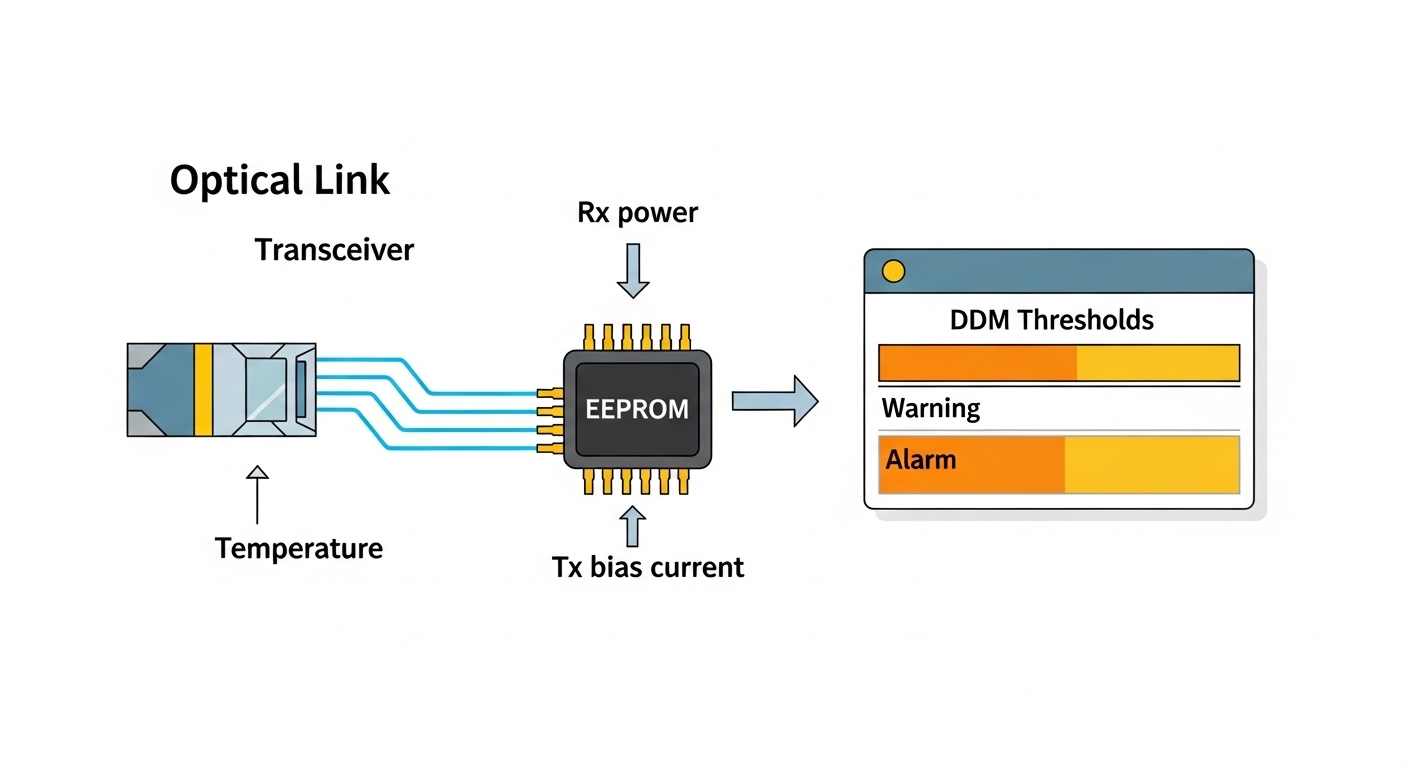
- DOM alarms and threshold alignment: ensure the switch accepts the module’s temperature, voltage, and optical power ranges without spurious alarms.
- Operating temperature and airflow: high-density racks can exceed 45 C inlet air during peak load; verify module temperature rating and switch thermal margins.
- Power budget and PSU constraints: confirm the port and chassis power budget supports the module in the fallback mode (especially if the module can attempt a higher-power state).
- Vendor lock-in risk: if you rely on OEM-only optics for compatibility, estimate the TCO impact and plan alternates with documented validation.
How to validate in a controlled way
In a lab or staging rack, bring up the link at low traffic first and verify negotiated speed, then run a controlled test pattern for at least 30 minutes. Capture interface counters (CRC errors, FEC status, link flaps) and optical diagnostics (Tx power, Rx power, temperature). If the switch supports it, confirm whether the PHY is operating in a reduced-lane mode and whether the module is reporting the expected lane configuration.
Real-world deployment scenario: mixed optics in a leaf-spine upgrade
Consider a 3-tier datacenter leaf-spine topology with 48-port 100G ToR leaf switches and 16-port 400G spine switches. The team begins a phased upgrade: the leaf layer stays at 100G, while the spine layer moves toward 400G. In the first phase, they deploy QSFP-DD optics in some optics cages that the vendor states are QSFP28-compatible for reduced modes, aiming to standardize optics SKUs across both tiers.
They target 100G SR over OM4 with a design budget of 2.5 dB for patch cords plus 0.5 dB for splices, leaving margin for transceiver and fiber attenuation at 850 nm. After installation, they confirm that each interface negotiates to 100G and that optical power readings remain within the vendor’s recommended thresholds. During a maintenance window, they schedule a monitoring check for 24 hours and notice that two links flap only when a specific patch panel run is used; root cause is excessive loss and a polarity mix-up, not the QSFP-DD backward compatible feature itself.
Common mistakes and troubleshooting: fast root cause isolation
Most failures in QSFP-DD backward compatible deployments fall into a few repeatable categories. Use the troubleshooting tips below to reduce time-to-repair and avoid unnecessary module swaps.
Link fails to come up: unsupported fallback mode
Root cause: the switch port does not support the module’s advertised reduced-lane mode, even if the cage is physically compatible. The PHY training fails silently or the switch refuses to enable the port.
Solution: verify the exact transceiver part number on the switch vendor compatibility list and confirm the port supports the target speed. If you see consistent “module not recognized” or “unsupported optics,” test with a known QSFP28 module in the same cage to isolate whether the problem is module support or port configuration.
Link comes up but errors spike: marginal optical power or wrong fiber type
Root cause: the module is operating at the expected speed but the optical budget is exceeded. With 850 nm optics, using OM3 where OM4 is expected (or using long patch cord runs) can cause high BER and CRC/FEC events.
Solution: measure Rx power and compare to the switch vendor thresholds. Replace patch cords with validated lengths and confirm fiber type labeling at the patch panel. If polarity is involved, correct Tx/Rx alignment and recheck optical diagnostics.
Unexpected thermal alarms: insufficient airflow in high-density racks
Root cause: QSFP-DD modules can operate hotter depending on the fallback mode and vendor design. In dense line cards, inlet air temperatures can exceed module expectations, causing derating or intermittent resets.
Solution: confirm rack airflow direction, verify fan tray operation, and check switch inlet air temperature. If the module reports temperature near the upper range, reseat the module, ensure no obstructions block vents, and consider relocating to a better-ventilated slot.
DOM alarms or “virtual” down states: diagnostic threshold mismatch
Root cause: DOM values may be interpreted with different thresholds or scaling on the switch. Some platforms treat certain warning states as operational alarms, leading to port flaps even when the optical link is healthy.
Solution: compare DOM readings between the failing module and a known-good module. If the platform supports it, adjust alarm settings only within vendor guidance; otherwise, switch to a validated module part number with matching DOM behavior.
Cost and ROI: what it costs to standardize with QSFP-DD backward compatible optics
Pricing varies widely by OEM versus third-party sourcing and by reach class (SR versus LR/ER). In many enterprise and datacenter markets, a 100G SR QSFP28 optic often costs roughly $250 to $800 per module depending on brand and volume, while QSFP-DD SR optics can range roughly $400 to $1,200 depending on whether they are OEM and whether they support higher-rate modes. The QSFP-DD backward compatible advantage is most valuable when it reduces SKU count and simplifies spares management across evolving switch generations.
However, ROI must include failure-rate risk and validation labor. Third-party modules can reduce purchase cost but may increase integration time if the switch vendor compatibility list is strict. From a TCO perspective, savings from fewer optics types can be offset by additional engineering hours, longer troubleshooting cycles, and potential RMA shipping delays when compatibility issues appear.
FAQ
Will a QSFP-DD backward compatible module always work in a QSFP28 port?
No. Physical insertion is only one part of compatibility. The switch must support the module’s reduced-lane fallback mode and the exact speed mapping, and the module must be on the switch vendor compatibility list for that port type.
What happens if the link negotiates a lower speed than expected?
The link may still come up, but performance can degrade and error counters may increase under load. Re-check negotiated speed, lane usage, and optical power levels, then validate that the interface is configured to allow the intended mode.
Does DOM support guarantee stable operation?
DOM support helps the switch monitor temperature and optical power, but it does not guarantee that threshold interpretation matches. If you see alarms or port flaps, compare DOM readings with a validated module and confirm the vendor’s threshold behavior and alarm handling.
How do I choose between OEM and third-party QSFP-DD optics for compatibility?
Start with OEM or vendor-validated optics if uptime is critical and the switch compatibility matrix is narrow. If you use third-party modules, require documented validation in a staging environment and confirm that replacements behave identically in speed negotiation and DOM alarms.
What fiber checks matter most for QSFP-DD backward compatible SR deployments?
For 850 nm SR, validate fiber type (OM3/OM4/OM5), worst-case link loss including patch cords, and polarity at the patch panel. Miswiring polarity or exceeding Rx sensitivity can look like a compatibility problem even when the module trains correctly.
Is this approach suitable for long-term scaling from 100G to 400G?
It can be, if your vendor explicitly supports the reduced-lane behavior and you standardize on validated part numbers. Plan spares strategy and run a staging validation so that the same optics family does not cause surprises when you later enable higher-rate modes.
QSFP-DD backward compatible optics can reduce SKU sprawl and accelerate upgrades, but only when you match the switch’s supported fallback modes, speed negotiation, and optical budget requirements. Next step: review your switch vendor optics compatibility matrix and validate in staging with DOM and error counters, then track results using the checklist above via optics compatibility matrix workflow.
Author bio: I am a network engineer who has deployed mixed-generation pluggables in leaf-spine datacenters, focusing on PHY training behavior, DOM alarm handling, and fiber plant loss budgeting. I write practical guidance grounded in field validation and vendor datasheets.
