
Smart city projects live or die on link stability: traffic sensors, adaptive street lighting, and public Wi-Fi all depend on fiber backhaul that keeps latency low and uptime high. This article helps network engineers and field technicians choose optical modules that fit real urban networking constraints, including reach, temperature swings, and switch compatibility. You will get a top list of module types, a practical deployment scenario, and a troubleshooting checklist pulled from on-site patterns.
Top 1: 10G SFP+ SR for cost-effective fiber backhaul
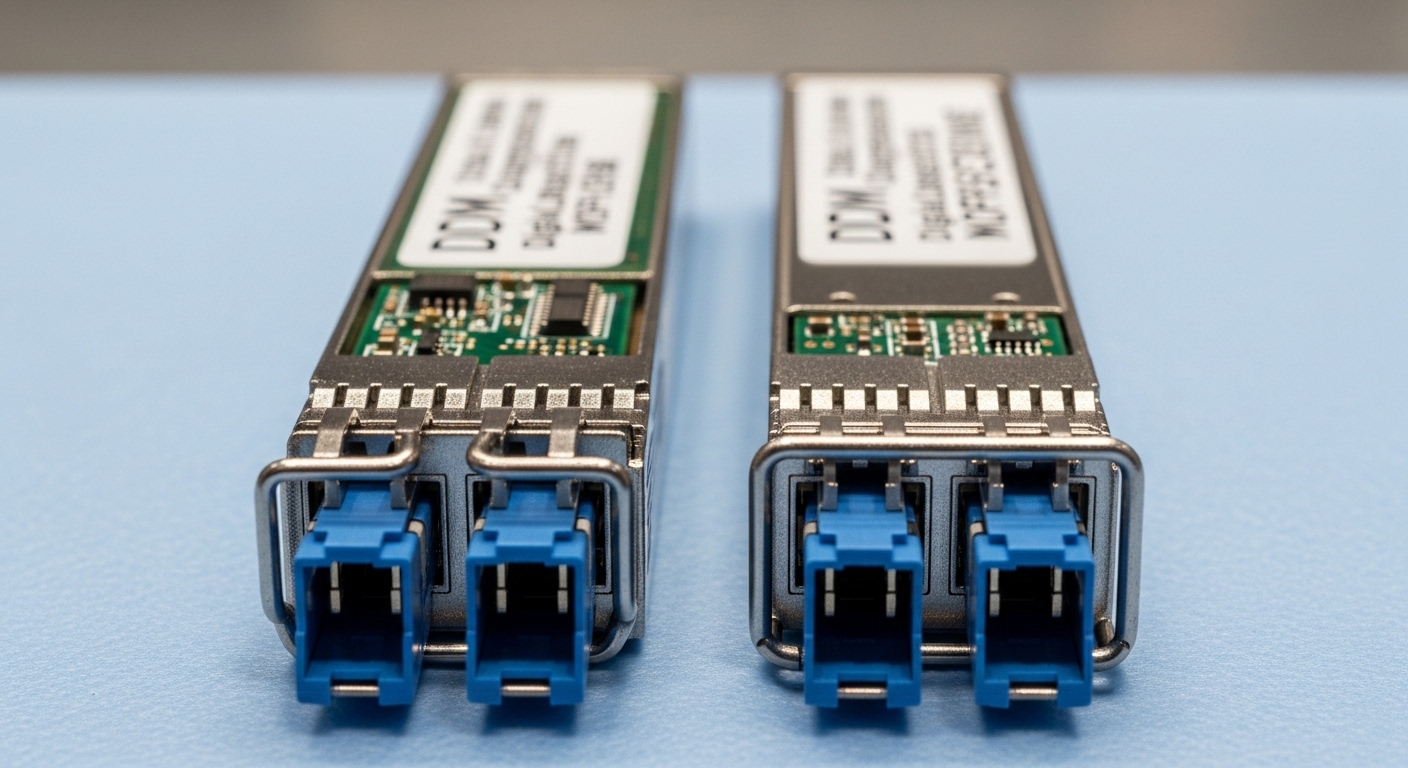
When your urban networking plan includes short-to-mid range links between curb-side cabinets and nearby aggregation switches, 10G SFP+ SR is often the first module to evaluate. SR uses 850 nm multimode optics and is typically deployed with OM3 or OM4 fiber. In practice, SR modules are popular because they balance price, availability, and straightforward installation in existing multi-mode plant.
Key specs to verify include data rate (10.3125 Gb/s line rate for 10G Ethernet), wavelength (850 nm), and reach (commonly 300 m on OM3, 400 m on OM4, depending on the vendor and module class). Connector is usually LC, and DOM support varies by manufacturer.
Best-fit scenario
In a municipal pilot, you may connect 12 pole-mounted cameras and environmental sensors to a cabinet switch. If the cabinet-to-aggregation run is typically 180–260 m and the site uses OM4 patching, SR keeps optics simple and reduces per-link cost.
Pros: lower cost than long-reach optics, easy multimode sourcing, broad switch support. Cons: limited distance versus single-mode, multimode plant quality becomes a hard constraint.
- Operational limit: ensure your multimode fiber type and patch loss match the vendor’s link budget.
- DOM: confirm it exists before relying on monitoring workflows.
Top 2: 10G SFP+ LR for single-mode street-to-hub runs
For urban networking corridors where cabinets are farther from aggregation sites, 10G SFP+ LR shifts you to single-mode optics at 1310 nm. LR is a practical choice when you need stable reach without moving to the higher cost of ER or ZR optics. It also tolerates longer spans better when splicing quality and patch cleanliness vary across a city.
Key specs to verify: wavelength (1310 nm), reach (often 10 km class), connector (LC), and temperature range (0 to 70 C typical for standard modules; many deployments require extended industrial ranges). Ensure your switch transceiver diagnostics accept the module type.
Best-fit scenario
In a ring deployment, you may run 8–12 km between a street-side cabinet and a regional edge router in a metro network. LR optics are common when you have single-mode fiber and want predictable performance for video analytics and telemetry aggregation.
Pros: strong reach for metro distances, single-mode reduces sensitivity to multimode patch loss. Cons: higher module cost than SR, single-mode plant is mandatory.
- Watch for connector cleanliness; LR links magnify contamination failures.
- Confirm link budget with actual measured loss, not cable label specs.
Top 3: 25G SFP28 SR for higher density in compact cabinets
As smart city traffic patterns increase, many teams upgrade from 10G to 25G SFP28 SR to keep switch ports and aggregation footprints manageable. SR at 850 nm remains multimode-friendly, but your reach depends heavily on whether you use OM3 or OM4 and on the module’s launch power class.
Key specs to verify: data rate (25.78125 Gb/s line rate typical for 25G Ethernet), wavelength (850 nm), reach (varies by vendor; often 70 m on OM3 and 100 m on OM4 for many common module classes), and DOM presence. In cabinet environments, thermal design matters; extended temperature ratings can be decisive.
Best-fit scenario
In a curbside cabinet packed with radios and edge compute, you might need to uplink 24 high-bandwidth cameras and multiple Wi-Fi access points. If your fiber runs are usually below 100 m and you can standardize on OM4, 25G SR reduces oversubscription without forcing new long-haul optics.
Pros: better per-port capacity, still compatible with multimode in short runs. Cons: shorter reach than 10G SR in many OM3 cases; higher power draw than some 10G options.
- Validate transceiver compliance with your switch’s supported optics list.
- Budget for fan-out upgrades if your patching is already dense.
Top 4: 40G QSFP+ SR4 for aggregation consolidation
When you need to consolidate multiple 10G services into fewer uplinks, 40G QSFP+ SR4 is a common bridge. SR4 uses 850 nm and splits four lanes across parallel fibers. It can be efficient in urban networking because it reduces the number of physical ports and simplifies cabling plans when multi-mode fiber is already in place.
Key specs to verify: data rate (40G total, with four lanes), wavelength (850 nm), reach (often 100–150 m class depending on OM3/OM4 and vendor), connector (LC multi-fiber), and lane diagnostics. DOM support may include per-channel bias and receive power, which helps isolate failing fibers.
Best-fit scenario
In a three-tier data center rollout supporting smart city edge aggregation, you may connect four ToR switches to a pair of aggregation switches. If each uplink is roughly 120 m over OM4, SR4 can consolidate traffic while preserving a manageable cabling footprint.
Pros: port consolidation, efficient for multi-mode short reaches. Cons: multi-fiber cabling complexity, reach still constrained by multimode.
- Confirm your MPO-to-LC or MPO-to-MPO harness quality and polarity.
- Use measured insertion loss; SR4 is sensitive to patch assemblies.
Top 5: 100G QSFP28 SR4 for backbone links inside dense metro sites
For urban networking backbones inside large metro facilities, 100G QSFP28 SR4 becomes attractive when you must push more throughput through existing multi-mode infrastructure. Like SR4 at 40G, it uses 850 nm and parallel optics. The practical challenge is that 100G SR4 typically demands tighter cabling discipline and higher-quality OM4 links.
Key specs to verify: wavelength (850 nm), data rate (100G total), reach class (often 100 m on OM4 for many common modules, but validate per datasheet), connector (MPO), and temperature range. If you are mixing vendors, ensure the switch supports that transceiver family and that the DOM format is accepted.
Best-fit scenario
In a central operations building that aggregates city-wide telemetry, you might connect an edge aggregation switch to a core router over a 60–90 m multi-mode trunk with MPO harnesses. This approach can reduce rack port count while keeping the optics short-range and maintainable.
Pros: high capacity with short-reach optics, fewer uplink ports. Cons: stricter MPO/polarity and link loss control; operational risk if cabling standards were not enforced.
- Plan polarity and harness testing before commissioning.
- Expect higher per-port power and more stringent thermal management.
Top 6: 100G QSFP28 LR4 for single-mode metro expansion
When urban networking needs single-mode reach at 100G, 100G QSFP28 LR4 is a common choice. LR4 uses four wavelengths around 1310 nm (wavelength-division multiplexing), which improves spectral efficiency and reach compared with short-reach options. It is often used for metro links between buildings, campuses, and edge hubs.
Key specs to verify: wavelength family (1310 nm LR4), typical reach class (commonly 10 km for many LR4 modules), connector (LC), and compliance with your switch’s optic compatibility list. DOM support is important for operational visibility; confirm the module reports temperature, supply voltage, and received optical power.
Best-fit scenario
For a metro upgrade, you might connect a pair of aggregation sites separated by 7–10 km with existing single-mode fiber. LR4 supports the capacity bump needed for video streams and map-based analytics without forcing a full fiber redesign.
Pros: 100G at reasonable reach, single-mode robustness. Cons: higher cost than short-reach options, requires careful compatibility checks.
- Confirm dispersion tolerance if your fiber types vary.
- Validate whether your vendor requires specific optic firmware compatibility.
Top 7: 10G/25G SFP28 DAC/AOC for inside-cabinet wiring
Not every urban networking link needs fiber optics at the rack-to-rack distance level. For very short runs inside cabinets, Direct Attach Copper (DAC) or Active Optical Cable (AOC) can reduce latency and simplify logistics. While DAC/AOC do not replace long-haul optics, they are often the fastest path to upgrade edge hardware without touching the city fiber plant.
Key specs to verify: length (often 1 m to 5 m for common DAC), data rate support (10G or 25G depending on the module), connector type (SFP+ or SFP28 form factor for DAC), and power consumption. AOC is usually more tolerant of bend radius than copper, but both require correct port mapping.
Best-fit scenario
In a cabinet retrofit, you may replace aging switches with higher-port-density models. If patch panels are already populated, using 2 m DAC between the new switch and an existing local fiber breakout can keep downtime to a single maintenance window.
Pros: fast deployment, no fiber cleaning, predictable link behavior over short distances. Cons: not for outdoor runs; limited reach; compatibility depends on exact port generation.
- Use vendor-qualified DAC/AOC to reduce “unsupported optics” events.
- Manage cable routing to avoid connector strain and EMI hotspots.
Module comparison for smart city optical planning
Before you buy, align module type with distance, fiber type, and operational temperature. The table below compares common choices you will see in urban networking smart city deployments. Always confirm exact reach with the specific vendor datasheet and your actual measured link loss.
| Module type | Wavelength | Typical reach class | Connector | Data rate | Fiber type | Temperature range (typical) |
|---|---|---|---|---|---|---|
| 10G SFP+ SR | 850 nm | 300 m (OM3) / 400 m (OM4) | LC | 10G Ethernet | OM3/OM4 | 0 to 70 C (check vendor) |
| 10G SFP+ LR | 1310 nm | 10 km | LC | 10G Ethernet | Single-mode | -5 to 70 C or extended (check) |
| 25G SFP28 SR | 850 nm | ~70 m (OM3) / ~100 m (OM4) | LC | 25G Ethernet | OM3/OM4 | 0 to 70 C (check vendor) |
| 40G QSFP+ SR4 | 850 nm | ~100–150 m class | MPO (multi-fiber) | 40G Ethernet | OM3/OM4 | 0 to 70 C (check vendor) |
| 100G QSFP28 SR4 | 850 nm | ~100 m on OM4 (verify) | MPO (multi-fiber) | 100G Ethernet | OM4 preferred | 0 to 70 C (check vendor) |
| 100G QSFP28 LR4 | 1310 nm LR4 | ~10 km | LC | 100G Ethernet | Single-mode | -5 to 70 C or extended (check) |
Pro Tip: In field acceptance tests for urban networking links, the fastest predictor of a “bad optic” RMA is not the module itself, but the patch assembly cleanliness and polarity. Always inspect with a fiber scope and verify MPO polarity before blaming the transceiver; you will save more time than swapping optics repeatedly.
Selection criteria checklist for smart city optical modules
Use an ordered decision process so you do not discover incompatibilities after installation. This checklist reflects how teams typically work against switch diagnostics, fiber plant constraints, and procurement realities.
- Distance and link budget: compute required power margin using measured loss at your wavelengths; include connector and splice losses.
- Fiber type and harness quality: confirm OM3 vs OM4, and verify MPO polarity and insertion loss for SR4/100G SR4.
- Switch compatibility: check the switch vendor’s supported optics list and confirm the transceiver form factor (SFP+, SFP28, QSFP+, QSFP28).
- DOM and telemetry needs: confirm diagnostics are available (temperature, bias, TX power, RX power) and that your monitoring stack can interpret them.
- Operating temperature and enclosure airflow: outdoors and cabinet installs can exceed standard module assumptions; prioritize modules rated for the expected ambient range.
- Budget and vendor lock-in risk: OEM optics may cost more but reduce “unsupported module” events; third-party can work if it is tested and documented for your specific platform.
- Commissioning and spares strategy: keep a matched spare per module family and plan for firmware or compatibility updates during maintenance.
Common mistakes and troubleshooting patterns
Urban networking optics failures often look random until you isolate the root cause. Below are common pitfalls seen during smart city deployments, with practical fixes.
References & Further Reading: IEEE 802.3 Ethernet Standard | Fiber Optic Association – Fiber Basics | SNIA Technical Standards
-
Mistake: Skipping fiber inspection before powering the link
Root cause: contamination on LC or MPO endfaces increases insertion loss and triggers CRC errors or link flaps.
Solution: inspect with a fiber scope, clean with approved methods, and retest with an OTDR or power meter before swapping optics. -
Mistake: Mixing OM3 and OM4 assumptions
Root cause: link budget calculations use the wrong fiber type, or patch cords exceed vendor reach tolerances.
Solution: verify fiber certification records (core size and attenuation) and measure end-to-end loss on the deployed run.
