
You are running an optical network today at 400G, but your roadmap says 800G soon. This article helps data center and campus network engineers plan the upgrade without stranded optics, unexpected reach failures, or switch incompatibilities. You will get selection checklists, realistic deployment details, and troubleshooting patterns that show up during cutovers.
What changes when you move an optical network to 800G
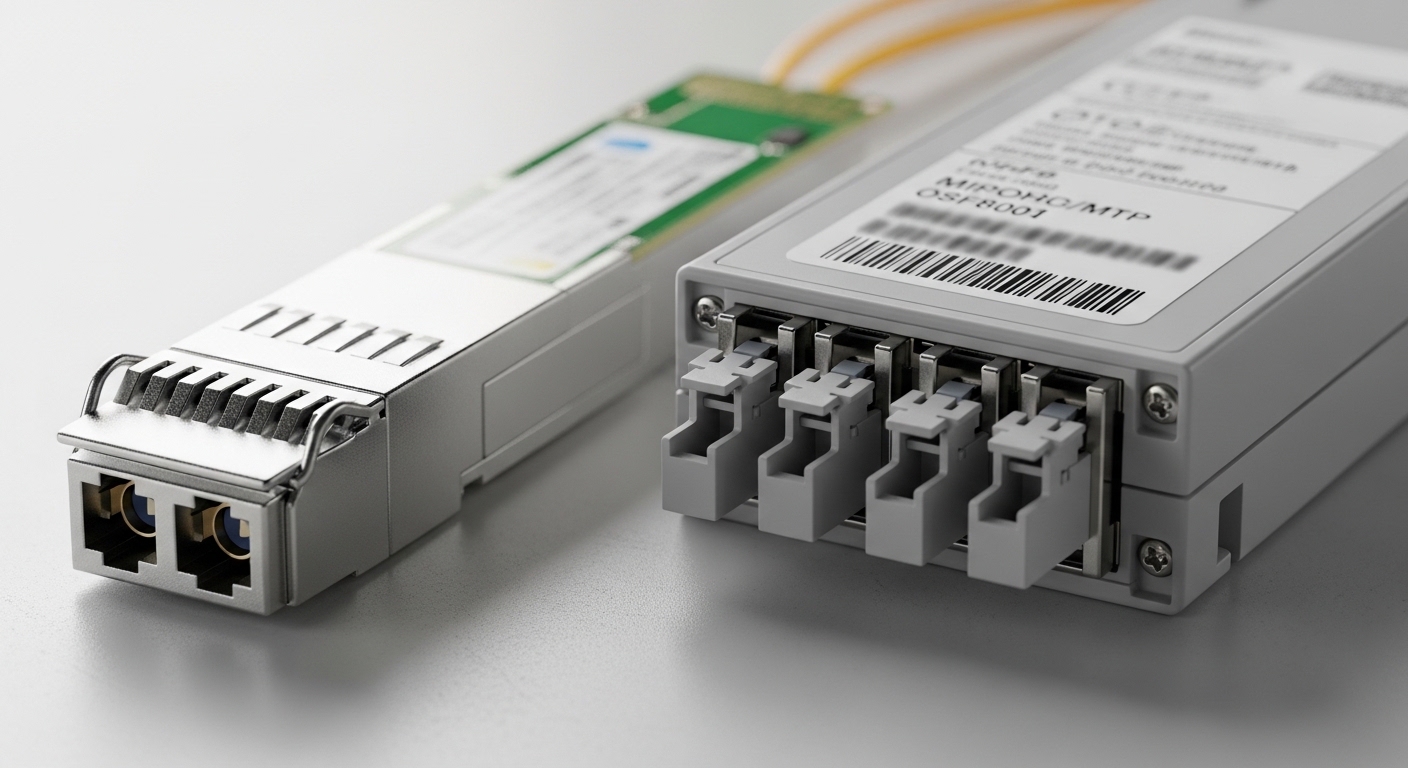
At 800G, the core shift is not only higher line rate; it is how modules map lanes, how transceivers negotiate signal health, and how forward error correction (FEC) budgets interact with fiber plant impairments. Most 400G deployments used 8x50G or 4x100G lane groupings, while many 800G designs use denser lane structures and tighter optical tolerances. The IEEE Ethernet roadmap for 800G Ethernet is formalized through IEEE 802.3 specifications for 800G variants, and vendor implementations may differ in optics control behavior and diagnostics. [Source: IEEE 802.3 Ethernet Working Group]
800G link budget reality: power, dispersion, and margins
In practice, engineers lose links during transitions because the new optics have different transmitter power, receiver sensitivity, and allowable end-to-end penalties. Even when the data sheet reach looks “equivalent,” the margin you previously depended on can shrink due to tighter receiver sensitivity and different FEC gain. For short-reach 800G, you also see more sensitivity to connector reflectance, MPO cleanliness, and patch panel insertion loss. Your optical network design should therefore re-run a link budget using the exact fiber type, connector grade, and worst-case patching plan, not a generic spreadsheet assumption.
Where the upgrade usually starts: optics, then switching, then transceivers
Most teams stage the work in three waves: (1) validate switch fabric readiness and breakout modes, (2) install 800G optics in a pilot pod, and (3) replace remaining 400G ports once the optical network plant has been proven. This reduces risk because you can measure real receive power and error rates in production-like traffic. It also avoids buying a full 800G optics inventory before you know which vendor or module family will be stable in your specific switch models.
800G transition paths: 400G to 800G without re-cabling surprises
When planning transition strategies for 800G, you have to decide whether you will reuse existing fiber trunks, change connectorization, or accept a short-term parallel overlay. The best path depends on your current topology (leaf-spine, spine-super-spine, or campus core), your cabling standard (OM3 vs OM4 vs OS2), and whether your patching uses standard MPO-12 or MPO-24 harnesses. Engineers typically target a minimal-change pilot that touches optics first, then uses measured optical parameters to decide whether to re-terminate or add fanouts.
Short-reach 800G options and common module families
In many data centers, 800G short reach is implemented with pluggable optics such as QSFP-DD or similar high-density form factors, using multi-lane parallel fiber. Common examples in the market include vendor SKUs like Cisco-compatible 800G SR8 style modules and third-party equivalents from manufacturers such as Finisar and FS.com. Always confirm the exact interface type supported by your switch vendor and the optics vendor’s compliance test results.
Example module and compatibility checks you should do early
Before committing, validate that your switch supports the module’s electrical interface, diagnostics, and compliance mode. For instance, if you use a Cisco platform, you must confirm whether it supports third-party optics for the specific part number and whether it enforces DOM requirements. A field failure pattern is “it inserts but link flaps,” caused by a switch firmware optics compatibility matrix mismatch rather than fiber issues. [Source: Cisco optical transceiver compatibility documentation]
| Spec category | Typical 800G SR (short reach) optics | Typical 800G LR (longer reach) optics | What to verify during transition |
|---|---|---|---|
| Data rate | 800G (parallel lane architecture) | 800G (coherent or multi-lane long-reach) | Exact IEEE 802.3 mode and lane mapping supported by your switch |
| Wavelength | 850 nm class (SR) | 1310 nm class (LR) depending on module | Match wavelength to fiber type and plant design |
| Reach | Often rated for ~100 m on OM4 class links (varies by vendor) | Often 2 km+ class depending on coherent vs non-coherent | Recalculate reach with your measured patch and connector loss |
| Connector | MPO/MTP multi-fiber (commonly MPO-12/MPO-24) | LC or MPO depending on design | Check polarity requirements and fanout mapping |
| Power / sensitivity | Lower margin tolerance than older 400G in some implementations | Varies; coherent often higher tolerance to dispersion but needs correct optics | Verify receive power thresholds and DOM alarm limits |
| Diagnostics | DOM over I2C (vendor-specific threshold defaults) | DOM plus additional coherent telemetry (vendor-specific) | Confirm DOM support and threshold behavior in your switch OS |
| Operating temp | Usually commercial/industrial ranges; confirm 0 to 70 C class if required | Same concept; confirm extended range if needed | Match your rack ambient and airflow profile |
Selection criteria checklist for 800G optics in an optical network
The fastest way to fail a transition is to buy “the right reach” and skip the checks that reflect how your plant behaves under load. Use this ordered checklist so your optical network upgrade is driven by measurable link margins and switch compatibility. This is the sequence field engineers typically follow during a pilot acceptance.
- Distance and fiber type: confirm OM3/OM4/OS2, end-to-end length, and worst-case patch panel count.
- Switch compatibility matrix: verify the exact transceiver part number is supported on your switch model and firmware version.
- Lane mapping and breakout behavior: ensure the port mode matches your intended topology (no hidden lane reversal or polarity mismatch).
- DOM support and alarm thresholds: check whether your switch expects specific DOM fields and whether threshold defaults cause port disable events.
- Operating temperature: validate that your rack airflow keeps module temperatures within vendor spec during peak load.
- Connectorization and polarity: plan MPO cleaning, polarity mapping, and fanout strategy before the first live insertion.
- Vendor lock-in risk: confirm whether third-party optics are allowed and whether a future RMA process is straightforward.
- FEC and BER targets: confirm that the switch reports correctable/uncorrectable error behavior consistent with your performance goals.
Pro Tip: In many 800G short-reach deployments, the “real enemy” is not attenuation alone. It is connector contamination and polarity errors that only surface at higher lane density, because parallel optics amplify small per-lane penalties into link-level failures. Build a cleaning and visual inspection step into your cutover runbook, and track it like a change-control item.
Real-world deployment scenario: 800G pilot in a leaf-spine optical network
Consider a 3-tier data center leaf-spine topology with 48-port 10G/25G ToR switches at the leaf and 100G/400G uplinks to the spine. The operator upgrades one spine pair first: two spines, each with 32 uplink ports planned for 800G SR. The cabling uses OM4 with MPO-24 trunks and two patch panels per link, each adding about 0.5 dB insertion loss per mated connector set in the worst case after aging. The team runs a pilot pod covering 8 800G links, then measures receive power and error counters under mixed traffic: 70% east-west microbursts and 30% north-south flows.
During the pilot, engineers confirm that each 800G port stays within operational thresholds: receive power above the vendor’s minimum, low corrected error rates, and no uncorrectable increments during sustained load. If the link budget is tight, they may reduce the patching depth by moving to a shorter harness or replacing older patch panels. After validation, they roll out the remaining ports in waves, keeping at least one redundant path in place so the optical network remains stable during incremental cutovers.
Common mistakes and troubleshooting during 800G optical network transitions
Below are field-tested failure modes that show up when transitioning an optical network to 800G. Each has a root cause and a practical fix. Treat these as a pre-flight checklist for your pilot.
Link comes up intermittently, then flaps under traffic
Root cause: marginal optical power due to higher-than-expected insertion loss, often from aged patch panels, extra fanouts, or unclean MPO endfaces. In 800G SR, the per-lane penalty tolerance can be lower, making the system sensitive to small degradations.
Solution: inspect and clean both ends with a microscope, measure insertion loss where possible, and re-terminate or swap patch panels if you see systematic loss. Recompute link budget using worst-case connector loss and your actual harness length.
“Module not supported” or ports disabled after insertion
Root cause: switch firmware compatibility mismatch with the optics vendor part number, or DOM field expectations not met. Some switch OS releases enforce optics allowlists and may disable ports when diagnostics do not match expected ranges.
Solution: confirm the exact switch firmware version, verify the transceiver part number on the compatibility matrix, and test with a known-good optics SKU from the same vendor family. If you must use third-party optics, validate DOM behavior and threshold handling in a lab before production.
Persistent high corrected errors with no clear alarms
Root cause: polarity reversal, lane mapping mismatch, or subtle fiber routing errors that produce consistently degraded signal quality. The link may still pass basic health checks, but corrected error counts can rise due to misaligned lane pairs.
Solution: verify MPO polarity and fanout mapping end-to-end, re-patch using the documented polarity scheme, and run a controlled traffic test while monitoring corrected and uncorrectable counters. Use standardized labeling so patch changes do not silently swap lane groups.
Thermal-related performance drop during peak load
Root cause: insufficient airflow or blocked rack vents causes module temperature to exceed spec, leading to higher error rates or intermittent link resets. High-density 800G optics can be more sensitive to thermal headroom.
Solution: measure rack inlet and module case temperatures, verify fan tray operation, and ensure correct airflow direction. If needed, adjust rack layout or redistribute load across ports.
Cost and ROI considerations for 800G in an optical network
Budgeting for 800G is more than transceiver unit price; it is also total cost of ownership from replacements, downtime, and spares strategy. In many markets, 800G SR optics often price higher than legacy 400G optics by a meaningful margin, and coherent long-reach solutions can be even more expensive when you include licensing or specific switch line cards. Field experience shows that OEM modules may reduce compatibility risk but can increase procurement cost and lead times, while third-party modules can lower unit cost if you validate compatibility and DOM behavior early.
A realistic planning approach is to model three cost buckets: (1) optics CAPEX and spares (often 5% to 10% spares depending on criticality), (2) operational cost during cutover (labor, cleaning tools, inspection time, and planned downtime windows), and (3) failure and RMA overhead. If you expect a 2% to 5% optics replacement rate over the first year in a high-change environment, you will want spares staged locally to avoid multi-week lead times. The ROI improves when you prevent re-cabling, reduce downtime, and keep the optical network plant reusable for future rate bumps.
FAQ
What fiber types are most common for 800G short reach in an optical network?
Most 800G short-reach designs target multi-fiber parallel links over OM3 or OM4, depending on the vendor and exact module mode. If you are on OM3 and the reach is tight, you may need to shorten harness length or reduce patch panel count. Always re-run the link budget with connector loss and worst-case patching.
Can I reuse existing MPO trunks when upgrading from 400G to 800G?
Often yes, but only if your insertion loss, polarity mapping, and connector cleanliness remain within tolerance for the new optics. 800G can be less forgiving of small penalties, so trunks that “worked” at 400G can fail at 800G. Plan a pilot with measured receive power and error counters before scaling.
How do I reduce compatibility risk with third-party optics?
Validate the exact transceiver part number against your switch model and firmware version in a lab or pilot pod. Confirm DOM diagnostics behavior, threshold alarms, and whether the switch enforces allowlists. If possible, keep one OEM optics SKU as a known-good control for fast rollback.
What counters should I watch during an 800G cutover?
Monitor corrected error counts, uncorrectable errors, link up/down events, and any FEC-related telemetry exposed by your switch OS. Also track optical diagnostics like receive power and temperature if available via DOM. A stable port should show no uncorrectable increments under sustained line-rate or near-line-rate traffic.
What is the fastest troubleshooting step when a port fails at first insertion?
Start with optics seating and connector cleanliness: inspect MPO endfaces, clean, and re-check polarity and fanout mapping. Then confirm switch compatibility and firmware allowlist support for that exact module part number. If both are correct, re-measure your link budget assumptions against the actual patching plan.
How should I plan spares for 800G optics?
For critical spine links, stage local spares based on your change rate and failure history, often 5% to 10% for the first deployment wave. Keep spares matched to the exact module family and switch compatibility requirements. This reduces downtime during RMAs and accelerates rollback if a compatibility issue appears.
Upgrading to 800G is a disciplined optical network project: validate switch compatibility, re-run link budgets with real patching, and treat cleaning and polarity as first-class work items. Next, review your cabling standards and connector hygiene process with fiber-optic-cabling-standards-and-cleaning-best-practices.
Author bio: Field-focused network engineer who deploys and troubleshoots high-speed optical links in live data centers. I document operational details and failure modes so teams can transition with measurable risk controls.
References & Further Reading: IEEE 802.3 Ethernet Standard | Fiber Optic Association – Fiber Basics | SNIA Technical Standards
