
SMBs often buy optical transceivers once, then live with the consequences for years: unexpected link drops, mismatched optics, high spares cost, and avoidable cooling or power draw. This article helps IT and data center operators plan optical investments with measurable optical ROI by tying transceiver selection to reach needs, switch compatibility, DOM behavior, and rack-level power realities. You will get a field-engineer checklist, a specs comparison table, and troubleshooting patterns that typically show up during rollouts.
Where optical ROI is won or lost in SMB networks
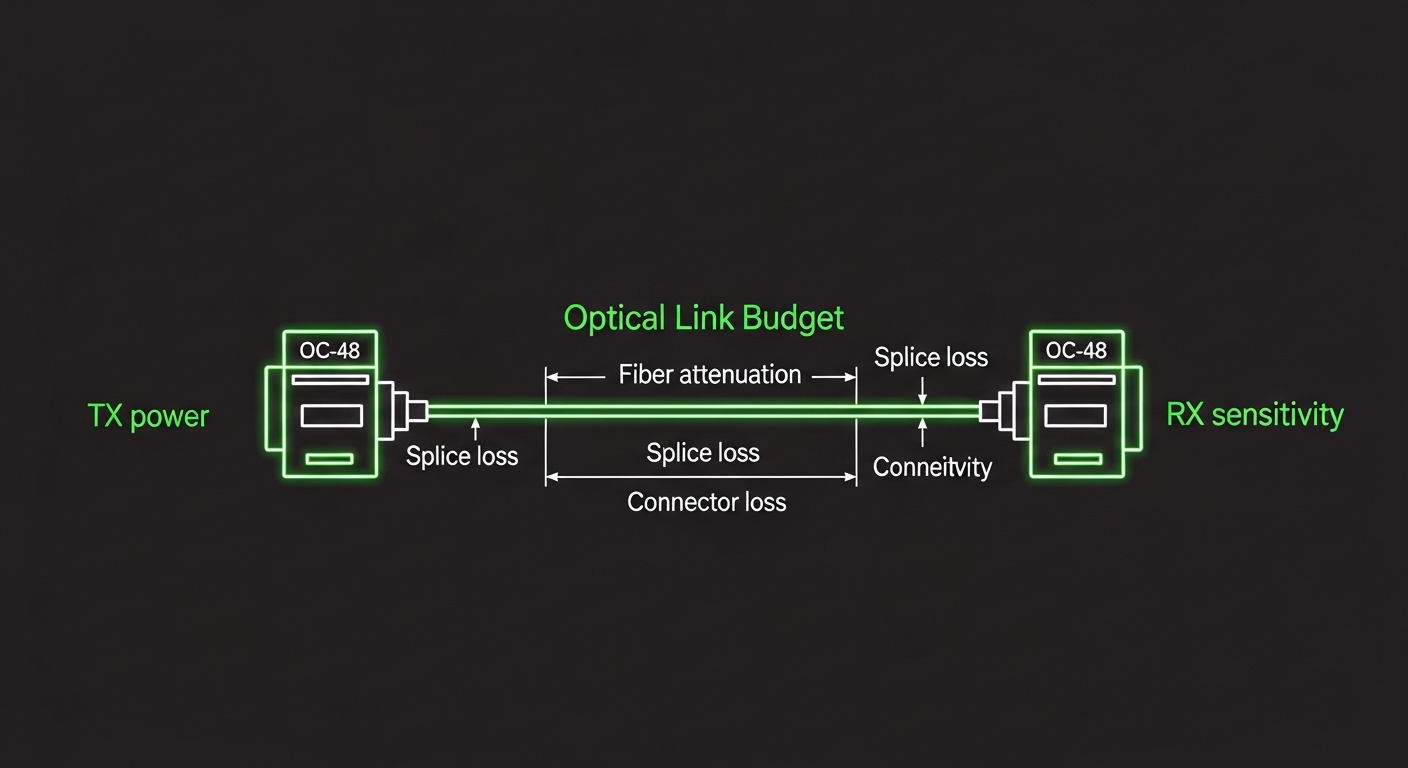
In a typical SMB leaf-spine or top-of-rack (ToR) design, the “optics problem” is rarely just about getting light through fiber. The ROI impact comes from total cost of ownership: module price, spares strategy, service downtime risk, and the operational overhead of re-cabling or replacing incompatible optics. For example, a 10G upgrade from 300 m to 600 m might seem minor, but the wrong reach class can force an extra patch panel change, which can dominate the module cost.
From an engineer’s perspective, the biggest ROI levers are right-sizing reach, predictable compatibility (including vendor-specific behavior), and power and thermal stability at sustained load. Optical transceivers can draw roughly 0.9 W to 1.6 W depending on type and temperature class, and in dense racks that translates into measurable cooling load. When you combine that with DOM polling and monitoring integration, you reduce “unknown unknowns” during incidents.
To anchor decisions in standards, confirm that the transceivers you buy align with the relevant Ethernet PHY expectations in IEEE 802.3 and the optical link budgets implied by the application. For Ethernet standards references and optical PHY baselines, see IEEE 802.3 Ethernet Standard. For SMB planning, you do not need to memorize every clause; you need to ensure your modules are specified for your exact data rate, wavelength, and reach class.
optical-link-budget
Transceiver types that drive ROI: reach, wavelength, and power
SMBs usually standardize on a few optics families: SFP/SFP+ for 1G/10G access, SFP28/25G for 25G upgrades, and QSFP+/QSFP28/QSFP-DD for higher density. ROI improves when you standardize optics across multiple switches and avoid “one-off” modules that only work on a single chassis. If your switches support multiple transceiver types, pick the lowest-complexity option that still satisfies the link budget and operational temperature.
Reach and wavelength choices directly affect cost. Multi-mode fiber (MMF) short-reach optics are often cheaper and easier for patching, while single-mode (SMF) may have higher optics cost but can reduce re-cabling churn when you later expand. In practice, the ROI win often comes from buying optics that match your current measured distances and your most likely expansion path.
Power and thermal headroom matter in SMB deployments that use compact cabinets or run in warmer office-adjacent spaces. Many enterprise modules target a typical operating range, but you should verify the exact temperature range (often 0 to 70 C for commercial class, and -40 to 85 C for extended class). If you run a cabinet near the margin, extended temperature optics can reduce field failures and avoid emergency swaps.
| Optics type | Common data rate | Wavelength | Typical reach class | Connector | Approx. optical TX power / class | DOM / monitoring | Typical operating temp |
|---|---|---|---|---|---|---|---|
| SFP+ | 10G | 850 nm (MMF) | ~300 m (OM3/OM4 class dependent) | LC | Class varies by vendor, typically low single-digit dBm for MMF | Usually supported (DOM) | 0 to 70 C typical |
| SFP+ | 10G | 1310 nm (SMF) | ~10 km (reach depends on module spec) | LC | Higher for SMF long-reach budgets | Usually supported (DOM) | 0 to 70 C typical |
| SFP28 | 25G | 850 nm (MMF) | ~70 m (OM3) to ~100 m+ (OM4 class dependent) | LC | Vendor-specific, ensure link budget compliance | Often supported | 0 to 70 C typical |
| QSFP28 | 100G | 850 nm (MMF) or 1310 nm (SMF) | MMF often shorter; SMF can be multi-km | LC (varies by module) | Higher power and tighter thermal constraints | Usually supported | 0 to 70 C typical |
When you compare options, do not rely only on the marketing “reach” number. Validate the module’s parameters against your installed fiber type and measured attenuation. For optical link budgeting methodology and loss accounting concepts, use optical-link-budget as a baseline reference for your internal standard operating procedure.
dom-monitoring
SMB selection criteria checklist for measurable optical ROI
Use this ordered checklist to keep spend aligned with operational risk. The goal is to reduce expensive rework and reduce the probability of intermittent faults that consume staff time.
- Distance and fiber type verification: Measure end-to-end distances and confirm fiber type (OM3 vs OM4 vs OS2). If you cannot measure, at least confirm patch panel counts and approximate slack loops; missing splice loss data is a common ROI killer.
- Link budget fit: Confirm your planned reach class exceeds the worst-case budget with margin (connector losses, patch cords, aging tolerance). Use your measured attenuation per span when available.
- Switch compatibility and optics qualification: Check vendor compatibility lists for your exact switch model and software version. Many SMB platforms enforce optics vendor checks differently across generations.
- DOM support and threshold behavior: Ensure the switch can read DOM fields and that your monitoring system interprets them consistently. Poor DOM visibility increases mean time to repair (MTTR).
- Operating temperature and airflow assumptions: Verify the module’s temperature class matches cabinet conditions. If your cabinet runs hot due to high-density compute, pay attention to vendor thermal guidance.
- Power and cooling impact: Estimate optical module power per cage and include it in cabinet thermal planning. Even small watt changes matter when you are near limits.
- Vendor lock-in risk and procurement strategy: OEM modules can be reliable but may have higher unit costs. Third-party modules may reduce purchase price but can introduce compatibility and warranty complexity.
- Spare strategy aligned to criticality: For uplinks and core links, keep spares that match the exact module revision and ensure they are qualified before deploying into production.
Deployment scenario: 3-tier SMB leaf-spine with predictable payback
Consider a 3-tier design in an SMB hosting environment: two spine switches and twelve ToR switches in 42U cabinets. Each ToR has 48 10G access ports and 4 10G uplinks to spines, using 10G SFP+ over MMF in the same row and SMF for inter-row. Total optics count is roughly 12 ToRs × 4 uplinks = 48 uplink modules, plus spares and a small number of access modules.
During a planned upgrade, the team measured distances and discovered that 16 uplinks were running closer to 300 m patch-cord + jumper budgets, not the 200 m they assumed from cabinet labels. By switching those uplinks from a lower-cost, shorter reach class to a higher reach MMF module that still met the same wavelength and connector format, they prevented link retraining events seen during peak temperature afternoons. The module price increase was about 15% to 25% for the affected uplinks, but it avoided an outage window that would have triggered overtime and a re-cabling project.
On the operational side, DOM monitoring allowed faster isolation: when a specific uplink began showing elevated laser bias readings, they replaced the module before the link failed. This improved MTTR and reduced the chance of a cascading issue across the uplink bundle. In an SMB context where staff time is expensive, reducing firefighting can outperform small unit-cost savings.
For standards-based framing of Ethernet optical PHY behavior, refer again to the IEEE Ethernet baseline in IEEE 802.3 Ethernet Standard. For additional practical guidance on fiber handling and safety practices, Fiber Optic Association is a useful reference for field procedures.
Common pitfalls and troubleshooting patterns that kill optical ROI
Even when the optics “should work,” real deployments fail in repeatable ways. Below are common mistakes with root causes and practical fixes.
Pitfall 1: Buying by reach headline, not by link budget margin
Root cause: Specified reach is usually measured under ideal conditions; real links include patch cords, connector insertion loss, and occasional extra splices. If you run too close to the limit, you may see intermittent errors, especially as optics age or temperature rises.
Solution: Build a link budget from measured attenuation and connector counts, then require a margin appropriate for your environment. If you cannot measure, at least overspec reach class and keep conservative patch lengths.
Pitfall 2: Optical connector or patch cord mismatch (LC polarity and cleanliness)
Root cause: LC connectors are sensitive to cleanliness. Even when the connector “clicks,” contamination can cause high insertion loss, leading to link flaps and CRC errors.
Solution: Inspect and clean connectors using approved lint-free wipes and alcohol where permitted, then verify with an optical power meter if available. Standardize patch cord length and labeling so technicians do not accidentally swap jumpers.
Pitfall 3: Switch compatibility drift across software versions
Root cause: Some platforms enforce transceiver qualification differently after upgrades. A module that passed validation on one software release may behave differently after an update, especially around DOM thresholds or vendor checks.
Solution: Validate optics with the target software version in a staging environment. Maintain a tested bill of materials per switch model and keep a rollback plan.
Pitfall 4: Temperature and airflow assumptions that ignore cabinet thermal mapping
Root cause: Compact SMB racks can run warmer than expected when compute density increases. If transceivers operate near upper temperature limits, output power and receiver sensitivity can degrade.
Solution: Measure cabinet inlet temperatures and ensure consistent airflow. If necessary, use extended temperature-class optics and adjust baffle and fan profiles.
Pro Tip: Many teams treat DOM as “nice to have,” but for optical ROI it is often the earliest warning system. If your switch exposes DOM fields for laser bias current and optical power, you can forecast module degradation and swap during maintenance windows, avoiding emergency replacements that cost more than the optics themselves.
spare-strategy
Cost and ROI math: OEM vs third-party modules in SMB budgets
Optical ROI is not only about module unit price; it is about expected downtime cost, rework probability, and spare inventory carrying costs. OEM modules commonly cost more per unit, but they can reduce compatibility issues and shorten validation time. Third-party modules can cut purchase price, but you must invest time in compatibility testing and warranty clarity.
In many SMB procurement cycles, a realistic pattern is: OEM modules may be priced at roughly 1.2× to 1.8× the cost of third-party equivalents for common 10G and 25G form factors. For a small optics population (dozens to low hundreds of ports), the ROI difference often hinges on whether you avoid one re-cabling event or one outage. If a single incident forces a technician to spend a full day on troubleshooting and patch changes, that labor and downtime can exceed the savings from cheaper modules.
TCO also includes power and cooling. If a transceiver draws an additional 0.3 W across 200 optics, that is 60 W of extra load; over a year, the impact can be meaningful in energy and fan power, especially in offices where HVAC costs are not trivial. The safest ROI approach is to quantify both operational risk and energy overhead rather than focusing on purchase price alone.
For fiber standards and interoperability context, ITU documents can also help when you need formal optical reach and system framing; use ITU as a starting point for international recommendations.
FAQ: optical ROI decisions SMB buyers ask before ordering
How do I estimate optical ROI before buying transceivers?
Start with expected module count, unit cost, and a conservative estimate of failure or rework probability. Add labor hours for validation and the cost of downtime risk for critical uplinks. Then compare scenarios: OEM-only, third-party-only, and a hybrid strategy where third-party is used for non-critical access while OEM or qualified spares cover uplinks.
Are DOM-capable optics required for optical ROI?
DOM is not strictly required for link operation, but it often improves operational ROI through earlier fault detection. If your monitoring stack can alert on DOM thresholds, you reduce MTTR and avoid emergency swaps. If your switch does not reliably read DOM fields, factor in the loss of visibility.
What is the safest way to choose between MMF and SMF for expansion?
Choose MMF when your measured distances are comfortably within reach and you expect limited cross-row expansion. Choose SMF when you anticipate longer runs, future cabinet moves, or higher likelihood of expansion beyond today’s patch layout. The ROI win usually comes from avoiding future re-cabling caused by underestimating distance growth.
Can third-party optics improve optical ROI without increasing risk?
Yes, but only if you validate compatibility on your exact switch models and software versions. Use a staged rollout and keep an OEM spare for the most critical uplinks during the first deployment cycle. Also confirm warranty terms and whether the vendor provides DOM behavior documentation.
What troubleshooting steps should I run when links flap?
First verify connector cleanliness and patch cord integrity, then check DOM readings and optical power levels. Next confirm that the module is seated correctly and that the switch port speed and breakout settings match the optics capability. If errors persist, re-run a link budget check because the issue may be distance margin or fiber aging rather than electronics.
Where should I standardize optics in an SMB rack plan?
Standardize on a small set of form factors and wavelengths that match your primary fiber plant and expected growth. Align spares with those standards so replacements are immediately available and technicians do not need multiple training paths. This reduces both inventory complexity and the risk of ordering the wrong module during incidents.
If you want a practical next step, map your current fiber distances and patch counts to your planned transceiver reach classes using the internal standard described in optical-link-budget. Then align module selection with your switch compatibility and DOM monitoring capabilities to maximize optical ROI over the full service life.
Author bio: A data center engineer focused on rack planning, cooling, and optical transport reliability, with hands-on experience validating transceivers in production switch environments. I write from field deployment lessons learned around link budgets, DOM monitoring, power-aware spares, and DR-ready fiber layouts.

