
AI and ML training platforms fail in predictable ways when optical modules are mismatched to distance, switch optics, or power budgets. This article helps network engineers, field technicians, and data center operators select the right pluggables for high-bandwidth interconnects and validate them with practical checks. You will get real deployment scenarios, a selection checklist, common failure modes, and a cost-aware ranking to speed procurement decisions.
Top 7 optical module types that map to AI/ML traffic patterns
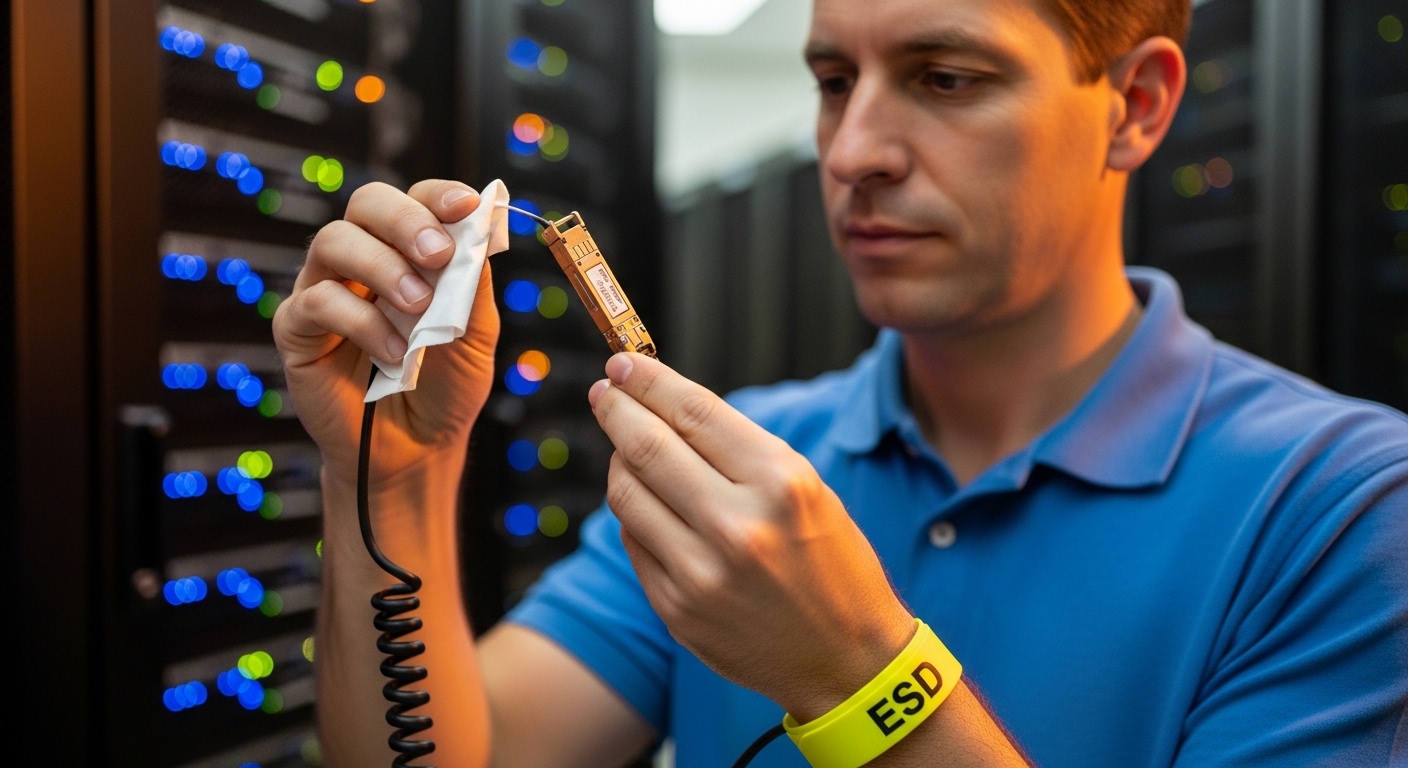
Most AI/ML clusters run a mix of east-west traffic (GPU to GPU) and north-south traffic (ingress/egress). The “best” optical module depends on whether you are building a leaf-spine fabric, a rack-scale pod, or a multi-pod superstructure. In practice, you typically standardize on a few module families to reduce operational risk and spares complexity.
Key spec targets include data rate, wavelength, reach, interface type (SFP/SFP+/QSFP/QSFP-DD/OSFP), and transceiver power. For AI clusters, the most common choices are short-reach multimode optics for in-rack or intra-row links, and single-mode optics for longer spans or structured cabling.
- 10G SR (multimode, ~850 nm): legacy but still seen in management and some control planes.
- 25G SR (multimode, ~850 nm): common for 25G ToR and certain GPU-side uplinks.
- 50G SR / 100G SR4 (multimode, ~850 nm): rack-scale high fanout.
- 100G LR4 (single-mode, ~1310 nm): longer reach across rows.
- 200G FR4 / 400G FR4: single-mode short-to-medium spans with higher lane counts.
- Active optical cables (AOC): when you need higher reach without optics complexity.
- Direct attach copper (DAC): extremely short runs where latency and cost are critical.
Best-fit scenario: In a training cluster, you often use multimode for GPU-rack and top-of-rack connections, then shift to single-mode for spine aggregation where cable lengths are less predictable.
Pros: Standardization reduces RMA rates and speeds troubleshooting. Cons: Standardizing too early can lock you into a single fiber plant design.
SR vs LR: how wavelength and reach choices affect AI east-west vs spine links
The SR/LR split is not just about distance; it also changes your fiber plant requirements, expected link budgets, and failure characteristics. Multimode SR optics typically operate around 850 nm, while LR families operate around 1310 nm for single-mode. In dense AI racks, SR reduces cost and simplifies cabling, but it is sensitive to modal effects and connector cleanliness.
When you move to single-mode LR/FR, you gain reach and stability across structured cabling, but you must manage splice quality and avoid excessive bend radius. Engineers should validate the link budget with the actual channel model and connector/splice loss, rather than relying on “spec sheet reach” alone.
| Optical module (example) | Typical interface | Wavelength | Reach (typical) | Fiber type | Connector | Operating temp | Power class (typical) |
|---|---|---|---|---|---|---|---|
| Cisco SFP-10G-SR | SFP+ | 850 nm | ~300 m* | OM3/OM4 multimode | LC | 0 to 70 C | ~1.5 to 1.8 W |
| Finisar FTLX8571D3BCL | QSFP28/related class | 850 nm | ~100 m* | OM4 multimode | LC | 0 to 70 C | ~3 to 4 W |
| FS.com SFP-10GSR-85 | SFP+ | 850 nm | ~400 m* | OM4 multimode | LC | -5 to 70 C (often) | ~1.5 to 1.8 W |
| Common 100G LR4 class (vendor dependent) | QSFP28 | 1310 nm | ~10 km | Single-mode OS2 | LC | -5 to 70 C (often) | ~4 to 7 W |
*Reach varies by exact OM grade, launch conditions, and vendor calibration. Always check the specific datasheet and validate with installed fiber measurements.
Pro Tip: For AI racks, treat SR multimode links as “connector-cleanliness sensitive.” A single contaminated LC ferrule can look like a “bad module” during training bursts because receiver power margins shrink under temperature and aging. Build a habit: clean with lint-free swabs and inspect with a fiber microscope before you RMA anything.
Best-fit scenario: Use SR for rack-to-switch and intra-row GPU traffic where you control patch lengths and fiber type (OM4). Use LR/FR for spine uplinks across structured cabling where reach and repeatability matter more than per-port optics cost.
Pros: SR is cost-effective for short distances; LR is resilient over long spans. Cons: SR performance depends heavily on the fiber plant and cleaning; LR increases optics power and procurement complexity.
Power, cooling, and DOM: the operational constraints that break deployments
In AI/ML environments, optical modules are a power and thermal system component, not just a signaling gadget. Each port draws optical transmit power and uses internal heating to stabilize lasers and receivers. If the switch chassis airflow is marginal, you can see higher error rates, link flaps, or degraded signal quality during sustained training jobs.
DOM (Digital Optical Monitoring) provides telemetry such as transmit/receive power, bias current, and temperature. Most modern Ethernet optics follow industry management conventions so the switch can log thresholds and events, but you must confirm the vendor’s DOM implementation and threshold behavior.
Field validation steps you can do during rollout
- Measure chassis temperature near the optical cage inlet and exhaust at peak load. Compare to the vendor’s recommended operating envelope.
- Check DOM alarms in-band during a short synthetic traffic test, then again under a real workload (for example, a distributed training run with steady link utilization).
- Log optical power values at link bring-up and after 30 to 60 minutes. Sudden drift can indicate marginal cleaning or a weak connector.
Best-fit scenario: When deploying in a 48-port 400G switch chassis with constrained airflow, you should budget optics power and validate that the switch’s thermal design supports the maximum module class. If the chassis supports high-power optics only in specific slots, respect that slot mapping during installation.
Pros: DOM reduces guesswork and helps identify aging or fiber issues early. Cons: DOM thresholds vary by vendor; some third-party optics may not trigger the same alarm semantics.
Compatibility engineering: IEEE Ethernet standards meet vendor optics behavior
Optical modules are typically specified to meet signaling requirements associated with Ethernet PHYs, and the control plane depends on how the switch firmware handles management and optics identification. Engineers should align expectations with IEEE 802.3 physical layer definitions for each rate and reach family, then confirm the switch’s optics compatibility list. Even when two optics claim the same “format,” differences in vendor calibration or management registers can affect link training.
Compatibility issues show up as “link up then down,” degraded FEC performance, or ports that refuse to negotiate at the target speed. These are not always optics faults; sometimes the switch expects a particular optics identifier, or the transceiver vendor uses a slightly different DOM register mapping.
Decision checklist for compatibility
- Switch compatibility matrix: confirm the exact module part number is supported on the exact switch model and slot type.
- Interface standard alignment: ensure the module matches the port type (for example, QSFP28 vs QSFP-DD vs OSFP) and lane mapping.
- DOM and management support: verify telemetry fields, threshold behavior, and whether the switch can read them reliably.
- FEC mode and BER targets: confirm that the optics family is designed for the switch’s expected FEC profile.
- Vendor lock-in risk: weigh OEM optics cost against third-party availability and warranty terms.
Best-fit scenario: In an AI facility with frequent hardware refresh cycles, you may standardize on third-party optics only if you have validated them across representative temperature and link lengths. Otherwise, you risk spending weeks on “works in the lab” incompatibility.
Pros: Standards-based designs reduce unknowns when you follow the compatibility matrix. Cons: Real-world behavior still depends on switch firmware and module ID details.
Top deployment scenario: validating optical modules in a 3-tier AI fabric
Consider a 3-tier data center leaf-spine topology with 48-port 10G/25G ToR switches at the rack level and 400G spine links between aggregation and core. Each rack houses 8 GPU servers, each with dual 25G NICs, and the ToR uplinks are configured for 25G to the leaf-spine fabric. The cabling plan uses OM4 multimode for rack-to-ToR patch runs averaging 20 to 40 m, and uses single-mode OS2 for spine spans averaging 2 to 6 km through structured cabling.
During rollout, the field team installs optics in staged batches: first 10 racks for validation, then 30 racks once DOM telemetry and error counters remain stable for 24 hours under peak training load. They measure received power and check DOM thresholds at both bring-up and after thermal equilibrium. If the link error counters rise only during long runs, they revisit connector cleaning and verify bend radius at cable trays.
Cost & ROI note: OEM optics can cost about 1.5x to 3x third-party pricing per module, but they often reduce downtime risk through tighter compatibility support. Total cost of ownership should include labor for cleaning/inspection, spares inventory, and the cost of training-job disruption when a link flaps mid-epoch. In many production AI deployments, the ROI comes from fewer outages and faster RMA turnaround rather than raw optics price.
Pros: A phased validation plan prevents widespread link instability. Cons: It requires disciplined telemetry logging and a clear rollback plan.
Common pitfalls and troubleshooting tips for optical modules
Even experienced teams run into predictable failure modes when deploying optical modules at scale. Below are common mistakes with root causes and practical fixes that shorten mean time to repair.
-
Pitfall 1: “It works on the bench, fails in the rack.”
Root cause: thermal differences and airflow constraints change laser bias and receiver sensitivity, shrinking margins.
Solution: verify chassis airflow, confirm the module’s temperature rating matches the environment, and monitor DOM temperature and RX power over time. -
Pitfall 2: Multimode reach failures after installation.
Root cause: connector contamination, damaged ferrules, or incorrect fiber grade (for example, OM3 installed where OM4 was assumed).
Solution: clean and inspect every LC connection with a microscope, verify fiber grade labeling, and re-measure link using an OTDR or approved loss test. -
Pitfall 3: Port flaps during negotiation or FEC changes.
Root cause: optics compatibility mismatch, incorrect slot type, or firmware expecting a specific DOM/ID behavior.
Solution: use the switch’s optics compatibility matrix, update switch firmware if allowed, and test with a known-good reference module from the same optics family. -
Pitfall 4: Excess bend radius at cable trays.
Root cause: micro-bending increases attenuation and can cause intermittent errors under vibration.
Solution: re-route cables to respect vendor bend-radius guidance and secure them so they do not flex during service.
Best-fit scenario: If you see intermittent packet loss during high GPU utilization but stable links at idle, focus on optical power margin and physical-layer cleanliness before you suspect higher-layer congestion.
Pros: Systematic troubleshooting prevents unnecessary RMAs. Cons: It can require specialized inspection gear and disciplined logging.
Summary ranking: which optical module choice fits your AI budget and risk
Use the table below as a practical ranking framework. It does not replace datasheets or your switch compatibility matrix, but it helps teams align procurement with operational risk.
| Rank | Module category | Best for | Typical reach | Operational risk | Cost profile |
|---|---|---|---|---|---|
| 1 | SR multimode (OM4) | GPU rack and ToR uplinks | ~70 to 400 m (varies) | Medium (cleaning sensitivity) | Lowest to mid |
| 2 | DAC/AOC for short runs | Ultra-short interconnects | ~1 to 10 m (varies) | Low to medium | Low |
| 3 | LR/FR single-mode | Spine and longer structured cabling | ~2 km to 10 km (varies) | Low (if fiber plant is sound) | Mid to high |
| 4 | Higher-rate multimode (50G/100G SR) | High-density rack fabrics | ~50 to 150 m (varies) | Medium | Mid |
| 5 | Vendor-specific active optics | When compatibility is strict | Varies | Low (if OEM) | Highest |
If you want a faster path from “requirements” to “approved modules,” start with your installed fiber measurements and your switch compatibility matrix, then narrow to module families by reach and interface type. Next, validate with DOM telemetry and an error-counter baseline before you scale to the full cluster.
Related next step: How to measure fiber loss for optical module selection
FAQ
Q1: Which optical modules are most common for AI racks?
Most teams start with SR multimode optics on OM4 for rack-to-switch and ToR uplinks, because it balances cost and deployability. For longer structured cabling to spines, single-mode LR or FR optics are usually selected.
Q2: Can I mix OEM and third-party optical modules in the same switch?
Yes in many cases, but only after you confirm the exact part numbers appear in the switch compatibility matrix. Mixing brands can be fine for functionality, but DOM telemetry and alarm thresholds may differ, complicating operations.
Q3: How do I verify an optical module is healthy during training?
Use DOM telemetry to track RX power, TX power, and temperature, and compare error counters to a baseline. Validate stability over the same duration as a realistic training window, not just a short connectivity test.
Q4: What is the biggest cause of SR link problems?
In practice, connector contamination and incorrect fiber grade are top causes. The second common cause is installation damage like excessive bend radius or poor patch panel handling.
Q5: Do I need to worry about IEEE standards when buying optical modules?
Yes, but standards compliance is only one layer. You still need to match the module type to the switch’s PHY expectations and verify compatibility through the vendor’s supported optics list.
Q6: Are active optical cables a good alternative to optics?
Active optical cables can reduce complexity for short-to-medium runs and sometimes lower labor costs during moves and adds. However, you must still validate reach, power, and switch compatibility because AOC behavior can vary by vendor.
Sources: [Source: IEEE 802.3] [Source: Vendor datasheets for Cisco SFP-10G-SR and common SR/LR module families] [Source: ANSI/TIA-568 and ANSI/TIA-568.3-D for cabling channel concepts] [Source: switch vendor optics compatibility documentation]
As a registered dietitian, I focus on applying rigorous measurement and risk management habits to infrastructure decisions that affect system uptime. I also support teams by translating technical constraints into operational checklists that reduce failure rates and downtime.
References & Further Reading: IEEE 802.3 Ethernet Standard | Fiber Optic Association – Fiber Basics | SNIA Technical Standards
