
If you are planning network upgrades to support new workloads, you need more than a spec sheet—you need a cost-benefit plan that accounts for optics reach, switch compatibility, power draw, and real failure modes. This article helps data center and enterprise network engineers make practical decisions when moving from 10G to 25G/40G/100G, especially when fiber plant and budgets are already constrained. You will get a head-to-head comparison of common upgrade paths, a decision matrix, and field-tested troubleshooting guidance.
Upgrade paths compared: optics-first vs switch-first vs plant-first
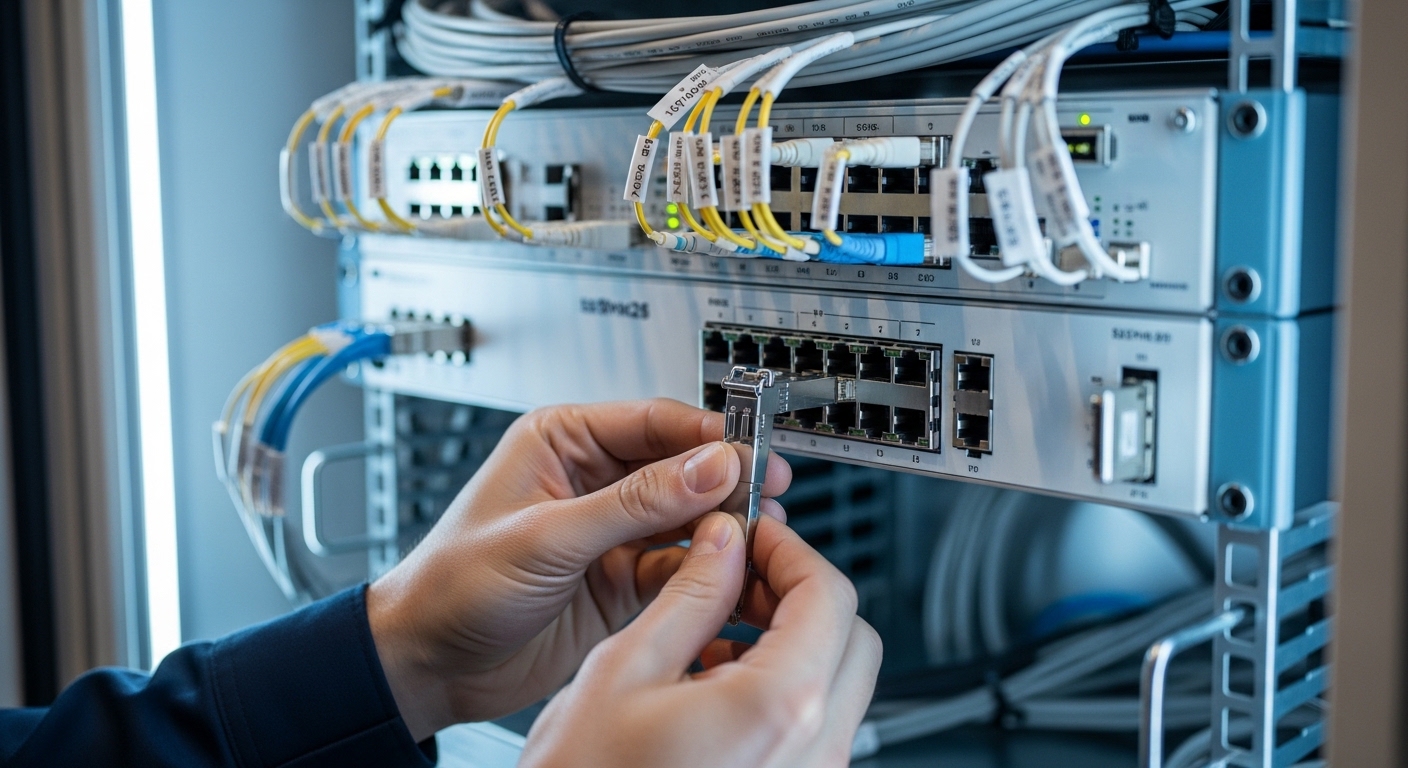
In most real deployments, network upgrades fail to deliver ROI when teams upgrade the wrong layer first. The optics-first approach focuses on transceivers (SFP+/SFP28/QSFP+/QSFP28/OSFP) and assumes the switch fabric and fiber plant already meet requirements. The switch-first approach replaces ToR/aggregation hardware first, then backfills optics later, which can reduce rework but may strand existing fiber runs if reach or connector types do not match. The plant-first approach audits and repairs fiber (cleaning, splicing, polarity, and loss) before buying optics and switches, which often costs more upfront but lowers the probability of “works on the bench, fails in production” surprises.
From a cost-benefit standpoint, optics-first tends to have the shortest payback window when you already know your link budgets and have spare optics compatibility. Switch-first is attractive when you are hitting port density or oversubscription bottlenecks and need immediate throughput. Plant-first is the risk reducer when facilities are older—especially where MPO/MTP polarity and legacy patching practices are common.
For Ethernet transceivers, remember that physical layer details are defined by IEEE 802.3 families for each speed (for example, 10GBASE-SR and 100GBASE-SR4). Before purchasing, confirm the exact transceiver form factor and lane mapping your switches support. A helpful baseline is the IEEE Ethernet standard set: IEEE 802.3 Ethernet Standard.
Performance and reach: what actually limits your upgrades
When engineers estimate reach for network upgrades, they often think in “nominal meters,” but the real limiter is optical budget: transmitter power minus receiver sensitivity minus connector and splice losses plus the margin you keep for aging and cleaning. For multimode fiber (MMF), modal bandwidth and launch conditions matter; for single-mode fiber (SMF), attenuation dominates. You will also see link instability when polarity is reversed on MPO/MTP trunks or when fiber cleanliness is poor.
Below is a practical comparison of common Ethernet optics used in upgrades. These are representative values you will see across vendor datasheets; always check the exact transceiver model and your specific switch compatibility list.
| Transceiver / Standard | Typical Wavelength | Reach (typical) | Connector | Data Rate | Avg. TX Power / Notes | Operating Temp |
|---|---|---|---|---|---|---|
| 10GBASE-SR (SFP+) | 850 nm | 300 m (OM3) / 400 m (OM4) | LC duplex | 10.3125 Gb/s | Short-reach MMF; budget varies by vendor | 0 to 70 C (typical) |
| 25GBASE-SR (SFP28) | 850 nm | 100 m (OM3) / 150 m (OM4) | LC duplex | 25.78125 Gb/s | MMF bandwidth-limited; polarity critical | 0 to 70 C (typical) |
| 40GBASE-SR4 (QSFP+) | 850 nm | 100 m (OM3) / 150 m (OM4) | MPO/MTP (12-fiber) | 41.25 Gb/s | 4-lane parallel; lane mapping matters | 0 to 70 C (typical) |
| 100GBASE-SR4 (QSFP28) | 850 nm | 100 m (OM3) / 150 m (OM4) | MPO/MTP (12-fiber) | 103.125 Gb/s | 4-lane parallel; budget tight on aged plants | 0 to 70 C (typical) |
| 100GBASE-LR4 (QSFP28) | ~1310 nm | 10 km (SMF) | LC duplex | 103.125 Gb/s | SMF attenuation-limited; connector quality matters | -5 to 70 C (typical) |
Field note: on MMF, I have seen links drop from “stable at install” to “intermittent under load” after a few months—not because the optics degraded, but because dust migrated on a connector during repeated patching. A quick inspection with a fiber microscope and a proper cleaning workflow usually fixes it faster than swapping optics.
If you want a reference point for optical safety and test practices, the Fiber Optic Association is a solid starting resource: Fiber Optic Association. It will not replace your vendor’s link budget tables, but it helps you avoid the most common test-setup mistakes.
Cost-benefit math: where ROI comes from (and where it disappears)
For network upgrades, ROI is not just “transceiver cost per port.” It is total cost of ownership (TCO) across optics, switch ports, power, optics spares, labor time, downtime risk, and rework. A typical failure mode is buying the cheapest third-party optics without verifying DOM support, vendor compatibility, or the switch’s optics qualification. That can turn a 1-hour rollout into a 2-day outage window while you chase “link flaps” and inconsistent diagnostics.
Here is a practical cost-benefit approach I use during planning for 10G to 100G transitions:
Step-by-step ROI model engineers can actually run
- Inventory current utilization: measure average and 95th percentile throughput per uplink and per server group. If you are upgrading only because “we might need it later,” the payback will be weak.
- Map physical reach: for each link, estimate loss using measured OTDR (SMF) or fiber inspection plus insertion loss measurements (MMF). Add a conservative margin (often 1–3 dB) for connector aging and re-patching.
- Price optics and spares: include at least one spare per critical link type during rollout. For 100G, I typically budget higher spares because lane-level issues are harder to diagnose quickly.
- Include labor and downtime: count cleaning/inspection time, patching time, and expected rollback time. Downtime cost usually dwarfs the optics delta.
- Estimate power: newer optics and higher-speed ports can increase power draw, but better traffic engineering can reduce oversubscription and retransmissions. Measure switch power at the rack level when possible.
In cost terms, OEM optics for common 10G/25G/100G links often land in the “premium” range, while reputable third-party modules can be meaningfully cheaper. Realistic market pricing varies by region and volume, but as a planning baseline: SFP+ 10G SR modules are often relatively low cost, while QSFP28 100G optics and long-reach SMF optics are more expensive. Over a 3–5 year horizon, TCO is usually dominated by labor and downtime risk rather than per-module purchase price—especially during large network upgrades.
Compatibility and monitoring: DOM, vendor lock-in, and switch behavior
When you choose optics for network upgrades, compatibility is not just “it clicks in.” Switches may require specific electrical characteristics, support for DOM (Digital Optical Monitoring), and correct lane mapping. Many enterprise switches accept standards-based optics, but they still apply qualification rules, sometimes visible as warnings or “unsupported module” events.
DOM is a key part of operational value: it lets you trend TX/RX power, temperature, and bias current so you can predict when a link margin is shrinking. If you plan to automate monitoring, ensure the transceiver provides the DOM fields your tooling expects, and validate that the switch exposes them via telemetry (for example, via SNMP or vendor APIs).
For storage and telemetry context, SNIA has useful guidance on infrastructure and monitoring practices that complement your optics and switch monitoring: SNIA. This helps when you are aligning network telemetry with storage performance and failure analysis.
Pro Tip: Before you commit to an upgrade batch, test one “known good” and one “candidate” optic side-by-side in the exact same switch, port, and fiber patch path. If the switch flags DOM errors or shows different RX power thresholds, you will catch compatibility quirks early—before you roll the rest of the ports.
Head-to-head decision matrix: pick the upgrade path that matches your constraints
Use this matrix to decide whether to prioritize optics, switches, or fiber plant for your network upgrades. This is designed for common data center and enterprise campus scenarios where you need a clear trade-off between speed of deployment, risk, and long-term flexibility.
| Scenario | Best Fit | Why | Main Risk | Mitigation |
|---|---|---|---|---|
| Ports are the bottleneck; fiber plant is recently validated | Switch-first | Unlocks density and throughput immediately | Optics mismatch with reach | Confirm link budget per run; pre-stage optics |
| Switch hardware is fine; you just need higher line rate | Optics-first | Lower capex and faster rollout | DOM/compatibility warnings | Validate candidate optics in lab and during pilot |
| Older patching, frequent rework, questionable cleanliness | Plant-first | Prevents intermittent link failures | Higher upfront cost | Prioritize highest utilization trunks first |
| Mixed MMF/SMF corridors and long cross-connects | Plant + optics hybrid | Right reach per segment | Polarity and lane mapping errors | Use polarity labels and MPO harness checks |
| Budget is tight; you need predictable payback | Optics-first with strict qualification | Lower cost per upgraded port | Vendor lock-in or inconsistent spares | Plan spares and define acceptance criteria |
Now, let’s make it concrete with a real deployment example.
Real-world network upgrades scenario: leaf-spine fabric with 48-port ToR
In a 3-tier data center leaf-spine topology with 48-port 10G ToR switches and dual 40G uplinks, the team needed higher east-west bandwidth for a virtualization cluster. They had OM4 multimode trunks between ToR pairs, but the patch panels were heavily reworked over the years. The upgrade plan was to move uplinks to 100G between leaf switches and keep server-facing ports at 10G temporarily, to control risk and downtime.
They started with an optics-first pilot: 100GBASE-SR4 QSFP28 modules on the leaf-to-leaf MPO trunks, validated with DOM telemetry and a link margin check. After the pilot, they discovered two recurring issues: one set of MPO trunks had reversed polarity (lane mapping mismatch), and a small number of connectors showed high insertion loss after repeated patching. The plant-first fix was targeted—cleaning, re-terminating a few high-loss runs, and standardizing MPO polarity labeling. The final rollout delivered the expected throughput with stable link behavior, and the cost-benefit improved because they avoided a full switch replacement across all tiers.
Common mistakes and troubleshooting that save hours during upgrades
Even experienced teams hit predictable failure modes during network upgrades. Here are the ones I see most often, with root causes and practical fixes.
“It lights up” but the link flaps under load
Root cause: fiber cleanliness issues, marginal optical budget, or a connector with micro-scratches that worsen with repeated mating. Sometimes it is an “almost okay” link that fails only when temperature or laser bias changes.
Solution: inspect every affected connector with a fiber microscope, clean with the correct procedure, and re-check receive power and link error counters. If you have OTDR for SMF or insertion loss tests for MMF, use them to confirm you are not living on the edge.
MPO/MTP polarity errors cause persistent “no link” or high errors
Root cause: MPO harness polarity mismatch, flipped trunk direction, or incorrect lane mapping assumptions for SR4/LR4 style optics.
Solution: label polarity end-to-end before installing. For MPO trunks, verify the polarity using a known-good optical polarity tester or a validated method from your cabling standard process, then re-patch using the correct orientation.
Switch rejects optics or shows DOM/compatibility warnings
Root cause: transceiver not matching the switch’s supported module profile, missing or incomplete DOM fields, or vendor-specific electrical tuning.
Solution: run a pilot with one port set and monitor DOM and syslog events. If the switch blocks the module, do not “force it” repeatedly—swap to a module explicitly validated for your switch model and firmware version.
Temperature surprises: optics work in the closet, fail in the rack
Root cause: poor airflow, blocked vents, or optics operating outside their rated temperature range.
Solution: verify rack airflow design, check switch intake/exhaust temps, and confirm optics support the expected ambient. If you are deploying in hot aisles or near exhaust obstructions, consider higher-grade thermal options.
Cost & ROI note: OEM vs third-party optics in upgrade budgets
When you do network upgrades at scale, optics purchasing strategy matters. OEM optics often cost more per module, but they typically reduce compatibility surprises and can improve warranty and RMA turnaround. Third-party optics can cut capex, but you must treat them like a system component: validate DOM behavior, confirm switch firmware compatibility, and standardize your acceptance test.
From a TCO viewpoint, the biggest hidden costs are operational: troubleshooting time, spare management, and downtime during rollout. If your environment is mission-critical, I have seen teams justify OEM for the highest-risk links (core uplinks, inter-site trunks) while using carefully qualified third-party optics for less critical access links. The best “ROI” is usually the upgrade plan that minimizes rework and keeps link health stable over time.
Which option should you choose?
If you need fast throughput gains and you already trust your fiber plant, choose switch-first or optics-first depending on whether port density or reach is your constraint. If your patching history is messy or you see intermittent errors during testing, pick plant-first for the highest utilized trunks, then finish with optics and switch upgrades. For most teams, a hybrid approach wins: validate optics compatibility and link budgets early, then invest in targeted fiber fixes to protect stability.
For your next step, build a short pilot plan and tie it directly to measurable outcomes like link stability, error counters, and sustained throughput. If you are also planning higher-speed optics, see optics reach and link budgeting for a practical way to forecast margins before you buy.
FAQ
How do I estimate the real cost of network upgrades, not just hardware price?
Model TCO: labor hours for cleaning and patching, expected downtime cost, spare inventory, and rework probability. In most rollouts, downtime and troubleshooting dominate the optics delta between OEM and third-party.
Is it worth paying extra for OEM optics during network upgrades?
Often it is for critical uplinks where compatibility risk is expensive. For access links, you can use third-party optics if you run a pilot, verify DOM behavior, and validate link stability under real traffic.
What is the biggest technical reason links fail after upgrading optics?
Fiber issues are the top driver: dust, polarity mistakes on MPO trunks, and marginal optical budgets. The second most common cause is switch compatibility behavior tied to DOM support and lane mapping.
How can we avoid vendor lock-in during network upgrades?
Standardize on documented transceiver form factors and validate third-party optics with your exact switch models and firmware. Also ensure your monitoring stack can read DOM consistently so you can compare health metrics across vendors.
Do I need OTDR or insertion loss testing before buying transceivers?
If the plant is older or frequently re-patched, yes. Even basic insertion loss tests and connector inspection can prevent buying optics that “should work” but fail due to real-world loss and cleanliness issues.
What should be in a rollout checklist for network upgrades?
Confirm reach per run, verify polarity and lane mapping for MPO/MTP, validate DOM telemetry, and pre-stage spares. During rollout, track link error counters and RX power trends so you catch margin shrinkage before it becomes an outage.
Author bio: I am a field-focused electronics and fiber systems specialist who has deployed 10G through 100G upgrades across data center leaf-spine fabrics, with hands-on optics validation and link-budget troubleshooting. I write practical migration checklists based on measured telemetry, connector inspection results, and vendor datasheet constraints.


