Enterprises upgrading to 800G often lose time to optics mismatches, oversubscribed cabling plans, and thermal surprises in dense racks. This hands-on reference focuses on the decisions that protect uptime and improve total cost of ownership (TCO) during upgrade windows. You will get selection checklists, compatibility gotchas, and troubleshooting patterns I have seen on real leaf-spine rollouts. Updated: 2026-05-04.
Where 800G ROI is won or lost in real enterprise networks
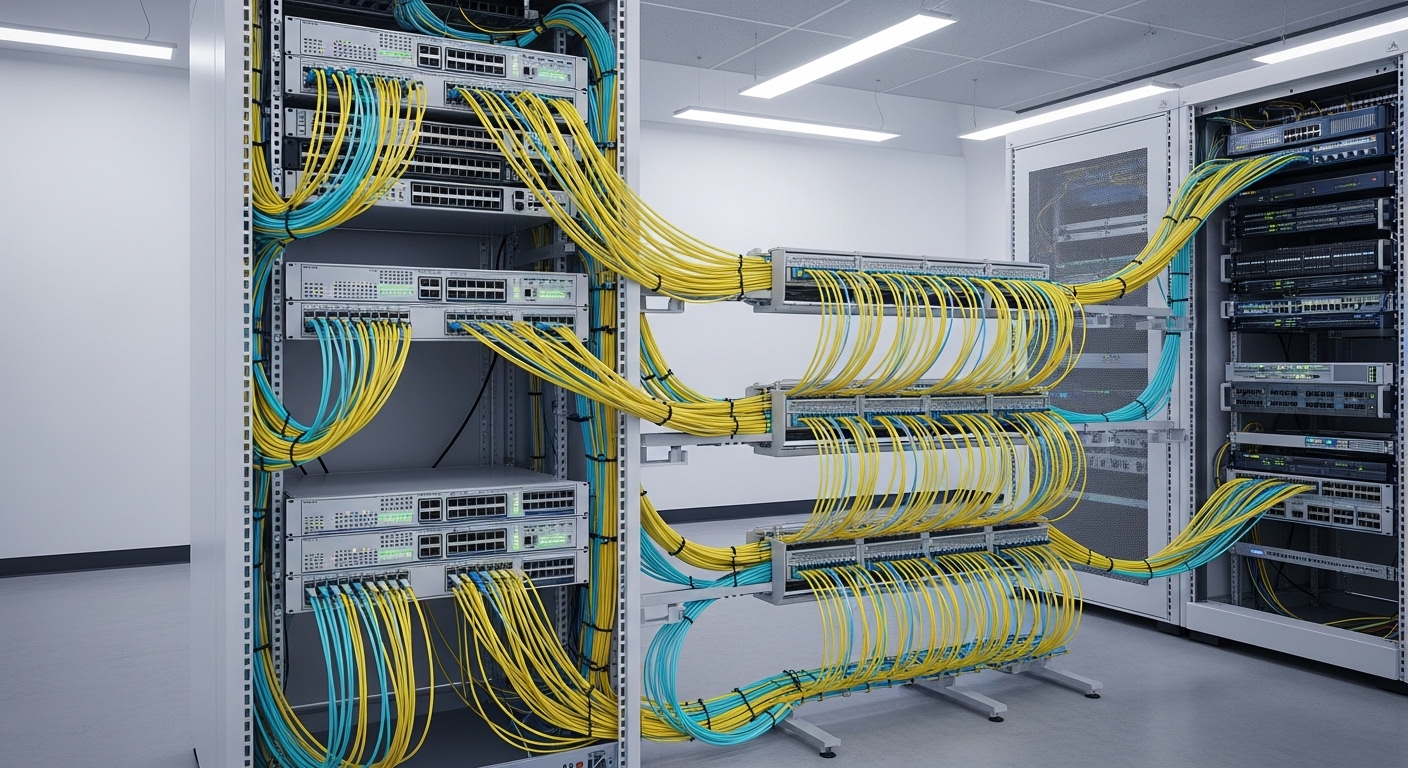
In most enterprises, the ROI hinges less on the headline data rate and more on deployment throughput: how fast you can light ports, pass link training, and avoid repeat truck rolls. In a typical 3-tier data center, moving from 400G to 800G can double per-rack traffic capacity, but only if you align optics, transceiver firmware, and cabling topology. The second lever is power and cooling; higher density can raise per-rack thermal load even when per-bit power improves. I treat optics selection and fiber plant validation as the first “ROI gate,” because they drive both downtime and rework.
For protocol behavior, enterprises should map the upgrade to Ethernet physical-layer expectations defined by IEEE 802.3 for 800G-class links, since vendor implementations still vary in reach profiles and module requirements. A practical approach is to confirm your switch ASIC and line-card support matrix before you order optics, not after. IEEE 802.3 Ethernet Standard
800G optics and connectivity: what to verify before you buy
The most common enterprise upgrade failure is assuming “same connector, same distance, same module.” At 800G, the optics form factor and lane structure matter: you may be using OSFP, QSFP-DD, or vendor-specific pluggables depending on switch generation. The key is to match (1) module type, (2) wavelength/optical interface, (3) reach category, and (4) supported DOM (Digital Optical Monitoring) behavior. Many switches enforce strict transceiver compatibility lists to prevent marginal optics from destabilizing links.
Technical specs quick table (typical 800G short-reach options)
Use this table as a starting comparison when planning rack-to-rack and pod-to-pod links. Always verify the exact module part numbers against your switch vendor’s compatibility tool and datasheets.
| Category | Typical module examples | Center wavelength | Reach target | Connector | Data rate | Operating temp | Power (typ.) |
|---|---|---|---|---|---|---|---|
| 800G SR (multimode) | Cisco SFP/OSFP-style SR modules, Finisar/FS.com 800G SR OSFP | 850 nm | ~70 m over OM4 (varies by module) | Dual MPO-16 (or MPO-12 depending on vendor) | 800G | 0 to 70 C (check datasheet) | ~9 to 15 W |
| 800G LR (single-mode) | 800G LR OSFP modules (vendor dependent) | ~1310 nm | ~10 km (varies by module) | LC (often) or MPO (varies) | 800G | -5 to 70 C (check datasheet) | ~8 to 12 W |
| 800G DR (single-mode) | 800G DR OSFP modules | ~1310 nm | ~500 m to ~2 km (varies) | LC or MPO (varies) | 800G | -5 to 70 C (check datasheet) | ~8 to 12 W |
In the field, I treat reach categories as “budgeted envelopes” that depend on fiber type (OM4 vs OM5), patch cord construction, insertion loss, and connector cleanliness. If you are upgrading enterprises with mixed plant ages, you can see link margin swings of several dB between two fibers that both “measure under spec” at 850 nm.
Pro Tip: Before you schedule an 800G cutover, run an OTDR and store results per link ID. Enterprises that pre-label patch cords and record OTDR traces typically reduce rollback time from hours to minutes because they can pinpoint which patch segment is the margin offender after a failed light test.
Compatibility checks that prevent “no link” events
- Switch port mapping: confirm whether your target ports support the exact pluggable type (OSFP vs QSFP-DD) and the exact lane rate.
- Transceiver vendor support: verify the switch vendor’s approved list for your exact switch model and software version.
- DOM behavior: check that your monitoring stack correctly reads temperature, bias current, received power, and alarms. Some third-party DOM implementations can be “readable” but not “actionable.”
- Fiber plant profile: confirm OM4/OM5 compliance and patch cord IL (insertion loss) targets for your module’s reach spec.
- Connector type and polarity: verify MPO polarity scheme and patching map. A polarity swap can look like a “bad transceiver” but is actually a lane routing error.
If you need a baseline for the optical requirements and measurement approach, consult guidance from fiber standards bodies and reputable industry references. Fiber Optic Association
Deployment playbook for enterprises upgrading to 800G without surprises
When I plan an 800G upgrade for enterprises, I design the work like a production rollout: stage optics, validate fiber, then move in batches with rollback readiness. The goal is to keep the blast radius small. For example, if a top-of-rack leaf has 48 ports and you are upgrading 12 to 800G, you should stage optics and patch cords for those 12 first, then validate link stability for at least one full maintenance window.
Concrete scenario: 3-tier data center leaf-spine rollout
In a 3-tier data center leaf-spine topology with 48-port 10G/25G ToR switches aggregating into 3 spine pairs, we upgraded a single pod from 2 x 400G uplinks to 2 x 800G per leaf. Each uplink used OM4 multimode with MPO trunks, targeting ~50 m patch-to-patch. We validated 36 links with OTDR and recorded per-span events; then we cut over 12 uplinks at a time. Result: link-up rate reached 100% on the first batch after we fixed one polarity map error and replaced two patch cords that had excessive connector loss.
Step-by-step: what to do during the upgrade window
- Pre-stage optics: verify each transceiver serial/part number matches the switch compatibility list and software version.
- Clean connectors: inspect MPO ends with a microscope and clean using lint-free wipes plus approved cleaning tools. Dirty connectors can mimic “weak transmit power.”
- Confirm patching map: use a written lane map for polarity; label both ends of every patch cord.
- Light test and read DOM: after insertion, check received power and alarm flags. If you have a threshold policy, confirm it matches your monitoring system.
- Run traffic soak: push line-rate or near line-rate traffic for a defined duration (commonly 30 to 120 minutes) and watch for CRC errors, link flaps, or thermal warnings.
- Document outcomes: store OTDR + link health snapshots for future troubleshooting.
Enterprises that treat this as an engineering workflow rather than a hardware swap usually see fewer repeat failures. The savings come from reduced downtime and fewer “mystery” returns.
Selection criteria checklist: how enterprises choose 800G modules
Choosing optics is where enterprises either protect ROI or quietly erode it. The checklist below captures the factors engineers weigh when selecting 800G pluggables and deciding between OEM and third-party. I recommend scoring each option against operational constraints, not just purchase price.
- Distance and reach margin: confirm actual measured fiber length and worst-case IL, not just “nominal” patch lengths.
- Switch compatibility: match exact module form factor and lane configuration to your line card.
- Budget vs TCO: compare upfront cost plus expected failure/return handling time and spares strategy.
- DOM support and monitoring integration: ensure your NMS can read and alert on the key thresholds you use for proactive maintenance.
- Operating temperature and airflow: dense racks may exceed module safe margins if you do not manage fan curves and baffle integrity.
- Vendor lock-in risk: check whether third-party optics are accepted and whether firmware updates might break compatibility.
- Warranty and RMA logistics: enterprises value fast replacements during peak windows; document RMA SLAs.
- Fiber connector standardization: reduce operational variance by standardizing MPO types and cleaning tools across pods.
For enterprises focused on storage and data services, also align this with your traffic engineering plan so you do not upgrade optics only to hit congestion elsewhere. enterprise data center cabling
Common pitfalls and troubleshooting tips during 800G upgrades
Below are field-tested failure modes I have seen repeatedly in enterprises. Each includes the root cause and a fast path to resolution.
“Transceiver inserted but link never comes up”
Root cause: switch rejects the module due to compatibility lock, unsupported DOM behavior, or incorrect pluggable type. Sometimes it is a software version mismatch after a recent upgrade.
Fix: confirm module part number on the switch vendor compatibility list; update switch software to a supported version; reseat and re-check DOM readings for alarm flags. If still failing, test the module in a known-good port.
“Link comes up, then flaps under traffic”
Root cause: fiber polarity error, marginal optical power (too much IL), or connector contamination that worsens with temperature changes. In multimode SR, a few dB can be the difference between stable and unstable.
Fix: clean connectors and re-test; verify MPO polarity mapping; measure received power and CRC/discipline counters; replace suspect patch cords with known-good inventory.
“High error counters even at low traffic”
Root cause: lane mapping mismatch, damaged MPO pins, or a bad patch cord with intermittent defects. Another subtle cause is using mixed patch cord constructions that change IL and modal distribution.
Fix: inspect MPO ends closely for physical damage; swap one patch segment at a time and watch error counters; use OTDR to localize events and confirm there is no micro-bend or connector anomaly.
“Thermal alarms after a few minutes”
Root cause: airflow obstruction, missing blanking panels, or fan curve differences after maintenance. Some high-density racks run module temperatures close to upper thresholds.
Fix: restore airflow path (baffles, gaskets, blank panels), verify inlet temperatures, and confirm module temperature readings through DOM. If needed, spread uplinks across different line card zones.
If you want a maintenance workflow for optics cleanliness and inspection, use your organization’s standard operating procedure and train technicians on consistent cleaning technique. optical transceiver cleaning checklist
Cost and ROI note: balancing module price, downtime, and spares
For enterprises, 800G optics pricing varies widely by reach and vendor. In typical procurement cycles, OEM 800G short-reach modules can cost several hundred to over a thousand USD per module, while reputable third-party options may be lower but can introduce compatibility and RMA friction. TCO should include labor hours, expected failure rates, and the cost of downtime during cutovers.
My rule of thumb for ROI modeling is to add three lines to the spreadsheet: (1) the cost of a failed light test and rollback (including engineer time and change window impact), (2) the cost of spares you must stock to cover lead times, and (3) the cost of power and cooling changes at higher density. In many enterprises, the biggest ROI swing comes from avoiding repeat visits caused by polarity and compatibility errors, not from shaving a small amount off the module purchase price.
Visual field reference: what to look for in the lab and rack
Use these visual cues during acceptance testing and cable dressing. Each style below is intentionally different so you can quickly recognize what you are seeing.
FAQ for enterprises planning 800G upgrades
How do enterprises prevent optics compatibility surprises?
Use the switch vendor’s compatibility list for your exact switch model and software release, then confirm DOM support in advance. Stage a single known-good module and test it in the target port before ordering bulk.
What fiber checks matter most for 800G SR in enterprises?
Measured insertion loss, connector cleanliness, and MPO polarity mapping are the top three. If you can, use OTDR to localize high-loss events rather than relying only on length estimates.
Are third-party 800G modules worth it for enterprises?
They can be cost-effective if the vendor is on your switch compatibility list and their DOM behavior integrates cleanly with your monitoring. The tradeoff is usually RMA logistics and the risk of compatibility changes after firmware updates.
What monitoring should enterprises enable right after cutover?
Track link flaps, CRC or FEC-related counters (as supported by your platform), received optical power thresholds, and module temperature alarms. Alert on early warning conditions so you catch marginal fibers before they fail under peak load.
How long should enterprises soak-test 800G links?
A common approach is 30 to 120 minutes at near line-rate, then a second shorter check during the next business-hour peak. If you have known plant issues, extend the soak and include multiple temperature cycles if feasible.
What is the fastest troubleshooting path when a batch fails?
Swap the patch segment first, then clean and re-check MPO ends, then validate DOM readings and alarms. If the issue follows the module, treat it as optics; if it stays with the fiber segment, treat it as plant or polarity.
Upgrading to 800G can deliver strong ROI for enterprises, but only when optics, fiber, and monitoring are treated as an integrated system. Next, review your cabling standards and cleaning workflow using enterprise data center cabling so your next batch cutover is faster and safer.
Author bio: I am an enterprise network field engineer who documents hands-on upgrade procedures for optics, cabling, and switch validation in live data centers. I focus on measurable link margin outcomes, repeatable acceptance tests, and practical troubleshooting that reduces downtime during change windows.