Industrial networks built around industrial IP switch fiber often fail in the field not because Ethernet is broken, but because optical interfaces are mismatched. This article helps automation, OT, and network engineers select the right SFP transceivers for HARTING ha-VIS and similar industrial IP switches, with compatibility checks, real deployment numbers, and troubleshooting steps. You will also get a practical checklist for reach, temperature, DOM support, and power budget so commissioning goes faster.
Why SFP choice matters for industrial IP switch fiber in ha-VIS
In ha-VIS style deployments, the switch is only one part of the link. The SFP transceiver determines wavelength (for example 850 nm for multimode or 1310 nm for single-mode), receiver sensitivity, transmit power, and whether the switch can read diagnostics via Digital Optical Monitoring (DOM). If the transceiver type is wrong or marginal, you may see intermittent link flaps during temperature swings or after dust contamination. IEEE Ethernet behavior then looks like “network instability,” even though the root cause is optical power budget.
From an operational perspective, the failure mode is often subtle: the link negotiates at up speed, then errors accumulate under vibration or high ambient temperature. Field engineers typically catch this by checking optical diagnostics (DOM) such as received power, laser bias current, and transmit power. For Ethernet signaling, the physical layer is defined by IEEE 802.3 for the relevant data rate and optical interface; always align the transceiver to the port’s intended standard. IEEE 802.3 Ethernet Standard
Key SFP specs for ha-VIS compatible industrial fiber links
Before comparing part numbers, map your ha-VIS switch port speed and fiber type. Many industrial switches expose SFP slots intended for either short-reach (commonly multimode at 850 nm) or long-reach (commonly single-mode at 1310 nm) optics. The safest selection process is: confirm the port configuration on the switch, then select an SFP that matches the same nominal wavelength, data rate, and connector type. Finally, verify DOM support requirements so the switch can poll status and alarms.
| Spec | Short-reach example (MMF) | Long-reach example (SMF) | What to check on the ha-VIS port |
|---|---|---|---|
| Nominal wavelength | 850 nm | 1310 nm | Port type, transceiver family, and optics label |
| Typical reach (design target) | 300 m on OM3 (typical) | 10 km typical | Budget for connectors, splices, patch panels |
| Data rate | 1G SFP or 10G SFP+ (depends) | 1G SFP or 10G SFP+ (depends) | Exact port speed and negotiated mode |
| Connector | LC (most common) | LC (most common) | Confirm LC vs SC on patch cords |
| DOM | Supported or required (model dependent) | Supported or required (model dependent) | Does the switch read DOM alarms and thresholds? |
| Temperature range | -40 C to +85 C typical industrial spec | -40 C to +85 C typical industrial spec | Ambient extremes inside cabinets and enclosures |
| Power budget inputs | Tx power and Rx sensitivity in datasheet | Tx power and Rx sensitivity in datasheet | Use vendor link budget numbers, not marketing reach |
For concrete examples that engineers often deploy, you will see 10G optics such as Cisco SFP-10G-SR class modules for 850 nm multimode, or Finisar/Fiberstore style 850 nm SFP+ optics like FTLX8571D3BCL (exact compatibility depends on switch vendor behavior and DOM expectations). For single-mode 10G, modules such as FS.com SFP-10GSR-85 are typically multimode, while long-reach single-mode equivalents follow 1310 nm families; always match by wavelength and reach rather than guessing from “10G” alone. [[Source: vendor datasheets for the referenced transceiver families]]
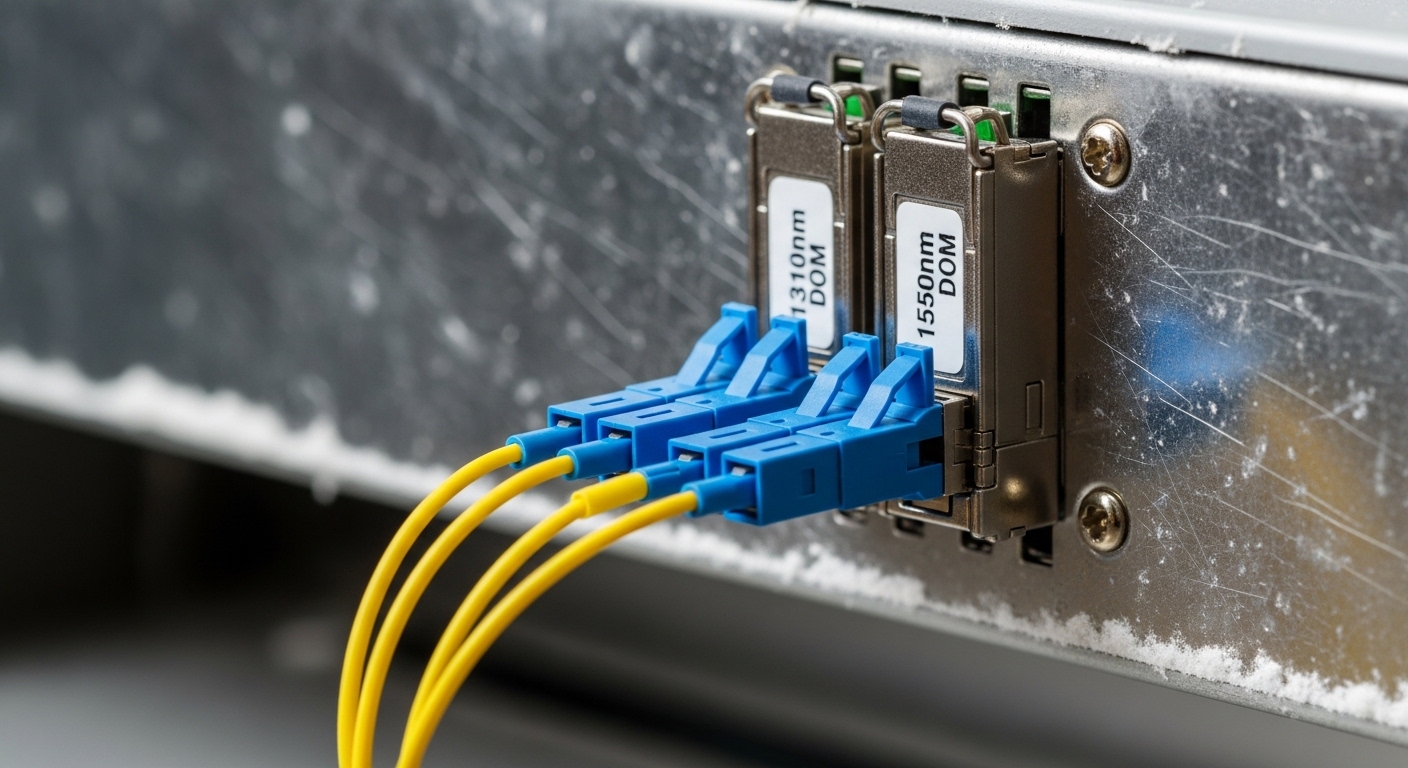
When selecting for industrial IP switch fiber, the connector and cleaning reality matter as much as the wavelength. LC connectors are common, but patch cords and bulkheads may be mismatched across contractors. In commissioning, verify end-face cleanliness with an inspection scope; even a small contamination can reduce received power enough to trigger CRC errors that look like higher-layer issues.
Real-world deployment: ha-VIS fiber runs in a plant edge network
Consider a plant edge deployment with a 3-tier topology: two industrial IP switches at the cell level connect to a redundant aggregation pair. Each cell uses 10G SFP+ uplinks over fiber, with 12 cells requiring uplinks using LC patch panels. The multimode trunk is built on OM3 with typical run lengths of 180 m, plus patching and two mechanical splices per run, estimated at 2.5 dB total extra loss. During commissioning, engineers record DOM received power values and set an alarm threshold so links that degrade due to connector aging are detected before they fail.
In this scenario, choosing an SFP only by “10G and LC” can still break the link. If the switch expects DOM and the selected transceiver is a non-DOM compatible variant, the switch may still link up but you lose early warning telemetry. Conversely, selecting a single-mode 1310 nm module for an 850 nm multimode run will not link reliably, and may sometimes show a transient link before dropping due to optical mismatch. The correct approach is to align wavelength, fiber type, and DOM behavior to the ha-VIS switch port capabilities.
Selection checklist engineers use for industrial IP switch fiber
Use this decision checklist in order. It reduces rework during commissioning and avoids “it works today” failures that appear after enclosure heat soak or after a technician swaps patch cords.
- Confirm ha-VIS port speed and intended physical layer (for example 1G vs 10G; SFP vs SFP+ behavior).
- Match wavelength to fiber type: 850 nm for multimode; 1310 nm for single-mode (unless your design explicitly uses other bands).
- Verify connector standard: typically LC, but confirm against bulkheads and patch panel labeling.
- Check DOM requirements: confirm whether the switch reads DOM and whether alarms are used in your operations process.
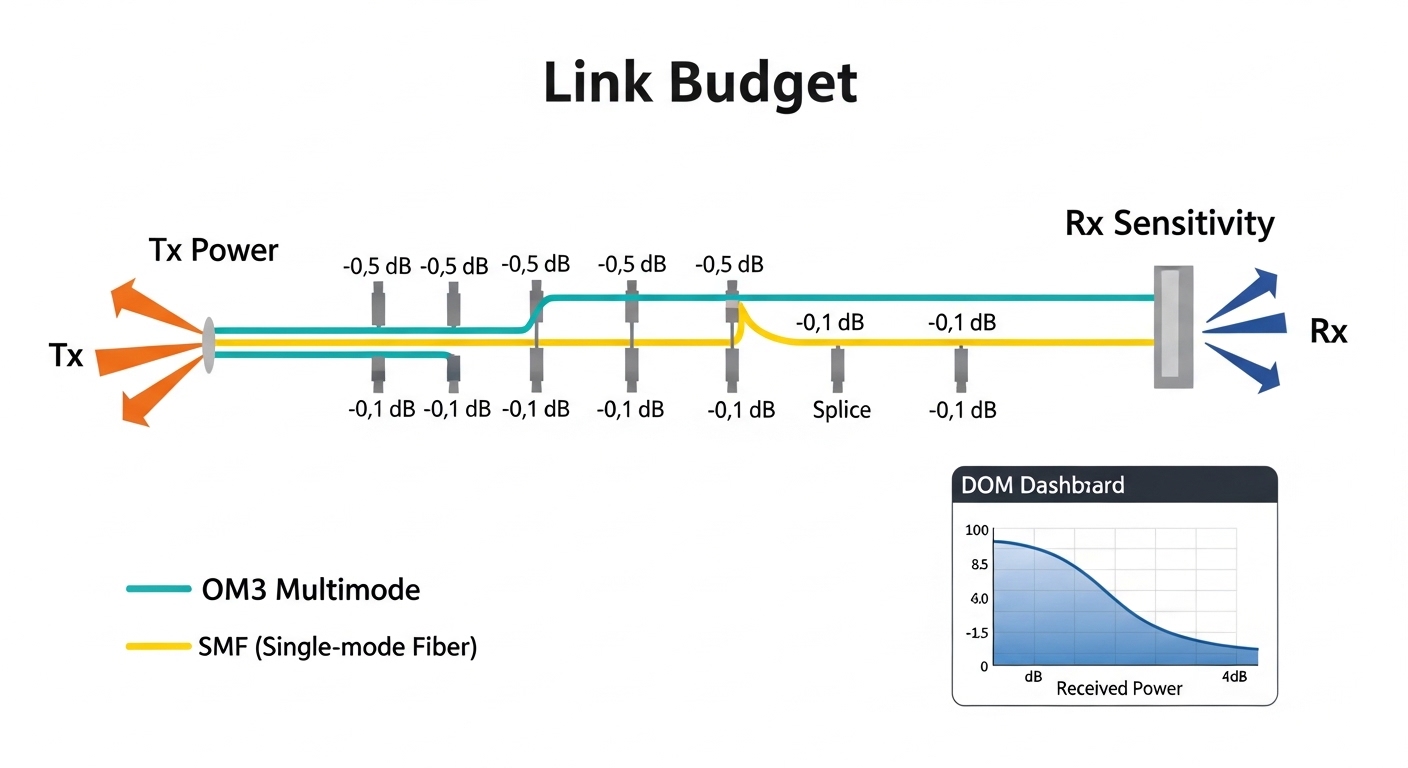
- Validate optical power budget with datasheet Tx power and Rx sensitivity; include connector and splice loss, plus a margin (commonly 3 dB) for aging.
- Operating temperature range: select industrial-grade transceivers (often -40 C to +85 C) for cabinets near drives or heaters.
- Vendor lock-in risk: evaluate whether third-party SFPs are accepted and whether firmware updates change compatibility behavior.
- Power and thermal constraints: ensure the SFP’s typical consumption fits the switch’s per-port budget and the cabinet cooling plan.
Pro Tip: In industrial cabinets, the most useful early-warning signal is often not “link up,” but the trend in DOM received power over weeks. If you log DOM and correlate drops with connector cleaning schedules, you can predict failing patch panels before they trigger outages.
For standards alignment around physical-layer expectations, the ITU provides general optical system guidance, while the exact Ethernet optical interface definitions come from IEEE 802.3 and vendor transceiver compliance. ITU-T Recommendations
Common pitfalls and troubleshooting for SFPs on industrial IP switch fiber
Field issues usually fall into a few categories. The root cause is typically either optical mismatch, insufficient power budget, or compatibility quirks between transceivers and switch firmware.
Link flaps only during temperature changes
Root cause: The transceiver is marginal for the operating temperature range, or the laser bias current is drifting beyond the switch’s acceptable thresholds. In some cases, the SFP is “commercial” grade and fails under cabinet heat soak.
Solution: Replace with an industrial-grade module rated down to -40 C and up to at least +85 C, then verify DOM laser bias and received power stability over a thermal cycle.
CRC errors rise even though link stays up
Root cause: Insufficient optical margin due to excessive patch panel loss, dirty connectors, or an overly optimistic “reach” assumption. Multimode links are especially sensitive to connector contamination and modal distribution effects.
Solution: Clean end faces with approved procedures, re-seat LC connectors, then re-measure received power via DOM. Recalculate link budget using actual measured loss if you have an OTDR or fiber tester results.
No DOM telemetry or alarms despite traffic working
Root cause: The selected SFP supports basic optics but not the DOM implementation expected by the ha-VIS switch, or the switch firmware blocks non-standard diagnostic fields.
Solution: Confirm DOM type and compatibility with the switch model, then test in a staging environment. Validate that the switch reports key DOM parameters (received power and temperature) and that your monitoring system ingests them.
Wrong wavelength module installed during maintenance
Root cause: Technicians see “10G LC SFP” and swap a 1310 nm module into an 850 nm multimode trunk (or vice versa). Some optics may show a temporary link but will not maintain reliable signaling.
Solution: Add physical labeling and a maintenance SOP: wavelength, fiber type, and port mapping. During RMA or swaps, require a quick DOM check to confirm wavelength identifiers.
Cost and ROI considerations for OEM vs third-party SFPs
Price varies by speed and reach, but in industrial procurement you should expect meaningful differences in total cost of ownership (TCO). OEM SFPs for enterprise/industrial switch ecosystems commonly cost more per module, while third-party SFPs may be cheaper but can increase operational overhead if compatibility or DOM support is inconsistent.
Realistic ballparks: for 1G optics, you may see modules in the low tens of dollars for third-party and higher for OEM; for 10G optics, third-party can still be substantially cheaper, but the delta depends on whether you need DOM, industrial temperature rating, and strict compliance testing. The ROI comes from reducing truck rolls and speeding commissioning: if a cheaper module causes two extra swap cycles or monitoring blind spots, the labor cost dominates the savings. [[Source: typical market pricing observed across enterprise parts catalogs and distributor listings; validate against your procurement channel]]
Also consider failure rates and logistics. If your maintenance team relies on DOM telemetry, a module that “works” but omits diagnostics can increase mean time to repair because you lose the fastest indicator of optical degradation.

FAQ: selecting SFPs for industrial IP switch fiber on ha-VIS
How do I confirm whether my ha-VIS switch port expects SFP or SFP+?
Check the switch hardware documentation for the exact port type and supported transceiver class. In practice, the port labeling and interface speed in the CLI or web UI usually indicates whether you need 1G SFP or 10G SFP+. If unsure, test one known-compatible module in a maintenance window and confirm negotiated speed and DOM visibility.
Can I use third-party SFPs with HARTING ha-VIS industrial switches?
Often yes, but compatibility is not guaranteed across firmware versions, especially for DOM and diagnostic thresholds. The safest approach is to select modules explicitly marketed as compatible with your switch model family and to validate in staging before wide rollout. Monitor received power and alarm behavior after installation for at least one full thermal day.
What is the biggest reason industrial fiber links fail even when the wavelength is correct?
Dirty connectors and patch panel losses are the most common real-world causes. Even a small contamination can reduce received power enough to produce CRC errors and intermittent link drops. Use an inspection scope and clean with approved methods, then confirm with DOM readings.
How much optical margin should I design for?
A common engineering practice is to include a safety margin (commonly around 3 dB) beyond the nominal link budget to account for aging, connector rework, and cleaning variability. Your exact margin depends on vendor datasheet assumptions and the number of splices/connectors along the path.
Do I need DOM for industrial IP switch fiber monitoring?
If your operations team wants early-warning alerts and faster troubleshooting, DOM is strongly recommended. Without DOM, you can still pass traffic, but you lose visibility into transmit/receive drift that often precedes link instability. If you already have OT monitoring workflows, DOM can reduce mean time to repair.
Is multimode always better for short runs in plants?
Multimode can be a cost-effective choice for shorter distances, but it is more sensitive to connector cleanliness and patching quality. Single-mode may simplify long-term maintenance if your plant standardizes on SMF, but it costs more per link in many deployments. Choose based on real measured loss, available fiber plant, and your maintenance model.
Choosing the right SFP for industrial IP switch fiber is less about “finding a matching connector” and more about aligning wavelength, reach, DOM behavior, and thermal limits to the ha-VIS switch port. If you share your port speed, fiber type (OM3 vs OS2), and target distance, you can narrow to a short list and run a power-budget check before ordering. For broader planning, see industrial Ethernet fiber media selection and DOM monitoring for SFP optics to standardize your maintenance and diagnostics.
Author Bio: A CTO focused on industrial network reliability, with hands-on experience deploying SFP and fiber links in plant environments and tuning optical monitoring for reduced downtime. I prioritize security, compatibility testing, and cost-aware architecture decisions across OT and edge networks.