When high-speed links start “working,” but the switch reports rising power draw or optics alarms, the outage can be harder to diagnose than a dead link. This article helps network engineers and field technicians troubleshoot power consumption issues in high-speed links using concrete measurements, DOM telemetry checks, and cabling verification. You will leave with a practical decision checklist, common failure modes, and a way to separate optics defects from switch-side power constraints.
Why power consumption drifts in high-speed links (and what to measure)
In real deployments, power issues often show up as increased transceiver temperature, DOM alarm thresholds, or port power budget warnings before you see CRC errors. Many modern pluggables expose digital monitoring (DOM) for laser bias current, received optical power, and module supply voltage. If you are chasing power draw, start by measuring the link’s electrical and optical stress: high attenuation raises required signal gain, while marginal connectors can force repeated retransmits and higher internal processing.
From an Ethernet perspective, the physical layer behavior is governed by IEEE Ethernet PHY operation and optical/electrical interface requirements. A good baseline reference is IEEE 802.3, which defines the Ethernet standards used by 10G through 100G families and the optical/electrical characteristics that influence power and error behavior. IEEE 802.3 Ethernet Standard
Operationally, I have seen power draw spikes caused by a single bad MPO trunk causing intermittent optical loss. The switch then ramps internal adaptation, raising module temperature and triggering alarms. In another case, we found that a “compatible” third-party transceiver reported DOM values but used different internal biasing behavior under the same nominal temperature range, which pushed the module closer to its limits under high ambient.
Field measurement set: what to capture in the first 15 minutes
Before you replace anything, capture these values per affected port and adjacent “known good” ports for comparison:
- Port error counters: CRC/FCS, symbol errors (if available), link flaps, and “loss of signal” events.
- DOM telemetry: laser bias current, transmit power, received power, module temperature, and supply voltage.
- Switch power events: PSU load logs, port power budget notifications, and thermal throttling indicators.
- Environmental data: rack inlet temperature, air flow direction, and whether the transceiver cage fan trays are running normally.
If you can access the pluggable’s DOM via the switch CLI, record it immediately at the time the power alarm triggers. Power problems are time-dependent; waiting until the link stabilizes can erase the evidence.
Power vs optical reach: use wavelength, reach, and budget to narrow the cause
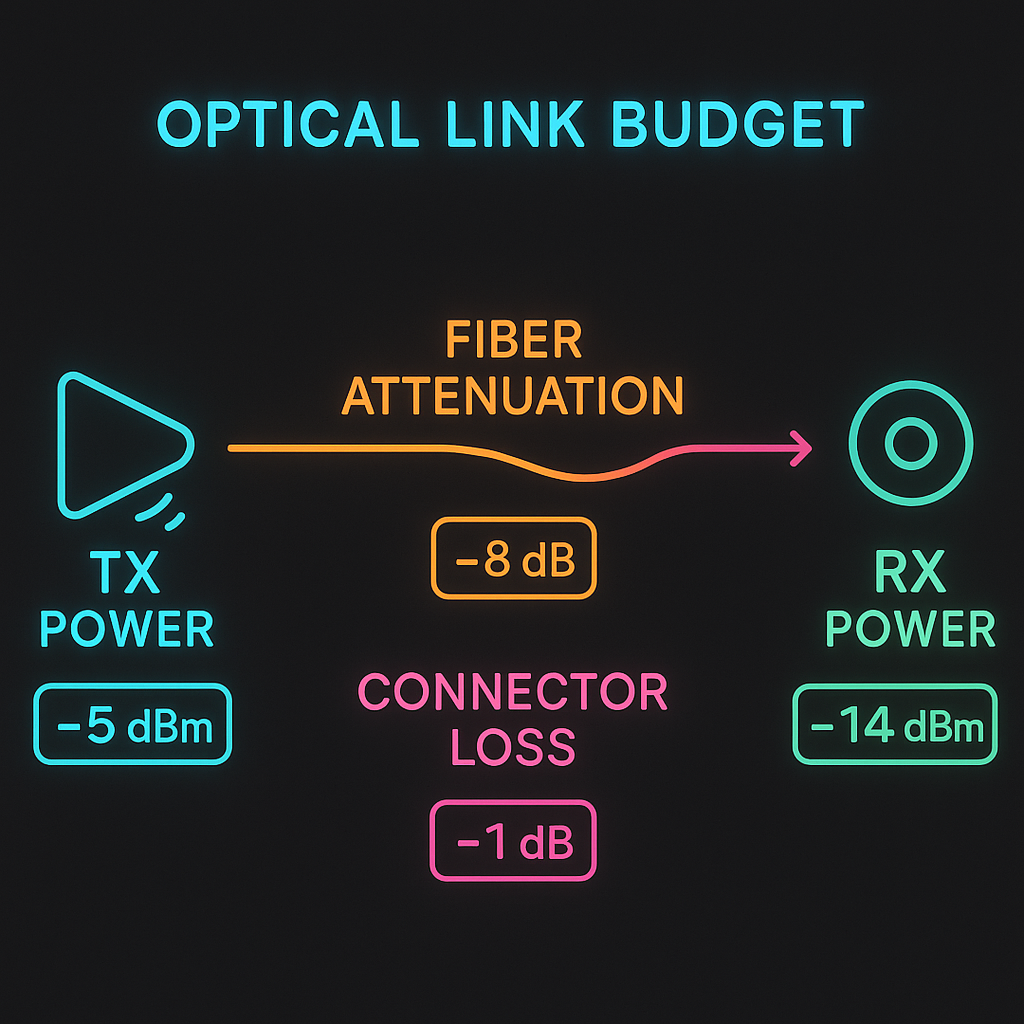
Most high-speed link power troubleshooting boils down to whether the optics and cabling are operating within budget. When received power is too low, the receiver may apply more gain and the system may increase internal processing. That can translate to higher module power, higher temperatures, and increased transmit bias current to compensate.
Wavelength and reach matter because they determine typical optical power ranges and fiber attenuation. For example, 10G SR optics operate around 850 nm on multimode fiber, while 10G LR operates around 1310 nm and expects different loss characteristics and transceiver behavior. If your “SR” optics are accidentally installed into a longer-than-expected link, the power draw can creep upward as the module works harder to maintain signal integrity.
| Transceiver type | Typical wavelength | Target reach | Connector | DOM data | Operating temperature (common) | Typical power behavior when stressed |
|---|---|---|---|---|---|---|
| 10G SR (MMF) | 850 nm | Up to 300 m (OM3/OM4 varies) | LC | Temp, Tx bias, Tx/Rx power | 0 to 70 C or -40 to 85 C (grade dependent) | Bias current rises, temp rises, Rx power drops |
| 10G LR (SMF) | 1310 nm | Up to 10 km | LC | Temp, Tx bias, Tx/Rx power | -40 to 85 C (common) | Higher bias if link margin is poor; temp increases |
| 25G/40G/100G SR (MMF) | 850 nm | Up to 150 m/400 m depending on generation and fiber | LC or MPO | More granular DOM per vendor | 0 to 70 C or -40 to 85 C | Power and temp climb quickly under connector contamination |
When comparing optics, also check the vendor datasheet for the module supply voltage range and maximum laser bias under temperature. A mismatch between switch cage power rails and a marginal module can manifest as elevated supply current. If you are using optics from multiple vendors, confirm they support the same DOM interpretation mode; some platforms expect specific alarm threshold units.
Decision checklist for choosing the right optics and fixing power draw
Below is the ordered checklist engineers use when power draw issues appear on high-speed links. I recommend you follow it in sequence because the earlier steps prevent wasted swaps.
- Distance and link budget: compare installed fiber length and measured attenuation against the transceiver reach class.
- Correct wavelength and fiber type: ensure SR is on MMF and LR/ER is on SMF; verify OM3 vs OM4 if relevant.
- Switch compatibility: confirm the switch model supports the optics family and DOM format (especially for 25G/40G/100G).
- DOM support and alarm thresholds: check whether the platform reads temperature, bias current, and supply voltage reliably.
- Operating temperature and airflow: validate inlet temperature; ensure transceiver cages are not partially blocked.
- Vendor lock-in risk: weigh OEM modules vs third-party; ensure the replacement option has consistent DOM behavior.
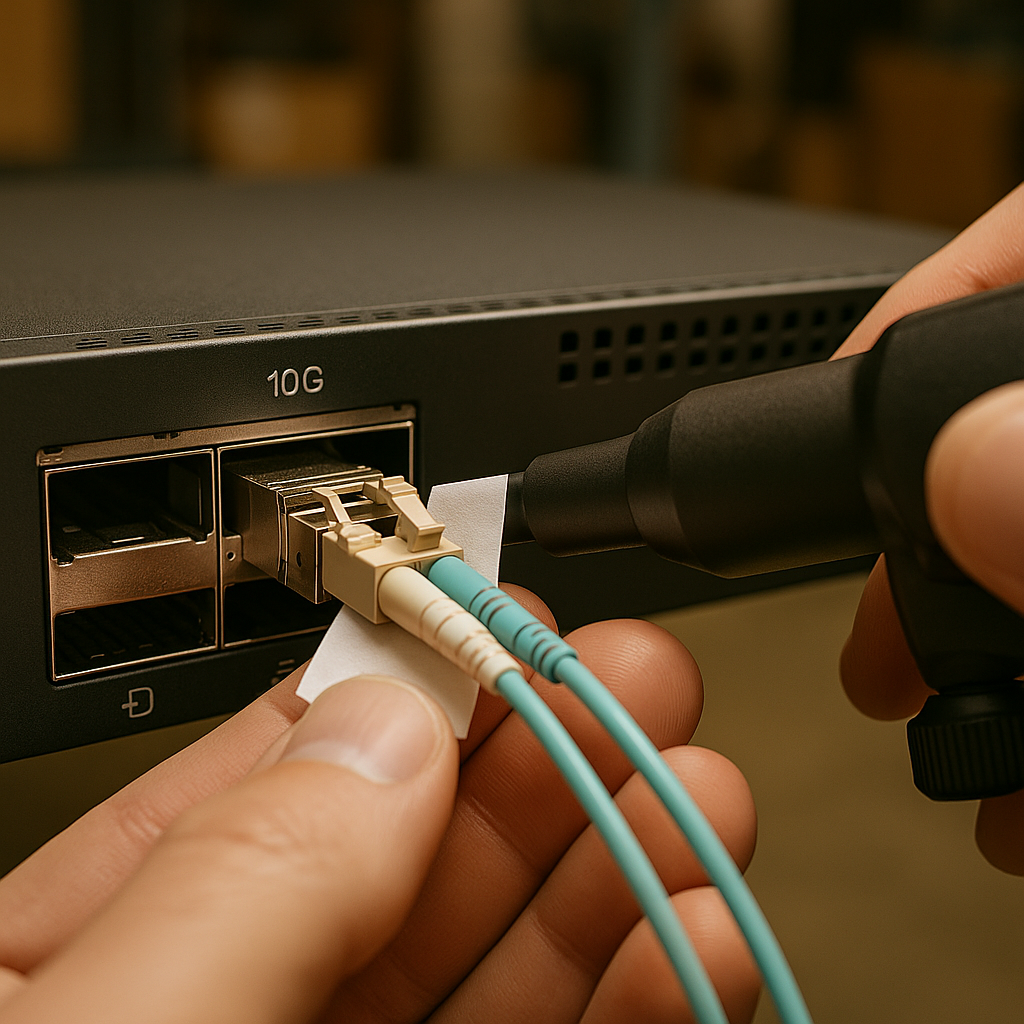
- Connector hygiene and polarity: inspect and clean LC/MPO endfaces; verify polarity rules for the specific interface.
For reference, Fiber Optic Association training materials emphasize that connector contamination is one of the most frequent root causes of signal degradation, which can indirectly increase power draw through compensation behavior. Fiber Optic Association
Real-world deployment scenario: leaf-spine pod with power warnings
In a 3-tier data center leaf-spine topology, we managed 48-port 10G ToR switches feeding a spine with 10G uplinks. A monitoring dashboard flagged a port power budget warning on two adjacent uplinks during peak load. DOM on both affected ports showed module temperature increasing from 52 C to 71 C within 12 minutes, while received power dropped by about 2.5 dB compared to neighboring ports. We pulled the optics and ran an endface inspection: the MPO-to-MPO trunk had a partially cracked ferrule on one side, causing intermittent micro-misalignment. After cleaning and reseating the trunk, module temperature returned to 55 C and bias current stabilized, with CRC counters returning to baseline.
Common mistakes and troubleshooting tips for power consumption issues
Power draw problems can be deceptive: sometimes the optics are fine, and the environment or cabling is the real culprit. Here are concrete failure modes I have seen repeatedly, with root causes and fix actions you can take immediately.
Swapping optics without verifying DOM baselines
Root cause: You replace a module, but the new one is also operating under the same stress (dirty connector, wrong fiber, high ambient), so the power alarm persists. In some cases, the new optics show “normal” telemetry until thermal drift triggers later.
Solution: Capture DOM values for both the suspect port and a known-good adjacent port before swapping. Compare module temperature, laser bias current, and received power deltas. If the received power is consistently low, fix the optical path first.
Ignoring connector contamination and micro-scratches
Root cause: Even when the link negotiates, dirty endfaces can increase insertion loss and create intermittent signal quality. That can lead to higher internal power and more error correction activity.
Solution: Inspect every endface with a microscope-style scope and clean both sides. For MPO trunks, clean all multifiber positions; a single contaminated lane can be enough to degrade the whole link.
In practice, I keep a log of which cables were cleaned and when; the same “mystery” power spike often returns on the same trunk after a maintenance cycle.
Confusing SR vs LR optics and assuming “it still lights up”
Root cause: SR optics installed on the wrong fiber type or beyond rated reach may still establish a link but with reduced margin. Under load, the PHY may compensate aggressively, raising temperature and power.
Solution: Verify transceiver part numbers and wavelength claims (for example, 850 nm SR vs 1310 nm LR). Confirm fiber type and test attenuation if possible. If you have optical power meters, measure Tx/Rx optical power and compare to vendor target ranges.
Overlooking airflow and thermal throttling in dense racks
Root cause: A partially blocked airflow baffle or missing blank panel can create hot spots near transceiver cages. Elevated module temperature can push bias current and supply consumption higher.
Solution: Check rack inlet temperature, confirm fan tray operation, and ensure correct blank panel placement. After thermal stabilization, re-check DOM readings.
Pro Tip: If your switch supports it, watch for correlated trends between laser bias current and module temperature. A rising temperature alone can indicate airflow problems, but a simultaneous drop in received power strongly points to an optical path loss issue (often contamination or connector damage) rather than a purely electrical problem.
Cost and ROI: OEM vs third-party optics when power is on the line
Price differences are real, but “cheapest now” can become expensive if power draw increases lead to thermal stress or repeated failures. OEM optics often cost more upfront, yet they typically match the platform’s expected DOM behavior and alarm thresholds, reducing diagnostic time. Third-party optics can be cost-effective, but you must validate compatibility in your exact switch model and firmware version.
In many enterprise and colo environments, common street pricing ranges might look like: 10G SR optics at roughly tens of dollars for third-party and higher for OEM; 25G/40G/100G modules can be significantly more, especially for longer reach and QSFP/QSFP-DD families. TCO should include spare management, time-to-replace, and the cost of downtime during maintenance windows. A single recurring power-related failure can outweigh savings if it causes repeated truck rolls or scheduled downtime.
Also consider power efficiency: if a faulty module runs hotter and draws more current, you may pay indirectly through increased cooling load. While it is hard to estimate without your facility’s PUE and cooling design, the operational impact is often felt as higher rack inlet temperatures and more aggressive fan cycling.
Compatibility caveat I learned the hard way
On one platform, we observed that certain third-party optics reported DOM values but used different alarm threshold semantics. The switch still brought the link up, but it flagged “diagnostic alarms” intermittently, which delayed root cause analysis. The fix was not “better optics” first; it was aligning the optics family and DOM behavior to the switch’s expectations.
FAQ: power consumption issues on high-speed links
How do I confirm whether the power issue is the optics or the switch?
Compare DOM readings and port counters between the suspect port and a known-good port under the same airflow conditions. If the module temperature and bias current rise together while received power drops, the optical path is likely stressing the link. If DOM remains stable but the switch reports PSU or port power budget events, investigate switch-side power rail behavior and thermal throttling.
What DOM values are most useful for troubleshooting high-speed links?
Look first at module temperature, laser bias current, transmit power, and received power. Also check supply voltage and any vendor-specific alarm flags. Correlation matters: rising bias with falling received power usually indicates an optical margin problem.
Can a link be “up” while still causing power draw problems?
Yes. Many PHYs can maintain link training and forward traffic with reduced margin, especially during short bursts or moderate loads. The consequence may be higher internal compensation and error correction activity, which can elevate module temperature and power consumption over time.
Are connector cleaning steps enough, or should I replace cables immediately?
Cleaning often resolves issues when the root cause is contamination or residue. Replace cabling if you find physical damage such as cracked ferrules, bent fibers, or repeated failures on the same trunk after cleaning. In my experience, physical defects recur because cleaning cannot correct misalignment or micro-cracks.
Do IEEE standards directly tell me what power draw should be?
IEEE Ethernet standards primarily define PHY behavior and optical/electrical characteristics for interoperability, not a single universal “power draw” number per module. For power and thermal expectations, rely on vendor datasheets and your switch’s platform documentation, then validate with DOM and your measured environment.
Where can I find guidance on transceiver and link monitoring practices?
Start with vendor documentation for the transceiver and the switch, then cross-check with reputable industry guidance. You can also review general best practices for optical monitoring and connector handling from Fiber Optic Association resources. For Ethernet PHY fundamentals, IEEE 802.3 is the authoritative reference point.
If you want high-speed links to stay stable, treat power consumption telemetry as an early-warning system, not a mystery alarm. Next, compare your transceiver DOM trends against your link budget and connector hygiene, and then apply the checklist above; for broader cabling best practices, see fiber cleaning and inspection and for platform-level PHY behavior, see IEEE 802.3 physical layer basics.
Author bio: I travel between data centers and field sites to help teams stabilize high-speed links under real-world constraints like thermal hotspots and messy cabling. I document what works in deployment playbooks, with measurements, compatibility caveats, and rollback-safe troubleshooting steps.