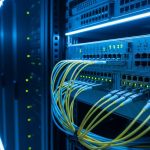
AI and ML deployments fail in surprisingly similar ways: the model server looks fine, GPUs are healthy, but traffic never reaches the storage or the next leaf in the fabric. This article helps platform engineers and on-call field teams troubleshoot fiber connectivity issues fast in high-throughput clusters. You will get a top-8, decision-oriented playbook covering optics, cabling, diagnostics, and the most common operational mistakes.
fiber patch panel best practices optical power and link budgets DOM support and monitoring MTTR playbooks for network outages Build vs Buy for data center optics
IEEE 802.3 Ethernet Standard ITU Recommendations for optical and transmission systems Fiber Optic Association resources for troubleshooting
Confirm the physical layer: fiber type, lanes, and optics pairing

Before you touch a transceiver, verify that the fiber type and optics pairing match what the port expects. In AI/ML clusters, it is common to have 10G/25G/100G uplinks mixed with short-reach OM4 and longer-reach OS2, and a single mismatch can lead to link flaps or “no light” symptoms. Start by comparing the switch port’s advertised speed and the transceiver part number to the cabling run labels.
What to check on-site
- Connector and fiber grade: LC vs MPO, OM4 vs OM5 vs OS2. Many 100G SR optics use MPO/MTP with ribbon or polarity-specific mapping.
- Wavelength: SR uses ~850 nm; LR uses ~1310 nm (check datasheets).
- Transceiver compatibility: vendor-specific optics may not fully interoperate even if the lane rate is correct.
- Polarity and mapping: especially for MPO-to-duplex adapters where transmit/receive pairs must be crossed correctly.
Best-fit scenario: You just racked a new AI training node, and the leaf switch port shows link down after inserting an SFP/SFP28/QSFP module. You suspect a cabling or optics mismatch rather than a GPU or software issue.
Pros: fastest elimination of the highest-probability root causes. Cons: requires accurate labeling and module documentation.
Validate optical power and link budget with real measurements
Once you have the right optics and fiber type, measure the optical path. In fiber connectivity troubleshooting, the most actionable data comes from receive power and link margin rather than guesswork. Field teams often use an optical power meter plus a light source for continuity and loss verification, especially when multiple patch panels and couplers are involved.
How to measure without creating new risk
- Use a calibrated power meter at the expected wavelength (850 nm or 1310 nm).
- Measure end-to-end through the installed path if possible, including patch cords.
- Compare to module thresholds from the vendor datasheet (RX power range) and the switch’s optics diagnostics.
- Watch for “too low” vs “too high”: overpowered links can saturate some receivers, while underpowered links cause BER spikes.
Best-fit scenario: Your AI inference cluster runs for an hour, then experiences intermittent packet loss and retransmits, correlating with thermal cycling. Optical power drift can indicate a marginal connector, dirty endface, or a damaged patch cord.
Pros: quantifies the failure mode. Cons: requires measurement gear and datasheet access.
Quick reference: common short-reach optics specs
The table below compares typical SR optics used in AI/ML leaf-spine deployments. Always confirm your exact module and vendor datasheet for thresholds and temperature ratings.
| Module example | Data rate | Wavelength | Typical reach | Connector | Operating temp range | Notes for fiber connectivity |
|---|---|---|---|---|---|---|
| Cisco SFP-10G-SR | 10G | 850 nm | ~300 m (OM3) to ~400 m (OM4) | LC | 0 to 70 C (typical) | Single-lane; sensitive to dirty LC ends and excessive patching |
| Finisar FTLX8571D3BCL | 10G | 850 nm | ~300 m (OM3) / ~400 m (OM4) | LC | 0 to 70 C (typical) | Common in mixed vendor environments; check DOM and compatibility |
| FS.com SFP-10GSR-85 | 10G | 850 nm | ~300 m (OM3) / ~400 m (OM4) | LC | -5 to 70 C (typical) | Third-party optics: verify switch support and DOM behavior |
| QSFP28 100G-SR4 (typical) | 100G | 850 nm | ~100 m (OM4) to ~150 m (OM5) | MPO/MTP (8-fiber ribbon) | 0 to 70 C (typical) | Polarity and MPO mapping dominate troubleshooting time |
Best-fit scenario: You are designing or expanding a training rack with predictable cabling lengths and need a practical sense of what “short-reach” means in optical terms for fiber connectivity.
Pro Tip: In many AI/ML incidents, the optics are correct but the effective attenuation is not. Extra patch panels, bulkhead couplers, and “just one more” field swap can push receive power below the module’s minimum, and the link may still come up briefly before BER rises and the switch flaps the interface.
Remove dirty connector variables: inspect and clean every endface
Dirty optics and patch cord endfaces are the most frequent physical cause of intermittent fiber connectivity failures, especially in environments with frequent re-cabling. A single dust particle can increase insertion loss by several dB, enough to collapse marginal links under load. Even if a link “works,” you may see CRC errors, FEC corrections, or microbursts that look like AI training instability.
Field-cleaning workflow
- Inspect with a fiber microscope (preferred) before and after cleaning.
- Clean using lint-free swabs or cleaning cartridges designed for LC/MPO endfaces.
- Reinsert carefully: avoid touching the ferrule face; ensure proper seating.
- Re-test with link counters and, if available, optical diagnostics.
Best-fit scenario: You see increasing error counters during peak traffic windows, and the cabling path includes multiple patch panels that were recently serviced for other racks.
Pros: low cost, high success rate. Cons: requires disciplined hygiene and documentation.
Fix MPO polarity and ribbon mapping for 100G and above
For 100G SR4 and similar multi-lane optics, polarity errors are a classic failure mode. MPO/MTP connectors use multiple fibers in a single ferrule, and the receive lanes may not correspond to the transmit lanes unless the polarity method is correct (for example, using a polarity adapter or a specific jumper style). The result is often “link up but no traffic” or persistent frame errors.
How to verify polarity quickly
- Check the jumper type (straight-through vs polarity-correct) and the adapter model.
- Use a polarity test method with continuity mapping if you have an MPO polarity checker.
- Confirm lane-to-lane mapping against the module vendor polarity guidance.
- Swap the MPO jumper in a controlled way to isolate transmit vs receive mapping issues.
Best-fit scenario: Your 100G uplink LED indicates activity, but the switch increments errors immediately. All cables were “new,” so the issue is likely mapping/polarity rather than physical damage.
Pros: resolves an entire class of “mysterious” multi-lane failures. Cons: requires careful handling and correct adapter inventory.
Rule out switch and optics diagnostics mismatches (DOM, vendor support, and thresholds)
Modern switches rely on transceiver diagnostics (often DOM) for alarms, thresholds, and sometimes link qualification. If the optics are unsupported or partially compatible, you may see erratic behavior: the port may come up, then drop when thresholds are evaluated. This is common when mixing OEM and third-party modules across a large AI/ML fleet.
Decision points for compatibility
- DOM presence and reporting: verify temperature, bias current, and received power fields.
- Switch optics profile: confirm the module is on the switch vendor’s compatibility list.
- Threshold behavior: ensure the module’s RX power meets the switch’s expected range, not just the optics’ nominal spec.
- Firmware interactions: after upgrades, thresholds and alarms can change.
Best-fit scenario: You replaced a failed transceiver with a “compatible” third-party module, and now the port flaps only after the network controller applies a policy or after a reboot.
Pros: prevents repeat incidents after replacements. Cons: compatibility lists can lag behind procurement choices.
Check for thermal and environmental causes: temperature, airflow, and condensation
Even correct fiber connectivity can fail due to environmental stress. Many optics modules have specified operating ranges, and AI clusters can create localized hot spots near top-of-rack switches or along dense cable routes. Thermal drift can increase laser bias or change receiver sensitivity, amplifying marginal link conditions.
What to monitor
- Module temperature from DOM readings.
- Airflow patterns around the rack (front-to-back cooling is not guaranteed).
- Condensation risk in humid facilities or during cooling transitions.
- Cable bend radius around cable managers and door transitions.
Best-fit scenario: Errors correlate with time-of-day and rack thermal load, and the same link fails across multiple reboots until the rack load stabilizes.
Pros: addresses root cause beyond optics. Cons: sometimes overlaps with cabling defects, making isolation slower.
Eliminate physical damage: bend radius, crushed jacket, and connector wear
Fiber connectivity failures can be caused by subtle physical damage that does not show up in a casual inspection. Repeated service loops, over-tight cable ties, and improper bend radius can create microbends and increase attenuation. In connectors, repeated insertion can wear ferrules or damage the coating, and damaged polish can permanently degrade reflectance and insertion loss.
Field checks
- Inspect jacket and strain relief for kinks or crushed sections.
- Verify bend radius compliance for patch cords and bulkhead transitions.
- Replace suspect jumpers with known-good spares during the same maintenance window.
- Check connector seating and latch condition for LC and MPO adapters.
Best-fit scenario: You have a repeated failure on the same run after routine rack maintenance, suggesting mechanical stress rather than random contamination.
Pros: prevents “ghost fixes” where cleaning alone does not help. Cons: may require cable replacement and downtime scheduling.
Use a repeatable triage workflow: logs, counters, and controlled swaps
To keep MTTR low, treat fiber connectivity issues as a structured investigation. Start with interface error counters and optic diagnostics, then do controlled swaps: one variable at a time. In AI/ML environments, you can often reproduce quickly by running a small job that generates sustained east-west traffic, then observing link counters and latency.
Practical triage sequence
- Confirm symptoms: link down vs link up with errors vs intermittent drops.
- Capture counters: CRC, FCS, and (for relevant speeds) FEC/BER indicators.
- Check optics: RX power, module temperature, and alarm flags.
- Inspect and clean the exact endpoints on both sides.
- Swap transceivers with known-good modules of the same type.
- Swap patch cords/jumpers to isolate the fiber path.
- Escalate with measurements: power meter and microscope inspection evidence.
Best-fit scenario: Multiple AI training nodes show partial connectivity issues, and you need a process that works across different racks and technicians.
Pros: repeatable, audit-friendly, and reduces downtime. Cons: requires discipline and accurate inventory of spares.
Common mistakes and troubleshooting tips
- Mistake: Cleaning without inspection. Root cause: you may clean a connector that is already damaged or incorrectly seated, so insertion loss remains high. Solution: inspect with a fiber microscope before cleaning, and verify connector seating after cleaning.
- Mistake: Swapping optics but not jumpers. Root cause: the failure is in the fiber run, patch panel coupler, or a specific jumper with microbends. Solution: perform controlled swaps: replace the jumper with a known-good cord while keeping the optics constant.
- Mistake: Ignoring polarity for MPO links. Root cause: lane mapping mismatch yields errors that look like congestion or software instability. Solution: confirm polarity adapter/jumper type, then test with a polarity-correct jumper or polarity checker.
- Mistake: Trusting “link up” as a success condition. Root cause: marginal optical power can allow link establishment but causes BER/CRC errors under load. Solution: monitor error counters during a traffic test and check RX power thresholds from DOM.
Cost and ROI note for fiber connectivity reliability
In practice, OEM optics and vetted third-party optics differ in both price and operational risk. As a rough planning range, short-reach 10G optics often land in the tens to low hundreds of dollars each, while 100G SR4 QSFP28 modules can be several hundred dollars depending on vendor and DOM support. The ROI comes from reduced downtime: a single failed link in an AI training window can cost more than the optics and jumpers combined due to idle GPU time, reruns, and delayed data movement.
TCO considerations: include spares inventory (cleaning kits, microscopes, known-good jumpers), time spent on troubleshooting, and failure rate differences. If your environment uses many replacements, prioritize modules with reliable DOM behavior and clear switch compatibility guidance to reduce repeat incidents.
FAQ
What are the fastest signs that fiber connectivity is the real issue?
Look for link down events, rising CRC/FCS counters, or intermittent interface flaps that correlate with traffic load rather than CPU/GPU health. Also check optics diagnostics for abnormal RX power or temperature alarms.
Can software problems mimic fiber connectivity failures in AI/ML deployments?
Yes. Training frameworks can retry aggressively, making it look like a data loader or NCCL issue. Still, if the switch interface counters show physical-layer errors or the optics diagnostics show low RX power, treat fiber connectivity as the primary suspect.
How do I choose between OM4 and OS2 in an AI cluster?
OM4/OM5 are typically used for short-reach multimode within buildings and top-of-rack to row distances. OS2 is for longer single-mode runs where reach or future growth requires it. Your decision should be based on actual measured path loss and connector count, not just the “rated reach.”
Are third-party optics safe for production fiber connectivity?
They can be safe if they are on your switch vendor’s compatibility list and provide consistent DOM reporting. The risk is operational: some modules behave differently under threshold monitoring, which can cause flaps after upgrades or policy changes.
What tools should a field team keep for fiber connectivity troubleshooting?
At minimum: a calibrated optical power meter, an appropriate light source, a fiber microscope/inspection scope, and known-good patch cords and adapters. Add an MPO polarity checker if you run frequent 100G SR4 or higher.
How can I reduce recurrence after the initial repair?
Standardize labeling, enforce a cleaning and inspection SOP, and log measurements (RX power and error counters) after each fix. Also track which patch panels or jumper IDs correlate with recurring failures so you can proactively replace worn hardware.
Fiber connectivity troubleshooting in AI/ML environments is about disciplined isolation: verify compatibility, measure optical power, clean and inspect endfaces, and respect MPO polarity. If you want the next step, build a repeatable maintenance workflow around MTTR playbooks for network outages and keep your spares and diagnostics aligned with your real deployment topology.
Author bio: I lead platform networking strategy with hands-on experience deploying leaf-spine fabrics for GPU clusters and debugging optics, polarity, and link-budget issues in the field. I focus on security, reliability, and measurable MTTR improvements across mixed-vendor fiber connectivity stacks.