
I have seen this exact pattern in remote edge sites: a switch shows Link: Down, the port LED never stabilizes, and the team suspects the fiber. This article helps field engineers and network operators run fast, repeatable troubleshooting for SFP connection failures when you cannot just “swap everything and hope.” You will get a practical checklist, a spec comparison table, and root-cause pitfalls that match what I encounter on live deployments.
Why edge SFP links fail: the common failure chain
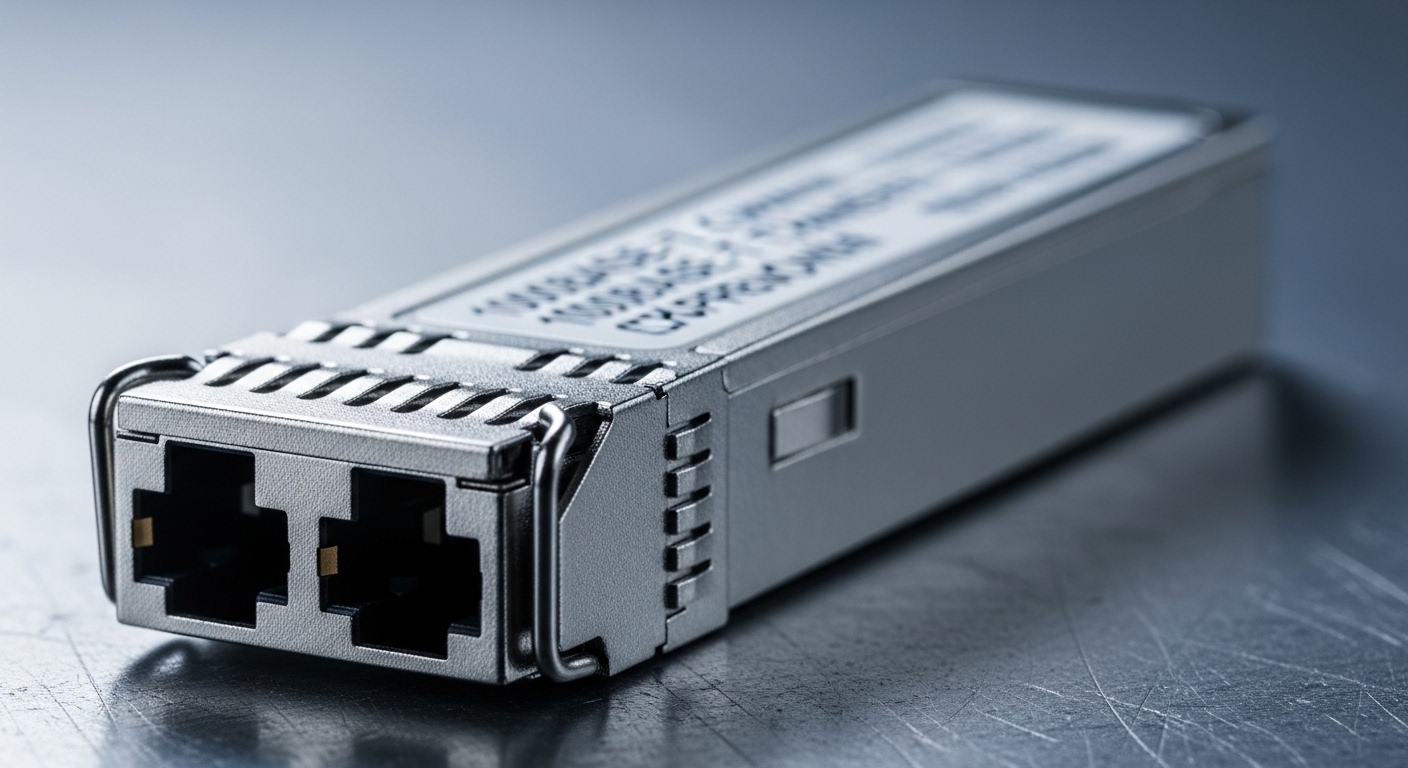
In edge deployments, the failure is rarely one thing. Most cases trace back to a mismatch between the transceiver’s optical parameters and the link partner, a physical fiber issue (polarity, damage, contamination), or an interface layer mismatch (rate, encoding, or electrical tolerance). I usually start by treating the problem as three parallel systems: optics, optical path, and port configuration.
On IEEE Ethernet links, the physical layer behavior matters: auto-negotiation is not guaranteed to “fix” optical problems, and many SFPs rely on deterministic link bring-up. The baseline Ethernet PHY expectations are anchored in IEEE 802.3 clause structures for the relevant media type. Reference: IEEE 802.3 Ethernet Standard.
Fast measurements first: what to check in 10 minutes
Before you touch the fiber, capture evidence. In my field runs, the fastest wins come from reading the switch’s diagnostics and verifying that the optics are actually being detected. Then you validate fiber continuity and polarity, because “it fits” is not the same as “it is aligned.”
confirm the switch sees the module
Most modern switches expose SFP digital diagnostics via DOM. Check that you see vendor/part number, and note RX power (or “received optical power”), TX power, temperature, and bias current. If the DOM page is missing or shows “Unknown,” you may have a non-compliant module or a compatibility issue with the platform’s SFP cage.
check optical thresholds, not just “Link”
When link stays down, “no signal” can mean “the receiver is out of range.” Even if TX is present, RX may be below the module’s sensitivity, especially after loss from long runs, dirty connectors, or marginal patch cords. Use the vendor datasheet for the exact RX sensitivity and the module’s recommended optical budget.
verify fiber polarity and connector cleanliness
For most duplex fiber Ethernet optics using LC connectors, polarity matters: TX must land on RX at the far end. I have resolved many edge outages by re-patching with a polarity-correct method (or by using polarity adapters when the cabling is pre-terminated). Also inspect with a scope if you have one; otherwise, re-terminate is a last resort, not the first move.
validate rate and interface mode
Edge switches can be set to 10G vs 1G modes, or to vendor-specific profiles that affect optics selection. If the transceiver is a 10G module but the port is forced to 1G, you can see persistent link failures. Conversely, some ports default to a lower speed and will not recover without configuration alignment.
Spec reality check: SFP types, reach, and optical constraints
Many “mystery” link failures are really spec mismatches. SFP modules differ in wavelength (850 nm vs 1310 nm vs 1550 nm), reach, connector type, transmit power, and receiver sensitivity. A module can be electrically compatible but optically incompatible with the installed fiber plant or budget.
| Parameter | 10GBase-SR (Typical) | 10GBase-LR (Typical) | What it breaks |
|---|---|---|---|
| Wavelength | ~850 nm (MMF) | ~1310 nm (SMF) | Wrong fiber type or budget |
| Reach (typical) | ~300 m over OM3/OM4 | ~10 km over SMF | Long runs cause low RX |
| Connector | LC duplex | LC duplex | Adapting without polarity plan |
| Data rate | 10.3125 Gb/s line rate | 10.3125 Gb/s line rate | Port forced to 1G or 25G |
| Operating temp | Often 0 to 70 C (or extended variants) | Often 0 to 70 C (or extended variants) | Edge heat throttles optics |
| DOM support | Common: digital diagnostics | Common: digital diagnostics | Unknown DOM blocks acceptance |
In my deployments, I commonly see modules like Cisco SFP-10G-SR or third-party equivalents such as Finisar FTLX8571D3BCL and FS.com SFP-10GSR-85 when the optics budget is within spec. The key is not the brand—it is whether the deployed fiber type, length, and connector loss stay inside the module’s optical power budget and the switch’s compatibility expectations.
For optical performance and safety considerations, it helps to align with industry guidance on fiber optic safety and handling practices. Reference: Fiber Optic Association.
Pro Tip: When link is down, compare DOM RX power against the module’s vendor “minimum received power” threshold. If RX is near the floor, you will often still get intermittent link during temperature swings or after connector movement—meaning the fix is usually cleaning, re-polishing, or replacing patch cords, not swapping the transceiver.
Compatibility and configuration traps in edge hardware
Edge sites often run older switch firmware, tight change windows, and mixed optics vendors. That combination increases the chance of “module detected but link fails.” Treat compatibility as a first-class troubleshooting dimension.
DOM and vendor gating
Many platforms validate transceiver ID fields (EEPROM data) and may enforce vendor or specific part-number allowlists. If you use a third-party SFP, the switch might accept it in some ports but reject it in others. In practice, I log the exact module identifier shown by the switch and then cross-check it with the platform’s transceiver compatibility list.
Port profile and speed/duplex assumptions
For SFP-based Ethernet, speed mismatches can prevent link training. If the port is configured as forced speed, ensure it matches the optic’s supported rate (for example, 10G vs 1G). Also watch for “autoneg disabled” modes; some optics still require consistent configuration to complete link bring-up.
Temperature and power stability
Edge enclosures can exceed expected optics operating ranges. I have measured switch cabinet hotspots at 55 to 65 C during peak sun load when HVAC failed briefly. If your module has an extended temperature rating, you might still pass link but see higher bit error rates or sudden drops when RX margin collapses.
When possible, record ambient temperature near the SFP cage and compare it to the module’s specified operating range. Even if the link “comes up,” marginal thermal conditions can show up as CRC errors later.
Common mistakes and troubleshooting patterns that waste hours
Below are field failure modes I repeatedly see. Each includes the root cause and the fix path I use.
Polarity wrong after re-termination
Symptom: Port shows “Link: Down” or “Link up then flaps,” and DOM RX power is near zero.
Root cause: TX and RX are swapped across duplex LC connections, especially when patch cords are re-used or when pre-terminated trunks were built for a different polarity standard.
Solution: Re-patch using a known-good polarity workflow, or use polarity adapters/cross-over jumpers as required by your cabling standard.
Dirty connectors masquerading as an optic fault
Symptom: Module detected, but RX power is low and error counters rise quickly. Re-seating the SFP makes it worse or temporarily improves it.
Root cause: Contamination on LC endfaces causes insertion loss and increases backscatter noise; edge conditions worsen this with vibration and dust.
Solution: Clean connectors with approved lint-free wipes and inspection scope. If you do not have a scope, at least replace the patch cord pair and re-check RX thresholds.
Using the wrong fiber type for the optic
Symptom: Consistent link failure at one site but success at another with different cable plant.
Root cause: Installing an SR-style MMF optic on SMF cabling, or vice versa, or exceeding multimode bandwidth constraints.
Solution: Verify fiber type (OM3/OM4 for SR; SMF for LR) and measure end-to-end attenuation if you can. Then select the optic whose wavelength and reach match that plant.
Exceeding optical budget with “just a few” extra jumpers
Symptom: Link comes up at first but drops under load, or only certain traffic patterns break it.
Root cause: Extra patch cords, aged connectors, or additional couplers push total loss beyond the module’s budget.
Solution: Sum losses: fiber attenuation + connector insertion loss + splice loss + margin. Replace the highest-loss components first.
Temperature-driven receiver margin collapse
Symptom: Intermittent outages during hot hours; DOM temperature rises and RX power trends downward.
Root cause: Module operating outside recommended conditions or enclosure airflow problems.
Solution: Improve airflow, verify HVAC, and use an optic with appropriate temperature rating. Monitor DOM telemetry after stabilization.
Selection criteria checklist for edge SFP troubleshooting readiness
When you choose optics and plan spares, you reduce mean time to restore. Use this ordered checklist during procurement and on-site troubleshooting.
- Distance and fiber type: confirm SMF vs MMF, and estimate total loss including connectors and splices.
- Data rate and wavelength: match the optic to the port speed profile and installed wavelength plan.
- Switch compatibility: confirm the switch model’s supported transceiver list and DOM behavior.
- DOM support and telemetry: prefer optics with reliable digital diagnostics so troubleshooting is measurable.
- Optical budget margin: leave headroom for connector aging and future moves/adds/changes.
- Operating temperature: verify module temperature range vs enclosure conditions; consider extended-temp optics for heat-prone cabinets.
- Vendor lock-in risk: decide how much you accept allowlist constraints; test third-party modules in a controlled window.
- Connector ecosystem: LC duplex type, patch cord style, and polarity adapter availability on-site.
Cost and ROI: what to pay, what it costs later
In typical edge deployments, SFP optics often range from roughly $40 to $150 per module for common 10G short-reach, with higher prices for long-reach or extended-temp variants. Third-party optics can be cheaper, but the hidden cost is troubleshooting time when DOM fields or EEPROM compatibility differ across switches.
For ROI, I treat optics as part of a reliability system: if a module fails and you do not have a known-good spare that is compatible with your platform, you lose labor hours and possibly local service continuity. A slightly higher upfront cost for a tested part-number set can reduce truck rolls and shorten restoration time, which usually dominates total cost of ownership.
FAQ: edge engineers asking the exact questions
Why does my switch detect the SFP but still show Link Down?
That usually points to optical mismatch (wrong fiber type or wavelength), polarity inversion, or RX power below the receiver threshold. Check DOM for RX power and temperature, then verify polarity and clean connectors. If DOM looks normal but RX is near zero, re-patch with a known-good polarity workflow.
How can I tell if the issue is the SFP or the fiber without guessing?
Use a known-good transceiver in the same port, and a known-good fiber patch/adapter path with the same transceiver. If the problem follows the transceiver, swap optics; if it follows the fiber path, focus on connector loss, contamination, and polarity. DOM telemetry is your tie-breaker when both ends look “alive.”
Do I need to worry about IEEE standards during troubleshooting?
Yes, because link behavior depends on PHY/media expectations defined in relevant IEEE Ethernet clauses. Standards do not replace vendor datasheets, but they help you reason about what “link up” should mean. Reference: IEEE 802.3 Ethernet Standard.
Are third-party SFPs safe to use in edge sites?
They can be safe if they match the correct part-number behavior for your switch and meet optical/electrical specs. The risk is platform-specific compatibility gating and variable DOM quality, which complicates troubleshooting. I recommend buying from vendors that provide clear datasheets and testing in your exact switch model before rolling to remote sites.
What is the quickest way to reduce repeat outages after maintenance?
Standardize your polarity workflow, enforce connector inspection/cleaning, and keep a validated spare optic set per switch model. After any re-termination, capture baseline DOM RX power and error counters so you can detect drift quickly. This turns troubleshooting into trend analysis rather than repeated guesswork.
When should I escalate to an optical power measurement?
If DOM RX power is unavailable, inconsistent, or outside expected thresholds, use calibrated optical power meters and a light source if you have them. Escalate when you suspect end-to-end loss issues, damaged fibers, or chronic intermittent behavior that cleaning and re-patching cannot resolve.
Update date: 2026-05-04. If you want a faster field loop, pair this troubleshooting checklist with a structured optics selection process using how to choose fiber optic transceivers for edge networks.
Author bio: I travel between edge and data center sites installing and validating Ethernet optics, documenting the on-the-ground failures that never make it into marketing specs. I focus on measurable troubleshooting: DOM telemetry, optical budgets, and repeatable repair workflows.


