
When an edge site goes dark, optics failures often masquerade as “network issues.” This article helps field engineers and network operators perform troubleshooting on SFP, SFP28, and similar optical modules in edge computing environments where power, temperature, and vibration are unforgiving. You will get a step-by-step implementation path with measurable checks, plus pitfalls that commonly waste hours in the field.
Prerequisites: what you must measure before touching fibers
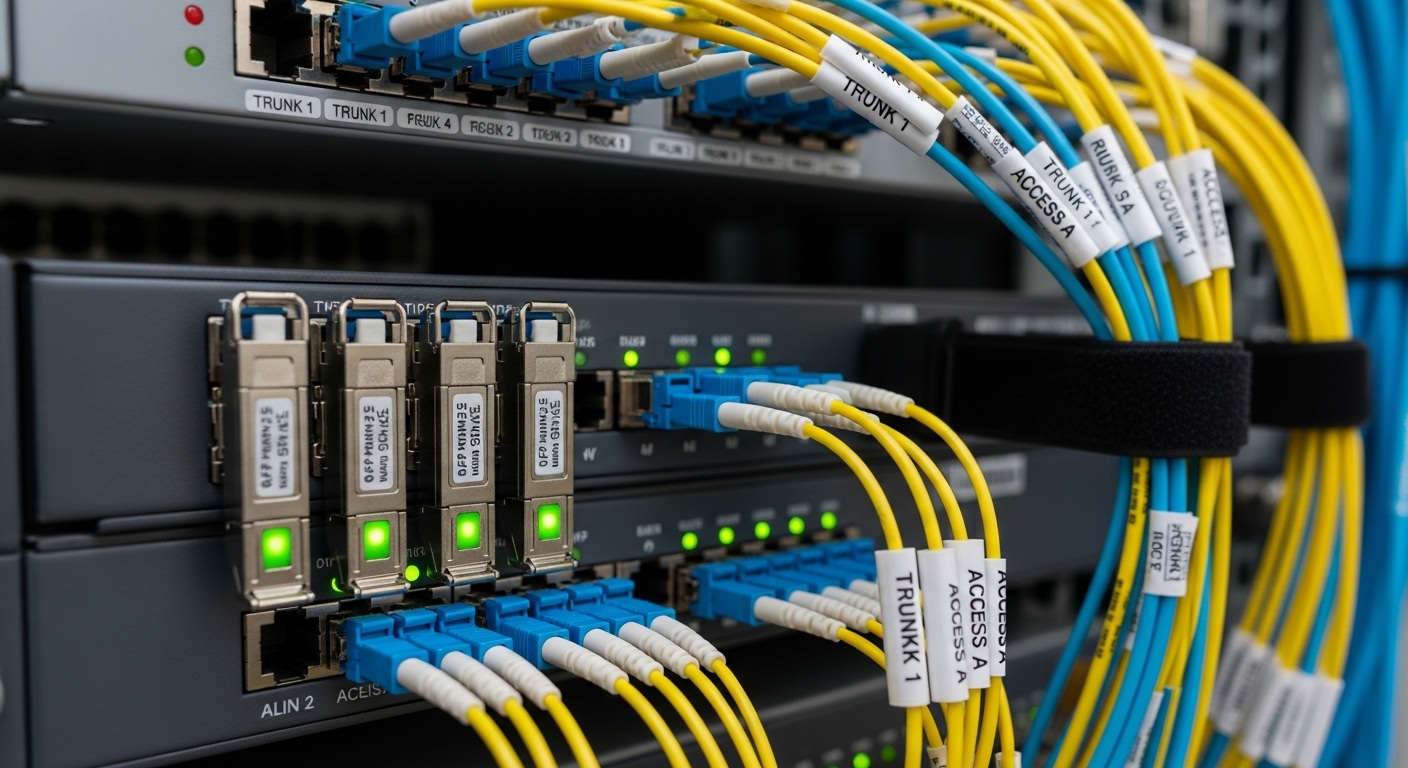
Before you swap modules or re-terminate fiber, assemble the evidence that optical diagnostics require. Edge deployments frequently run in weatherized cabinets, so the fastest path is to confirm link behavior at the physical layer and then validate module and transceiver health. Use vendor-agnostic tooling first, then escalate to vendor-specific DOM queries only when needed.
Tools and data to stage
- Optical power meter with the correct wavelength range (for example 850 nm for SR, 1310/1550 nm for LR/ER) and stabilized patch cords.
- Light source if you must verify end-to-end attenuation and connector cleanliness.
- Optical test adapter to avoid contaminating the module face while measuring.
- DOM-capable switch or transceiver tester (SFP/SFP28 I2C diagnostics).
- ESD-safe kit, lint-free wipes, isopropyl alcohol, and fiber inspection scope.
- Documented topology: leaf switch model, line card/port, module part numbers, fiber type (OM3/OM4, OS2), and patch panel locations.
Why this matters: optics faults often cluster into three buckets—bad optical budget, dirty/loose connectors, and incompatible or defective modules—each with different signatures. A disciplined measurement sequence prevents “shotgun replacement” that inflates downtime and cost.
For standards context on Ethernet physical layer behavior and optical link expectations, keep IEEE references at hand: IEEE 802.3 Ethernet Standard.
Step-by-step troubleshooting workflow for edge links
Edge computing links typically connect a ruggedized access switch to an aggregation switch over short-to-medium fiber spans. Your workflow should start with deterministic checks: interface counters, optical diagnostics, and connector integrity. Then you validate compatibility and negotiate speed, only after ruling out cleanliness and basic budget issues.
Confirm the symptom and isolate the affected direction
Record the exact failure mode: link down, flapping, high BER, or packet loss with link up. On the access switch, capture interface state and error counters, then compare with a known-good port. In edge sites, “link up” can still hide a marginal optical budget, so check both CRC errors and FEC/PCS counters if your platform exposes them.
Expected outcome: You can classify the event as hard link failure (no signal) or soft failure (signal present but errors). This classification determines whether you focus on alignment/cleanliness first or on module compatibility and power budget.
Query DOM and log real module health metrics
Use DOM to extract Tx bias current, Tx output power, Rx received power, temperature, and supply voltage. In edge cabinets, temperature swings can push transceivers near thresholds, especially where airflow is restricted. If you see Rx power near the receiver sensitivity limit while Tx power is normal, suspect fiber attenuation, connector contamination, or a wrong fiber type.
Expected outcome: A baseline dataset that tells you whether the problem is optical (power/budget) or electrical/compatibility (DOM anomalies, warnings, or unsupported optics).
For how DOM diagnostics map to optical transceiver monitoring concepts, consult vendor implementation notes and general fiber safety guidance from the Fiber Optic Association: Fiber Optic Association.
Validate physical layer compatibility and speed negotiation
In edge computing, operators often replace optics from a spare bin and assume “it should work.” Many platforms enforce compatibility rules: vendor-specific firmware, supported part numbers, or control-plane policies for optics. Confirm that the switch port supports the module type (for example 10G SFP versus 10G SFP+ versus 25G SFP28) and that the negotiated speed matches what the application expects.
Expected outcome: You eliminate the silent failure mode where the transceiver is detected but the link negotiates a lower speed, causing latency spikes or traffic pattern failures.
Inspect and clean connectors before measuring power
Dirty connectors are the most common root cause of edge optics “mystery failures.” Use a fiber inspection scope to check for scratches, haze, or particulate matter on both the module face and the patch connector. Clean with lint-free wipes and approved solvent, then re-inspect. Only then measure optical power to confirm whether the budget is actually failing.
Expected outcome: If the failure is contamination-driven, you will see immediate improvement in Rx power and a reduction in CRC/FEC-related errors.
Measure optical power and compare to receiver sensitivity
With cleaned connectors, measure Tx output and Rx received power at both ends if possible. Compare measured values to the transceiver’s specified parameters for the wavelength and reach class. Remember that SR modules (typically 850 nm) are sensitive to fiber type (OM3 versus OM4) and patch panel losses; OS2 modules depend heavily on splice quality and end-to-end attenuation.
Expected outcome: A clear pass/fail against the optical budget, separating “budget too small” from “module defective.”
Decide: re-seat, re-terminate, or replace the module
Make replacements only after you can justify them with evidence. If DOM shows abnormal temperature or biased current, replace the module and quarantine the suspect unit. If power is low but module diagnostics are normal, re-check fiber routing, patch cords, and splice losses.
Expected outcome: A reproducible fix, not a guess—documented with before/after power and error counters.
Pro Tip: In edge cabinets, a “clean-looking” connector can still be optically contaminated by microfilm from improper cleaning. If DOM Rx power is low and cleaning seems to help only briefly, inspect again after the second clean and replace any patch cords that show repeated hazing or ferrule scratches.
Optical module specs that matter for troubleshooting
When you troubleshoot, you are really auditing a chain: optics wavelength, fiber type, connector loss, and receiver sensitivity. The table below captures the key parameters you should map to your site’s fiber plant and switch port expectations.
| Module class | Typical wavelength | Reach (example) | Connector | Operating temp (example) | Data rate | Common edge failure trigger |
|---|---|---|---|---|---|---|
| 10G SR SFP+ | 850 nm | Up to 300 m over OM3/OM4 | LC | 0 to 70 C (often) | 10.3125 Gbps | Patch panel attenuation or wrong OM type |
| 25G SR SFP28 | 850 nm | Up to 100 m over OM4 (varies) | LC | -5 to 70 C (often) | 25.78125 Gbps | Budget collapse due to extra jumpers |
| 10G LR SFP+ | 1310 nm | Up to 10 km | LC | -40 to 85 C (varies) | 10.3125 Gbps | Splice quality and OS2 attenuation |
| Single-mode long-reach | 1550 nm (ER/LR variants) | Beyond 10 km (depends) | LC | Wide temp options | 10G to 25G (depends) | Connector contamination at distance endpoints |
Pick modules that match your fiber plant. For example, a typical SR module like Finisar FTLX8571D3BCL (10G, 850 nm, LC) and common compatible equivalents can succeed in short-reach OM3/OM4 runs, but they fail when the fiber is mismatched or when edge cabinets impose thermal stress beyond the module’s spec.
For Ethernet physical layer alignment and operational expectations, the OIF and IEEE ecosystems inform interoperability patterns; for general optical interconnect considerations, OIF provides background on high-speed optical interface work.
Real-world edge deployment scenario: where troubleshooting gets hard
Consider a 3-tier edge deployment at a manufacturing site: 48-port 10G ToR switches connect to a regional aggregation switch via 12 fiber runs per production line. Each edge cabinet is sealed, with ambient temperatures ranging from -10 C to 55 C, and patch cords add roughly 0.8 dB extra loss per run due to equipment moves. During shift changes, operators report intermittent packet loss; the switch shows link up but CRC errors climb.
Following the workflow, a DOM check shows Rx received power hovering near the lower threshold while Tx bias current increases slightly and temperature approaches the upper limit. Inspection reveals a fine haze on one LC connector; after cleaning and re-seating, Rx power rises by 1.2 dB and CRC errors drop to near zero. The root cause is not “the network,” but a marginal optical budget amplified by thermal conditions and connector contamination.
Selection criteria checklist for edge optics reliability
Engineers choose optics not only for reach, but for operational robustness under edge constraints. Use this ordered checklist during procurement and when building a spare strategy for troubleshooting readiness.
- Distance and fiber type: confirm OM3 versus OM4 for SR, and OS2 for LR/ER; verify total budget including patch cords and patch panels.
- Data rate and interface standard: ensure the module matches the switch port (SFP+ versus SFP28 versus QSFP); verify expected line coding.
- Switch compatibility: confirm the exact module type and supported vendor list; check whether the switch enforces optics vendor checks.
- DOM support and alarm thresholds: prefer modules that expose stable Tx/Rx power and temperature for fast troubleshooting.
- Operating temperature range: edge cabinets can exceed typical datacenter airflow; choose modules with appropriate temperature ratings.
- Power budget and connector strategy: plan for conservative margins (for example, keep received power comfortably above sensitivity under worst-case temperature).
- Vendor lock-in risk: weigh OEM optics warranties against third-party availability; validate interoperability in a staging rack before scaling.
Common pitfalls and troubleshooting failure modes
Even careful teams repeat predictable mistakes. Below are the top failure points, each with a root cause and a field-ready fix.
Pitfall 1: Swapping modules without proving optical power or cleanliness
Root cause: Connector contamination or wrong fiber type creates low Rx power, so the replacement module appears “bad” when it is actually the plant problem. Solution: inspect the ferrules with a scope, clean both ends, then measure Rx power to validate against receiver sensitivity before replacing again.
Pitfall 2: Ignoring thermal margin in sealed edge cabinets
Root cause: A module that operates within spec in a lab can drift near thresholds in a sealed enclosure. Tx bias may rise, and Rx sensitivity can effectively degrade under temperature stress. Solution: log DOM temperature during failure windows; improve airflow or choose a wider temperature-rated module for the site class.
Pitfall 3: Mismatched optics class or speed negotiation surprises
Root cause: The switch may accept a transceiver but negotiate a different speed or mode, leading to higher error rates and application-level instability. Solution: confirm port speed after insertion, verify transceiver type (SFP versus SFP28), and match the module to the port’s supported optics profile.
Pitfall 4: Assuming all “SR” fibers are equivalent
Root cause: OM3 and OM4 are not interchangeable in practice; extra attenuation from older patch cords can collapse budgets at 25G. Solution: verify fiber type markings and measure end-to-end loss; keep a conservative margin for edge patching churn.
Cost and ROI note for optics troubleshooting readiness
In many enterprise edge programs, OEM optics can cost roughly 1.5x to 3x compared with third-party equivalents, but the ROI often depends on failure rate and labor time. A field swap event can consume 30 to 90 minutes of technician time when spares are not validated, and rework can multiply if connectors are repeatedly contaminated. TCO improves when you standardize module part numbers, maintain a tested spare pool, and document DOM baselines so troubleshooting becomes evidence-driven rather than transactional.
For example, third-party optics may reduce purchase cost, but compatibility quirks can extend downtime if a switch enforces optics checks. If you choose third-party, validate in a staging environment with your exact switch models and confirm DOM fields behave as expected during stress.
FAQ: buying and debugging optical modules at the edge
How do I start troubleshooting when the link is down?
First, confirm the port state and error counters, then query DOM for Tx and Rx. If DOM shows no Tx output, suspect a defective module or incompatible insertion. If Tx is present but Rx is absent, inspect and clean connectors, then measure received power to locate budget or plant issues.
What DOM values are most useful during troubleshooting?
Track Tx bias current, Tx output power, Rx received power, and temperature. During intermittent edge failures, a rising temperature with drifting power often points to marginal optics or enclosure thermal stress. Always compare to a known-good link baseline rather than relying on a single snapshot.
Can a dirty connector look fine to the naked eye?
Yes. Microfilm and fine haze can reduce optical coupling without visible dust. Use an inspection scope, clean with controlled steps, and re-inspect; then measure Rx power to confirm the fix.
Are third-party optical modules safe for edge deployments?
They can be, but you must validate compatibility with your switch firmware and confirm DOM behavior. Standardize part numbers, test in a staging rack, and keep a quarantine process for any module that triggers alarms. This reduces the risk that troubleshooting becomes a prolonged compatibility chase.
How much optical margin should I plan for at the edge?
Plan for conservative margins because patch cords and rework accumulate loss over time. If your application is sensitive to errors, aim to keep Rx received power comfortably above the receiver sensitivity under worst-case temperature. Document and re-check budgets when equipment is moved or cabinets are re-terminated.
When should I suspect fiber plant issues rather than module defects?
If DOM shows normal Tx power but Rx power is consistently low across multiple modules, suspect the fiber plant, connectors, or splices. If the same module works on another port with similar distance, the plant is more likely. Use measured end-to-end loss and connector inspection results as your decision anchor.
Edge link troubleshooting is most successful when you treat optics as a measurable system: validate DOM health, confirm cleanliness, and compare power against budget before replacing hardware. Next, align your diagnostics approach with fiber-optic-link-budget and build a repeatable optics spares plan around your real-environment measurements.
Author bio: I have deployed and troubleshot SFP and SFP28 optics in field cabinets with constrained airflow, logging DOM power and temperature alongside interface error counters to isolate root causes. My work applies Ethernet physical layer expectations and disciplined optical measurement to reduce downtime in edge computing networks.
