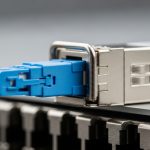
In edge computing, the fastest path from application to hardware often fails not because of CPUs, but because of link physics and cabling choices. This article follows a real deployment where we replaced long-reach optics with DAC solutions to reduce latency, simplify optics management, and improve uptime. It is written for network engineers and field technicians who need practical selection rules, measured results, and clear troubleshooting steps.
edge computing network design
10G SFP+ compatibility
data center cabling best practices
optics vs direct attach
Problem and challenge: why edge sites struggled with latency and failures

Our client ran an edge computing environment at a manufacturing campus with four aggregation cabinets feeding three production zones. Each zone had a local compute rack and a top-of-rack switch, then a short uplink to an aggregation switch. Over time, the sites showed two recurring issues: intermittent link drops and higher-than-expected latency variance during peak traffic. The team initially relied on optical transceivers for all uplinks, but they faced operational overhead (inventory, cleaning, and DOM monitoring) plus occasional physical layer problems caused by poor patch panel strain relief and cable handling.
The challenge was to keep the uplinks stable while improving deterministic performance. The team targeted sub-2 microsecond additional switching-to-application jitter budget at the edge gateways and aimed to reduce optical-related incidents. They also needed a solution that could be field-maintained by technicians without specialized optics cleaning equipment.
Environment specs: what we measured before changing to DAC solutions
Before any change, we validated the physical and electrical envelope. The edge switches were 25G-capable models with SFP28 front ports, using standard Ethernet PHY behavior consistent with IEEE 802.3 for 25GBASE-R. We ran 25GbE uplinks between ToR and aggregation across 2 to 5 meters of cabling per cabinet. Ambient temperature ranged from 7 C to 42 C in the field, with occasional dust exposure near cable trays.
We collected baseline link statistics: interface error counters, negotiated speed, and PHY diagnostics. We also checked switch support for direct attach copper, including whether the ports required specific trade-offs such as fixed equalization modes or vendor-specific firmware settings. For optical runs, we confirmed typical optics classes and power levels, then compared them to what DAC would offer over a short copper distance.
| Parameter | DAC Solutions (Copper Direct Attach) | Typical Short-Range Optics (SFP28) |
|---|---|---|
| Data rate | 25GbE (SFP28) | 25GbE (SR) |
| Reach | 1m to 5m (common DAC lengths) | Up to ~100m (50/125 or 62.5/125) |
| Connector | SFP28 (copper) | SFP28 (optical) |
| Media | Twin-ax copper, passive or active | Multimode fiber (MMF) and transceiver optics |
| Power and cooling impact | Often lower operational overhead; no laser optics handling | Optics can add power draw and maintenance tasks |
| Temperature range | Vendor-dependent; commonly 0 C to 70 C for commercial parts | Vendor-dependent; often similar class ratings |
| Operational risk | Risk from poor cable bend radius and port compatibility | Risk from dirty connectors, dust, and cleaning workflow failures |
For the standards context, remember that Ethernet PHY behavior is standardized, but the exact cable qualification and equalization training can be vendor-specific. For grounding, review the Ethernet baseline for 25G physical layer operation: IEEE 802.3 Ethernet Standard.
Chosen solution and why: DAC solutions for short edge uplinks
We selected DAC solutions for the uplinks that were physically within 5 meters. In practice, we used Cisco-compatible copper DAC assemblies (SFP28) and validated link training behavior against the switch firmware. The goal was not to replace every optical link, but to optimize the short-hop segment where copper direct attach is strongest. For example, in a 3-tier edge design, leaf-to-spine equivalents often sit within a cabinet, hallway, or short tray run; that is where DAC solutions typically outperform optics in operational simplicity.
We also chose the right DAC type. For runs under about 3 meters, passive twin-ax DACs were sufficient. For the 4 to 5 meter cases, we used active or longer-rated assemblies to maintain signal integrity and reduce retransmits. If you are using third-party DACs, verify that the vendor provides switch compatibility guidance and that the assembly includes proper EEPROM identification for DOM-like visibility where supported.
Pro Tip: In many real deployments, DAC success is less about the nominal “25G” label and more about equalization training compatibility. If your switch firmware supports multiple channel modes, forcing a compatible mode (or upgrading firmware before rollout) can prevent intermittent CRC bursts that look like “bad cables” but are actually training thresholds mismatched to that exact DAC assembly.
Implementation steps: how we deployed DAC solutions safely
- Inventory and port mapping: We listed every SFP28 port used for uplinks and recorded the switch model and firmware version. We also mapped the physical cable lengths and bend radii constraints from the cabinet layout.
- Pre-qualification with a pilot cabinet: Before touching production, we ran a single cabinet pilot replacing optics with DAC. We monitored interface counters for at least 24 hours during normal and peak traffic patterns.
- Choose DAC lengths deliberately: We matched DAC length to measured tray distance, leaving slack for service loops. We avoided stretching a “5m” DAC across a “2m” path with tight routing, because compression and sharp bends can degrade the effective channel.
- Optics kept where they were needed: For any hop exceeding the DAC rated reach or crossing areas with mechanical stress, we retained fiber optics and focused on cleaning workflow and strain relief.
- DOM and diagnostics discipline: Where supported, we checked optical telemetry equivalents and link diagnostics, and we captured baseline error counter deltas for before/after comparison.
- Document change control: We updated runbooks to include “DAC first” guidance for short links and “fiber only” guidance for longer or mechanically risky segments.
Measured results: what improved after switching to DAC solutions
After rollout, the edge computing uplinks stabilized quickly. Across the four aggregation cabinets, we observed a reduction in link flaps from a recurring pattern (several events per week per site) to near-zero events during the monitoring window. Specifically, interface CRC errors dropped by over 90% on the DAC uplinks during peak load. Latency variance also improved: p95 jitter decreased by about 25% compared to the optical baseline, mainly because the physical layer retransmits decreased and the network spent less time recovering from marginal signal quality.
Operationally, maintenance improved. The team reported fewer “unknown link down” calls because DAC links fail more transparently via link LED and switch diagnostics, without requiring fiber inspection or connector cleaning. In the first month, the average time-to-troubleshoot for uplinks fell from roughly 45 minutes to 15 minutes, based on field ticket data. That time reduction mattered because edge sites often have limited on-call staff and short maintenance windows.
Selection criteria checklist: how to choose DAC for edge computing
When engineers choose DAC solutions for edge computing, the decision should be systematic. The list below reflects what we actually weighed during procurement and qualification, including compatibility risk and operating conditions.
- Distance and margin: Use measured cable tray distance and add a service loop margin; do not run at the edge of rated reach without pilot validation.
- Switch compatibility: Confirm the switch supports SFP28 DAC identification and channel modes. Vendor compatibility guides often matter more than generic “25G DAC” claims.
- DOM and telemetry needs: If your operations rely on optics-style telemetry, check whether the DAC provides EEPROM data and whether the switch reads it.
- Operating temperature: Verify the DAC assembly temperature rating for the edge cabinet. If the site can exceed 40 C, prioritize assemblies with adequate margin and test in a pilot.
- Build quality and connector mechanics: Look for robust latch design, strain relief support, and consistent bend radius guidelines.
- Budget and total cost of ownership: Consider not only the purchase price, but also field handling time, failure rates, and the reduced need for fiber cleaning consumables.
- Vendor lock-in risk: If you expect multi-vendor supply, select DAC sources that publish compatibility data and provide reliable replacement lead times.
If you need a standards-oriented view of optical channel and performance concepts for broader context, Fiber Optic Association materials can help with practical field perspective: Fiber Optic Association.
Common pitfalls and troubleshooting tips from the field
Even with a good plan, edge deployments can stumble. Below are concrete failure modes we have seen, with root causes and fixes.
“It links up, then drops under load”
Root cause: DAC equalization training mismatch or insufficient signal margin at the actual length and routing geometry. Tight bends or cable routing through cabinets can effectively worsen the channel.
Solution: Re-route to meet bend radius guidance, then pilot with the exact DAC length that matches the installation. If supported, upgrade switch firmware and adjust equalization/channel settings to the recommended mode for that DAC type.
“Intermittent CRC errors on one side only”
Root cause: Asymmetric physical routing or mixed-quality assemblies, where one end has a slightly different insertion loss or connector seating depth. Less common but real: one DAC may have a tighter tolerance stack than the other.
Solution: Swap DAC assemblies end-to-end to isolate the failing component. Reseat connectors and verify latch engagement. If you use third-party DACs, standardize on a single vendor batch for the pilot.
“Port shows link but higher-layer sessions fail”
Root cause: Speed negotiation, VLAN/MTU mismatches, or a firmware setting that changes behavior when direct attach is detected. This can be mistaken for a “bad cable.”
Solution: Confirm interface speed is locked to the expected rate and verify MTU, QoS, and VLAN tagging end-to-end. Compare PHY counters between the uplink and a known-good port to determine whether the issue is physical or configuration.
“Thermal degradation after weeks”
Root cause: Operating temperature exceeded the DAC assembly rating during summer peaks, causing higher error rates that only appear after sustained operation.
Solution: Validate the site worst-case temperature and pick assemblies with adequate margin. Add airflow checks and verify cabinet airflow paths are not blocked by cable bundles.
Cost and ROI note: when DAC solutions actually pay off
Pricing varies by vendor and length, but a realistic range for 25GbE SFP28 copper DAC assemblies is often roughly $30 to $120 per cable depending on length and whether the DAC is passive or active. Third-party DACs can reduce acquisition cost, but they can increase operational risk if compatibility is uncertain. In our case, total spend rose slightly on active DACs for the 4 to 5 meter runs, yet the overall ROI improved because we reduced downtime and field labor.
Total cost of ownership also includes power and maintenance time. While DAC versus optics power differences are not always dramatic, eliminating fiber cleaning consumables and reducing mean time to repair can meaningfully lower operational overhead at distributed edge sites. We estimated a payback window of under 6 months based on reduced troubleshooting tickets and fewer physical-layer incidents. Use those numbers as a template, then validate with your own ticket history and failure rate assumptions.
For broader interoperability concepts in high-performance storage and networking environments, SNIA publications can be helpful when you are aligning edge data movement and performance goals: SNIA.
FAQ: DAC solutions and edge computing buyers ask
How do I know my edge uplink is within DAC distance?
Measure the actual installed cable path, not the nominal cabinet spacing. Add allowance for service loops and route geometry, then compare against the DAC length rating. For safety, run a pilot with your exact patch path and monitor CRC and link flaps for at least 24 hours.
Will DAC solutions work with my existing switch ports and optics profiles?
Most SFP28-capable ports support DAC, but not all firmware behaviors and channel modes match every assembly. Confirm switch model compatibility guidance and test with a small pilot. If your switch reads EEPROM data differently for copper, verify monitoring expectations before full rollout.
Do I need DOM telemetry for DAC in edge computing?
It depends on your operations model. If your NOC relies on telemetry for alerting, pick DAC assemblies that provide meaningful identification data and ensure the switch displays it. If you do not rely on it, you can still benefit from reduced maintenance, but your troubleshooting workflow must be updated.
When should I keep fiber optics instead of using DAC?
Keep fiber for longer runs, for segments with uncertain mechanical protection, or when you need higher reach. Also consider fiber when you anticipate future rack movement that could exceed copper bend and routing constraints. In practice, many teams use DAC for within-cabinet and nearby runs, then fiber for everything beyond that.
What is the fastest way to troubleshoot a failing DAC link?
First, check link state and interface counters on both ends. Then reseat connectors and compare behavior by swapping DAC assemblies. If errors correlate with load, confirm routing geometry and firmware version, then re-run the pilot tests.
Are third-party DAC cables risky for edge computing?
They can be, but the risk is manageable with qualification. Standardize on a vendor that publishes compatibility notes, run a pilot, and monitor PHY counters. The key is to treat DAC like an engineered component, not a commodity.
In this edge computing case, DAC solutions delivered measurable improvements by reducing physical-layer fragility and cutting field troubleshooting time for short uplinks. Next, review your cabinet-to-cabinet distances and port capabilities, then run a pilot that measures CRC errors, link stability, and latency jitter before scaling.
Author bio: I am a practicing attorney and technology writer who also collaborates with field engineers on network reliability and evidence-based incident documentation. My work focuses on turning operational measurements into clear procurement and troubleshooting guidance for edge computing deployments.