Edge computing optical module buying guide for real-world links
In edge computing deployments, the optics you choose can make or break uptime: a marginal reach spec, a mismatched vendor firmware, or a temperature derating curve can turn into intermittent packet loss. This article helps network and facilities engineers, as well as field techs, select SFP/SFP+/QSFP transceivers and fiber connectivity that actually survive day-to-day operations at the edge. You will get a practical buying checklist, troubleshooting patterns, and a specs comparison table you can use during procurement.
Top 8 optical module types that commonly appear in edge computing builds

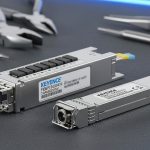
Edge sites tend to be constrained by rack space, airflow, and power budgets, so module form factor and optical class matter as much as link rate. In practice, you will see a mix of short-reach and longer-reach transceivers depending on whether the edge node is a nearby aggregation point or a true remote facility. For Ethernet optics, the baseline is IEEE 802.3 physical-layer behavior, while reach and transceiver electrical/optical parameters come from vendor datasheets and the relevant SFF Multi-Source Agreements (MSAs). IEEE 802.3 Ethernet Standard
What you should expect to standardize on
Most edge computing stacks converge on 10G and 25G today, with some 40G/100G depending on backhaul. If you are building a repeatable design, standardize by lane count and wavelength plan: for example, 850 nm multimode for short in-building runs and 1310/1550 nm single-mode for campus and remote backhaul. This reduces spares complexity and simplifies diagnostics when a remote site needs a fast swap.
Common module shortlist (field reality)
- SFP+ 10G SR (850 nm multimode) for server-to-switch and ToR topologies.
- SFP28 25G SR (850 nm multimode) for modern 25G access layers.
- QSFP28 100G SR4 (850 nm multimode) for higher-density edge aggregation.
- QSFP28 100G LR4 (1310 nm single-mode) for longer backhaul.
- QSFP+ 40G SR4 (850 nm multimode) in legacy edge refresh programs.
- QSFP28 50G/100G DR/FR variants (single-mode) depending on vendor naming.
- SFP 1G/10G “legacy” optics for brownfield edge sites with older switches.
- Vendor-specific “extended temp” optics where outdoor or unconditioned cabinets are common.
Pros: Fewer spares, predictable link behavior, easier acceptance testing. Cons: Standardization can conflict with existing switch BOMs and installed fiber types.
Image concept: A field technician inspecting an SFP28 module above an edge rack, emphasizing real handling and environment.
Compare reach, wavelength, and power budgets before you buy
Edge computing failures often stem from optics that meet headline reach but miss real link budgets after connector loss, patch panel reflections, and aging. Your procurement decision should be anchored to wavelength, reach class, and the module’s transmit power and receiver sensitivity, then adjusted for your fiber plant. For Ethernet optics, vendors publish typical and maximum transmit powers, receiver sensitivity, and optical compliance with the relevant IEEE 802.3 PHY expectations. ITU-T optical fiber recommendations
Specs snapshot (use as an engineering starting point)
Below is a practical comparison of common Ethernet optics used in edge computing. Values vary by manufacturer, so treat this as a selection template and always confirm the exact datasheet for your transceiver SKU.
| Module type | Data rate | Wavelength | Typical reach class | Fiber type | Connector | Operating temp | Power profile (rule of thumb) |
|---|---|---|---|---|---|---|---|
| SFP+ 10G SR | 10G | 850 nm | Up to 300 m (OM3) / 400-500 m (OM4) | MMF (OM3/OM4) | LC | 0 to 70 C (standard) or extended variants | Low-to-moderate (typically a few watts per module) |
| SFP28 25G SR | 25G | 850 nm | Up to 100 m (OM3) / 150 m (OM4) | MMF (OM3/OM4) | LC | 0 to 70 C (standard) or extended variants | Moderate; plan for higher heat than 10G SR |
| QSFP28 100G SR4 | 100G | 850 nm | Up to 100 m (OM4 common) | MMF (OM4) | LC (4-lane array) | 0 to 70 C (standard) or extended variants | Higher; verify switch power budget |
| QSFP28 100G LR4 | 100G | ~1310 nm (4 wavelengths) | Up to 10 km (single-mode) | SMF (OS2) | LC | 0 to 70 C (standard) or extended variants | Moderate; depends on vendor optical class |
| QSFP28 100G DR1/FR1 | 100G | ~1310/1550 nm | 10-80 km (varies) | SMF (OS2) | LC | Varies; extended temp is common for edge backhaul | Depends on reach and laser class |
How to turn specs into a real link budget
In an edge site, the fiber plant loss is rarely just “cable length times attenuation.” You should include patch panel loss, connector insertion loss, and any splitters or WDM components. A common field approach is to get an OTDR trace for SMF or a fiber test report for MMF, then compare the measured loss to the module’s specified maximum link distance and power budget. If you cannot get OTDR data, at least measure end-to-end loss with a proper optical power meter and documented wavelengths.
Pros: Fewer surprise link drops after installation. Cons: Requires basic fiber testing discipline and accurate inventory of connectors and adapters.
Image concept: A vector diagram that visually maps optics to a link budget for edge computing planning.
Compatibility and DOM: the hidden requirements for edge computing uptime
Even when a transceiver is “electrically compatible,” edge computing reliability depends on how the switch negotiates optics and how diagnostics are exposed. Most modern platforms use Digital Optical Monitoring (DOM) or vendor-specific monitoring implementations to surface TX power, RX power, temperature, and sometimes bias current. If you deploy third-party optics, you must validate that your switch firmware accepts the module and that the DOM fields are mapped correctly for alarms and thresholds.
What to check during procurement
- DOM support and alarm mapping: Confirm the switch reads DOM values and that monitoring dashboards interpret them correctly.
- MSA compliance: Verify the module follows the correct SFP/SFP+/QSFP28 MSA electrical interface requirements for your platform.
- Vendor firmware compatibility: Some platforms enforce optical vendor IDs or require a specific coding scheme.
- EEPROM contents: Validate that the module provides correct vendor and part identifiers used by your network OS.
- Thresholds and telemetry units: Ensure alarms trigger at the right units and not with swapped scaling.
Pro Tip: In edge operations, the fastest “early warning” is not link-up/link-down events. Instead, graph DOM RX power and TX bias current at 1 to 5 minute intervals; a slow RX power drift often predicts connector contamination or fiber micro-bend long before BER spikes.
Pros: Better predictive maintenance and faster incident response. Cons: DOM behavior differs by switch vendor and may require per-platform validation.
Image concept: A stylized visualization of DOM telemetry monitoring for edge computing operations.
Thermal and power realities: design for heat, not just bandwidth
Edge computing often runs in constrained enclosures where airflow is weaker than in a central data center. Many optics are specified for 0 to 70 C operating temperature, but extended temperature versions may be required for outdoor cabinets, utility rooms, or shipping-container sites. If a module exceeds its rated temperature, you may see increased bit errors, sudden link flaps, or a complete loss of signal after thermal cycling.
Field constraints that matter
- Airflow path: Ensure front-to-back airflow matches the switch fan design; avoid blocking vents with patch cords.
- Power budget: QSFP and 100G modules draw more power than 10G SR; confirm the switch line card and chassis power budget with the exact module class.
- Thermal cycling: Outdoor sites experience rapid temperature swings; choose optics with documented extended temp and robust laser aging characteristics.
- Conformal coating and humidity: If humidity is high, protect fiber terminations and ensure connectors are sealed or cleaned regularly.
Deployment scenario example (numbers included)
In a 3-tier edge deployment for industrial telemetry, a team installed 12 edge nodes in utility cabinets within 1 km of substations. Each edge node used a ToR switch with 24 ports of 25G uplinks to an aggregation rack over OM4 fiber runs averaging 90 m end-to-end, including patch panels and adapters. They standardized on SFP28 25G SR optics with extended-temperature variants and enabled DOM-based alerts for RX power drift. After tuning airflow (two additional 120 mm fans) and setting a maintenance threshold at -2 dB below baseline RX power, the site reduced “mystery” link renegotiations from several per month to near zero over a 90-day window.
Pros: More stable links under real environmental stress. Cons: Extended-temp and higher-power optics can increase unit cost and may require switch airflow upgrades.
Image concept: A real-world outdoor edge cabinet scene emphasizing thermal environment and cable management.
Multimode vs single-mode: choose the fiber plan that survives expansion
Multimode (MMF) is popular in edge computing because it is cost-effective for short in-building distances, but it can become a constraint when your topology grows or when you later extend backhaul. Single-mode (SMF) usually costs more per cable and termination, yet it provides longer reach and more flexible upgrade paths. The right choice depends on your current fiber plant, expected growth, and whether you can re-terminate or pull new runs without major downtime.
Decision logic engineers actually use
- Choose MMF SR when the edge site is an indoor cabinet or room with short patch runs and you can control connector quality.
- Choose SMF LR when distance, future expansion, or environmental constraints make long runs inevitable.
- Plan for connector hygiene: MMF and SMF both suffer from contamination, but MMF is often less forgiving when connectors are repeatedly unplugged.
- Validate fiber type: Confirm OM3 vs OM4 grading, and OS2 vs unspecified SMF. Mislabeling is a recurring edge failure mode.
Pros: Fiber choice aligns with real distance and future expansion. Cons: Changing fiber type later can require downtime, re-termination, or additional patch panels.
Image concept: An illustration contrasting MMF and SMF routes visually for edge computing planning.
Selection criteria checklist for edge computing optics (ordered for procurement)
When buying optics for edge computing, decisions must be repeatable across sites and vendors. Use this ordered checklist so the purchasing team and engineering team converge on the same requirements, with fewer “it should work” assumptions.
- Distance and measured loss: Use OTDR or a documented fiber test report; include connector and patch panel losses.
- Required data rate and lane mapping: Confirm whether you need 10G SR, 25G SR, 40G SR4, 100G SR4, or 100G LR4.
- Switch compatibility: Validate the exact module type with your switch model and software version; check optics compatibility lists where available.
- DOM support and telemetry: Ensure your monitoring stack can read and alarm on DOM fields for RX power and temperature.
- Operating temperature and thermal design: Match module operating range to worst-case site conditions; plan airflow if needed.
- Connector type and cleaning workflow: LC vs MPO, and whether you can support MPO cleaning tools and inspection.
- Optical coding and vendor lock-in risk: If you buy third-party, confirm EEPROM coding and firmware acceptance to avoid “unknown module” events.
- Spare strategy and lead times: For remote sites, stock at least one spare per optics class plus a cleaning kit and test equipment plan.
Pros: Fewer RMAs and faster deployments. Cons: Requires cross-team alignment and some up-front validation effort.
Image concept: A concept-art checklist that mirrors the procurement workflow.
Common pitfalls and troubleshooting tips for edge computing optics
Even with correct part numbers, edge sites introduce failure modes that central facilities rarely see. Below are concrete mistakes I have seen in the field, along with root causes and fixes you can apply immediately.
Link flaps after a “successful” install
Root cause: Connector contamination or micro-bending after patching; dust on LC ends can cause intermittent RX power dips. In edge cabinets, repeated vibration can worsen it. Solution: Clean connectors with the correct polarity and tool, inspect with a microscope/inspection scope, and verify RX power stability via DOM over 24 hours.
Works in the lab, fails at the site distance
Root cause: The measured fiber loss is higher than assumptions due to extra patch panels, uneven bending, or a misidentified fiber type (OM3 vs OM4). Solution: Re-measure end-to-end loss at the correct wavelength and compare to the module’s specified power budget; if necessary, switch from SR to LR optics or reduce the number of connectors.
“Unsupported transceiver” or missing telemetry
Root cause: DOM/EEPROM coding mismatch or switch firmware enforcement differences; some platforms reject third-party optics or do not map DOM fields. Solution: Verify compatibility with the switch model and software release; update firmware if permitted, or use optics explicitly listed as compatible for that platform.
Temperature-related degradation in unconditioned cabinets
Root cause: Modules operating above rated temperature due to blocked airflow or insufficient fan capacity; laser bias changes with temperature can increase BER. Solution: Add or adjust airflow, validate ambient temperature at the module cage, and switch to extended-temperature optics if the environment exceeds standard module ratings.
Pros: Faster incident resolution and fewer repeat failures. Cons: Some fixes require physical access and cleaning tools on-site.
Video concept: Field troubleshooting sequence: clean, inspect, verify telemetry.
Cost, ROI, and spares strategy for edge computing optics
Optics pricing varies widely by reach class and temperature grade. In 2025-era procurement, typical street ranges (before volume discounts) often look like: 10G SR SFP+ and 25G SR SFP28 in the tens of USD to low hundreds, while 100G LR4 QSFP28 and extended-temp single-mode optics can be several hundred USD per module depending on vendor and coding. OEM optics may cost more, but they can reduce compatibility risk and shorten mean time to repair when the switch vendor provides clearer support paths.
TCO factors you should model
- RMA and downtime cost: A remote swap can take hours; repeated failures are expensive.
- Power and cooling: Higher-power optics plus insufficient airflow can increase fan power and failure risk.
- Spare inventory: Stocking one spare per optics class can be cheaper than waiting for shipping to a remote edge.
- Failure rate and optical aging: Extended temperature and better laser aging can reduce early-life failures.
Pros: Better budgeting and fewer surprises during scaling. Cons: ROI depends on your operational discipline (testing, cleaning, telemetry).
Image concept: An infographic that makes total cost components visible for edge computing procurement.
Summary ranking: which optics choice fits most edge computing use-cases?
Use this ranking table as a quick decision aid. It is not a substitute for link budget validation, but it helps you pick the right category fast during design and procurement.
| Rank | Optics category | Best fit in edge computing | Primary advantage | Main limitation |
|---|---|---|---|---|
| 1 | SFP28 25G SR (850 nm) | Indoor edge aggregation, server-to-switch, short OM4 runs | High density with manageable cost | Distance tied to MMF and connector quality |
| 2 | SFP+ 10G SR (850 nm) | Legacy edge refresh and mixed 10G access | Broad compatibility and mature ecosystem | Lower headroom for future bandwidth growth |
| 3 | QSFP28 100G SR4 (850 nm) | High-density edge aggregation within OM4 reach limits | Consolidates bandwidth on fewer cables | MPO complexity and higher per-module cost |
| 4 | QSFP28 100G LR4 (1310 nm) | Edge backhaul over OS2 SMF | Longer reach with stable link budgets | Single-mode termination and higher module cost |
| 5 | Extended-temp optics (any of the above) | Unconditioned cabinets, outdoor edge sites, vibration-heavy areas | Reduces thermal surprise failures | Higher cost; still requires airflow validation |
FAQ
What optical module type should I standardize for edge computing?
Start with the most common data rate and your typical distance. If most edge racks are within OM4 reach, SFP28 25G SR is often a practical standard; if you frequently backhaul over SMF, standardize on LR optics for the uplinks.
Can I use third-party optics for edge computing?
Yes, but validate compatibility with the exact switch model and software version you run at the edge. Focus on DOM/EEPROM coding acceptance and confirm telemetry and alarms work as expected, not just link-up.
How do I prevent intermittent link loss at remote edge sites?
Implement a connector hygiene workflow: cleaning tools, inspection scope usage, and standardized patching practices. Then use DOM telemetry to watch RX power drift and temperature trends, so you catch contamination or aging before users notice.
Should I choose multimode or single-mode for future-proofing?
If you expect to extend distances or add remote backhaul, single-mode with LR optics is often more future-proof. If you are confident the edge remains strictly indoor and short, multimode SR can reduce cost and simplify deployment.
What operating temperature matters most for optics?
Use the module’s rated operating temperature and measure actual ambient temperature near the optics cage, not just the room average. Extended-temp optics help, but airflow design still determines whether you stay within safe margins.
Do I need DOM for edge computing optics?
DOM is strongly recommended for edge operations because it enables predictive maintenance and faster troubleshooting. Without DOM, many “degrading link” scenarios only show up as outages or rising retransmits.
If you want a reliable edge computing rollout, treat optics selection like a system design: validate link budgets, confirm switch compatibility and DOM telemetry, and design for temperature and connector hygiene. Next, review your fiber plant and monitoring strategy using fiber link budget for edge deployments to turn procurement requirements into measurable acceptance tests.
Author Bio: I am a field-proven software/hardware engineer with 10+ years deploying Ethernet and optical links in constrained edge environments, including remote cabinet rollouts and multi-vendor switch migrations. I focus on operational reliability: telemetry, thermal behavior, and practical troubleshooting workflows that reduce downtime.