
In AI infrastructure, a “works in the lab” optical link can still fail after you rack, patch, and power-cycle. This article helps network and data center engineers verify optical transceiver compatibility end-to-end, so you can avoid link flaps, CRC errors, and unexpected vendor lock-in. You will learn which specs actually matter (wavelength, reach, power budget, DOM behavior), how to validate switch support, and what to do when optics behave inconsistently under load.
Why optical compatibility breaks in AI infrastructure deployments
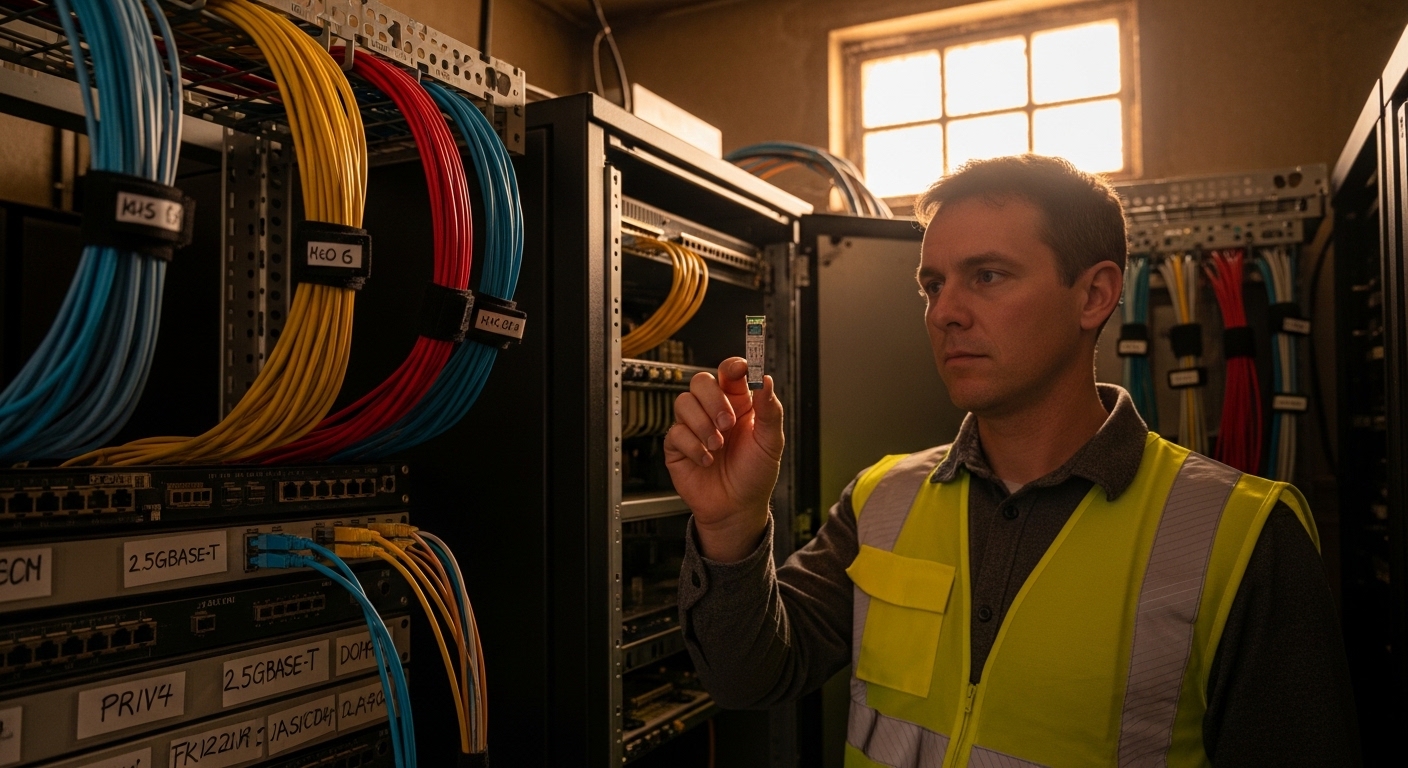
AI clusters stress links differently than typical enterprise traffic. Instead of steady, low-variance utilization, you get bursty east-west flows, frequent congestion events, and higher error sensitivity during rapid training phases. That means marginal optics, slightly out-of-spec fiber handling, or mismatched transceiver firmware can show up as soft errors first (CRC, FEC corrections), then as hard link drops under peak load.
Compatibility is not just “same form factor.” For pluggables, you must consider: the transceiver type (SR/LR/ER, active optical cable, etc.), electrical signaling and lane mapping, optical wavelength and launch power, receiver sensitivity, and whether the host switch expects specific management behavior. IEEE Ethernet standards define general behavior for 10G/25G/40G/100G optics, but vendor implementations of DOM and diagnostics can still differ. For baseline Ethernet requirements, start with the IEEE 802.3 family definitions like 100GBASE-SR4 and 25GBASE-SR. IEEE 802.3 Ethernet Standard
In real deployments, I have seen “mystery incompatibility” come down to DOM reporting format differences, not optics physics. Example: a switch might accept the module for basic link bring-up, but telemetry parsing fails, triggering platform alarms and sometimes adaptive optics shutdown behaviors. Another common issue is power budget mismatch: the module meets spec on paper, but the installed fiber and connector loss exceed what the switch assumes when setting monitoring thresholds.
Compatibility checklist that matches how optics are designed to fail
Think of an optical link like a vending machine: the physical shape matters, but the internal handshake and tolerances decide whether you get the right product. In AI infrastructure, the “handshake” is the host switch verifying module identity, electrical/lane expectations, and diagnostic capability. Your job is to check those layers before deploying at scale.
Step-by-step validation flow (practical order)
- Confirm the exact port standard on the switch (for example, 25GBASE-SR vs 100GBASE-SR4). Don’t rely on port speed alone; check the platform documentation and transceiver support matrix.
- Match transceiver type and wavelength. For multimode SR, you typically deal with 850 nm nominal. For LR/ER, you use different nominal wavelengths (for example, 1310 nm or 1550 nm depending on the standard).
- Verify reach against your installed loss. Use ANSI/TIA fiber planning methods and include patch cords, connectors, splices, and expected aging margin.
- Check optical power and receiver sensitivity from the module datasheet (not just “reach”). Pay attention to min receive power and max transmit power.
- Assess DOM support and behavior. The host might require certain DOM thresholds, calibration ranges, or a particular vendor memory layout.
- Validate operating temperature range. AI infrastructure often runs hot in top-of-rack and spine rows.
- Plan for firmware and compatibility caveats. Some switches only support specific third-party optics after a firmware update.
For fiber link planning practices, ANSI/TIA documents are the typical reference engineers cite when building loss budgets and connector/splice assumptions. ANSI/TIA Standards
Technical specifications table (what to compare, not what to guess)
Below is a comparison template using common module families you will encounter in AI infrastructure. Even if your part numbers differ, you should compare the same fields.
| Spec to verify | Typical value for SR (MMF) | Typical value for LR (SMF) | Why it matters for compatibility |
|---|---|---|---|
| Data rate | 25G, 40G, 100G (varies by lane count) | 10G, 25G, 40G, 100G (varies) | Host port must support the standard and lane mapping. |
| Wavelength | 850 nm nominal | 1310 nm nominal | Mixing MMF SR with SMF LR will fail or behave erratically. |
| Reach (nominal) | ~26 m to ~300 m (OM3/OM4 varies) | ~10 km (depends on standard) | Reach is constrained by power budget and receiver sensitivity. |
| Connector type | LC (common for SR and LR) | LC (common for LR) | Wrong connector or cleanliness issues create extra loss and errors. |
| Transmit power (Tx) | Datasheet range, often a few dBm | Datasheet range, often near 0 dBm class | Host thresholds and safety margins rely on these ranges. |
| Receiver sensitivity | Datasheet min receive power | Datasheet min receive power | Determines whether your installed fiber loss is survivable. |
| DOM / diagnostics | Vendor-specific thresholds | Vendor-specific thresholds | Some platforms require DOM fields to parse cleanly. |
| Operating temperature | Often 0 to 70 C or extended variants | Often 0 to 70 C or extended variants | High temps shift laser bias and can reduce margins. |
In AI infrastructure, you also need to check whether your platform uses “optics compatibility lockouts” (where certain third-party modules are blocked) or merely raises warnings. That distinction determines whether you can safely mix OEM and third-party optics during phased rollouts.
How DOM and vendor identity influence link behavior
DOM (digital optical monitoring) is the telemetry channel that reports laser bias current, transmit power, receive power, and temperature. In AI infrastructure, DOM is more than “nice to have” because many switches use it to enforce safety thresholds and to trigger automated actions (like rate limiting or link resets) when diagnostics look abnormal. The key compatibility nuance: DOM is not only about whether data exists, but also whether the host interprets it correctly.
Most pluggables follow standard management concepts, but vendors can implement different calibration offsets, threshold defaults, or alarm mappings. That can cause a module to “link up” but still generate persistent alarms or even flapping if the switch’s monitoring logic thinks the optics are out of range. If you are selecting optics for an AI cluster with strict stability requirements, treat DOM compatibility as a first-class requirement, not an afterthought.
DOM-related compatibility checks you can run before deployment
- Confirm switch support for third-party optics for your exact module family. Many platforms publish a compatibility list by part number.
- Validate DOM alarms in a controlled test. Insert the module, bring link up, then check whether the switch reports expected values and no persistent diagnostics.
- Check threshold behavior at temperature extremes. If you can, run an environmental test or at least monitor during high-load periods.
- Compare DOM readouts across identical optics. If one module shows consistently lower Rx power than its siblings, you may have a marginal unit or a fiber cleanliness issue.
For the broader ecosystem of storage and telemetry practices that often intersect with AI infrastructure monitoring, SNIA publishes useful guidance on how operational metrics should be interpreted and acted on. SNIA
Pro Tip: Before you blame the optics, capture a baseline of DOM values from a known-good module in the same port and compare the delta. If the switch reports the same receive power trend but still flaps, the issue is often lane mapping, firmware optics policy, or a physical connector cleanliness problem rather than raw optical power.
Real-world AI infrastructure scenario: validating 100G optics in a leaf-spine fabric
Here is a concrete example from a typical AI infrastructure deployment. Imagine a 3-tier leaf-spine topology where each ToR has 48 ports of 100G uplink capability, and the spine has 32 ports of 100G per chassis. The design uses 100GBASE-SR4 between leaves and spines over OM4 multimode fiber, with an expected patch-cord heavy environment: roughly 20 m total MPO patching distance plus about 1.5 dB of connector and splice loss budget.
During bring-up, the first handful of links come up, but after a training workload starts, a subset of links shows rising CRC counters and then drops. The team checks the optics: they are “SR4” and “100G,” but one vendor’s module datasheet shows a different transmit power range and a different DOM alarm mapping. Replacing those specific optics with a validated compatibility part number resolves the flaps, and the DOM alarms stop triggering under peak temperature.
The operational win is that you caught compatibility issues early by verifying: switch port standard, module identity behavior, and DOM alarm thresholds. The cost of the replacement optics is often less than the downtime impact of rerouting training jobs or losing hours to troubleshooting during peak build windows.
Selection criteria and decision checklist for optical transceivers
When engineers say “compatible optics,” they usually mean “works reliably in our exact switch and fiber conditions.” Use the checklist below in order, because the earlier items prevent expensive rework.
- Distance and fiber type: multimode vs singlemode, MPO vs LC, and expected installed loss.
- Standard match: confirm the host expects the specific Ethernet optical standard (for example, SR4 vs LR4) rather than only the nominal data rate.
- Switch compatibility matrix: verify the module part number is supported on your switch model and software version.
- DOM support and alarm mapping: check whether your platform reads DOM values cleanly and whether alarms are expected to be quiet.
- Operating temperature: ensure the module supports the real intake and exhaust temperatures in your rack.
- Budget and total cost of ownership: compare OEM vs third-party pricing, and include expected failure/return rates and downtime costs.
- Vendor lock-in risk: consider how much you will rely on one vendor’s optics ecosystem during the entire AI infrastructure lifecycle.
Compatibility caveats that surprise teams
- Same form factor, different behavior: an “SR” module can differ by lane count, fiber interface, or internal calibration.
- Software version matters: a switch firmware update can change how it validates optics identity or applies DOM thresholds.
- Connector cleanliness dominates: even perfect optics can fail if MPO/LC endfaces are contaminated or scratched.
Common pitfalls and troubleshooting tips (what to check first)
When optical links fail, teams often jump straight to “try another module.” That can work, but it is not the fastest path to root cause. Here are common failure modes I have seen in AI infrastructure rollouts, with likely root causes and concrete fixes.
Pitfall 1: Link flaps only under load
Root cause: marginal optical power budget plus thermal drift. The module is barely within the receive sensitivity margin, so bursts and higher temperatures push it over the edge.
Solution: measure Tx/Rx levels via DOM, then verify your installed loss with a proper OTDR or certified fiber test. Clean connectors and re-check patch cord lengths; if needed, switch to a higher-reach module or reduce loss (shorter patching, fewer connectors).
Pitfall 2: Persistent DOM alarms after insertion
Root cause: DOM interpretation mismatch or threshold differences. The module may be functional, but the switch might treat certain readings as out-of-range and trigger protective actions.
Solution: compare DOM readouts to a known-good compatible module. Update switch firmware if the vendor notes improved optics handling; otherwise, use a validated compatibility part number.
Pitfall 3: Works on some ports, fails on others
Root cause: port-specific lane mapping expectations, bad transceiver seat, or a physical connector issue on one patch panel row.
Solution: reseat the optics, inspect the connector endfaces with a scope, and swap the fiber patch to a different port while keeping the same optics. If the failure follows the port, escalate to the switch vendor for port diagnostics and transceiver policy settings.
Pitfall 4: “Correct standard” but wrong fiber type
Root cause: multimode SR optics used with singlemode fiber (or vice versa), often due to labeling mistakes during cabling.
Solution: verify fiber type at the patch panel with records and field testing. Confirm cable plant OM3/OM4 vs OS2 behavior; then replace either the optics or the cabling to match the designed standard.
For troubleshooting workflows in fiber planning and test practices, the most reliable approach is to combine switch telemetry with certified fiber test results. If you do not have certification reports yet, generate them before you start swapping optics at scale.
Cost and ROI: OEM vs third-party optics in AI infrastructure
Cost decisions in AI infrastructure should include more than purchase price. Typical street pricing varies widely by region and port density, but a practical rule from many procurement cycles is that OEM optics often cost more upfront while third-party optics can reduce capex noticeably. Field experience shows that third-party optics can be cost-effective when you stay within validated compatibility lists and you test at least one batch in your exact switch model.
As a ballpark, many teams see OEM 100G optics priced in the higher hundreds to low thousands per module, while reputable third-party modules often land lower by a meaningful margin. The real TCO difference comes from: (1) downtime cost when optics fail, (2) engineering time spent on compatibility debugging, and (3) return logistics if the module is not supported or fails early.
ROI improves when you standardize on a few known-good part numbers, keep spare inventory sized to your failure rate assumptions, and enforce fiber cleanliness and certification. If you are doing phased rollouts, you can also stage compatibility testing per switch firmware version to avoid surprises during a later expansion.
FAQ: optical transceiver compatibility for AI infrastructure
How do I confirm a transceiver is truly compatible with my switch?
Check the switch model’s optics compatibility matrix and verify the exact Ethernet optical standard expected on that port (not just speed). Then validate DOM behavior in a controlled test, watching for persistent alarms and link stability under load. If you can, run a fiber test and compare expected loss to the module’s power budget.
Can I mix OEM and third-party optics in the same AI cluster?
Yes, but only if each module part number is supported by your switch and your software version. Mixing is usually fine when the standards match and DOM alarms are clean. If you see telemetry differences or alarms, stop mixing on production ports until you identify the mismatch.
What matters more: reach rating or DOM readings?
Both matter, but reach rating alone is not enough. DOM helps you see real transmit and receive power behavior under your thermal and operational conditions. If DOM shows receive power drifting toward thresholds during peak load, you likely have a power budget or fiber loss problem even if nominal reach looked acceptable.
Why does a link come up, then drop hours later?
That pattern often points to thermal drift, a connector that warms and changes contact quality, or marginal power margin that only becomes critical under sustained load. Clean and inspect connectors, reseat optics, and compare DOM trends over time. If the issue follows one module, swap it; if it follows one port or fiber path, focus on the physical layer and port policy.
Do I need to worry about firmware updates for optics compatibility?
In many platforms, yes. Firmware updates can change how the switch validates module identity, parses DOM, or applies diagnostics thresholds. If you are expanding an AI infrastructure cluster, test optics compatibility after firmware changes and before rolling to all racks.
What is the fastest troubleshooting workflow when optics fail?
Start with fiber cleanliness and connector inspection, then check DOM for Tx/Rx and temperature trends, and finally correlate errors like CRC and link down events. Swap either the optics or the fiber patch in a controlled manner to isolate whether the fault follows the module or the physical path. Keep notes on switch counters and timestamps so you can compare behavior across swaps.
If you want fewer surprises in AI infrastructure, treat optical transceiver compatibility as a measurable system problem: standard match, power budget, DOM behavior, and fiber certification. Next, review fiber optic transceiver compatibility and DOM monitoring and alarms to build a repeatable validation process across every rack expansion.
Author bio: I have deployed and troubleshot high-density Ethernet optics in production data centers, including leaf-spine AI fabrics with strict stability requirements and DOM-driven monitoring. I focus on practical validation steps that field engineers can execute under time pressure.


