
In AI infrastructure rollouts, the optical layer can become the quiet bottleneck: one mismatched transceiver or budgeted loss error and your training cluster stalls. This guide helps network and facilities engineers choose between active and passive optical solutions using field-ready criteria, including reach, power, connector realities, and thermal limits. You will get a practical comparison table, a deployment scenario, and troubleshooting steps you can apply on the next rack install.
Active and passive optics in AI infrastructure: what changes in the field
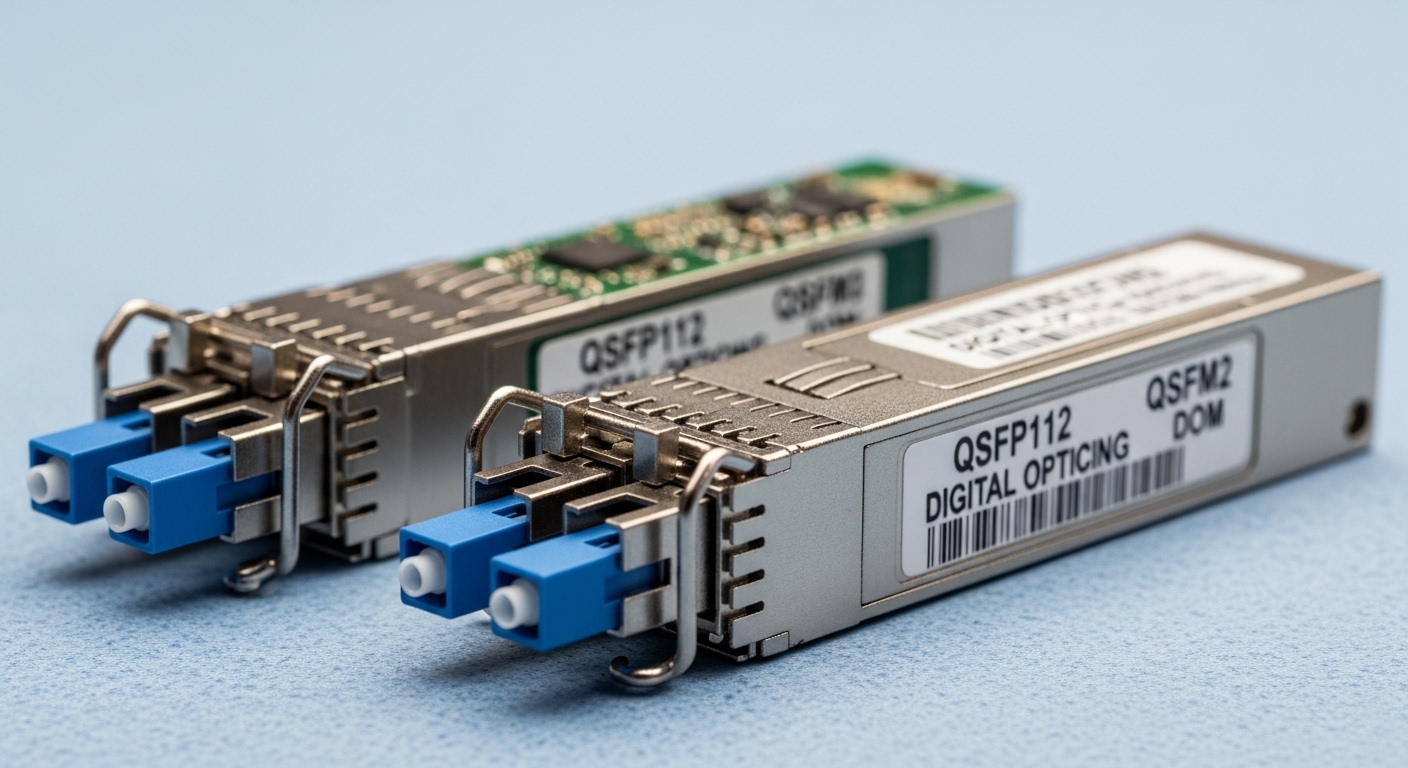
Active optical solutions place optics intelligence at the link endpoints: transceivers convert electrical to optical, while active components may include retimers or regeneration depending on architecture. Passive optical solutions rely on fixed optical components such as splitters, combiners, couplers, and fiber plant topology; the endpoints still require transceivers, but the mid-span does not actively convert or retime signals. For AI infrastructure, the key operational difference is where you spend engineering effort: active systems concentrate compliance and power inside the rack, while passive systems concentrate it in fiber plant design and optical budget management.
IEEE Ethernet optics guidance matters because many AI clusters run Ethernet-based fabrics and expect predictable link behavior under IEEE 802.3 variants such as 10G, 25G, 40G, and 100G optical interfaces. For system design constraints, treat your transceiver and cabling as a single optical budget chain, consistent with the relevant Ethernet optical specifications. IEEE 802.3 Ethernet Standard
In practice, active optical links often simplify troubleshooting: link partners negotiate familiar PHY behavior and you can isolate failures by swapping modules. Passive optical links can be more cost-efficient at scale, yet require disciplined fiber management—especially when building multi-node fanout trees for training clusters.
Side-by-side comparison: reach, power, connector load, and thermal limits
Use this table as a decision snapshot for common AI infrastructure link speeds. Always validate exact device compatibility against vendor datasheets and switch QSFP or SFP cage support; activation failures can occur when a switch expects specific vendor EEPROM profiles or DOM behavior.
| Category | Active optical solution (typical) | Passive optical solution (typical) |
|---|---|---|
| Where “active” lives | At endpoints (transceivers) and sometimes in mid-span regeneration/retiming | Mid-span uses passive optics (splitters/couplers); endpoints still require transceivers |
| Data rate examples | 25G, 50G, 100G per lane class (depends on module) | Often the same endpoint rates; topology may support fanout or aggregation |
| Wavelength examples | 850 nm (SR), 1310 nm (LR), or 1550 nm (ER/ZR depending on product family) | Same endpoint wavelengths; passive optics add insertion loss |
| Reach (typical engineering view) | Short-reach often: 70 m to 300 m depending on SR/LR class and fiber quality | Budget-limited by splitter/coupler insertion loss and topology; can be single-span hundreds of meters if engineered |
| Optical budget sensitivity | Medium; endpoints follow transceiver budgets with fewer mid-span loss points | High; insertion loss from passive components and extra connectors matters |
| Power/energy impact | Higher endpoint power draw; mid-span electronics may increase HVAC load | Lower mid-span power (no active electronics), but may require more endpoint ports or higher transceiver classes |
| Connector density | Fewer optical hop points if using point-to-point cabling | More optical interfaces are common due to fanout and patching |
| Operating temperature | Transceiver-limited; commonly 0 to 70 C for standard modules | Same transceiver limits; passive optics are passive but fiber temperature and enclosure airflow still matter |
| Upgrade flexibility | Easier to swap modules (within switch compatibility) for new speeds | Topology changes may require fiber rework if passive components are fixed |
If you are comparing concrete module families, consider examples like Cisco SFP-10G-SR (older 10G SR), Finisar FTLX8571D3BCL (common 10G SR family in the field), or FS.com SFP-10GSR-85 (850 nm SR class) as reference points for reach and DOM behavior. For 25G and 100G, the same principle holds: check optical power, receiver sensitivity, and DOM support, then count connectors and splices as real loss units.
Deployment scenario: a leaf-spine AI cluster choosing optics
In a 3-tier data center leaf-spine topology with 48-port 10G ToR switches at the edge feeding 24-port 100G spine uplinks, the team plans for AI infrastructure training runs that burst from 30% to 90% link utilization during data loading. The design uses 850 nm SR for top-of-rack to aggregation where the fiber plant is short (about 60 m from rack row to patch panel). For fanout to a shared GPU storage tier, they evaluate passive splitters versus active aggregation modules.
The passive option reduces mid-span power and removes electronics from the cable tray, but it forces strict optical budgeting: if the splitter insertion loss is 3.5 dB plus connectors and patch cords add another 1.0 dB, and the transceiver budget margin is 6 dB, the remaining allowance for aging and cleaning becomes thin. The active option uses endpoint regeneration or active aggregation to maintain margin, improving stability during maintenance swaps, but it increases rack power and adds thermal hotspots that must be modeled in HVAC.
Operationally, the decision often turns on maintenance behavior: if your team frequently re-patches during experiments, active point-to-point links can be faster to isolate. If your topology is stable and fiber management is mature, passive can deliver lower mid-span energy and fewer device points that can fail.
Selection criteria checklist engineers actually use
Before you buy, run this ordered checklist in a spreadsheet and attach it to the change ticket. Treat it like mise en place: the work is faster when the steps are explicit.
- Distance and loss budget: compute end-to-end budget including transceiver launch power, receiver sensitivity, splitter/coupler insertion loss, connector reflectance, and estimated aging margin (at least 1 to 2 dB for conservative operations).
- Switch and cage compatibility: verify vendor interoperability lists for the exact switch model and transceiver type; confirm the module form factor (QSFP28, QSFP56, SFP28, etc.).
- DOM and monitoring requirements: ensure DOM works with your network telemetry stack; missing or unsupported DOM can break automated port diagnostics.
- Operating temperature and airflow: confirm module temperature class and check whether the transceiver is derated in high-ambient zones; validate airflow paths in the rack.
- Connector strategy and cleaning process: count the number of mated pairs; plan for APC versus UPC where required by the passive component spec and transceiver guidance.
- Budget and TCO: include not only module price, but power draw, HVAC uplift, spares stocking, and mean time to repair.
- Vendor lock-in risk: evaluate third-party optics acceptance and your ability to procure spares without long lead times; check vendor warranties and compliance statements.
Pro Tip: In passive optical designs, the biggest hidden variable is not the splitter loss alone; it is the number of additional connectors and patch cord swaps over time. Field teams often win reliability by standardizing patching conventions (length, connector type, and cleaning verification) more than by chasing marginal dB improvements on paper.
For standards context, optical performance and system conformance expectations are commonly discussed under fiber and optical interface guidance from recognized bodies. For broader fiber and optical system considerations, see ITU-T Recommendations and follow the relevant optical interface families referenced by your vendor transceiver documentation.
Common pitfalls and troubleshooting that saves your night shift
When AI infrastructure links fail, symptoms look similar across architectures. The fixes differ. Here are concrete failure modes you can diagnose quickly.
Link flaps after re-patching: root cause is connector contamination
Symptom: ports go up then down during or after maintenance, often with high error counters. Root cause: dust or micro-scratches on connector end faces, especially after multiple re-terminations. Solution: inspect with an optical microscope or certified inspection scope, clean with correct consumables, and re-test; standardize connector caps usage in patch panels.
Passive topology fails at specific fanout branches: root cause is unaccounted insertion loss
Symptom: some endpoints work while others show low receive power or intermittent CRC errors. Root cause: splitter/coupler insertion loss plus extra patching points exceeded the transceiver optical budget; sometimes the topology depth changed during cable routing. Solution: re-run the full optical budget including worst-case connector loss and confirm splitter model insertion loss at the operating wavelength.
“Compatible” optics still rejected: root cause is DOM or EEPROM profile mismatch
Symptom: switch reports “unsupported transceiver” or keeps the port administratively down. Root cause: DOM telemetry expectations or EEPROM fields do not match what the switch vendor validates. Solution: use optics explicitly supported for that switch model; verify DOM visibility in your monitoring system and confirm that the module speed and lane mapping match the port configuration.
Thermal derating surprises during high-GPU workloads: root cause is local airflow disruption
Symptom: errors increase after hours of operation, then recover when cooling changes. Root cause: heat soak around transceivers and passive enclosure regions; training workloads raise ambient temperature. Solution: measure airflow at rack front-to-back, verify module temperature readings (DOM), and adjust baffles or fan profiles.
For fiber handling best practices and inspection workflows, the Fiber Optic Association provides widely used field guidance; review Fiber Optic Association resources when building your cleaning and inspection SOP.
Cost and ROI note: when cheaper optics cost more
Active optical solutions can carry higher upfront cost because they include more electronics and may require additional power and cooling. However, their operational simplicity often reduces downtime during AI infrastructure troubleshooting and shortens mean time to repair, which can be worth more than a small parts delta during peak training windows.
Passive optical solutions typically reduce mid-span power and can lower BOM cost for large fanout, but TCO can rise if optical budgets are tight, if cleaning SOPs are inconsistent, or if spare management becomes complex. In many deployments, third-party optics are viable, yet you should budget time for compatibility testing; OEM spares may cost more per module but can reduce risk when lead times are tight.
FAQ: active versus passive for AI infrastructure
Q: Which is safer for early-stage AI infrastructure deployments?
A: If your fiber plant is still evolving or maintenance will be frequent, active point-to-point designs are often safer because they preserve optical margin and simplify fault isolation. Passive can be reliable, but only when your optical budget modeling and patching discipline are mature.
Q: Do passive optics remove the need for transceivers?
A: No. Endpoints still require transceivers that convert electrical signals to optical. Passive components only remove active electronics from the middle of the link, shifting the risk toward insertion loss and connector cleanliness.
Q: How do I compare vendor transceivers fairly?
A: Compare launch power, receiver sensitivity, and DOM support, then map them to your exact topology: count connectors, patch cords, and any passive insertion loss. Do not compare only “reach” marketing numbers; use the full optical budget.
Q: What should I log during acceptance testing?
A: Record link negotiation status, DOM telemetry (temperature, bias current, optical power), error counters over a sustained load, and optical inspection results for each connector group. For passive systems, also test each fanout branch rather than only the “most likely” working ones.
Q: Are third-party optics acceptable for AI infrastructure?
A: Often yes, if they are validated for your exact switch model and if DOM and speed requirements match. Still plan compatibility testing and keep a clear rollback path, because unsupported transceivers can fail port bring-up.
Q: When does passive start to beat active on ROI?
A: Passive tends to win when the topology is stable, the fanout is large, and your operations team can enforce consistent fiber handling. If your team frequently re-patches during experiments, the reliability benefit of active designs may outweigh passive’s energy savings.
Choosing between active and passive optics for AI infrastructure is less about ideology and more about arithmetic, airflow, and disciplined fiber handling. Start by building a full optical budget with real connector counts, then validate with acceptance tests on your exact switch and transceiver set using AI infrastructure cabling best practices for your SOP.
Author bio: I have spent years hands-on designing and commissioning Ethernet optical links for high-density compute environments, including burn-in and acceptance testing under real maintenance schedules. My work focuses on measurable optical budgets, operational telemetry, and practical failure recovery for AI infrastructure teams.
Related internal link: AI infrastructure cabling best practices


