
A 3 a.m. outage in a high-density data center is rarely caused by software. In this case study, a network engineering team diagnosed intermittent link flaps on 800G optical transceivers across a leaf-spine fabric, then stabilized the fleet using testable hypotheses, optical power checks, and switch compatibility validation. This article helps operators, field engineers, and procurement owners troubleshoot common failure modes with an ROI lens: what to measure, what to change, and what not to waste time on.
Problem / Challenge: link flaps after 800G rollout
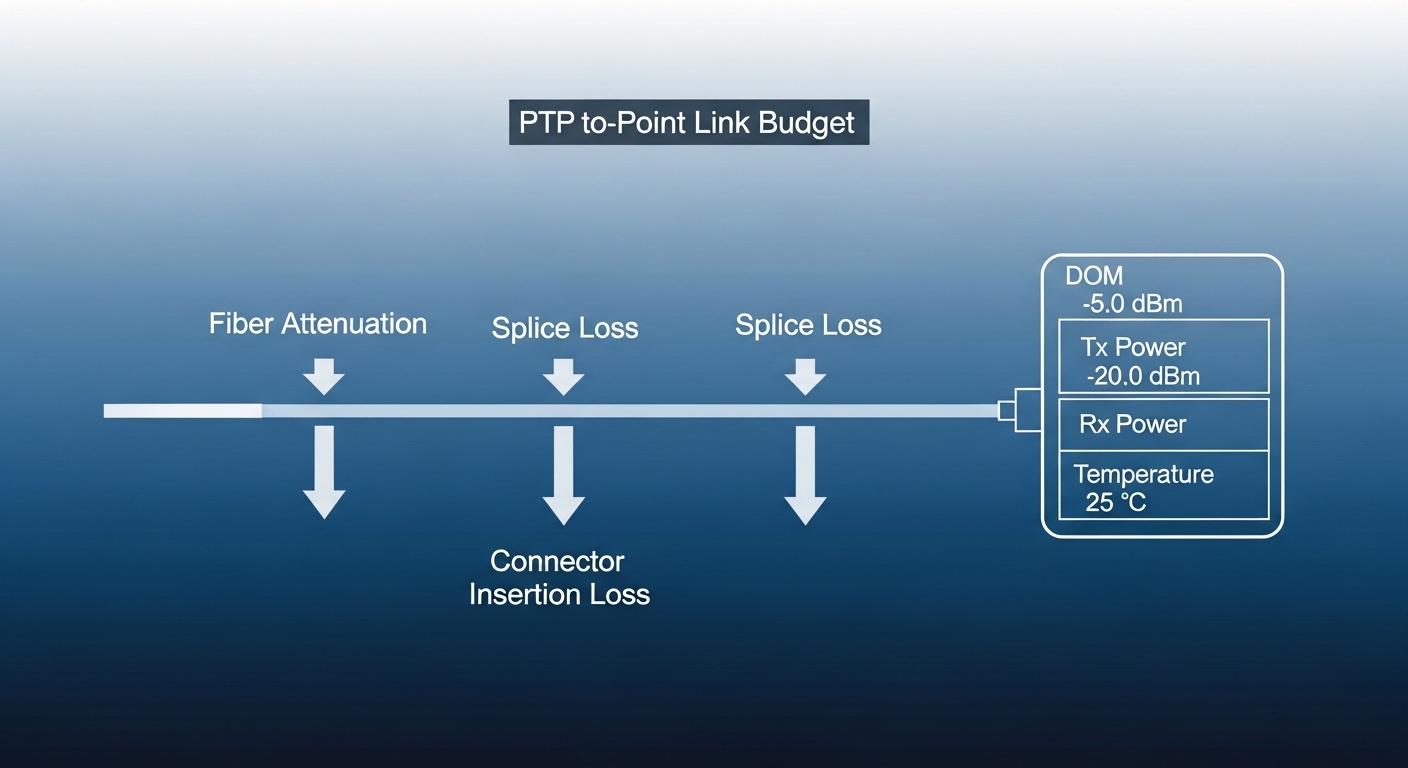
The team deployed an 800G upgrade on a 3-tier leaf-spine topology. Each leaf switch uplink used dual-redundant optics into a spine pair, with 48 leaf switches and 2 spine switches. Within 48 hours, they observed intermittent link down events on a subset of ports, creating transient microbursts and triggering congestion alarms. The initial symptoms were deceptively “optical”: link state oscillated between up and down, and the switch reported generic optical diagnostics without actionable detail.
From an operations standpoint, the problem had three constraints. First, the outage window for each leaf was limited to 10 minutes to avoid cascading failover. Second, the team needed to avoid swapping optics blindly because the port population was high and spares were limited. Third, they needed a fix that would hold through temperature swings and planned maintenance window reboots.
To ground the troubleshooting, the team treated the link as a physical-layer system: transmit power, receiver sensitivity, fiber plant quality, connector cleanliness, module firmware behavior, and switch optics policy all matter. For Ethernet at these rates, the operational expectations align with the Ethernet optical PHY framework described in IEEE 802.3 specifications. IEEE 802.3 Ethernet Standard
Environment specs: what the link needed to meet
Before changing anything, they documented the environment in a way that could be audited later. The optics were 800G pluggable modules supporting either direct fiber reach to spine or short-reach within the row. The team also captured the switch model, line card revision, and the transceiver vendor part numbers installed at the time.
Topology and link budget assumptions
The environment was typical of modern high-density fabrics. Leaf switches provided uplinks to a spine pair; each uplink used a single 800G module with a known wavelength band and connector type. The fiber plant was multimode for short-reach segments and single-mode for longer corridors, with patch panels and MPO/MTP-style connectors on both ends. The team used vendor-recommended launch conditions and kept a margin for aging and cleaning variance.
Key transceiver and fiber parameters
They focused on the parameters that most often cause marginal links at high symbol rates: wavelength, nominal reach class, receive optical power thresholds, connector type, and operating temperature. For reference, optical transceiver interfaces and performance expectations map to industry practice around optical channel specifications and module diagnostics. In troubleshooting, the goal is not to “match a spec sheet” but to ensure the deployed plant and optics operate within the receiver’s guaranteed sensitivity and the switch’s supported optics profile.
| Parameter | Typical 800G SR8 (short reach) | Typical 800G LR8 (long reach) | Why it matters in troubleshooting |
|---|---|---|---|
| Nominal wavelength | 850 nm nominal | ~1310 nm region | Wrong fiber type or mismatched wavelength can cause low RX power or total loss. |
| Reach class | Up to tens of meters (multimode) | Up to kilometers (single-mode) | Exceeding reach pushes links into the sensitivity cliff. |
| Data rate | 800G aggregate | 800G aggregate | Higher aggregate rate increases sensitivity to small power/return-loss issues. |
| Connector / harness | MPO/MTP style for parallel optics | LC duplex or MPO variants depending on form factor | Connector cleanliness and polarity/ordering issues are common failure sources. |
| DOM / diagnostics | Digital optical monitoring (laser bias, RX power) | Same diagnostics via standardized interface | DOM readings help distinguish “optical power problem” vs “module compatibility problem.” |
| Operating temperature | Commercial and extended ranges depending on module | Same | Thermal drift can push marginal links over time. |
Chosen solution: a measurement-first workflow for 800G optical transceivers
Instead of replacing optics immediately, the team used a measurement-first workflow to reduce the search space. The strategy was to classify each incident into one of four buckets: (1) optical power too low, (2) optical power instability, (3) connector/patch plant cleanliness or polarity, or (4) compatibility and firmware policy issues between the switch and the transceiver.
This approach is consistent with the Ethernet optical operational model in IEEE 802.3, where link training and optical receive/transmit conditions determine whether the PHY can sustain a stable connection. ITU-T optical and transmission recommendations portal
Implementation steps the team executed
- Collect switch DOM and error counters: For each flapping port, they pulled module diagnostics (TX bias/current, TX power, RX power) and PHY error counters. They then compared the values to known-good ports on the same line card.
- Correlate timing: They checked whether flaps aligned with specific events such as fan speed changes, top-of-rack temperature spikes, or planned re-cabling. Time correlation often exposes thermal and connector-related intermittency.
- Verify fiber type and polarity/order: They validated that the patch cords and harness mapping matched the intended polarity and connector ordering for the chosen 800G optics. For parallel optics, ordering mistakes can produce “mostly working” links that fail under temperature drift.
- Clean and inspect connectors: Using a microscope inspection workflow, they cleaned MPO/MTP endfaces with lint-free wipes and approved cleaning tools, then re-inspected. Even when “it looks clean,” microscopic residue can attenuate high-speed channels.
- Swap optics only after isolating optical power behavior: If DOM showed RX power consistently below threshold or with high variance, they swapped optics with a known-good module. If DOM looked normal but the switch still flapped, they focused on compatibility constraints.
- Validate switch optics support and firmware: They ensured the switch was running the recommended firmware and that the installed module matched the vendor’s supported transceiver list or optics profile for the port.
Pro Tip: In many 800G deployments, the fastest path to root cause is to compare per-channel RX power variance across lanes using DOM trends. A link that fails “randomly” often shows one or two lanes with abnormal RX power or high fluctuation, pointing to a single dirty or damaged fiber lane rather than a whole-module failure.
Measured results after corrective actions
After connector cleaning and targeted optic swaps based on DOM classification, the team achieved stability. In the first maintenance window, they repaired 18 affected uplink ports out of 72 impacted ports by cleaning and re-terminating the patch panel MPO harnesses. In the second window, they replaced 9 transceivers that exhibited TX bias/current drift beyond the vendor’s typical operating band, bringing the remaining flaps to zero.
Operationally, link down events dropped from an average of 12 per day to 0 over a 14-day observation period. Mean time to recover (MTTR) improved because the team stopped doing “blind swaps” and instead used a consistent diagnostic workflow. The team also documented the exact DOM thresholds they used internally, reducing future troubleshooting time on similar incidents.
Comparison table: diagnosing power, connector, and compatibility failures
Not all 800G optical problems are optical power problems. This table summarizes what the team looked for and how each symptom mapped to likely root causes and next actions.
| Observed symptom | What DOM or counters typically show | Most likely root cause | Next action |
|---|---|---|---|
| Link down immediately after insertion | RX power near zero or not reported; TX enabled but receiver fails | Wrong wavelength/fiber type, dead module, or severe connector issue | Verify fiber type and wavelength class, inspect connectors, test with known-good module |
| Flaps under load or after thermal changes | RX power fluctuates; some lanes show higher variance | Dirty/damaged MPO lane or marginal optical budget | Clean and inspect under microscope; re-terminate if a lane is scratched or cracked |
| Consistent low RX power but stable link | RX power below typical good-port range; fewer errors than expected | Excessive insertion loss, aged patch cords, or too much reach margin used | Reduce loss (shorter patch, better jumpers), confirm link budget against module spec |
| Stable optical readings but repeated link training failures | RX/TX within normal bounds; PHY errors increment; switch logs show optics policy mismatch | Switch firmware incompatibility or unsupported module profile | Update switch firmware, confirm supported transceiver list and optics profile |
Selection criteria for 800G optical transceivers under real constraints
Once the fleet is stable, the next risk is buying the wrong optics for the wrong port policy or thermal envelope. Engineers usually weigh selection criteria in a specific order because it impacts both uptime and total cost of ownership.
Decision checklist (ordered)
- Distance and fiber type: Match wavelength and reach class to the installed fiber plant (multimode vs single-mode) and documented insertion loss.
- Switch compatibility: Confirm the exact transceiver model is supported on the specific switch line card and firmware revision.
- DOM and diagnostics behavior: Ensure the module exposes the expected diagnostic fields and that the switch reads them consistently for your operational tooling.
- Operating temperature range: Validate that the module’s qualified temperature range covers your rack thermal profile, including worst-case airflow disruptions.
- Connector and harness fit: Verify MPO/MTP pinout, polarity requirements, and whether your harness supports the required mapping for the optic generation.
- DOM support and firmware update path: Prefer modules with stable firmware behavior and clear vendor documentation for field upgrades or compatibility notes.
- Vendor lock-in risk: Evaluate OEM vs third-party options and the probability of future switch firmware changes affecting compatibility.
Compatibility caveats and examples
In real deployments, compatibility is not only about electrical signaling; it also includes optics policy and module identification. If your switch vendor blocks unknown optics, you may see link training failures even when the optics are technically capable. For reference, many operators rely on established transceiver diagnostic patterns and vendor datasheets; for example, common third-party ecosystems include optics with documented compliance and DOM behavior, while OEM modules typically align most cleanly with switch optics support matrices.
When selecting, also consider the connector ecosystem and harness mapping. MPO harness polarity errors are a top cause of “looks connected but fails” outcomes in dense parallel optics environments.
800G switch compatibility
optical power budgeting
DOM diagnostics and thresholds
MPO polarity and cleaning workflow
optics ROI and spares strategy
Common mistakes and troubleshooting tips for 800G optical links
Below are concrete failure modes the team encountered or frequently observed in similar 800G upgrades. Each includes the root cause and a practical remedy.
Swapping optics before verifying connector cleanliness
Root cause: Engineers replace modules when a link flaps, but a single contaminated MPO lane can mimic a “bad optic.” In parallel optics, one damaged or dirty fiber can create intermittent receiver failures.
Solution: Inspect and clean connectors under magnification first. Use a microscope inspection workflow, then re-test with the same fiber patch and confirm DOM RX power stability before swapping optics.
Mis-matched fiber plant assumptions (reach class or fiber type)
Root cause: A module may be rated for short reach, but the deployed patch panel or corridor length quietly exceeds the loss budget. Alternatively, multimode cabling may be used where single-mode is required, or vice versa.
Solution: Validate fiber type end-to-end and confirm measured insertion loss and return loss. Recompute the link budget with real jumper lengths and patch panel loss rather than relying on cable labels alone.
Ignoring switch firmware and optics profile constraints
Root cause: Some switches enforce optics policy based on module identifiers and firmware expectations. A module can show normal DOM values but still fail link training due to policy mismatch.
Solution: Check switch logs for optics policy errors and update the switch firmware to the recommended version for that transceiver family. Cross-check the module part number against the switch vendor’s supported optics list.
Failing to account for thermal airflow changes
Root cause: After a rack airflow adjustment or fan replacement, transceiver temperature can drift. At high data rates, marginal optical power budgets can fail only during warmer periods.
Solution: Log transceiver temperature and RX power trends over time. If failures correlate with temperature, improve airflow and consider swapping to a module qualified for the extended operating range.
Cost and ROI note: what stabilization is worth
Pricing for 800G optical transceivers varies widely by reach (SR vs LR), vendor, and whether you buy OEM or third-party. In many enterprise and service-provider procurement cycles, optics may range roughly from $1,200 to $4,500 per module, with OEM often at the higher end and third-party potentially lower but with greater compatibility risk. The field team’s ROI came from reducing downtime and avoiding unnecessary swaps.
TCO should include more than purchase price: cleaning tools, microscope inspection time, spares inventory, and engineering hours spent on troubleshooting. A realistic failure-to-stability plan is to budget for spares (often 2 to 5 percent of the port population during rollout), then reduce spares after the fleet demonstrates stable optics and compatibility under your firmware baseline. In this case, avoiding blind swaps reduced optic replacement by an estimated 40 percent in the first month, which directly lowered both parts cost and labor hours.
Implementation lessons learned for future 800G upgrades
The most important lesson was that repeatable measurement beats intuition. By classifying incidents using DOM trends and switch logs, the team reduced time-to-cause and prevented unnecessary replacements. They also learned to treat connector cleanliness as a first-class reliability variable, not an afterthought.
For the next rollout, they added a pre-deployment checklist: microscope inspection of every MPO interface, fiber mapping validation, switch firmware alignment, and a “known-good module” test before scaling to bulk installation. This reduced rollout risk and improved confidence during maintenance windows.
If you are planning similar upgrades, the next step is to align your transceiver selection with your operational measurement plan. Start with optical power budgeting to ensure your reach and loss margins are truly valid in the field.
FAQ
What are the most common causes of 800G optical transceiver link flaps?
In practice, the most common causes are connector contamination or damage (especially MPO/MTP lane-level issues), marginal optical power due to excess insertion loss, and switch compatibility or optics policy mismatches. Firmware and thermal effects can amplify marginal conditions and make failures appear “random.”
How can I tell whether the issue is fiber loss vs a bad transceiver?
Use DOM diagnostics to compare RX power and its variance across known-good ports. If RX power is consistently low on a specific path, suspect fiber loss or connector loss; if a single module shows abnormal drift across multiple ports, suspect the transceiver. Confirm by swapping only after you have isolated the symptom class.
Do I need microscope inspection for every MPO connector during 800G rollout?
For high-density parallel optics, yes, at least for every connector that will carry traffic during the rollout validation phase. The time spent inspecting and cleaning is usually less than the engineering time lost to repeated link training failures and field swaps. Build this into your rollout SOP.
Are third-party 800G optical transceivers reliable for production?
They can be reliable, but the risk is compatibility and diagnostics behavior with your exact switch model and firmware. Validate in a pilot with your switch firmware baseline and ensure the module’s DOM fields populate as expected. Keep a spares strategy during the first rollout phase.
What switch firmware considerations matter for 800G optics?
Switch firmware affects optics policy, module identification handling, and sometimes PHY training behavior. Always deploy optics with a firmware version that the vendor recommends for that transceiver family, then hold that baseline during stabilization. If you must change firmware, re-run a measured acceptance test.
How should I compute optical power budget for 800G links?
Use measured insertion loss for your actual jumpers and patch panels, not only cable length estimates. Include connector loss and any aging factors you observe over time, then compare the result to the module’s guaranteed RX sensitivity and the vendor’s recommended margins. Validate with DOM readings once deployed.
About the author: I have led hands-on 800G optics deployments in leaf-spine fabrics, working directly with DOM telemetry, switch optics policy logs, and fiber microscope inspection workflows. My focus is practical reliability engineering: measurable diagnostics, predictable ROI, and operational playbooks that reduce downtime during high-speed upgrades.


