
When a 400G network link flaps during a maintenance window or fails link bring-up after a transceiver swap, the root cause is rarely “mystery RF.” It is usually a mismatch between optics reach class, fiber plant loss, DOM/telemetry expectations, or power and thermal limits on the switch. This buying guide helps network engineers and field technicians choose the right 400G optics and deployment strategy for predictable performance, with measurable checks you can run before you pull fiber.
Top 7 items to optimize a 400G network before you purchase optics
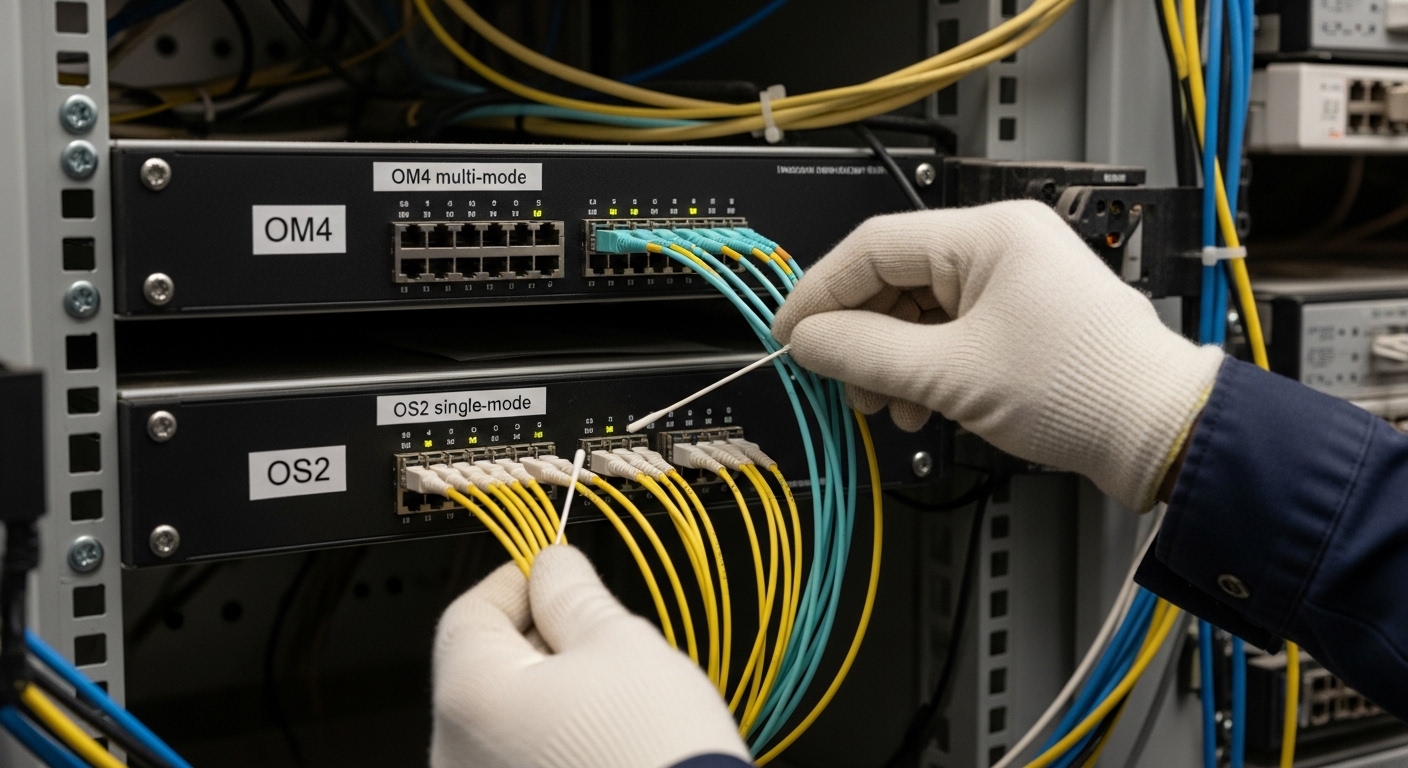
Think of a 400G network like an express train system: you must align track geometry (fiber loss and dispersion), rolling stock compatibility (module type and lane mapping), and station rules (switch optics support and DOM behavior). If any of these are off, the train may still move, but it will miss schedules (errors, retrains, or link instability). The sections below follow a field-first logic: select the correct optical standard, validate fiber plant limits, and manage power/thermal and operational risk.
Choose the right 400G optics format and electrical interface
At 400G, the optics “shape” matters as much as the wavelength. Most deployments rely on QSFP-DD or OSFP form factors, each exposing different electrical lane counts and management interfaces. Before ordering, verify that your switch ports support the exact module type and that the module uses the expected signal mapping and FEC (forward error correction) mode.
What to measure on the switch side
On Cisco, Arista, Juniper, and similar platforms, port configuration and compatibility checks are typically driven by vendor qualification lists and module EEPROM data. Practically, you should confirm: supported module type (QSFP-DD vs OSFP), target speed (400G), and whether the platform expects a specific FEC mode for the chosen reach.
Best-fit scenario
In a leaf-spine topology with 400G uplinks from ToR switches to spine switches, you usually standardize on one module family per reach class to reduce operational variance. For example, if all spine uplinks are within a 100 m OM4 budget, you can standardize short-reach optics and avoid mixing long-reach SKUs that complicate inventory and troubleshooting.
- Pros: Higher interoperability when you match the platform’s qualified optics list.
- Cons: Port compatibility can be strict; “it fits” does not mean “it works.”
Match wavelength and fiber reach class to your actual plant loss
400G network optics come in distinct reach classes: short-reach multi-mode (MMF) and longer-reach single-mode (SMF). The decision is not a guess based on distance alone; it is a budget calculation that includes connector loss, patch cords, splices, and aging margin. IEEE 802.3 defines performance targets at the receiver, while vendor datasheets provide link budget assumptions you must apply to your fiber plant.
Quick budget method used by field engineers
Compute worst-case link loss using: fiber attenuation + connector and splice loss + margin. Then compare with the vendor’s stated maximum link length for your fiber type and optics SKU. If you have mixed patch cord types or older cabling, increase margin; many outages come from “as-built” loss being higher than the design spreadsheet.
Reference standards
For Ethernet physical-layer behavior, consult IEEE 802.3 for 400G optical interfaces and FEC requirements. For cabling and link performance, also align with ANSI/TIA fiber cabling practices and measurement procedures. [Source: IEEE 802.3] [[EXT:https://standards.ieee.org/standard/802_3][anchor-text: IEEE 802.3 optical PHY]]
Best-fit scenario
In a high-density data center, you often have OM4 or OM5 trunk cabling with many interconnects. If your measured end-to-end loss at 850 nm approaches the module limit, you should avoid “max length” operation and instead pick the next higher reach class or reduce patch cord count.
- Pros: Fewer link retrains, lower BER under temperature swings.
- Cons: Requires measurement discipline (OTDR and insertion loss records).
Compare key optics specs before buying: reach, power, connector, and temperature
When teams compare transceivers by “reach” only, they miss power and thermal behavior that can trigger port-level throttling or system fan curve changes. Use a spec table to compare wavelength, connector type, typical power, and operating temperature range. Also check whether the module provides DOM for telemetry and whether your operations stack can ingest it.
Example comparison (representative SKUs)
The table below uses common market examples for 400G optics classes; always confirm exact parameters with the specific vendor datasheet and your switch qualification list.
| Item | Typical module example | Wavelength / type | Target reach | Connector | Typical Tx/Rx power (class) | Operating temp range | DOM / management |
|---|---|---|---|---|---|---|---|
| Short-reach MMF | Cisco-compatible 400G QSFP-DD SR4 (example class) | 850 nm (MMF) | Up to ~100 m (OM4) | LC | Usually low single-digit W class | 0 to 70 C (common) | EEPROM + DOM supported |
| Mid/long-reach SMF | Finisar FTLX8571D3BCL (example 400G class) | 1310 nm (SMF) | Up to ~2 km (class) | LC | Moderate single-digit W class | -5 to 70 C (common) | DOM supported |
| Longer SMF option | FS.com 400G LR4 QSFP-DD (example class) | 1310/1550 variants (SMF) | Up to ~10 km (class) | LC | Higher single-digit W class | -5 to 70 C (common) | DOM supported |
Note: reach and power vary by exact SKU and FEC configuration. Use this table as a buying template, not a final specification source. [Source: vendor datasheets for Finisar and FS.com optics] [[EXT:https://www.finisar.com][anchor-text: Finisar vendor resources]] [[EXT:https://www.fs.com][anchor-text: FS.com vendor resources]]
Pro Tip: In field replacements, teams often validate link length but ignore operating temperature margins. A module that passes at 25 C can start showing higher error counts at 60 C if the system airflow is marginal. During acceptance tests, capture telemetry (DOM temperature and optical power) at both normal and peak ambient conditions.
Best-fit scenario
If you are standardizing inventory across multiple sites, temperature range and DOM support become your “inter-site consistency” levers. Choose optics families with stable DOM behavior and predictable thermal profiles so monitoring alerts remain meaningful.
- Pros: Better performance predictability and cleaner monitoring.
- Cons: More upfront analysis and datasheet review time.
Plan for DOM support, telemetry, and operational compatibility
Modern 400G network operations depend on telemetry: optical power levels, temperature, voltage, and diagnostic thresholds. DOM may be supported in a module, but your switch and monitoring system must interpret it correctly. Mismatched threshold units or missing alarm mappings can hide early warning signs until a link drops.
What to verify during deployment
Confirm that your switch firmware supports DOM for that module type and that you can read diagnostics through your network management system. In practice, you should record baseline values: received optical power, laser bias current (if exposed), module temperature, and any vendor-specific diagnostic flags. Then set alert thresholds aligned with your optics vendor guidance.
Best-fit scenario
In environments with frequent optical swaps, such as colo facilities or high-change CI/CD network operations, DOM-driven alerting reduces time-to-isolation. You can correlate rising temperature or falling receive power with specific patch panels or transceiver lots.
- Pros: Faster troubleshooting and earlier drift detection.
- Cons: Requires integration work and firmware/module compatibility checks.
Manage power, thermal, and airflow constraints in 400G network racks
400G optics increase per-port heat and can stress airflow if you pack high-power modules densely. Even when the module is within its own operating temperature range, the system-level airflow can create hotspots that degrade margin. Field failures often show up as rising corrected errors before a full link down.
Operational checks
Measure inlet and outlet temperatures at the switch and confirm fan speed control behavior under load. Verify that your rack airflow pattern supports front-to-back or back-to-front directionality as designed by the vendor. Also ensure that cable routing does not block vents near high-density port banks.
Best-fit scenario
In a 42U rack with dual 400G-capable switches, you might populate all QSFP-DD ports simultaneously during a migration. If the original thermal plan assumed 50% port occupancy, you may need to adjust fan profiles or add cooling capacity before the migration window.
- Pros: Reduced error bursts and fewer cold-start surprises.
- Cons: Cooling changes can have schedule and cost impacts.
Control FEC mode, lane mapping, and link training behavior
At 400G, the physical layer relies on lane-level signaling and often uses FEC to meet BER targets under real-world impairments. Some optics and switch combinations negotiate FEC modes differently depending on reach and optical power. Incorrect expectations can lead to unexpected retrains or reduced performance.
What to validate
During acceptance testing, run traffic while monitoring error counters and link events. If your switch exposes FEC statistics, confirm they remain stable under temperature changes. Also ensure that both ends of the link use compatible optics standards and that the link is configured for the intended speed mode.
Best-fit scenario
In a campus network connecting buildings through dark fiber, you may use long-reach optics. If one side uses a different vendor optics family with slightly different FEC behavior, you can see intermittent performance until the negotiation settles. Standardizing optics families per link type reduces this risk.
- Pros: Lower risk of intermittent instability.
- Cons: Requires careful validation across both ends and firmware revisions.
Reduce vendor lock-in risk and manage total cost of ownership
Switch qualification lists and module interoperability create a practical lock-in effect. But you can control it with a disciplined procurement strategy: define approved optics families, require DOM compatibility, and standardize on vendors with transparent datasheets and consistent EEPROM behavior. For ROI, compare not only module price but also failure rates, lead times, and the cost of downtime.
Cost and TCO reality check
In many markets, OEM 400G optics can cost roughly 1.5x to 3x the price of well-supported third-party optics, depending on reach class and brand. Over a 3 to 5 year lifecycle, the biggest TCO drivers are not the purchase price alone: they are downtime costs, expedited shipping, and the engineering time spent on troubleshooting incompatible optics. If third-party modules are qualified and operationally stable, TCO can improve materially; if they are not, the “savings” can vanish quickly during incidents.
Best-fit scenario
If you run a multi-site network with standardized spares and documented acceptance testing, third-party optics can be a strong ROI lever. If you operate a single critical site with strict change windows, OEM optics may reduce risk and shorten incident resolution time.
- Pros: Potentially lower acquisition cost with maintained performance.
- Cons: Higher compatibility risk without strong qualification and lab testing.
Selection criteria checklist for a 400G network buying decision
Use this ordered checklist during procurement and pre-deployment validation. It is designed to prevent the most common “link does not come up” and “it works but errors rise” outcomes.
- Distance and reach class: Use measured fiber insertion loss and vendor reach specs for the exact optics SKU.
- Switch compatibility: Confirm port supports QSFP-DD or OSFP and that the optics is on the qualification list for your switch model and firmware.
- DOM and telemetry support: Ensure your monitoring system can read diagnostics and that alarm thresholds are meaningful.
- Power and thermal constraints: Validate airflow plan and confirm module operating temperature range aligns with your rack ambient and fan behavior.
- FEC and link training expectations: Confirm both ends negotiate compatible FEC modes and that error counters remain stable in acceptance tests.
- Operating temperature range: Account for seasonal peaks, not just lab conditions.
- Vendor lock-in risk: Decide whether to standardize on OEM or maintain a qualified third-party list with documented interoperability.
Common mistakes and troubleshooting tips in 400G network deployments
Below are concrete failure modes that field teams see when optimizing a 400G network. Each includes a root cause and a practical solution path.
Mistake: Buying “max distance” optics without measuring patch loss
Root cause: The installed link has higher insertion loss due to additional connectors, dirty endfaces, or cable aging, pushing the received optical power below sensitivity. BER rises, and the link may retrain under load.
Solution: Measure end-to-end loss with a calibrated OTDR or insertion loss meter at the relevant wavelength. Inspect and clean connectors (especially LC) and retest after cleaning. Then choose an optics reach class with margin.
Mistake: Mixing optics vendors or module families on the same link type
Root cause: Differences in FEC negotiation, EEPROM behavior, or threshold defaults can cause intermittent errors or longer link bring-up times after a reboot.
Solution: Standardize optics per link type across both ends. During rollouts, run a controlled acceptance test: bring up link, verify stable error counters for at least an hour, and validate DOM telemetry readings.
Mistake: Assuming DOM alarms are universal across monitoring stacks
Root cause: Some monitoring systems interpret DOM fields differently or rely on vendor-specific threshold mapping. This can suppress meaningful alarms or generate noise that hides the real issue.
Solution: Validate telemetry ingestion in a staging environment. Record baseline temperature and optical power values, then confirm alert thresholds trigger appropriately. Document the mapping between module diagnostics and your monitoring alerts.
Mistake: Ignoring airflow and hotspot creation during full port population
Root cause: Thermal design often assumes partial utilization. When all 400G ports are populated, local airflow can change, raising module temperature and degrading optical margins.
Solution: Measure inlet/outlet temperatures and module temperatures during peak load. Adjust fan profiles, improve cable management, or redistribute optics across port banks with better airflow.
Pro Tip: If a 400G network link “comes up but degrades,” look first at received optical power and module temperature trends over time. A slow drift over 30 to 120 minutes often indicates connector contamination or a marginal budget, not a sudden hardware defect.
FAQ about optimizing a 400G network for reliable performance
What is the main difference between short-reach and long-reach 400G optics?
Short-reach optics typically use multi-mode fiber around 850 nm and target shorter distances with higher tolerance to alignment but stricter budget constraints in dense patch environments. Long-reach optics use single-mode fiber with different wavelength behavior and can cover kilometers, but require careful end-to-end loss validation and connector cleanliness.
How do I calculate whether my fiber can support a 400G network link?
Use measured end-to-end insertion loss plus connector and splice losses, then compare against the vendor’s maximum reach for the exact module SKU and fiber type. Include an operational margin for aging and cleaning variability. If you cannot measure, do not rely solely on the “design distance” from the cabling drawing.
Can I use third-party 400G optics safely in a production network?
Yes, but only if the modules are qualified for your switch model and firmware, and you validate DOM telemetry and link stability in a staging environment. Without qualification and acceptance testing, third-party optics can increase incident frequency and troubleshooting time, negating purchase savings.
Why does a link flap only after a reboot or after a temperature change?
That pattern often points to marginal optical power, thermal hotspots, or FEC negotiation behavior during link training. Capture DOM temperature and optical power right after bring-up and during peak ambient conditions to determine whether the link is operating near its margin.
What should I check first when a 400G link will not come up?
First confirm switch port support for the exact optics format and speed mode. Then verify fiber type and connector cleanliness, and finally check DOM presence and basic diagnostics. If the link still fails, review qualification lists and test the optics in a known-good port.
How long should I run acceptance tests for a 400G network optics rollout?
A practical minimum is to run continuous traffic for at least one hour while monitoring error counters and DOM telemetry. For sites with known thermal swings, include a window that covers peak ambient conditions or simulate them to confirm stability.
If you want the fastest path to better outcomes, start with reach-class alignment and switch compatibility, then validate DOM telemetry and thermal behavior during acceptance tests. Next, use 400G network monitoring and telemetry playbook to operationalize alerts and shorten time-to-isolation when something drifts.
References & Further Reading: IEEE 802.3bs 400GbE Task Force | OIF 400G Technical Specs | Fiber Optic Association
