
AI clusters fail in predictable ways: link flaps during load spikes, silent CRC errors under high BER, and thermal throttling in dense racks. This article helps network and data center engineers choose the right fiber transceiver so your workload optimization goals hold steady under real traffic. You will get an engineer-focused buying checklist, troubleshooting patterns, and a ranked selection table based on IEEE Ethernet optics practices and vendor datasheets. Update date: 2026-05-03.
Top 8 transceiver picks for workload optimization in AI networks
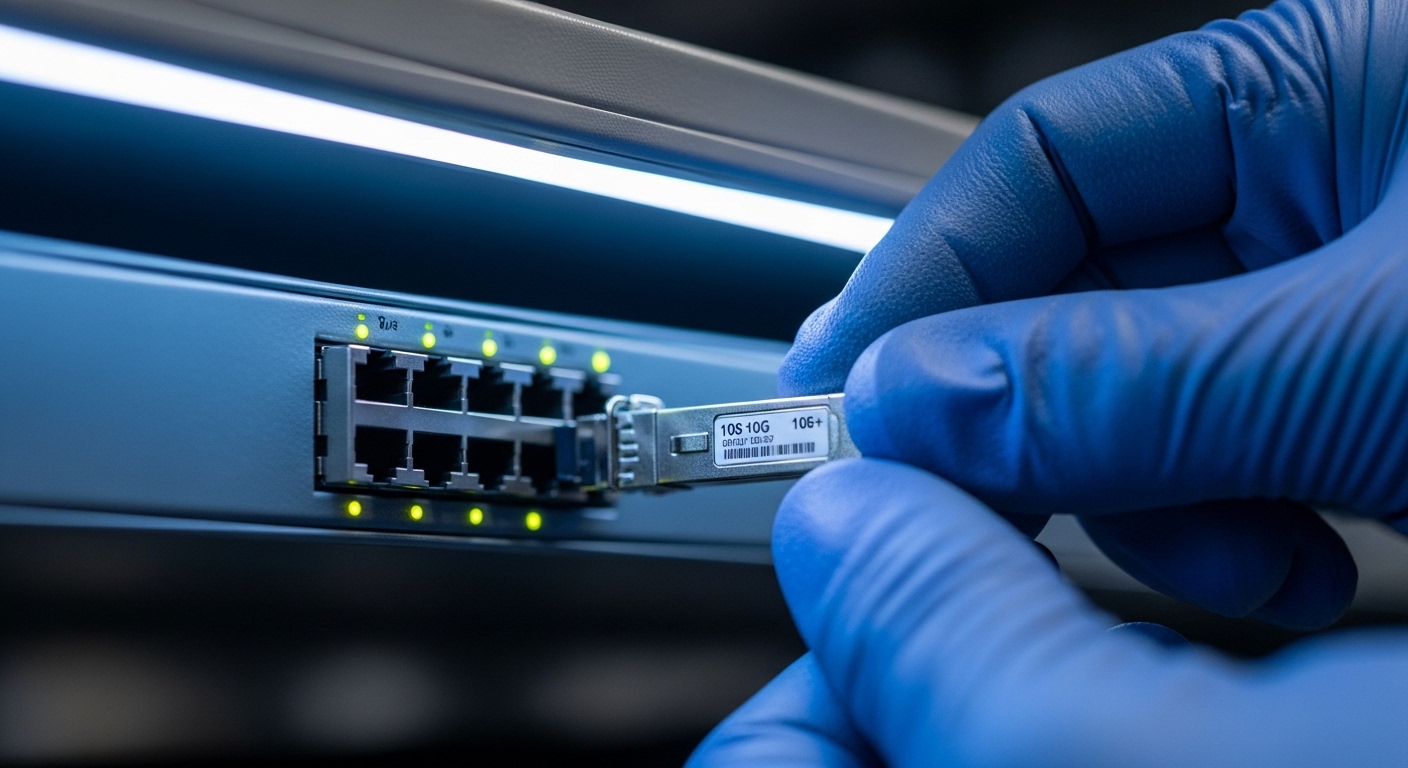
In practice, “best” depends on distance, optics budget, switch compatibility, and how your fabric handles congestion. For AI workloads, engineers typically standardize on Ethernet optics that match the switch ASIC lane rate and the optics digital diagnostics (DOM) expectations. Below are eight transceiver types that cover most leaf-spine and pod-to-pod designs, from short-reach to longer uplinks. Each item includes key specs, best-fit scenarios, and quick pros/cons.
10G SR (MMF) SFP+ for legacy racks and low-cost aggregation
Key specs: Common wavelength 850 nm, reach up to 300 m over OM3/OM4 (exact values depend on module and fiber grade), duplex LC connector, and typical operating ranges around -5 C to 70 C for standard industrial variants. Typical part families include Cisco SFP-10G-SR and Finisar/FS.com equivalents (exact ordering suffixes vary by vendor).
Best-fit scenario: A mixed environment where compute nodes are not yet upgraded to 25G/100G, but aggregation needs stable east-west or management plane traffic. In a 3-tier pod, you might use 10G SR for ToR-to-access switches while keeping spine links at higher rates.
Pros: Low cost per port, mature interoperability, easy field replacement. Cons: Lower bandwidth efficiency for modern GPU-to-GPU patterns, higher oversubscription risk.
25G SR (MMF) SFP28 for dense ToR and cost-efficient scaling
Key specs: Wavelength 850 nm, reach commonly 70 m on OM3 and 100 m on OM4 for many vendor implementations, SFP28 form factor, and DOM support (temperature, voltage, bias, received power). Look for modules explicitly compatible with your switch vendor’s optics policy and DOM schema.
Best-fit scenario: Leaf-spine topologies in which ToR ports connect to GPU servers at 25G for workload optimization. Engineers often deploy 25G SR inside a pod to reduce cabling complexity versus longer-reach single-mode optics.
Pros: Strong bandwidth per watt, good for short MMF runs, abundant compatible options. Cons: Distance ceilings on OM3; mis-matched MMF grade can break links.
25G LR (SMF) SFP28 for pod-to-pod and longer intra-facility runs
Key specs: Wavelengths typically 1310 nm for LR, reach often 10 km in single-mode fiber designs (check exact transceiver spec). Connector is usually LC, and the module should meet the relevant Ethernet optical requirements and your platform’s optical diagnostics expectations.
Best-fit scenario: When racks are far apart but you still want 25G economics without moving to 50G/100G uplinks. For example, using LR for a cross-row uplink when fiber pathways are longer than your MMF budget.
Pros: Longer reach, reduces need for intermediate patch panels. Cons: Higher cost than SR; requires single-mode certification and careful fiber budgeting.
40G SR (MMF) QSFP+ for intermediate aggregation and uplinks
Key specs: Typically 850 nm with reach values ranging by OM grade and module design; connector is LC. QSFP+ uses a different electrical interface than SFP28, so ensure your switch supports 40G optics signaling and the correct breakout/port modes.
Best-fit scenario: Data centers with mixed generations where 40G remains common for aggregation, or where you need fewer ports at the same total bandwidth.
Pros: Fewer physical ports than 10G/25G; good migration path. Cons: Less future-proof than 50G/100G; higher per-port power than some newer optics.
50G SR (MMF) QSFP28 for transitional high-density fabrics
Key specs: Usually 850 nm with MMF reach dependent on OM grade and transceiver budget; connector is LC. Pay attention to vendor-specific reach tables and the switch’s supported lane mapping.
Best-fit scenario: When your fabric supports 50G but you want to keep cabling in-house with MMF. This can be common during phased AI upgrades where not all spines support 100G yet.
Pros: Better bandwidth density than 25G; still MMF-friendly. Cons: Less standardized ecosystem than 25G/100G in some regions; compatibility checks matter.
100G SR4 (MMF) QSFP28 for spine links inside a pod
Key specs: Wavelength 850 nm, reach typically up to 100 m on OM4 for many SR4 implementations, QSFP28 form factor with SR4 optics (four lanes), and DOM support. Ensure your switch supports 100G SR4 port mode and that the module’s electrical interface matches the platform.
Best-fit scenario: Spine uplinks within a pod where distances are manageable and you want to minimize fiber cost and complexity. Engineers often use 100G SR4 to reduce oversubscription while keeping cabling symmetric across rows.
Pros: Excellent for intra-pod bandwidth; reduces oversubscription; strong ecosystem. Cons: MMF reach constraints require correct fiber planning and patch panel hygiene.
100G LR4 (SMF) QSFP28 for longer uplinks and campus-scale segments
Key specs: Wavelength band centered around 1310 nm using LR4 multi-lane signaling; reach commonly up to 10 km on single-mode fiber (verify exact budget). Connector is LC and the module must align with your switch’s optical specifications and optics policy.
Best-fit scenario: When you need to connect across buildings, across long row distances, or between equipment rooms without pulling new fiber. LR4 helps maintain 100G throughput for workload optimization when MMF would be impractical.
Pros: Long reach; stable performance when fiber is clean and properly terminated. Cons: Higher cost; requires strict fiber certification and careful insertion loss budgeting.
200G/400G coherent or PAM4 optics for next-gen scaling (only when the switch supports it)
Key specs: This category depends heavily on your platform: coherent optics (for longer distances and higher flexibility) or direct-detect PAM4 (for short to moderate reaches). Connector and wavelength vary by model, and you must follow vendor guidance on supported optic SKUs and firmware. If your goal is workload optimization, you usually deploy these only when you have validated link budgets and switch support.
Best-fit scenario: High-end AI clusters with very high spine bandwidth targets, where 100G becomes the bottleneck and you need fewer uplink ports for the same throughput.
Pros: Lower port count at scale; future capacity headroom. Cons: Higher capital cost; more complex troubleshooting; strict compatibility requirements.
Comparison specs that actually change link stability
Engineers often compare only wavelength and reach, but link stability during AI bursts depends on optical power, receiver sensitivity, DOM behavior, and temperature. Use the table below as a practical cross-check before you order.
| Transceiver type | Typical wavelength | Best-case reach | Connector | Data rate / form factor | DOM | Operating temperature (typ.) |
|---|---|---|---|---|---|---|
| 10G SR SFP+ | 850 nm | Up to 300 m (MMF grade dependent) | LC duplex | 10G / SFP+ | Common | -5 C to 70 C (check module) |
| 25G SR SFP28 | 850 nm | ~70 m OM3, ~100 m OM4 (common) | LC duplex | 25G / SFP28 | Common | -5 C to 70 C (check module) |
| 25G LR SFP28 | 1310 nm | Up to 10 km (SMF, check budget) | LC | 25G / SFP28 | Common | -5 C to 70 C (check module) |
| 40G SR QSFP+ | 850 nm | MMF grade dependent (often up to ~150 m+) | LC | 40G / QSFP+ | Common | -5 C to 70 C (check module) |
| 100G SR4 QSFP28 | 850 nm | Up to ~100 m OM4 (common) | LC (4 lanes) | 100G / QSFP28 | Common | -5 C to 70 C (check module) |
| 100G LR4 QSFP28 | 1310 nm | Up to 10 km (SMF, check budget) | LC | 100G / QSFP28 | Common | -5 C to 70 C (check module) |
Authority notes: Ethernet optical transceiver behavior aligns with IEEE Ethernet PHY expectations for optical links and vendor-defined diagnostics; always validate against your switch’s supported optics list. See IEEE 802.3 for Ethernet PHY context and vendor datasheets for exact reach and power. Source: IEEE 802.3 overview Source: Cisco transceiver and compatibility guidance
Pro Tip: During AI workload bursts, the “first week” failure mode is often not the module itself but dirty connectors and patch panel damage. A quick field test is to compare received power and CRC counters before and after cleaning/reseating; if BER improves immediately after cleaning, you avoided a needless RMA and preserved workload optimization stability.
Selection checklist engineers use before ordering optics
Follow this ordered list to reduce RMAs and avoid link instability that can disrupt training runs.
- Distance and fiber grade: Use vendor reach tables with margin for insertion loss, patch cords, and aging. Verify OM3 vs OM4 and SMF core specs.
- Switch compatibility: Confirm the exact port mode (breakout settings, lane mapping) and whether the platform enforces optics vendor policies. Validate with the switch vendor’s optics compatibility matrix.
- Optical budget and power levels: Check transmit power, receiver sensitivity, and DOM-reported received power ranges. Ensure the link stays within spec over temperature.
- DOM support and telemetry: Confirm the module exposes the diagnostics your monitoring stack expects (temperature, voltage, bias, RX power). Avoid surprises in alert thresholds.
- Operating temperature and airflow: Dense AI racks can exceed standard assumptions. Validate your module temperature rating against measured intake air and local hotspots.
- Vendor lock-in and spares strategy: Decide between OEM-only optics or third-party with proven compatibility. Plan spares so you can swap quickly without firmware or optics policy issues.
- Compliance and warranty: Prefer modules with clear datasheets, traceability, and a realistic RMA policy for field downtime.
Common mistakes and troubleshooting patterns
These are frequent failure modes in real deployments, with root causes and field fixes.
“It should fit” reach assumptions
Root cause: Using optimistic reach from marketing or a generic calculator without accounting for patch cord loss, coupler loss, and connector contamination. On MMF, OM3 vs OM4 mismatches are especially common.
Solution: Build a link budget using measured end-to-end loss and vendor specs. If you have DOM, verify RX power at steady load and during link renegotiation events.
Port mode mismatch after switch upgrades
Root cause: After a firmware upgrade or config change, the switch may alter lane mapping, breakout behavior, or optics thresholds. A transceiver that previously worked can fail link training or show intermittent errors.
Solution: Re-check port mode settings and confirm the new firmware still supports that optic type. Run a controlled loopback test and monitor interface CRC, FCS, and link-down events.
Thermal stress in high-density AI cabinets
Root cause: Modules can exceed rated temperature due to blocked airflow, fan curve changes, or recirculation in hot aisles. Symptoms include rising error rates under sustained traffic and eventual link drops.
Solution: Measure actual intake air at the switch and cabinet. Improve airflow, verify fan speeds, and replace modules with higher temperature-rated variants if required by your environment.
Dirty connectors and reseating without cleaning
Root cause: Reseating fibers without cleaning introduces micro-scratches and contamination transfer, worsening BER. In AI clusters, high utilization makes marginal links fail faster.
Solution: Use proper fiber inspection and cleaning tools before reseating. Then verify DOM RX power and error counters to confirm improvement.
Cost and ROI reality for workload optimization
Costs vary by vendor and region, but typical street pricing for mainstream optics is often roughly: 10G SR SFP+ in the tens of dollars, 25G SR SFP28 higher, and 100G QSFP28 substantially higher per module. Third-party optics can reduce capex, but risk increases if compatibility policies or DOM telemetry differ. In TCO terms, the biggest ROI driver is avoiding downtime and RMA shipping delays during maintenance windows, especially when AI training schedules are time-sensitive.
For ROI modeling, include expected failure rate, mean time to replace (MTTR), and the cost of link instability (lost training time). If your monitoring shows frequent CRC spikes, the “cheapest” optic can become the most expensive.
Ranking table: best choices by typical AI cabling patterns
This summary ranks the eight options by common fit in AI deployments. Adjust for your exact distance, fiber grade, and switch support matrix.
