
Your AI cluster can lose throughput not because GPUs are slow, but because transceivers quietly mis-match distance, optics type, or power budgets. This article helps network engineers and data center operators choose the right optics for AI workloads while improving workload optimization across leaf-spine, storage, and GPU-to-GPU communication. You will get practical selection steps, a specs comparison table, and field troubleshooting tips grounded in IEEE Ethernet optics behavior and vendor datasheets.
Why transceivers make or break AI workload optimization
AI traffic is dominated by synchronized east-west flows: gradient exchanges, all-reduce patterns, and fast storage reads. When optics are mismatched or run outside their link margin, the result is not just link flaps; it can trigger retransmissions higher in the stack and reduce effective throughput. In practice, that means your job scheduler sees longer iteration times, and your “GPU utilization” looks fine while end-to-end job completion slows. Picking transceivers that match the required optical reach, data rate, and interface compatibility protects latency-sensitive workloads.
What changes for AI compared to classic web traffic
Classic traffic tolerates occasional packet loss and bursty congestion. AI workloads are more sensitive to tail latency because collective operations stall when a subset of flows lags. That sensitivity shows up as micro-bursts under congestion, which increase the need for stable physical-layer performance. Engineers often discover that the “same nominal 10G or 25G” is not enough; the optics must also match fiber plant characteristics and transceiver link budgets.
Optics fundamentals that map to real AI link requirements
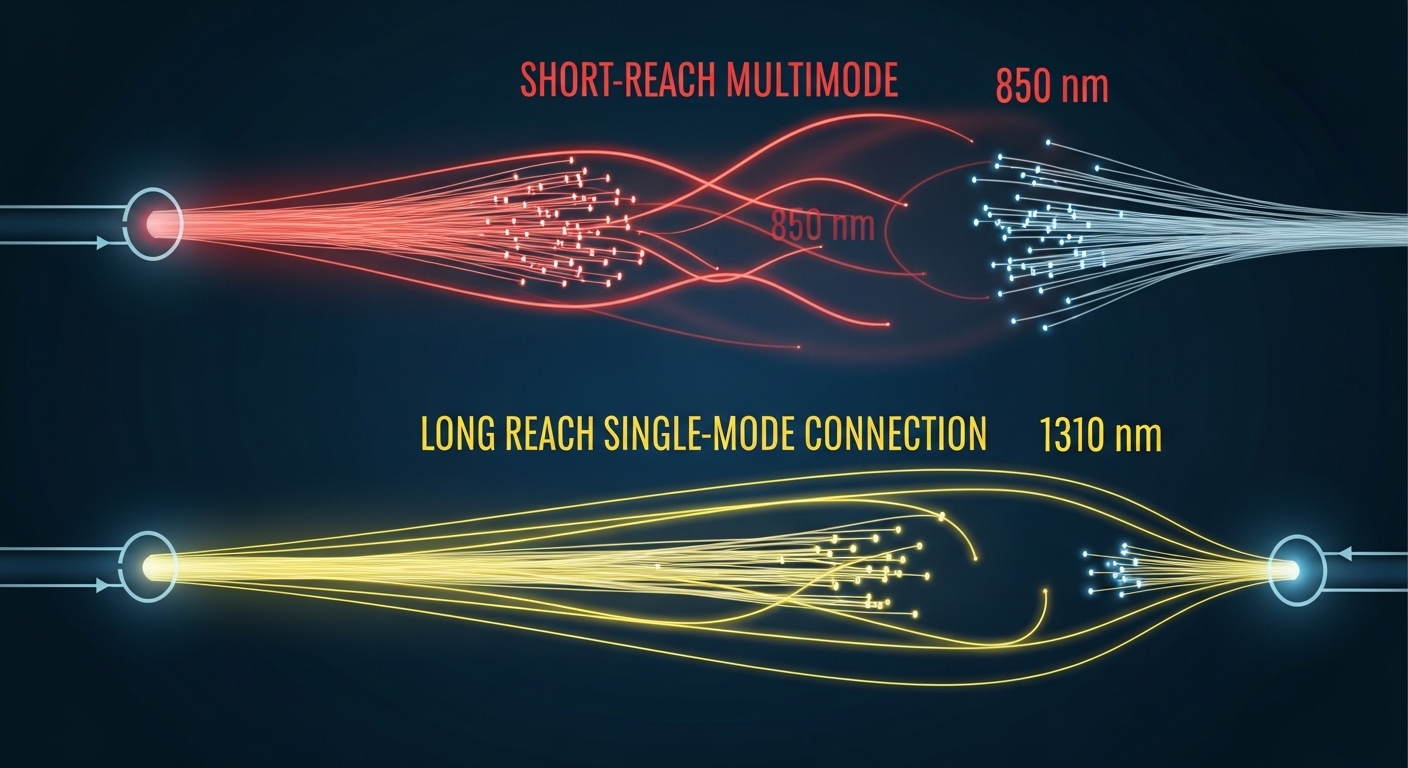
Most AI deployments today use short-reach Ethernet optics based on standard pluggable form factors. The physical layer is defined by IEEE 802.3 Ethernet standards for electrical and optical signaling behavior, while the transceiver vendors specify operating windows, DOM features, and power consumption. For example, SR (short reach) modules typically use multi-mode fiber (MMF) with wavelengths around 850 nm, while LR (long reach) modules use single-mode fiber (SMF) around 1310 nm. The key is to match the optics to your fiber type and distance while leaving margin for aging, patch panel losses, and connector variability.
Common AI optics types and what they imply
In leaf-spine designs, SR is common because it supports higher port densities using MMF. For longer spans across buildings or higher tiers, LR or ER variants are used with SMF. On the copper side, direct attach cables (DAC) can be cost-effective for very short hops, but they can be sensitive to connector quality and cable bend radius. In all cases, you should validate that the switch vendor supports the exact transceiver model or at least the optical characteristics and DOM behavior.
Standards and credible references to anchor decisions
When you specify optics, you are implicitly relying on IEEE 802.3 link behavior and vendor compliance to pluggable interfaces. In addition to IEEE 802.3, you should consult the transceiver datasheet for link budget assumptions, receiver sensitivity, and DOM implementation. For transceiver interoperability and diagnostics, DOM support and vendor-specific quirks matter as much as wavelength and reach.
References: IEEE 802.3 Ethernet standard; FS.com transceiver technical support resources; Cisco optics documentation portal
Transceiver specs comparison for AI cluster networking
AI networks often run at 25G, 40G, 100G, or 200G per link depending on switch generation. Below is a practical comparison of typical short-reach SR optics families used in AI leaf-spine topologies. Use this table as a starting point, then confirm exact values in the vendor datasheets for your chosen module and switch.
| Transceiver example | Typical wavelength | Fiber type | Nominal reach | Data rate | Connector | DOM | Operating temp (typ.) | Power (typ.) |
|---|---|---|---|---|---|---|---|---|
| Cisco SFP-10G-SR | 850 nm | MMF | ~300 m (varies by OM) | 10G | LC | Yes (vendor implementation) | 0 to 70 C | Low single-digit W |
| Finisar FTLX8571D3BCL (example 10G SR) | 850 nm | MMF | ~300 m (OM3/OM4 dependent) | 10G | LC | Yes | 0 to 70 C | Low single-digit W |
| FS.com SFP-10GSR-85 (example) | 850 nm | MMF | ~300 m (OM3) up to ~400 m (OM4) | 10G | LC | Yes (check exact model) | 0 to 70 C | Low single-digit W |
| Typical QSFP28 100G SR4 (industry class) | ~850 nm | MMF | ~100 m (OM3) / ~150 m (OM4) typical | 100G | LC | Yes (often supported) | -5 to 70 C or 0 to 70 C | Low to mid single-digit W |
| Typical QSFP56 200G SR8 (industry class) | ~850 nm | MMF | ~70 m to 150 m (OM4 dependent) | 200G | LC | Yes | -5 to 70 C | Mid single-digit W |
Important: The “nominal reach” numbers above are typical industry values and depend on OM grade (OM3 vs OM4), patch loss, and link budget assumptions. Always validate with your fiber plant documentation and the specific module datasheet. For AI networks, the best practice is to measure installed optical budget (including patch cords and connectors) and compare to the transceiver link budget assumptions.
Selection criteria checklist for AI workload optimization
Engineers typically focus on price first, but for workload optimization the “right” transceiver is the one that stays stable under your real plant and switch behavior. Use this ordered checklist to reduce risk, especially when you scale to hundreds of ports.
- Distance and fiber grade: Confirm MMF or SMF type (OM3, OM4, or SMF), then validate the expected reach margin with measured patch loss.
- Data rate and lane mapping: Ensure the module matches the switch port speed and breakout mode (for example, 100G SR4 vs 25G lanes).
- Connector and polarity: LC is common, but verify polarity conventions and cassette wiring to avoid swapped transmit/receive paths.
- Switch compatibility and vendor validation: Check the switch vendor’s optics compatibility list or at least confirm transceiver electrical compliance and DOM behavior.
- DOM support and monitoring: Verify that your switch reads DOM fields (laser bias, received power, temperature) reliably; broken DOM can hide failing links.
- Operating temperature and airflow: Use the module’s temperature range and match your rack airflow model; AI racks often exceed expected thermal assumptions.
- Power consumption and thermal density: Higher-speed modules can increase per-port power; confirm that your top-of-rack thermal design accounts for it.
- Vendor lock-in risk: OEM optics may be validated, but third-party optics can reduce cost; evaluate interoperability and your RMA process.
Pro Tip: In many AI deployments, the biggest hidden variable is not the transceiver reach rating; it is the installed patch cord loss and connector cleanliness. If you treat the optics as “plug and pray,” you may see intermittent receive power drops that only appear under peak load when dust and thermal effects worsen. Build a habit of inspecting connectors and recording DOM receive power at commissioning and after maintenance windows.
Common mistakes and troubleshooting tips in the field
Even experienced teams can lose days during rollout because optical issues look like higher-layer congestion. Below are concrete failure modes that directly impact workload optimization, along with root causes and fixes.
Link comes up sometimes, then flaps under load
Root cause: Insufficient optical margin due to excessive patch loss, degraded connectors, or a mismatch between OM grade and the module’s expected link budget. Thermal cycling can also push the laser or receiver near sensitivity limits. Solution: Check DOM receive power and laser bias; compare to the module datasheet thresholds. Remeasure end-to-end loss, clean connectors with proper procedures, and replace suspect patch cords.
No link after installation, but cabling looks correct
Root cause: Transmit/receive polarity reversal. With LC connectors and MTP-to-LC harnesses, it is easy to swap fibers in a trunk or cassette. Solution: Verify polarity at both ends. Use a known-good patch lead and confirm that “Tx to Rx” is respected end-to-end. Then re-check switch port diagnostics for receive signal presence.
Switch reports “unsupported optics” or shows missing DOM values
Root cause: DOM implementation differences, EEPROM data format quirks, or switch firmware limitations. Some switches enforce compatibility checks that reject non-validated optics. Solution: Use the switch vendor’s optics compatibility guidance or select a third-party module specifically validated for your platform. Confirm firmware version and DOM field mapping; collect DOM output before and after an upgrade.
Performance is stable but job completion time is worse than expected
Root cause: Silent retransmissions due to physical-layer errors not severe enough to flap the link. This can happen when operating close to optical sensitivity limits, leading to higher BER. Solution: Ensure you have margin beyond the “rated reach” by targeting a conservative loss budget. Monitor interface counters for CRC errors, FEC events (if applicable), and retransmission indicators; correlate spikes with temperature and maintenance activities.
Cost and ROI: how to budget transceivers without hurting workload optimization
Transceiver pricing varies by speed, reach, and validation status. As a realistic range, many 10G SR modules are often priced in the tens of dollars when purchased in volume from reputable channels, while 25G and 100G SR optics can move into higher price tiers due to tighter performance requirements and higher per-module optics complexity. OEM optics typically cost more but reduce compatibility risk and can speed RMA handling. Third-party optics can cut capex, but the ROI depends on your failure rate, interoperability success, and the time spent troubleshooting incompatibilities.
For TCO, include: module purchase price, expected lifetime under your thermal conditions, labor for swaps, and downtime cost during maintenance windows. In AI clusters, downtime is expensive because training jobs can span many hours or days; even a small increase in physical-layer errors can increase job time, indirectly raising energy and opportunity costs. A practical approach is to qualify 2-3 module models during a pilot and measure link error counters and DOM stability over several weeks before scaling.
FAQ for choosing transceivers in AI data centers
What optics type is best for AI leaf-spine networks?
Most leaf-spine AI designs use SR optics on MMF for short hops because it supports high port density and predictable installation. If your cable plant requires longer spans, move to LR or other SMF-based options. The best choice is the one that meets your distance with margin and matches switch compatibility.
How do I confirm workload optimization will not suffer after optics replacement?
At commissioning, record DOM receive power and temperature, then monitor interface error counters during peak load. If you see CRC errors, FEC-related events (where applicable), or rising retransmissions, you likely operate too close to the sensitivity limit. Validate with measured optical loss, not only the vendor’s nominal reach.
Are third-party transceivers safe to use in production?
They can be, but only when the module model is compatible with your switch and firmware. Check the switch vendor compatibility guidance and validate DOM behavior. Run a pilot, track error counters, and confirm your RMA process supports fast replacement.
What temperature range matters for AI racks?
Use the module’s specified operating temperature range and compare it with your rack airflow and exhaust conditions. AI deployments can create hot-spots near top-of-rack switches, so you should model airflow and verify with thermal sensors. If modules run near the upper limit, optics aging can increase error rates over time.
How much margin should I target versus “rated reach”?
A common operational goal is to treat rated reach as an upper bound and target a conservative loss budget that leaves room for patch cord variability and connector aging. Measure installed loss and compare it to the transceiver’s link budget assumptions from the datasheet. When in doubt, select a module with higher-rated margin for the same distance.
What is the fastest way to troubleshoot a dead link?
First check polarity and connector cleanliness, then confirm DOM shows received optical power. If DOM indicates no receive signal, focus on fiber orientation and patch harness mapping. If receive power is present but errors rise, evaluate optical margin and check for damaged connectors or inadequate patch cords.
If you want to improve workload optimization, choose optics that match your actual fiber plant, switch compatibility, and thermal conditions—not just the headline reach. Next, review your switch port speed and breakout strategy with related topic: breakout planning for high-density AI switches.
Author bio: Field-focused network writer who has supported AI fabric rollouts with optics qualification, DOM monitoring, and link-budget validation in production racks. I translate IEEE-aligned Ethernet behavior and vendor datasheet constraints into checklists engineers can execute during migrations.
