
800G links flap at 2 a.m.: what to check first
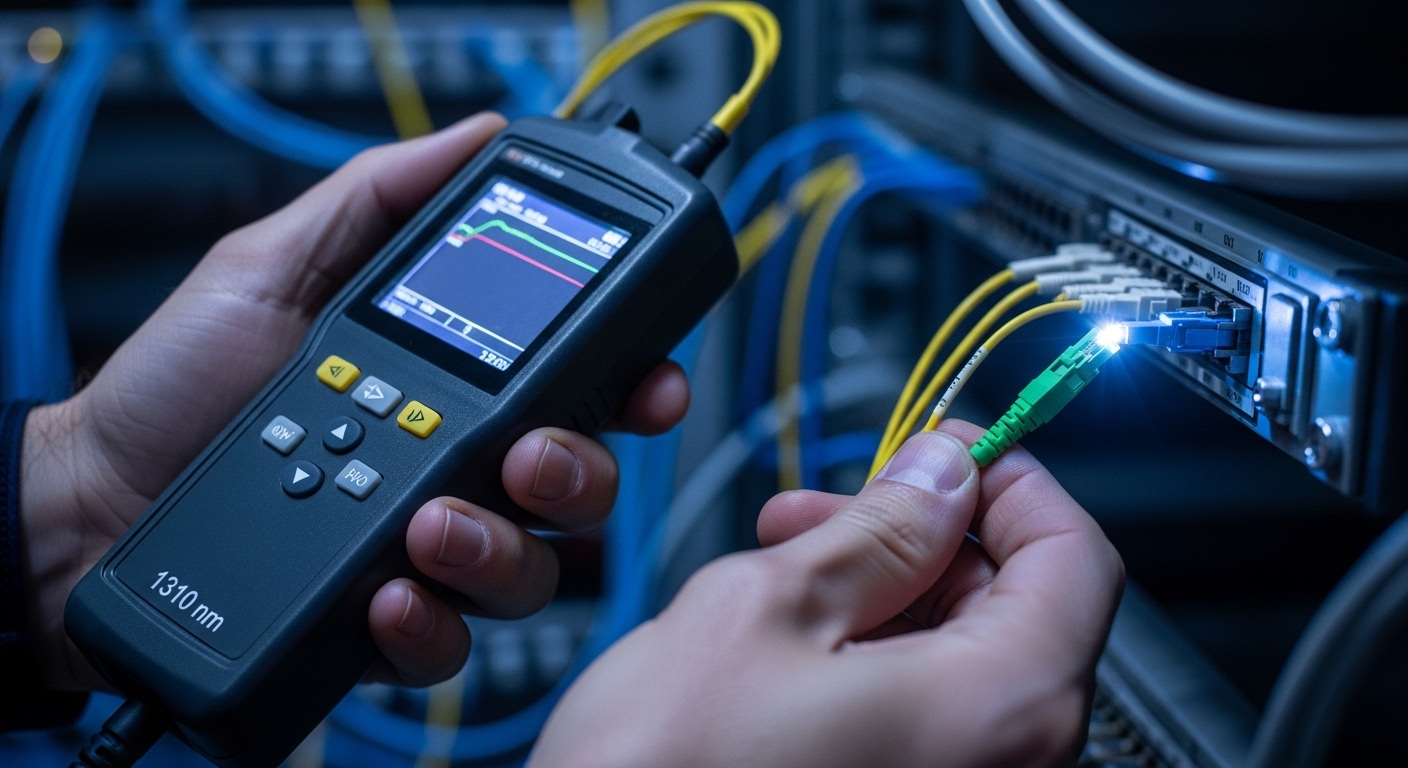
If your 800G fabric starts flapping, dropping packets, or going dark, data center ops teams need a repeatable triage path that goes beyond “re-seat the optics.” This article helps network engineers and field technicians troubleshoot common 800G failure modes across leaf-spine and spine-core designs, using real measurements and vendor behavior. You will get a practical checklist, optics/port compatibility considerations, and concrete fixes for the most frequent causes behind link instability.
Understand the 800G failure pattern before swapping parts
At 800G line rates, “link failure” can mean very different things: loss of signal (LOS), link training failures, FEC uncorrectable events, or flapping due to optical power margins. In day-to-day data center ops, I treat the first 5 to 10 minutes as a measurement sprint, not a parts swap spree. Start by capturing interface state transitions and error counters, then correlate them with optics diagnostics and transceiver temperature.
Quick triage: read what the switch is already telling you
On most Ethernet ASIC platforms, you can pull per-port counters and transceiver DOM values. Look for LOS or LOF indications, FEC corrected/uncorrected counts, and link flap logs that show whether the PHY is failing during training. If the interface is “up/up” but performance collapses, focus on packet drops, CRC errors, and buffer drops rather than assuming a dead transceiver.
Correlate optics diagnostics with error counters
For coherent and high-speed direct-detect implementations, DOM fields usually include Tx power, Rx power, bias current, laser temperature, and sometimes CDR lock or vendor-specific status. A common pattern in data center ops is “intermittent Rx power too low” caused by dirty connectors or marginal fiber polishing. When you see Rx power drifting while the module temperature stays normal, cleaning and connector inspection often beat replacement.
Pro Tip: In many 800G platforms, the transceiver can report plausible Tx power while the Rx side still fails due to a single bad connector or micro-bend in the patch cord. Before buying a new module, inspect and clean both ends of the exact failing jumper, then re-check Rx power and error counters after the re-seat.
800G optics and standards: compatibility pitfalls that cause “phantom” failures
800G deployments commonly use QSFP-DD, OSFP, or vendor-specific high-density optics depending on the switch model and reach. Troubleshooting data center ops issues gets faster when you confirm optics type, lane mapping, and reach class match the port expectation. Many “mystery” failures come from mixing transceiver generations, using the wrong connector type, or exceeding the supported optical budget.
Know what IEEE Ethernet expects at high speed
From an engineering standpoint, 800G Ethernet relies on standardized behavior for link initialization, FEC, and error reporting as defined in the Ethernet family specifications. For baseline concepts around link behavior and FEC-related error semantics, reference the IEEE Ethernet standard family and implementation guidance from vendors. A practical starting point is IEEE 802.3 for Ethernet PHY concepts and vendor datasheets for FEC and optical reach requirements. anchor-text: IEEE 802.3 Ethernet standards
Field comparison: common 800G optics (example classes)
Below is a representative comparison of optics classes you might encounter in data center ops. Your exact module part numbers and limits will vary by switch vendor and firmware, so treat this table as a selection starting point, not a substitute for the transceiver compatibility matrix.
| Optics class (example) | Typical wavelength | Reach target | Connector | Data rate | DOM support | Operating temperature | Notes for failures |
|---|---|---|---|---|---|---|---|
| SR8-style 800G multimode | ~850 nm | Up to ~100 m (MMF, budget dependent) | LC (duplex) or MPO/MTP (array) | 800G | Yes (Tx/Rx power, bias, temp) | 0 to 70 C (module dependent) | Dirty MPO, patch cord mismatch, or OM4/OM5 issues cause Rx power drop |
| FR4-style 800G single-mode | ~1310 nm / WDM bands | ~2 km (budget dependent) | LC | 800G | Yes | -5 to 70 C (module dependent) | Connector contamination or excessive loss after splices triggers LOS/uncorrectables |
| DR4-style 800G single-mode | ~1310 nm / WDM bands | ~500 m to 1 km (budget dependent) | LC | 800G | Yes | -5 to 70 C (module dependent) | Micro-bends and patch cord aging lead to intermittent FEC failures |
Deployment scenario: leaf-spine 800G with patch-cord risk
In a 3-tier data center ops environment with a leaf-spine topology, I’ve seen 800G links between 48-port leaf switches and a pair of spine switches run in a 2-fiber redundancy scheme, with each link mapped to specific breakout lanes. In one case, the team observed that only 6 ports started flapping after a maintenance window that replaced a set of OM4 patch cords. The optics diagnostics showed Rx power 2 to 3 dB lower on those ports, while the Tx power and module temperatures stayed within vendor limits.
The root cause was not the transceivers; it was the patch cords. The replacement cords were “compatible” by connector type, but the termination quality and polishing grade were inconsistent, causing higher insertion loss and intermittent contamination. After cleaning with proper fiber-grade methods and re-terminating two bad jumpers, the link stability returned and the FEC uncorrectable counters stopped incrementing.
Selection criteria and decision checklist for reliable 800G
When data center ops teams plan fixes or new installs, the best troubleshooting is preventing repeats. Use the following ordered checklist to reduce link instability and avoid compatibility traps. If you are already in failure mode, this same list helps you decide what to validate before you order parts.
- Distance and optical budget: verify the exact reach class (MMF vs SMF) and ensure your total loss (fiber + splices + patch cords) stays within the transceiver/vendor budget.
- Switch compatibility matrix: confirm the module type is officially supported for your switch model and firmware. Many failures occur when unsupported optics negotiate incorrectly.
- Connector and polarity correctness: MPO/MTP polarity, lane mapping, and LC directionality must match the plan. A reversed polarity can look like “intermittent LOS” depending on lane activity.
- DOM and alarm interpretation: confirm you know how your platform reports Tx/Rx power and FEC events; counters differ by ASIC and vendor.
- Operating temperature and airflow: ensure the module stays within its rated temperature range; thermal throttling and marginal performance can mimic optical loss.
- DOM support and serviceability: prefer modules with reliable DOM readings and consistent alarm thresholds so your monitoring can catch drift early.
- Vendor lock-in risk: weigh OEM vs third-party optics. Third-party can reduce capex, but validate compatibility and warranty terms to reduce replacement churn.
Common mistakes and troubleshooting steps that actually work
Here are the failure modes I see most in data center ops when 800G ports go unstable. For each, I include the likely root cause and what to do next.
Mistake: swapping optics before cleaning the connector
Root cause: dirty MPO/MTP endfaces or LC ferrules cause intermittent attenuation, leading to Rx power dips and LOS or FEC uncorrectables. The new module appears “bad” because the optical path is still contaminated.
Fix: clean both ends of the failing jumper using fiber-grade cleaning tools, inspect under magnification, then re-seat. Re-check Rx power and FEC uncorrectables after cleaning; if they improve, keep the module.
Mistake: ignoring lane mapping and polarity for MPO arrays
Root cause: incorrect polarity or lane mapping can result in partial lane failures. At 800G, even a subset of lanes can trigger training retries and flapping.
Fix: verify the polarity method used in your patching standard (for example, consistent MPO polarity adapters) and confirm the connector orientation. Reseat with the correct orientation and validate with lane-level diagnostics if your platform exposes them.
Mistake: using “works in the lab” patch cords in production
Root cause: patch cords with inconsistent polishing grade or insertion loss can pass basic continuity checks but fail at high-speed optical margins. This becomes obvious only under real traffic patterns and higher error sensitivity.
Fix: measure optical power and insertion loss where possible, replace suspect patch cords with known-good certified assemblies, and avoid mixing patch cord batches without validation.
Mistake: assuming firmware is irrelevant
Root cause: certain firmware versions adjust FEC behavior, training parameters, or alarm thresholds. After upgrades or rollbacks, you might see new flapping patterns even with identical optics.
Fix: check release notes and compare known-good firmware for your switch model. If flaps correlate with a specific change window, validate by reverting in a controlled way or applying the vendor-recommended patch.
Cost and ROI: how to avoid repeat failures
In data center ops, the “cheapest” optics option often becomes expensive when failures cause extended downtime. OEM 800G transceivers for major switch ecosystems can vary widely by vendor and wavelength class, but a realistic planning range for budgeting is roughly several hundred to over a thousand USD per module, with third-party often lower but not always compatible. TCO should include labor time for cleaning/inspection, spare inventory, and the probability of repeat failures.
For ROI, I recommend keeping a small, validated spare pool for the most failure-prone classes in your environment (for example, SR8-style multimode modules if your patching is heavy). Also, invest in connector inspection tooling and cleaning discipline; that typically reduces failure rates faster than aggressive module replacement.
FAQ for data center ops during 800G incidents
How do I tell if the issue is optics or fiber?
Start by comparing Tx and Rx power from DOM and correlating them with LOS and FEC uncorrectables. If Rx power is consistently low on a specific path while the module stays within temperature limits, the fiber jumper or connectors are likely. If the counters follow the module after swapping, the module is the likely culprit.
What counters matter most for 800G network failures?
Focus on link state transitions, LOS/LOF indicators, CRC errors, and FEC corrected versus uncorrectable events. If the interface stays up but uncorrectables rise, treat it as an optical margin problem rather than a pure link-down issue. Always log the time relationship between flaps and maintenance actions.
Can third-party 800G optics cause incompatibility?
Yes. Even if a module physically fits, switch firmware may enforce compatibility checks or expect specific DOM behaviors. Validate against the switch vendor compatibility matrix and test in a non-production rack before broad rollout.
Should I clean connectors every time I re-seat optics?
In high-speed links, yes, especially after any maintenance window or when you see intermittent behavior. Cleaning costs less than downtime, and it prevents contamination from being spread across multiple re-seats. Inspect with magnification to confirm the endface is truly clean.
How do temperature and airflow affect 800G stability?
Modules have defined operating temperature ranges, and high-density racks can create hot spots around line cards. If module temperature trends upward during flaps, verify airflow, fan tray health, and that there are no blocked vents. Temperature-related drift can reduce optical performance margins over time.
What is the fastest safe rollback strategy?
If the incident started after a change, identify the last known-good configuration window and the exact firmware or patch cord batch change. Roll back in a controlled manner on a small subset of ports first, then expand only if stability returns. Document before/after counters so you can confirm the root cause.
If you want to reduce 800G downtime in data center ops, treat every incident like an evidence-driven optical and training-margin problem: measure first, clean and verify polarity, then swap only after the counters point to the transceiver. Next, review fiber-cleaning-and-connector-inspection best practices to tighten your operational reliability loop.
Author bio: I’m a field-focused network builder who documents hands-on troubleshooting for high-speed Ethernet fabrics and optics. I share practical deployment notes from switch rooms, where measured DOM values and connector inspection decisions matter every day.
