
use case study: Optical upgrade path for 25G/10G link stability
When a leaf-spine fabric starts dropping frames or CRC errors after a hardware refresh, the root cause is often optical reach margin, transceiver compatibility, or temperature drift rather than “bad cabling.” This use case study helps network engineers and field technicians select and validate SFP28 and QSFP28 optics for 10GBASE-SR and 25GBASE-SR over OM3/OM4, with a practical checklist that matches real deployment constraints.
Incident-driven use case study: from CRC spikes to stable links
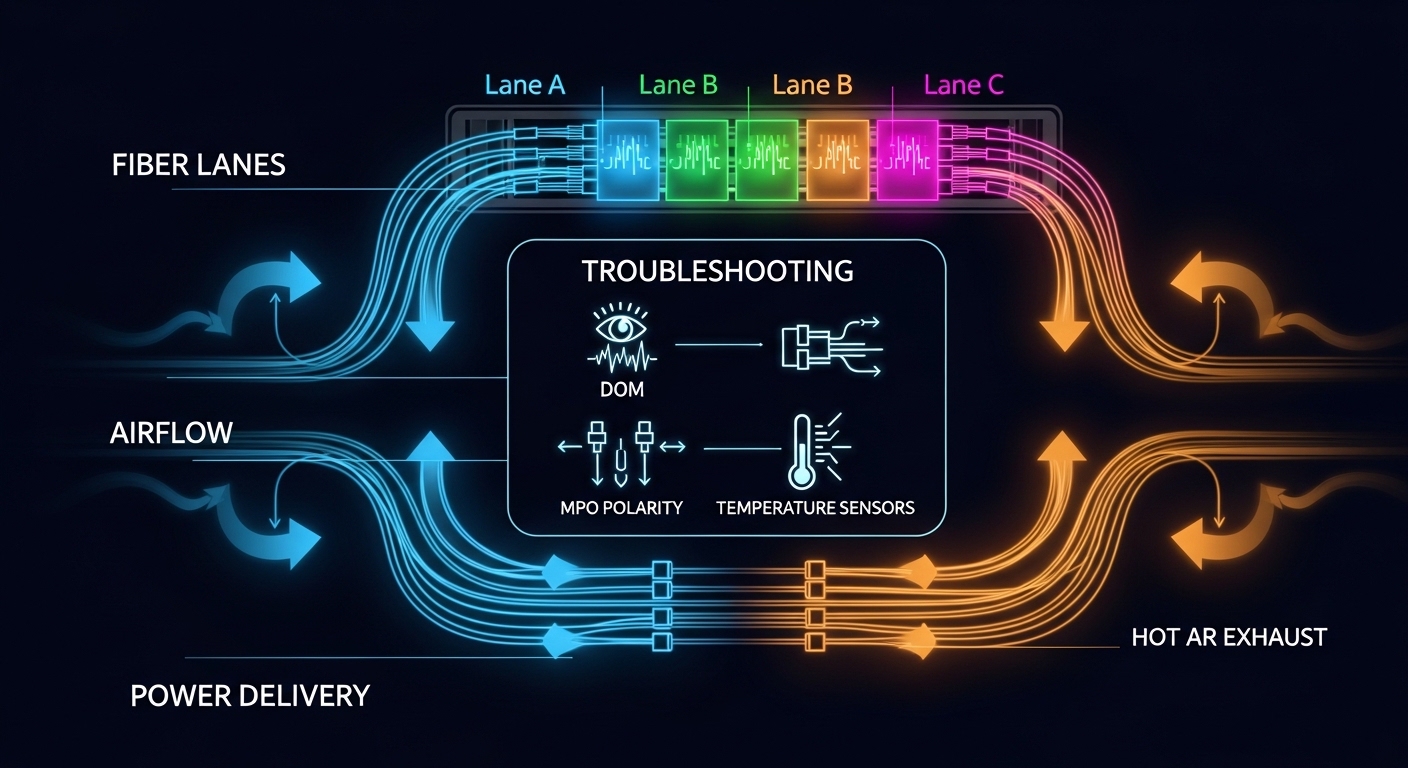
In a 3-tier data center leaf-spine topology, a team upgraded 10G ToR switches to 25G uplinks while keeping existing OM3 backbone trunks for cost reasons. After cutover, they observed CRC errors increasing from near-zero to 1e-6 to 1e-5 and intermittent link flaps on a subset of ports, mostly in colder server rows and after weekend HVAC cycles. Packet captures confirmed L2 retransmissions but no spanning-tree churn, pointing to physical layer degradation. The corrective action was not “replace everything,” but to re-baseline optics selection (wavelength, reach class, DOM behavior, and operating temperature) and to validate fiber plant and connector cleanliness.
What changed during the migration
The original design used 10GBASE-SR optics (SFP-10G-SR class) on OM3 with short patch cords. For the upgrade, they introduced 25GBASE-SR (SFP28 or QSFP28) to connect ToR to aggregation, while reusing many of the same OM3 runs and patch panels. The transceiver mix included both OEM-branded and third-party modules. On paper, the reach matched, but field measurements showed the links were operating with less than expected optical power margin under higher-temperature and connector-attenuation conditions.
Measured signals that guided the fix
On the affected switches, the team pulled transceiver DOM telemetry and interface counters. DOM readings showed TX bias current drifting faster than expected on certain modules, consistent with marginal link budgets. After cleaning and re-terminating two patch panels (LC polarity verified), the CRC slope flattened. In parallel, they replaced a subset of modules whose vendors’ datasheets indicated narrower operating temperature ranges or more conservative link budgets for OM3.
Pro Tip: In mixed OEM/third-party optics deployments, DOM “it reports temperature” is not enough. Compare the vendor’s specified optical power and receiver sensitivity for your exact fiber type (OM3 vs OM4) and temperature band; a module can pass link up with a nominal budget yet still fail under weekend thermal swings due to bias-current and laser output drift.
Optical technology selection: SR vs LR and why DOM matters
For 10G/25G short-reach migrations, SR optics over multimode fiber (MMF) are common because they avoid expensive single-mode plant upgrades. However, SR modules differ in wavelength, reach class, and how they implement digital diagnostics (DOM). IEEE 802.3 defines the Ethernet physical layer behavior, but the optics vendor defines the actual transmitter parameters and receiver sensitivity that determine margin.
Standards and compatibility anchors
Relevant physical layer families include 10GBASE-SR and 25GBASE-SR as defined in IEEE 802.3 optical specifications. Compatibility is typically “works if it links,” but real operations require DOM and compliance with the host’s transceiver expectations (e.g., vendor-specific thresholds, alarm reporting, and sometimes EEPROM vendor IDs). Field experience shows that some switches apply stricter alarm suppression or rate-limiting logic based on DOM fields, which can change the apparent symptom even if the link is technically up.
Key specifications engineers should verify
Before swapping modules, record the host switch transceiver type (SFP28 vs QSFP28 vs SFP+), the supported optics speed profile, and whether the platform enforces validated module lists. Then check the optics datasheet for wavelength (typically around 850 nm for SR), maximum reach over OM3/OM4, connector type (LC), DOM support, and specified operating temperature. Also capture expected power consumption; in dense deployments, even 0.5 W per module times hundreds of ports becomes a facility-level TCO item.
| Parameter | 10GBASE-SR (SFP+ class) | 25GBASE-SR (SFP28 class) | 25GBASE-SR (QSFP28 class) |
|---|---|---|---|
| Typical wavelength | 850 nm | 850 nm | 850 nm |
| Target media | OM3 / OM4 MMF | OM3 / OM4 MMF | OM3 / OM4 MMF |
| Representative reach (datasheet-dependent) | Up to 300 m (OM3) / 400 m (OM4) | Up to 100 m (OM3) / 150 m (OM4) | Up to 100 m (OM3) / 150 m (OM4) |
| Connector | LC | LC | LC |
| DOM / Digital diagnostics | Often supported (vendor-specific) | Typically supported | Typically supported |
| Operating temperature | Commonly 0 to 70 C (commercial) or -40 to 85 C (extended) | Commonly 0 to 70 C or -40 to 85 C | Commonly 0 to 70 C or -40 to 85 C |
| Typical power | ~1.0 to 1.8 W | ~1.2 to 2.0 W | ~1.5 to 2.5 W |
In the reported incident, the “it links” modules were not necessarily wrong; they were often simply operating at reduced margin because the effective plant attenuation included dirty connectors, aged patch cords, and higher-than-modeled insertion loss at specific patch panels.
Concrete deployment scenario: validating optics in a mixed vendor fleet
In the same environment, the team had 48-port 10G ToR switches with 12 x 25G uplinks per ToR. Over a month, they handled 216 uplink conversions from 10G to 25G, spanning approximately 60 OM3 trunk runs and 1200 patch cords across two buildings. To minimize downtime, they rolled changes by rack group and monitored interface counters every 30 minutes using SNMP polling. They also scheduled fiber cleaning with inspection before any optics swap on the “most error-prone” patch panels.
Operational validation steps that worked
- Pre-stage optics: verify module part numbers and DOM capability; avoid mixing commercial-temperature optics in extended-temperature zones.
- DOM baseline: log RX power, TX bias current, and temperature at idle and under traffic (e.g., iperf3 at line rate where feasible).
- Fiber inspection: clean LC connectors and confirm polarity; re-terminate only when inspection shows physical contamination or connector damage.
- Controlled traffic tests: run sustained traffic for 30 to 60 minutes and compare CRC/BER trends before and after changes.
For the final stabilization, they replaced a subset of third-party modules with OEM-validated equivalents on the coldest rows. On the same days, they also retired the most degraded patch cords (measured insertion loss exceeded the assumed budget) and re-balanced the patch panel distribution so the longest runs did not coincide with the highest-loss connectors.
Selection criteria checklist for SR optics under real constraints
This checklist is what engineers typically use when the goal is not just “link up,” but stable operation across temperature cycles, maintenance windows, and mixed vendor optics. The ordering reflects the failure modes seen in the field: reach margin first, then compatibility, then diagnostics, then environmental limits.
- Distance vs reach class: confirm your actual worst-case run length including patch cords and jumpers; do not rely on “nominal reach” alone.
- Budget math with conservative assumptions: include connector insertion loss (often multiple LC interfaces), patch panel loss, and aging factor for older OM3.
- Switch compatibility: confirm SFP28/QSFP28 type, speed support, and any vendor validation lists; test one port before bulk rollout.
- DOM support and alarm behavior: ensure the host reads DOM fields correctly; verify that alarms do not trigger port err-disable or throttling.
- Operating temperature range: match the optics temperature spec to the worst-case ambient and airflow in your cold/hot aisle design.
- Vendor lock-in risk: estimate replacement availability and warranty handling; choose a supplier with consistent firmware/EEPROM behavior.
- Power and cooling impact: in high-density racks, compute the aggregate module power draw and check against PSU and airflow limits.
Examples of commonly deployed optics (for reference)
Engineers often reference modules such as Cisco SFP-10G-SR, Finisar FTLX8571D3BCL, and FS.com SFP-10GSR-85 for 10G SR deployments, and corresponding SFP28/QSFP28 SR parts for 25G. Exact reach and temperature specs vary by part number, so treat these as model families rather than guaranteed interchangeability.
Common pitfalls and troubleshooting tips (with root causes)
When SR links become unstable after an optics refresh, the failures usually fall into a few repeatable patterns. The list below includes concrete root causes and the fastest mitigation path.
“It links but CRC errors climb over hours”
Root cause: insufficient optical power margin due to degraded patch cords, dirty connectors, or OM3 modal power conditioning differences. Third-party modules may also have different receiver sensitivity or bias behavior.
Solution: inspect and clean LC ends, replace suspect patch cords, and compare DOM RX power trends between stable and unstable ports. Re-run traffic tests while monitoring DOM temperature and bias current.
Cold-row or after-HVAC link flaps
Root cause: module operating temperature out of spec (commercial-temperature optics installed where ambient drops below or rises above limits), causing laser output drift and marginal receiver operation.
Solution: confirm ambient and airflow near the switch; swap to extended-temperature rated optics (where available) and verify stability across the full diurnal cycle.
Port err-disable or alarm-driven throttling after swapping optics
Root cause: host switch applies alarm thresholds based on DOM fields that differ between vendors; some modules report parameters with different scaling or update cadence.
Solution: validate DOM field mapping on one port; update switch transceiver settings if supported; prefer modules explicitly validated by the switch vendor for production.
“Polarity is correct” but links never pass traffic
Root cause: LC polarity mismatch, damaged ferrules, or connector contamination that reduces optical coupling below receiver sensitivity.
Solution: verify polarity with a fiber tester and inspection scope; re-terminate only after confirming end-face cleanliness and connector integrity.
Cost and ROI note: OEM vs third-party optics in a maintenance reality
In typical enterprise and colocation environments, 10G SR SFP/SFP+ modules often land in the lower hundreds of dollars per 10-pack for third-party, while OEM-branded options may be higher by a factor of 1.5x to 3x. 25G SR optics (SFP28/QSFP28) usually cost more, and QSFP28 modules can carry an additional premium due to higher aggregate optics complexity. The ROI is not only purchase price; it is also RMA friction, downtime risk, and the cost of failed diagnostics during incident response.
From a field perspective, a practical TCO model includes: expected failure rate, RMA turnaround time, labor hours for swap-and-verify, and the cost of maintaining spares that are compatible with your switch. If third-party optics create frequent “marginal link” incidents, the labor cost can exceed the purchase delta quickly. Conversely, when fiber plant quality is strong and you validate DOM behavior once, third-party can be cost-effective.
FAQ
How do I confirm a use case study optical choice will work on OM3?
Start with the optics datasheet reach for OM3, then subtract realistic insertion losses for patch cords and connectors. In production, validate with DOM RX power and run sustained traffic while monitoring CRC/BER trends over at least 30 to 60 minutes. If possible, test one link at the far end of your distribution before bulk rollout.
Can I mix OEM and third-party SFP28/QSFP28 modules in the same switch?
Often yes, but not always safely. The risk is DOM/alarm behavior differences and host compatibility filtering based on EEPROM fields. Validate one port per module family and compare DOM update cadence and alarm thresholds before scaling.
What DOM metrics best correlate with impending link degradation?
RX optical power and TX bias current trends are the most actionable in most troubleshooting workflows. Temperature readings help explain drift, but the “early warning” is usually a gradual RX power reduction coupled with rising error counters.
Why do links flap after upgrades even when reach is “within spec”?
Spec reach assumes an idealized link budget and clean connectors. Real plants add connector contamination, aging patch cords, and patch panel insertion loss that can reduce margin. Temperature cycles can then push the link from “works” into “marginal,” producing flaps and CRC growth.
What is the fastest troubleshooting path when CRC errors appear after swapping optics?
Inspect and clean connectors first, then compare DOM telemetry between stable and unstable ports while running traffic. If the issue concentrates on certain module lots or temperature zones, swap optics to a different vendor/model class and re-test under the same traffic profile.
Should I prioritize extended-temperature optics for data centers?
If your facility experiences meaningful ambient swings or airflow turbulence, extended-temperature optics reduce risk. Even if “commercial” modules technically operate, the margin can shrink during extreme cycles, leading to sporadic errors.
If you want a second reference topic, use the same incident-driven mindset for your next design review: fiber link budget and DOM telemetry troubleshooting.
Author bio: Senior software/hardware engineer with 10+ years deploying and debugging Ethernet optical links in production data centers. Field experience includes DOM-based incident response and migration planning across mixed vendor transceiver fleets.
