
Optical link failures in a data center often look identical from the switch CLI: ports flap, link never comes up, or you see CRC and LOS counters climb. This article helps network engineers and IT directors troubleshoot the root cause quickly by combining DOM telemetry, fiber-layer checks, and switch/optics compatibility governance. Expect practical decision points you can apply on leaf-spine, access, and aggregation fabrics with real optics behavior.
Start with evidence: DOM, port counters, and physical symptoms
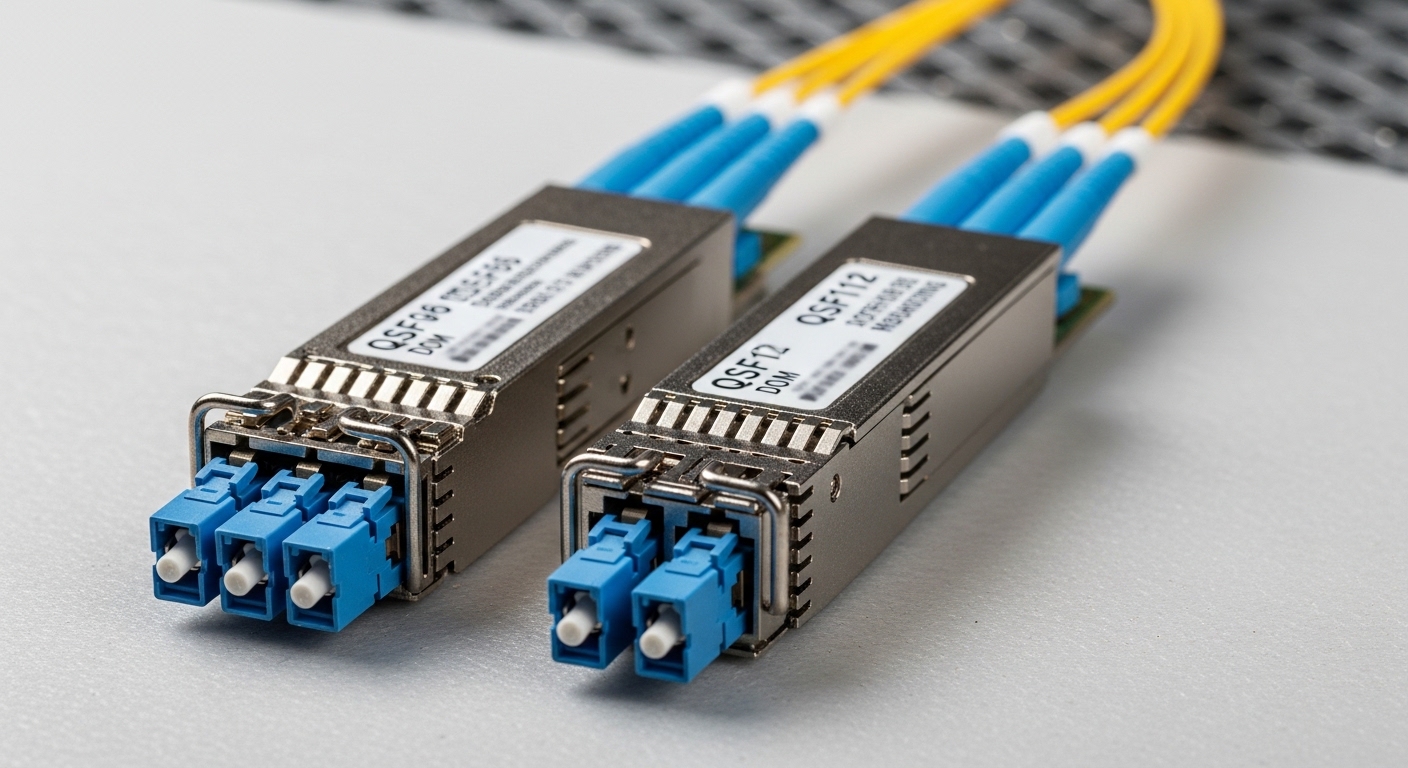
Before touching fiber, capture the “what” and “when.” Most modern transceivers expose Digital Optical Monitoring (DOM) data such as Tx bias current, Tx power, Rx power, and temperature. On Cisco IOS-XE, NX-OS, and similar platforms, you can correlate LOS/LOF flags with DOM thresholds and interface error counters. A link that never establishes typically points to polarity, wrong wavelength, or incompatible module; a link that comes up but degrades points to fiber attenuation, bad connectors, or dirty optics.
Use a repeatable evidence checklist
- Record port state transitions (UP/DOWN), and timestamps for flaps.
- Collect optics DOM: temperature, Tx bias current, Tx/Rx power, and any alarm flags.
- Check switch-side counters: CRC/late collisions (legacy), FCS errors, and any vendor-specific optical diagnostics.
- Confirm speed/encoding negotiation: 10GBASE-SR vs 10GBASE-LR behavior differs in optics selection.
Pro Tip: If DOM shows normal Tx power but very low Rx power, treat it as a receive-path problem first (polarity, dirty connector endfaces, or a fiber break). If both Tx and Rx powers are abnormal while temperature is within range, suspect a marginal or incompatible transceiver rather than the fiber.
Map optical layer causes to measurable specs
Optical links fail for a limited set of physical reasons: insufficient optical power at the receiver, excessive attenuation, miswiring/polarity reversal, wrong fiber type, or module mismatch. The IEEE 802.3 family defines reach targets and optical interfaces; vendor datasheets define DOM alarm thresholds and supported temperature ranges. When you know the target wavelength and reach, you can interpret DOM values against expected operating windows.
Key transceiver and link parameters that matter
Most troubleshooting accelerates when you verify these parameters match end-to-end: wavelength (850 nm vs 1310 nm vs 1550 nm), data rate (10G/25G/40G/100G), connector type (LC duplex vs MPO), and fiber mode (OM3/OM4/OS2). Also verify whether the link uses SR (short reach multimode) or LR/ER/ZR (single-mode long reach), because swapping SR and LR optics can produce consistent “link down” outcomes even when the hardware seats correctly.
| Parameter | 10GBASE-SR (Typical) | 10GBASE-LR (Typical) | 100G SR4 (Typical) |
|---|---|---|---|
| Wavelength | 850 nm | 1310 nm | 850 nm (4 lanes) |
| Fiber type | OM3/OM4 multimode | OS2 single-mode | OM4 multimode |
| Reach target | Up to ~300 m on OM3, ~400 m on OM4 (class dependent) | Up to ~10 km on OS2 | Up to ~100 m on OM4 (varies by class) |
| Connector | LC duplex | LC duplex | MPO/MTP (12-fiber, 8-fiber pairs used) |
| DOM telemetry | Tx/Rx power, bias, temperature | Same categories | Lane-level where supported |
| Operating temperature | Often commercial: ~0 to 70 C (varies) | Often industrial options available | Varies by transceiver grade |
If you are using specific optics, validate part numbers and compatibility. Example optics that frequently appear in deployments include Cisco SFP-10G-SR, Finisar FTLX8571D3BCL (10G SR class), and FS.com SFP-10GSR-85 (10G SR). Always cross-check the vendor datasheet for DOM behavior and supported fiber grades; third-party modules can work well, but you must govern their qualification and monitoring approach.
Fiber polarity, connector cleanliness, and MPO lane alignment
In practice, the highest-frequency causes are rarely “mystical optics.” They are usually fiber polarity errors, dirty endfaces, or incorrect MPO lane mapping. Duplex LC links can fail due to reversed Tx/Rx polarity at either end. MPO/MTP links can fail due to lane skew or using the wrong polarity configuration (for example, mismatched polarity types in structured cabling). Even when the link trains, dirty optics raise bit error rates and can lead to intermittent CRC/FCS errors.
Polarity and cleaning actions that prevent repeat incidents
- For LC duplex: confirm Tx-to-Rx mapping using labeled patch cords and consistent connector orientation.
- For MPO/MTP: verify polarity scheme end-to-end (patch cord type and cassette mapping).
- Clean before measuring: use lint-free wipes and approved cleaning tools; inspect with a fiber microscope.
- After cleaning: re-seat optics and confirm DOM alarm state clears.
When you re-test, compare Rx power trends across known-good ports. A single “bad port” with consistently low Rx power but correct polarity typically indicates a damaged connector, a cracked ferrule, or a fiber break in the patch path. A pattern across multiple adjacent ports often indicates a cleaning or polarity batch issue in a cabinet.
Selection criteria: choosing the right optics under governance
For enterprise architecture and governance, you want predictable behavior, not just “it lights up.” Your optics selection should be consistent with IEEE 802.3 interface requirements, your switch vendor support matrix, and your operational climate. Establish a qualification workflow that includes DOM verification, temperature soak tests, and controlled link budget validation.
- Distance and reach class: verify multimode grade (OM3 vs OM4) or single-mode OS2 budget.
- Budget constraints: compare OEM vs third-party optics pricing and warranty terms.
- Switch compatibility: confirm exact transceiver model support and any licensing or strict diagnostic checks.
- DOM support: ensure alarms and readings populate correctly for your NMS workflows.
- Operating temperature: align transceiver grade with hot-aisle/cold-aisle profiles and measured port temperatures.
- Vendor lock-in risk: reduce operational dependency by qualifying multiple approved suppliers.
- Connector ecosystem: align LC vs MPO/MTP tooling and cleaning processes.
Common mistakes and troubleshooting fixes
Here are frequent failure modes field teams encounter, with root causes and targeted solutions.
- Mistake: Replacing optics without checking fiber polarity.
Root cause: Tx/Rx reversal or MPO polarity mismatch prevents receiver detection.
Solution: verify polarity mapping, re-terminate or swap patch cords, then confirm Rx power recovers. - Mistake: Ignoring connector cleanliness and skipping fiber inspection.
Root cause: microscopic contamination increases attenuation and causes intermittent LOS or CRC errors.
Solution: clean both ends, inspect with a microscope, and re-test while monitoring Rx power trends. - Mistake: Mixing wavelengths or reach classes (SR vs LR) during spares swaps.
Root cause: wrong wavelength and/or fiber type leads to no link or severe BER.
Solution: enforce labeling and a spares catalog; verify 850 nm vs 1310 nm vs 1550 nm and fiber grade before insertion. - Mistake: Overlooking DOM alarm thresholds and interpreting only port LEDs.
Root cause: DOM can reveal aging lasers, marginal bias currents, or temperature drift before link failure.
Solution: baseline DOM values on known-good optics and set alert thresholds in monitoring.
Cost, ROI, and TCO considerations for optics replacements
In most enterprises, optics spend is a small line item compared to downtime risk, but it can still dominate TCO when failure rates rise. OEM optics often cost more upfront, while third-party optics can be 20 to 50 percent cheaper depending on speed and reach. However, third-party modules may have less consistent DOM behavior or narrower temperature margins, increasing operational overhead for troubleshooting and replacements. ROI improves when you standardize approved optics, track DOM health, and reduce repeat incidents through cleaning and polarity governance.
References & Further Reading: IEEE 802.3 Ethernet Standard | Fiber Optic Association – Fiber Basics | SNIA Technical Standards
If you want a practical next step
