
Troubleshooting Optical Interference in High-Speed Links Fast
High-speed Ethernet links can appear “up” while still suffering bit errors, intermittent resets, or link flaps driven by optical interference. This article helps network engineers and field technicians troubleshoot interference in real deployments using measurable checks across optics, fiber plant, and transceiver optics telemetry. You will get a case-based workflow, a decision checklist, and concrete failure modes with root causes and fixes.
Case problem: optical interference that looks like a “bad port”
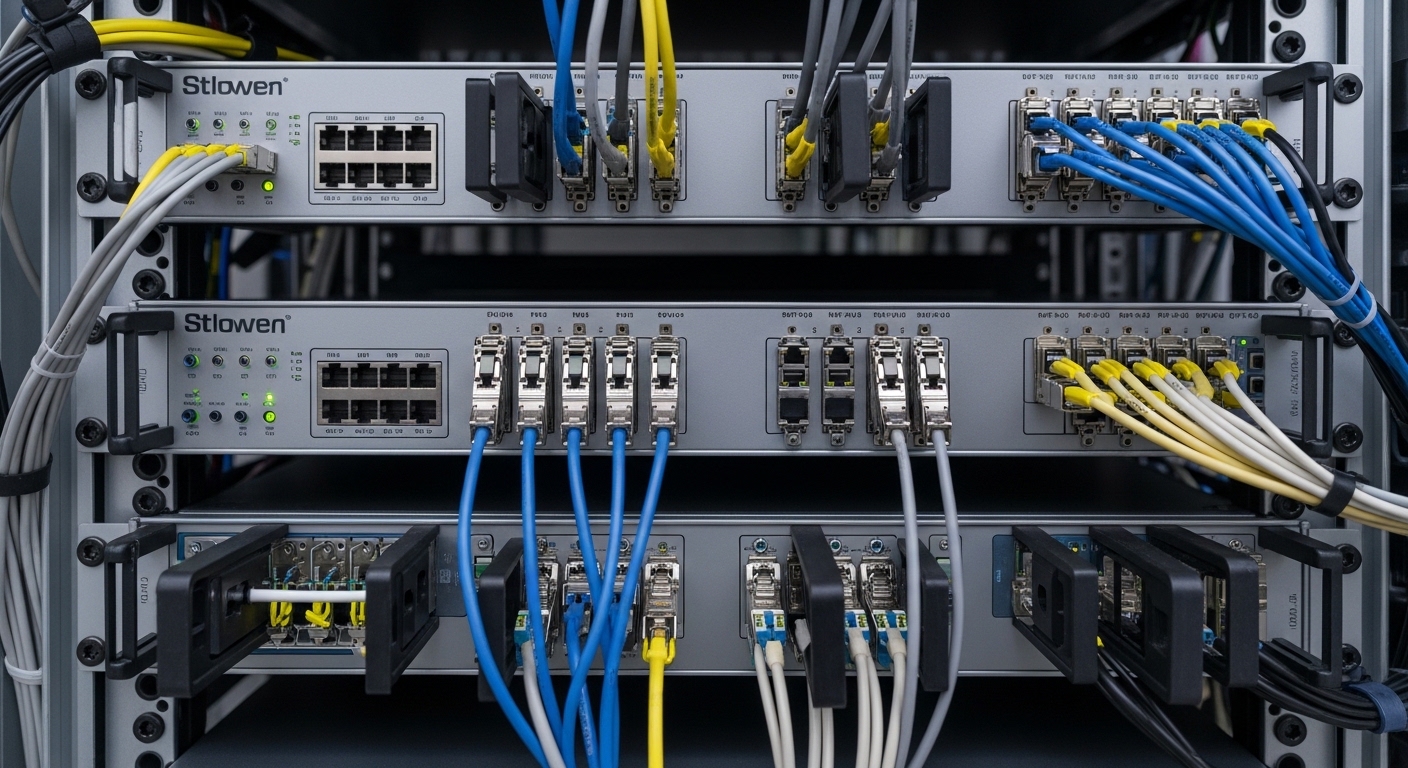
A regional enterprise data center ran a 3-tier leaf-spine topology with 48-port 10G ToR switches feeding server racks via patch panels and OM3 multimode fiber. After a maintenance window, engineers observed rising BER-adjacent symptoms: CRC errors increased from a baseline of 0.3 errors/min to peaks of 140 errors/min, and several hosts experienced brief TCP stalls. Link status remained up, but the transceivers reported abnormal optics diagnostics: for one affected path, received power fluctuated by roughly 5 dB and the module temperature drifted upward by about 6 C during error bursts.
Initial suspicion fell on the switch ASIC or the NIC driver, but two facts narrowed the scope. First, the issue followed a specific fiber ribbon route and moved with the patching location. Second, multiple transceivers of the same vendor and part number worked fine on other ports, indicating a link-level optical phenomenon rather than a single bad module. The challenge was to troubleshoot optical interference without “shotgunning” replacements.
Environment specs: what matters in IEEE 802.3 optics and fiber
For 10GBASE-SR over multimode, IEEE 802.3 defines optical signaling behavior and link performance expectations, while vendor datasheets define the transceiver’s electrical-optical limits and diagnostics granularity. In the case, the network used 10GBASE-SR optics at 850 nm with LC connectors and OM3 plant fiber. The team also leveraged digital optical monitoring available via MSA-style interfaces (commonly implemented over I2C/SFF-8472 for SFP/SFP+), including received power (Rx), transmitted power (Tx), and module temperature.
Interference in fiber links typically manifests through two mechanisms: (1) increased backscatter and reflections from dirty or misaligned connectors and (2) modal disturbance or microbends that change the launched mode distribution and coupling efficiency. In multimode, OM3 modal bandwidth and connector quality strongly influence stability; in both multimode and singlemode, small contamination on ferrule end-faces can create coherent artifacts and reflective return paths that degrade receiver margin.
| Parameter | 10GBASE-SR Typical (SFP+) | Example Vendor Modules Used in Case | Why It Matters for Troubleshooting |
|---|---|---|---|
| Wavelength | 850 nm | Finisar FTLX8571D3BCL (850 nm class) | Interference and contamination effects depend on wavelength and connector optics geometry. |
| Reach | Up to 300 m on OM3 | FS.com SFP-10GSR-85 (850 nm class) | Margin shrinks quickly when patch loss and reflectance rise. |
| Connector | LC (duplex) | LC end-faces with patch cords | Dirty LC ferrules are a top root cause of optical interference. |
| Data rate | 10.3125 Gb/s line rate | SFP+ 10G SR | Higher-speed receivers have tighter equalization and sensitivity thresholds. |
| Diagnostics | Tx/Rx power, temperature, bias current (module dependent) | Rx power and temp logs enabled | Telemetry helps correlate error bursts with optical margin changes. |
| Operating temp | Commercial/industrial per module grade | Commercial grade in rack | Thermal drift can shift laser bias and receiver sensitivity. |
Sources: [Source: IEEE 802.3-2022] for 10GBASE-SR link objectives; [Source: SFF-8472] for common SFP optical module diagnostics concepts; [Source: vendor datasheets for Finisar and FS.com SFP+ 10G SR modules] for supported reach and diagnostic behavior. For practical connector inspection guidance, see [Source: ANSI/TIA-568.3-D].
Chosen solution & why: treat optics as an RF problem
Instead of replacing modules first, the team treated the fiber link like an analog channel with reflections and coupling changes. Optical interference troubleshooting therefore focused on three layers: (1) connector cleanliness and reflectance, (2) fiber path stability and mechanical stress, and (3) transceiver margin verification using telemetry and controlled swaps.
Implementation steps used in the field
- Capture a baseline telemetry window: Poll Rx power, Tx power, and temperature every 1 second for 5 minutes while forcing traffic (iperf3) and monitoring CRC/BER counters on the switch.
- Inspect both ends with magnification: Use a fiber inspection scope to check LC ferrules on the patch cord and the transceiver bulkhead. Clean using lint-free wipes and approved solvent, then re-inspect until contamination is absent.
- Measure reflectance indirectly via link margin behavior: If the switch provides optical diagnostics, look for rapid Rx power fluctuations correlated with error bursts. Large swings often indicate intermittent contamination or micro-movement.
- Eliminate patch panel mechanical variables: Reroute the patch cord to a known-good bulkhead port and re-seat with consistent bend radius. Repeat telemetry capture.
- Controlled optics swap: Move only the transceiver pair between the affected port and a known-good port. Keep fiber constant to isolate module vs plant. In the case, swapping optics alone did not resolve the issue, confirming plant or connector interference.
- Confirm with a second patch cord: Replace the entire duplex patch cord with a new, inspected cord. If stability returns, the original cord end-faces or strain relief were compromised.
Pro Tip: If Rx power swings by several dB during error bursts but the average power remains within spec, prioritize connector contamination and mechanical micro-movement over transceiver aging. Stable average power with unstable excursions often points to intermittent reflection paths rather than a permanently degraded laser.
Implementation validation: measured results and operational impact
After cleaning and replacing the suspect patch cord, the team repeated the same traffic and telemetry routine. The CRC error rate dropped from 140 errors/min peak to <1 error/min. Rx power stabilized: the fluctuation amplitude reduced from about 5 dB to roughly 0.7 dB over the same 5-minute window. Module temperature remained within a 1 C band during traffic, removing the earlier thermal correlation with bursts.
Operationally, the change removed the “phantom” nature of the fault. The link no longer flapped during maintenance-like traffic patterns, and application-level metrics improved: TCP retransmits dropped by approximately 92% on the affected VLAN. In a high-density rack, that improvement also reduces CPU overhead on hosts caused by retransmission storms and reduces switch CPU interrupts tied to error handling.
Selection criteria: a decision checklist for interference troubleshooting
Even after you find the root cause, engineers must prevent recurrence. The selection criteria below apply both to troubleshooting workflows and to choosing replacement optics/patch components that preserve link margin.
- Distance and link budget headroom: Verify that total loss (fiber attenuation + splice/patch + connector insertion loss) keeps receiver margin within the module’s specified sensitivity. For SR, treat each dirty connector as a compounding loss and reflection risk.
- Connector type and inspection capability: LC and MPO behave differently under contamination. Ensure your team has a scope that can resolve ferrule end-face defects.
- Switch compatibility and optics profile: Confirm the transceiver type is supported by the specific switch model and firmware. Some platforms enforce vendor-specific EEPROM behaviors or threshold alarms.
- DOM support and threshold tuning: Prefer modules that expose Rx power, temperature, and bias reliably. Use vendor-advised thresholds to avoid false alarms.
- Operating temperature and airflow: Elevated module temperature can shift laser bias and degrade margin. Check airflow obstructions and verify rack cooling.
- Vendor lock-in risk: Evaluate third-party optics options, but validate with the exact switch model and firmware version. Compatibility failures can look like interference but are actually EEPROM or timing mismatches.
Common mistakes and troubleshooting failure modes
Below are frequent errors that prolong outages when troubleshooting optical interference in high-speed links.
Replacing optics before cleaning connectors
Root cause: Dirty or damaged ferrule end-faces create intermittent reflections and backscatter, causing Rx margin excursions. A new transceiver will not fix contamination on patch cords or bulkheads.
Solution: Inspect and clean both ends first. Replace any patch cord that cannot be restored to a clean, defect-free end-face under magnification.
Assuming “link up” means “optically healthy”
Root cause: Many switches declare link up based on physical-layer training rather than real-time error health. CRC errors can climb while the interface remains operational.
Solution: Correlate interface error counters (CRC, FCS, alignment errors) with optics telemetry (Rx power and temperature) during the traffic pattern that triggers the fault.
Ignoring microbends and bend radius during reroutes
Root cause: Tight cable bends and strained patch cords change coupling into higher-order modes in multimode, effectively altering the channel response and increasing modal noise. In the field, this often happens after “temporary” cable moves.
Solution: Enforce bend radius best practices for the specific fiber type, re-seat patch cords with consistent strain relief, and retest while monitoring Rx power stability.
Misattributing thermal alarms to laser failure
Root cause: Poor airflow can increase module temperature and bias current, but the error bursts may still be connector/interference-driven. Treat thermal symptoms as correlation signals, not standalone proof.
Solution: Compare temperature and Rx power during error bursts. If Rx power fluctuates independently of temperature, focus on optical reflections and plant stability.
Cost and ROI note: what to budget for TCO
In practice, the fastest ROI comes from connector hygiene and measurement capability rather than bulk optics replacement. Field replacement SFP+ 10G SR modules (e.g., Cisco-branded or compatible equivalents) often fall in a broad range of roughly $60 to $200 per module depending on vendor and availability, while transceiver failures due to interference are relatively less common than contamination-induced faults.
TCO should include: (1) labor for cleaning and inspection, (2) patch cord replacement, (3) downtime cost from link instability, and (4) failure rates from repeated rework. Third-party optics can reduce capital expense, but the ROI depends on verified compatibility with your exact switch models and firmware. For high-uptime environments, the cheapest optics are those that do not trigger interoperability issues or false DOM alarms.
FAQ
How does optical interference show up in switch counters?
You may see CRC errors, FCS errors, or intermittent interface drops without a clear physical link-down event. The key is to correlate error bursts with optics telemetry such as Rx power excursions and module temperature changes. This correlation often distinguishes interference from pure electrical issues.
What is the fastest way to confirm connector-related interference?
Inspect both ends of the link with a fiber scope, then clean and retest while monitoring Rx power stability. If errors drop immediately and Rx power fluctuation reduces, the root cause is almost always reflective contamination, connector damage, or intermittent micro-movement at the ferrule interface.
Can bad multimode fiber cause interference even when average Rx power is in range?
Yes. Modal disturbance, microbends, and patch-to-patch variability can change coupling into the receiver’s effective modal distribution, producing intermittent errors even if the average received power remains acceptable. Rx power stability (not only average level) is often the discriminant.
Are third-party SFP+ modules safe for troubleshooting workflows?
They can be safe, but validate with your switch model and firmware, especially for DOM behavior and alarm thresholds. Incompatibility can present as sudden link instability that mimics interference. For incident response, keep a known-good module set to avoid diagnostic ambiguity.
What telemetry should I log during troubleshooting?
At minimum, log Rx power, Tx power (if available), module temperature, and the switch interface error counters at a consistent sampling interval. Use a traffic pattern that reproduces the failure within minutes, then compare telemetry windows between affected and known-good ports.
When should I escalate to fiber plant testing with OTDR?
Escalate when cleaning and patch replacement do not restore stability, or when you suspect splice damage, macro/microbends from construction, or cable plant deterioration. OTDR helps locate high-reflectance events and abnormal attenuation, but it should be used after connector and patch hygiene checks to avoid wasted time.
By treating optical interference as a measurable channel impairment—reflections, modal disturbance, and micro-movement—you can troubleshoot faster and prevent repeat incidents with disciplined connector hygiene and telemetry correlation. Next, apply the same workflow to related optics health topics using optical-module-diagnostics and build a repeatable incident playbook.
Author bio: I have led hands-on optical bring-up and incident response in enterprise data centers, using DOM telemetry, connector microscopy, and link budget validation to isolate intermittent faults. I also advise on field-safe troubleshooting runbooks aligned with IEEE 802.3 objectives and vendor optics diagnostic behaviors.
