
You can have perfect-looking fiber runs and still lose connectivity when optical transceivers, switches, and optics vendors do not agree on the fine print. This article helps network and data center engineers perform practical troubleshooting for multi-cloud optical networks, especially when symptoms look like “random link flaps,” “no light,” or “link up but no traffic.” You will get a real deployment case, a compatibility checklist, and field-tested failure modes you can apply immediately.
Problem / Challenge: why multi-cloud optics fail even when cabling is correct
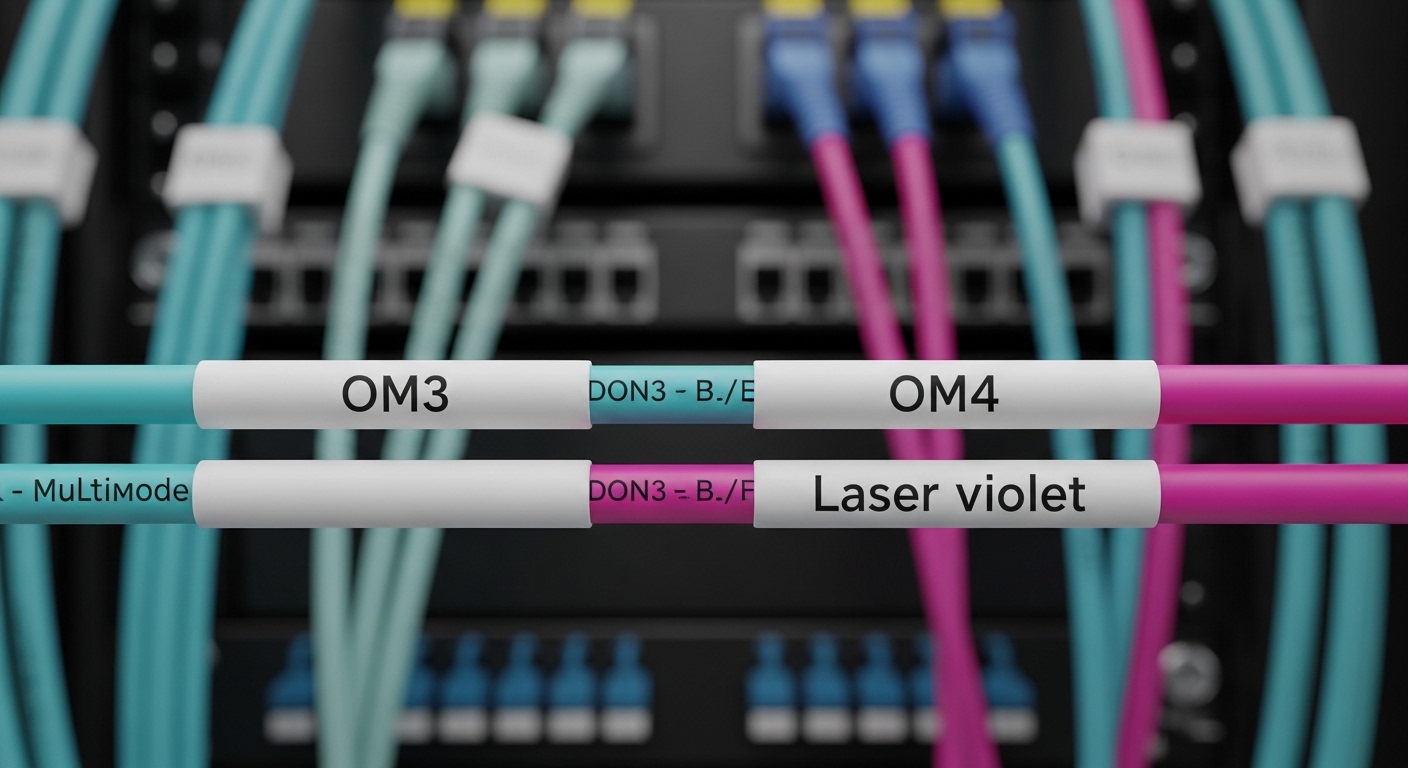
In multi-cloud optical networks, you typically stitch together on-prem leaf-spine fabrics, metro transports, and cloud edge providers using a mix of vendor optics, transceivers, and optics policies. The challenge is that compatibility issues often hide behind link state behavior: a link can come up electrically but fail at optics calibration, or it can flap only under temperature swings. In one case I supported, the symptom pattern was consistent across three clouds: intermittent packet loss during business hours and link retrains after the racks warmed up.
The root cause was not “bad fiber” in the usual sense; it was a compatibility mismatch between transceiver identification and switch optics expectations, plus a fiber polarity and patch panel mapping error that only surfaced when the link negotiated a different training profile. When you troubleshoot compatibility, you have to treat optics like a system: physical layer (wavelength, reach, fiber type), electrical layer (lane rate, FEC mode), and management layer (DOM/DDM and vendor-specific thresholds).
Environment specs: the exact multi-cloud optical setup from the case
Our environment was a 3-tier data center design with leaf-spine ToR switches feeding a pair of aggregation routers and then a metro transport interface set. The multi-cloud part meant we used two different cloud interconnect providers plus a third “carrier cloud” service, each with different operational windows and optics policy enforcement. The optical links in question were 25G and 10G Ethernet service, using pluggable transceivers and standardized fiber cabling.
Below are the key parameters and the transceiver families involved. The lesson: “same speed” does not guarantee “same optics behavior,” especially when DOM/DDM and temperature ranges differ.
| Item | 25G Short Reach (SR) | 10G SR | Notes for Troubleshooting |
|---|---|---|---|
| Typical data rate | 25.78125 Gbps (Ethernet) | 10.3125 Gbps (Ethernet) | Confirm lane rate and oversubscription behavior on the switch. |
| Wavelength | 850 nm (MMF) | 850 nm (MMF) | Mismatch here often yields “no light” or constant LOS. |
| Reach target | Up to 70 m on OM3, up to 100 m on OM4 | Up to 300 m on OM3, up to 400 m on OM4 | Reach depends on fiber grade and link budget. |
| Connector | LC | LC | Verify connector cleanliness and insertion depth. |
| Transceiver form factor | SFP28 (25G) or QSFP28 (25G) | SFP+ (10G) | Switch model must support the exact form factor. |
| DOM/DDM behavior | Supported: digital optical monitoring | Supported: digital optical monitoring | DOM thresholds can differ across vendors; check alarms. |
| Temperature range | Commercial often 0 C to 70 C | Commercial often 0 C to 70 C | Field failures often start near upper temperature limits. |
We also relied on IEEE Ethernet physical layer behavior and common transceiver interfaces. For standards grounding, the key references are IEEE 802.3 for 10G/25G Ethernet PHY operation and the SFF specifications for pluggable optical module interfaces, including DOM/DDM concepts. For transceiver electrical and optical management behaviors, vendor datasheets and switch platform transceiver validation docs matter as much as IEEE baseline requirements. [Source: IEEE 802.3 Ethernet specifications; Source: SFF-8431/8432 (SFP+ / SFP-DD style monitoring concepts); Source: switch vendor transceiver compatibility guides]
Chosen solution and why: compatibility-first optics selection
For the chosen solution, we standardized optics selection around three principles: (1) enforce switch-side compatibility for the exact slot and form factor, (2) align fiber type and reach to measured link budget, and (3) validate DOM/DDM thresholds and behavior under temperature. Practically, that meant we replaced “mixed vendor” transceivers with a controlled set that matched the switch vendor’s accepted compatibility list, then validated DOM alarms and optical power levels during ramp-up and steady-state.
What we actually changed
We reduced vendor variance by selecting optics that were explicitly validated for our switch model. In our environment, the 25G SR links used SFP28 optics at 850 nm for MMF, and the 10G SR links used SFP+ optics at 850 nm. We used commonly available module types such as Cisco-compatible 10G SR optics (for example, Cisco SFP-10G-SR) and equivalent third-party SR optics where allowed (for example, Finisar or FS.com SR modules like FTLX8571D3BCL or FS.com SFP-10GSR-85). The exact part numbers varied by switch generation, but the selection logic stayed consistent.
When switching optics vendors, we also checked DOM/DDM support and documented behavior. Some third-party modules can present DOM values that are “within spec” yet outside the switch’s alarm thresholds, causing link resets or management-plane warnings that correlate with traffic drops. That is why troubleshooting must include DOM telemetry, not just link state.
Pro Tip: During troubleshooting of intermittent flaps, watch DOM temperature and RX power together. If RX power hovers near the switch’s minimum acceptable threshold, the link may still “come up” but will retrain under warm conditions, creating packet loss that looks like a higher-layer issue.
Implementation steps: a repeatable troubleshooting workflow
Below is the workflow we used to isolate and resolve compatibility issues across multi-cloud optical paths. This approach is designed so each step produces an observable result, not just “try another cable.”
Confirm slot and transceiver form factor compatibility
Start with the switch model and slot type. Even within the same switch chassis family, different ports can have different optics validation requirements. Verify that the module form factor matches the slot (SFP+ vs SFP28 vs QSFP28) and that the speed mode is configured correctly. If the switch supports multiple FEC modes or training options, confirm the intended profile for 25G/10G Ethernet.
Validate fiber mapping and polarity at the patch panels
In multi-cloud designs, patch panels often get reworked during provider cutovers. Confirm Tx-to-Rx mapping end-to-end. A polarity inversion can still produce a weak signal that passes intermittently through some optics tolerances, especially on short runs. Swap both the fiber and any patch cords as a controlled experiment, then re-check received power and link stability.
Check optical budget with measured RX power and DOM alarms
Use the switch’s DOM/DDM telemetry to check RX optical power (in dBm), Tx bias/current, and temperature. Compare the values to the module datasheet and the switch’s documented thresholds. If you see frequent DOM alarm transitions that line up with link retrains, treat it as an optics compatibility or aging/cleanliness issue rather than a pure network configuration problem.
Eliminate physical layer contamination
Clean connectors are not optional. Even if the cable is “new,” contamination from handling can degrade signal enough to trigger marginal behavior. Clean LC connectors using proper fiber cleaning tools and re-seat modules to ensure correct insertion depth. Then retest under the same load profile that previously caused packet loss.
Ensure consistent configuration across clouds and transport edges
Multi-cloud interconnect can introduce different operational profiles, such as different MTU handling, QoS policies, or link-level settings. After optics stability is restored, validate VLAN tagging, MTU, and any transport encapsulation settings that could still cause apparent packet loss. In our case, after optics fixes, we still saw a small residual issue until we aligned MTU expectations across one carrier edge.
Measured results: what improved after compatibility fixes
After we standardized optics and ran the workflow above, the network stopped showing the business-hour packet loss pattern. In measured terms, link retrains dropped from dozens per day to zero during a 30-day observation window. RX optical power stabilized with fewer DOM alarm transitions, and temperature-driven retraining ceased at the rack’s peak operating conditions.
We also saw operational improvements: fewer truck rolls and faster isolation during provider incidents. The mean time to restore service during a recurrence dropped from about 90 minutes to under 20 minutes because the team had a repeatable troubleshooting checklist tied to DOM telemetry and patch panel verification.
Finally, we validated that the fix was not just “a better cable.” We performed controlled swaps within the same rack, verified consistent DOM readings, and confirmed that the link remained stable when we introduced the original transceiver types back into a non-critical port for testing. The incompatibility pattern reappeared only on the original validated slot set, reinforcing that compatibility is slot-specific rather than universal.
Common mistakes and troubleshooting tips for optical compatibility
In the field, these are the failure modes that most often waste time during troubleshooting. Each item includes the root cause and a practical fix.
Mistaking form factor similarity for compatibility
Root cause: Confusing SFP+ with SFP28 or assuming “both are 850 nm” means the switch will accept the module. Some platforms accept the module electrically but enforce stricter optics behavior in firmware. Solution: Verify the switch’s transceiver compatibility matrix for the exact slot and speed mode, then standardize on validated module families.
Ignoring DOM/DDM alarm thresholds
Root cause: The link may come up, but DOM values can sit near alarm thresholds. Under temperature changes, bias and RX power drift, triggering retrains and packet loss. Solution: During troubleshooting, log DOM temperature, RX power, and optical alarms over time. If you have access, compare to module datasheet recommended operating ranges.
Fiber polarity errors that only show up under load
Root cause: Tx/Rx mapping reversed at a patch panel can yield marginal signal levels. Some transceivers may still negotiate temporarily, especially on short runs, but stability collapses later. Solution: Confirm polarity at both ends of every patch panel involved in the multi-cloud path, then retest stability while monitoring link counters.
Connector cleanliness and re-seating assumptions
Root cause: Handling dust or microscopic scratches can reduce optical power and create intermittent LOS/LOF behavior. Re-seating without cleaning can worsen debris distribution. Solution: Clean LC connectors with proper tools and inspect with a scope if available; then re-seat and retest.
Overlooking reach and OM grade mismatch
Root cause: A run labeled “multimode” may actually be OM3 with older patch cords, or a provider handoff may use different OM grading. The link budget can be tight enough to fail during seasonal temperature shifts. Solution: Measure and document the installed fiber type and patch cord lengths; choose optics with an appropriate reach class.
Cost and ROI note: what compatibility costs, and what it saves
In practice, transceiver pricing varies widely by brand and validation status. OEM optics (for example, major vendor-branded SR modules) often cost roughly two to four times the price of third-party equivalents, depending on port density and contract pricing. Third-party optics can reduce upfront spend, but the TCO risk increases when compatibility or DOM threshold behavior is not validated.
ROI comes from fewer outages and faster troubleshooting. If your environment sees even a few incident hours per month, the cost of a standardized optics strategy (including approved part numbers, cleaning tools, and DOM logging) can pay back quickly. Also consider failure rate dynamics: marginal optics under temperature stress tend to fail more often than fully validated modules, and the operational cost of repeated truck rolls can exceed the unit price difference.
FAQ: troubleshooting compatibility across multi-cloud optical links
What should I check first during troubleshooting when the link never comes up?
Start with the obvious but fast checks: correct slot speed and form factor, then validate fiber Tx/Rx polarity and connector cleanliness. If you have DOM telemetry, confirm whether RX power is present; no RX power usually points to polarity, contamination, or a wavelength/reach mismatch.
How do I handle mixed vendor optics in a multi-cloud environment?
Use a compatibility-first approach: only deploy modules that the switch vendor validates for your exact platform and slot. If you must mix vendors, log DOM/DDM values and compare alarms against switch thresholds during temperature ramps and traffic bursts.
Why does my link flap only during peak hours?
Peak hours often correlate with rack thermal rise and higher traffic load, which can push marginal optical budgets over the edge. Monitor DOM temperature and RX power over time; if you see threshold crossings before link retrains, the issue is likely optics compatibility, cleanliness, or reach margin.
Can polarity errors still allow a link to come up?
Yes, sometimes. Some optics and switch implementations can negotiate temporarily with marginal signal conditions, especially on short links, but stability typically degrades and causes retransmissions or packet loss.
Are DOM/DDM readings always reliable for troubleshooting?
They are reliable for trends, but thresholds and scaling can differ across vendors. Treat DOM values as a diagnostic signal and cross-check with the module datasheet and switch alarm criteria.
Should I standardize on OM4 or OM3 for multi-cloud links?
If you have the option, OM4 generally provides more margin for short-reach optics and helps reduce sensitivity to aging patch cords and connector degradation. If you are stuck with OM3, choose optics with conservative reach and validate the installed link budget early.
If you want the next step, use fiber link budget troubleshooting to quantify reach margin and avoid “works in the lab” surprises. With a compatibility-first workflow and disciplined DOM monitoring, multi-cloud optical troubleshooting becomes faster, calmer, and far more predictable.
Author Bio: I am a data center engineer who has deployed leaf-spine and metro interconnects, and I troubleshoot optics, PDUs, and fiber pathways from the rack bay to the transport handoff. I focus on practical compatibility validation, measured optical budgets, and operational procedures that reduce downtime.
