
Open RAN rollouts live or die by timing, link budgets, and vendor compatibility. If you are planning fronthaul and midhaul optics for distributed units and radio units, this article helps you make transceiver selection decisions that match your fiber plant and switch ecosystem. You will get practical checklists, a spec comparison table, and field-style troubleshooting for the most common optics failures.
Why Open RAN makes transceiver selection harder than normal Ethernet
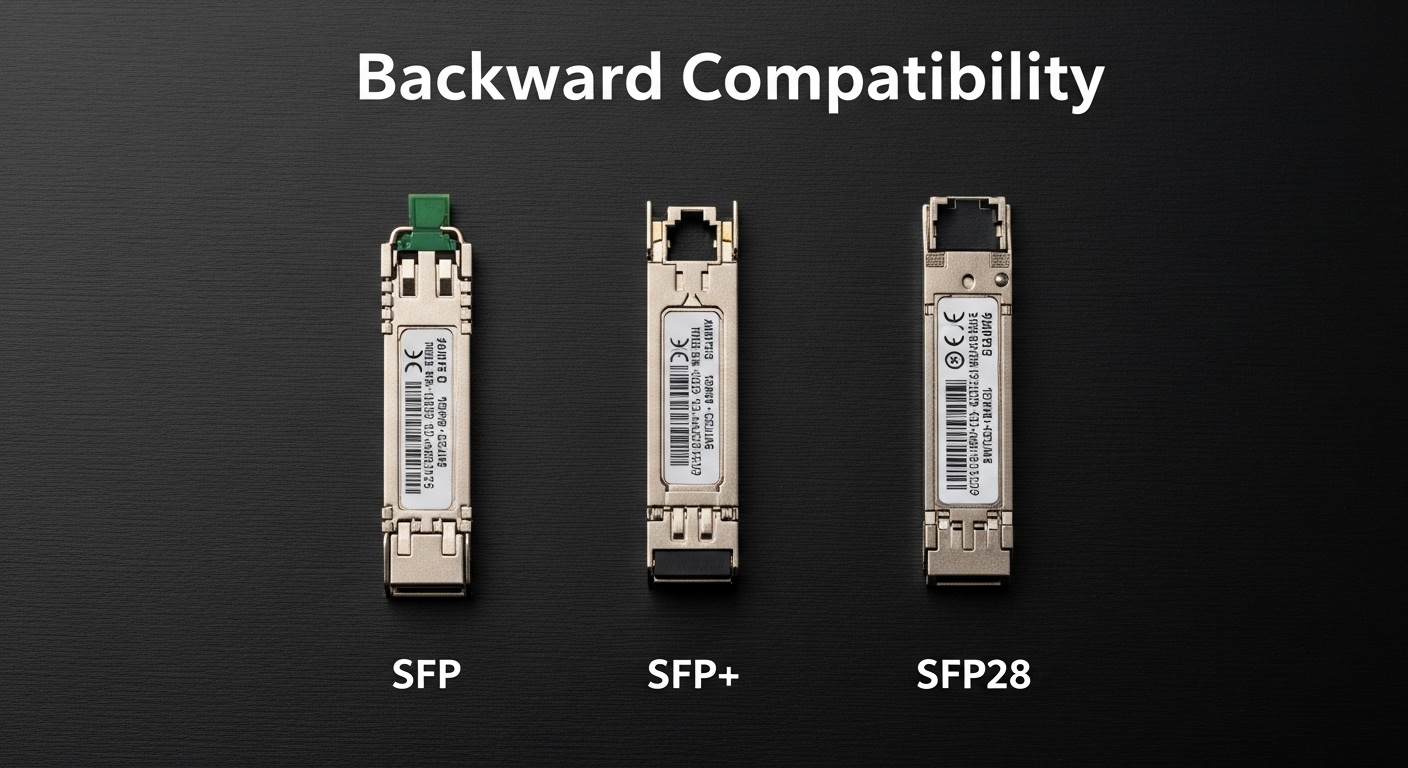
In classic data center networking, you often pick optics by distance and speed. In Open RAN, your optical links carry strict latency and jitter requirements, and you may mix vendors across baseband units, distributed units, and radio units. That means you must check not only the physical layer (wavelength, reach, power), but also whether your transport gear expects specific digital diagnostics behavior (for example, DOM readings) and whether your optics interoperate with the host line cards. A mismatch can look like intermittent alarms, link flaps, or elevated BER long before the link fully fails.
Fronthaul vs midhaul: different risk profiles
Fronthaul is typically more sensitive to deterministic performance and can use higher bandwidth per radio sector, depending on your functional split. Midhaul is usually more forgiving, but still runs at tight operational targets because it aggregates many radios. Practically, teams often standardize fronthaul optics to reduce variables, then use a broader set for midhaul to optimize cost. Either way, you should treat transceiver selection as an end-to-end system choice: switch or O-RU front panel, optics, fiber, splices, and monitoring.
Reference standards you should align to
Start from IEEE physical layer requirements for the Ethernet rates you are carrying (for example, IEEE 802.3 for 10G/25G/40G/100G families). For optical interfaces, also use vendor datasheets for transmitter output power, receiver sensitivity, and supported DOM features. For cabling, follow ANSI/TIA fiber practices for connector polish type, insertion loss, and cleaning discipline; poor cleaning is a top cause of “it passes in the lab but fails in the cabinet.” anchor-text [Source: IEEE 802.3 Standard Portal]
Key optical specs to verify before you buy
For Open RAN, the fastest way to avoid surprises is to verify optics at the parameter level that your network actually enforces. Engineers typically compare wavelength band (for example, 1310 nm vs 850 nm), supported reach over OM3 or OM4 (for multi-mode), and link budget margins for single-mode. You should also check transceiver electrical interface type (for example, 25G vs 10G lanes, and whether the host supports breakout modes), plus DOM capability and threshold behavior.
Minimum spec checklist (field-friendly)
Before purchasing, confirm the optics are rated for your temperature range and your host line card requirements. Look for transmitter power (dBm), receiver sensitivity (dBm), and optical budget (dB) with a clear definition of the test conditions. If you are using multi-mode fiber, confirm whether the module is designed for OM3/OM4 and whether it supports the required laser type and launch conditions. If you are using single-mode, verify the wavelength and whether your plant uses APC or UPC termination to reduce return loss issues.
| Spec category | What to check | Why it matters in Open RAN | Typical values you will see |
|---|---|---|---|
| Data rate | 25G, 10G, 100G, or lane compatibility | Host line cards may not auto-negotiate optics modes | 25.78125 Gbps (25G-class) |
| Wavelength | 850 nm (MM) or 1310/1550 nm (SM) | Determines fiber type compatibility and budget | 850 nm MM; 1310 nm SM |
| Reach rating | OM3/OM4 meters or SM km | Splice and connector loss in the field can erase lab margin | ~300 m (OM3 25G-class); ~400 m (OM4 25G-class) |
| Transmitter power | Output in dBm | Low power can cause BER spikes under aging | Often around -1 dBm to +0 dBm depending on module |
| Receiver sensitivity | Minimum receive power in dBm | Defines your real link budget in the cabinet | Commonly around -14 dBm to -20 dBm (class-dependent) |
| DOM support | Digital optical monitoring availability | Enables proactive threshold alarms | Temperature, voltage, bias, Tx/Rx power |
| Operating temperature | Commercial vs industrial grade | Remote sites can exceed cabinet assumptions | 0 to 70 C or -40 to 85 C (module dependent) |
| Connector type | LC vs MPO, APC vs UPC | Wrong polish or connector can cause high return loss | LC/APC or LC/UPC; MPO for high-density trunks |
Concrete examples of module families engineers actually deploy
In the field, you will see a lot of 10G and 25G SR-class optics for short reach and 1310 nm LR-class optics for longer single-mode runs. Example product families include Cisco SFP-10G-SR, Finisar FTLX8571D3BCL, and FS.com SFP-10GSR-85 for SR-style links. For 25G SR optics, you will find many QSFP28 and SFP28 variants with similar spec patterns: wavelength, reach, and DOM behavior are the differentiators more than the form factor alone. Always validate against your host vendor’s compatibility list when available, because electrical interface quirks can matter.
Pro Tip: In Open RAN deployments, treat DOM readings as part of your acceptance test. If your monitoring system expects stable Tx power and Rx power thresholds, a “link up” event is not enough; you want to confirm that DOM alarms remain clear for at least 30 minutes under typical ambient temperature swings.
Distance, fiber type, and link budget: the real selection math
Transceiver selection starts with distance, but your real limiter is link budget after accounting for connectors, splices, and patch panel transitions. For multi-mode, OM3 and OM4 ratings are helpful, but real-world patching loss and dirty connectors can reduce effective reach. For single-mode, the fiber attenuation is usually predictable, but you still need to account for component loss and return loss effects.
Worked scenario: 25G SR in a cabinet with patch cords
Imagine a distributed unit aggregation cabinet with 25G SR links using OM4. Your lab spec says the module supports 400 m over OM4. In practice, you might have 2 patch panels, each with 2 connections (4 connectors total) and 6 m of patch cord per side. If you assume connector insertion loss of 0.5 dB per connection and splices at 0.2 dB, you might burn roughly 4*0.5 + 0.2*2 = 2.4 dB before counting any fiber aging. If your module offers only a small margin (for example, 3 dB), you are now operating close to the edge and may see intermittent errors during temperature changes.
Switch compatibility and optics lane mapping
Another Open RAN-specific gotcha is host behavior. Some switches and O-RAN transport devices require a particular transceiver type for each port group and may not support mixing speeds on adjacent lanes. Even if two optics are both “25G,” the host might only enable the port when it detects specific identification bytes. In practice, this shows up as ports staying administratively down or reporting “unsupported optics” until you swap modules.
Selection criteria checklist for Open RAN optical transceivers
Use this ordered list like a field checklist when doing transceiver selection for fronthaul and midhaul. It is designed to reduce rework after installation and to keep operations teams confident that monitoring will work.
- Distance and fiber type: confirm OM3 vs OM4 or single-mode type; measure end-to-end with OTDR or at least certify with insertion loss testing.
- Data rate and interface support: verify 10G vs 25G vs 100G class and the host’s lane mapping expectations.
- Connector and polish: match LC vs MPO and APC vs UPC; confirm cleaning and dust caps are used during handoff.
- DOM and monitoring integration: ensure the module supports DOM and that your network management platform can read thresholds reliably.
- Operating temperature: pick industrial grade if the cabinet sits near heat sources or at remote sites with higher ambient swings.
- Switch compatibility and vendor lock-in risk: check host compatibility lists and plan for a controlled spares strategy to avoid surprise incompatibilities.
- Optical budget margin: compute worst-case loss including connectors, patch cords, splices, and aging; do not just rely on the advertised reach.
- Lead time and supply stability: Open RAN rollouts often face schedule pressure; confirm manufacturer availability for spares and future swaps.
DOM thresholds: how engineers validate acceptance
During acceptance testing, engineers typically record baseline DOM values for Tx bias, Tx power, and Rx power while the link is active. Then they verify that alarms do not trigger under normal environmental drift. If you have a maintenance window, repeat the test after the cabinet has been running for several hours to capture thermal stabilization effects.
Common mistakes and troubleshooting tips
Even with good planning, optical issues happen. Here are frequent failure modes I have seen in real deployments, with likely root causes and practical fixes.
“Link up but high errors” after patching changes
Root cause: connector contamination or excessive insertion loss from dirty LC ends. This is especially common after technicians re-seat patch cords during cabinet labeling. Solution: clean with approved fiber cleaning tools (not wipes), inspect with a microscope if available, and re-measure optical power or BER counters. If you have spare jumpers, swap to isolate whether the problem is on the patch cord or the fixed fiber.
“Port flaps” during temperature swings
Root cause: module operating outside its spec range or marginal optical budget. Some sites exceed expected cabinet temperatures, and the laser bias can drift enough to push the receiver close to sensitivity. Solution: move to an industrial temperature-rated transceiver, improve airflow, and tighten the link budget by reducing patch complexity or upgrading to optics with more margin. Use DOM telemetry to confirm whether Rx power is trending down.
“Unsupported optics” or ports disabled after install
Root cause: host line card compatibility mismatch, including identification byte differences or unsupported transceiver type. This can also happen when using third-party optics without the same EEPROM behavior as the OEM. Solution: verify the host vendor’s supported optics list for that exact switch model and port type. If needed, standardize on one vendor or one transceiver family and keep a documented mapping of which module works where.
Wrong fiber type or connector polish mismatch
Root cause: using multi-mode optics on single-mode fiber (or vice versa), or mixing APC and UPC which can create return loss issues. Solution: label and audit the fiber plant before deployment, then validate with a light meter or OTDR where possible. Confirm connector polish and replace incorrect jumpers.
Cost and ROI note for transceiver selection
Pricing varies widely by speed, reach, and temperature grade, but realistic budgeting helps. OEM 10G SR and 25G SR optics might range from roughly $50 to $250 per module depending on brand and grade, while third-party compatible optics can be lower but may carry higher operational risk if compatibility is imperfect. TCO should include downtime risk, spares stocking, cleaning consumables, and the cost of rework if you need to swap modules after install.
In Open RAN programs, ROI often comes from standardization. If one optics family reduces port incompatibility and improves monitoring consistency, you spend more up front per module but reduce field troubleshooting time and improve mean time to repair. Also factor that power draw is usually small per link, but across hundreds of radios the cumulative difference can matter to your rack cooling plan.
FAQ
What should I prioritize first in transceiver selection for Open RAN?
Prioritize distance plus link budget margin, then verify host compatibility and DOM support. In Open RAN, a “reach-rated” module can still fail if connectors, splices, or monitoring expectations are not aligned.
Can I mix OEM and third-party optics on the same switch?
Sometimes yes, but it depends on the host model and port group behavior. Check the switch vendor compatibility list and plan a controlled pilot before rolling into production, because EEPROM identification differences can cause ports to disable.
Do I need industrial temperature-rated transceivers?
If your cabinets or remote sites can exceed typical operating assumptions, then yes. Look for -40 to 85 C class optics where applicable, and verify airflow and thermal management so the optics operate within spec.
How do I validate optics performance after installation?
Use DOM telemetry and link error counters during acceptance. Record baseline Tx and Rx power readings, then confirm alarms remain clear for at least 30 minutes under steady load, and again after any expected temperature change.
What are the most common causes of optical link flaps?
Top causes include contaminated connectors, marginal optical budget, and host incompatibility. If flaps correlate with thermal changes, suspect budget margin or temperature rating before assuming a hardware defect.
Where do I find authoritative transceiver and optical interface requirements?
Start with IEEE Ethernet physical layer requirements for your data rate family and the transceiver vendor datasheets for power and sensitivity. For cabling practices, use ANSI/TIA fiber guidance and your installation contractor’s documented testing method. anchor-text [Source: TIA (Telecommunications Industry Association)]
If you want fewer surprises, treat transceiver selection as an end-to-end engineering task: compute link budget, confirm compatibility, and validate with DOM and error counters. Next, review fiber-link-budget-basics-for-ethernet-optics to tighten your calculations before you order spares.
Author bio: I am a field-focused network engineer who deploys optical links in real cabinets and audits acceptance tests with DOM and BER counters. I write to help teams reduce rework by turning datasheet specs into operational checklists.
