
A sudden spike in inference traffic can turn a stable optical plant into a bottleneck overnight, especially when latency budgets tighten. This article helps network and field engineers translate current technology trends driven by AI into practical optical design decisions: transceiver types, fiber reach planning, power and temperature margins, and how to troubleshoot common failures fast.
Why AI traffic changes optical network requirements
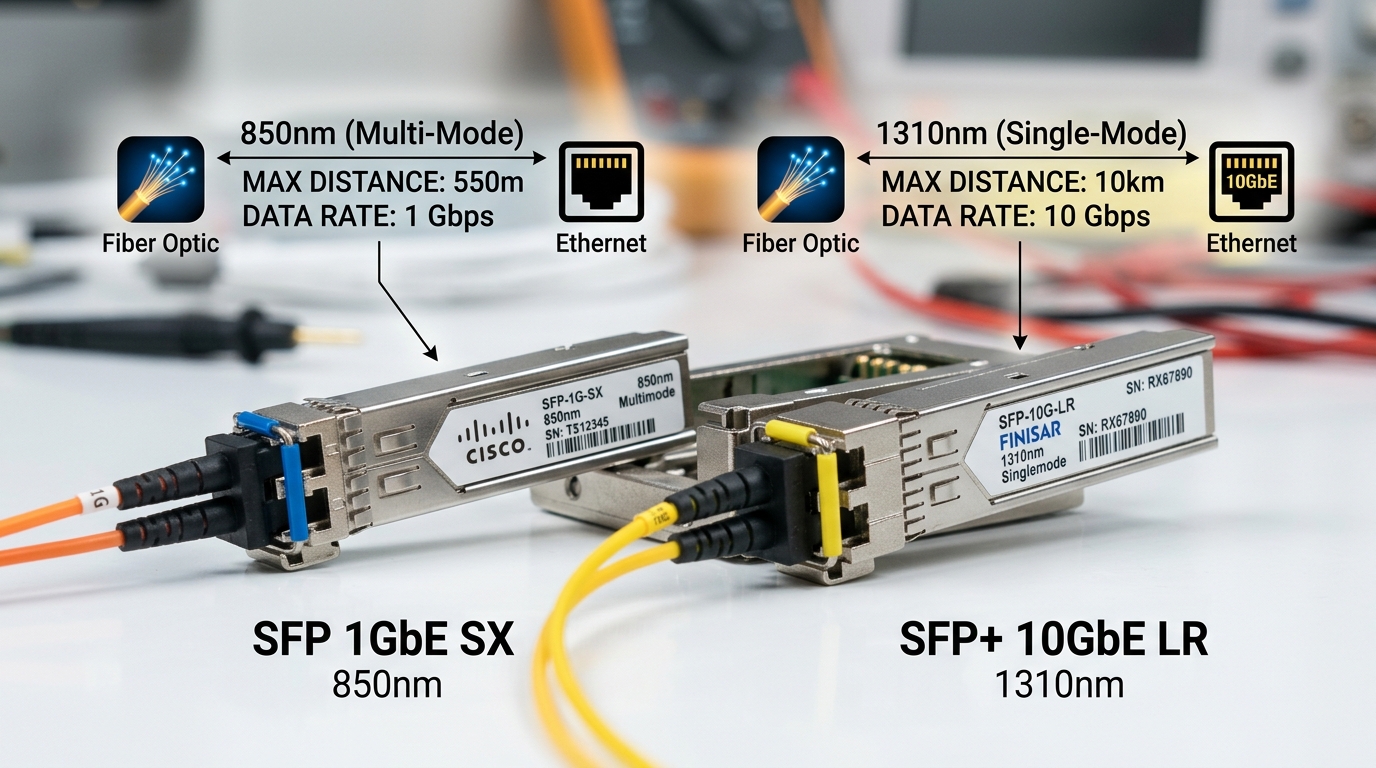
AI workloads shift traffic patterns from steady “north-south” flows to bursty “east-west” movement across leaf-spine fabrics. In practice, that means higher utilization on short-reach links, more frequent link retrains during maintenance, and stricter sensitivity to latency and packet loss. Optical designs now prioritize deterministic performance: stable latency, adequate oversubscription headroom, and fast recovery when transceivers age.
Engineers also design for rapid scaling: training clusters may add racks mid-quarter, so optical reach and transceiver density become planning constraints. Under IEEE 802.3, optics must meet the electrical and optical characteristics for the chosen lane rate (for example 10GBASE-SR, 25GBASE-SR, or 100GBASE-SR4), but AI-driven oversubscription makes margin budgeting more critical than before. [Source: IEEE 802.3 Working Group]
Pro Tip: If your fabric uses aggressive oversubscription, treat optical budget like a “latency budget.” Even when a link passes BER tests, marginal received power can increase error correction workload and raise tail latency during congestion.
Key optics choices in AI-aware network design
AI-aware designs often favor short-reach multimode for top-of-rack and pod interconnects, while single-mode dominates longer spine hops. For dense racks, engineers commonly standardize on pluggables with predictable thermal behavior and vendor-supported DOM telemetry. Real-world deployments increasingly mix OEM optics with third-party units, but compatibility testing becomes part of the rollout plan.
Quick comparison: common SR and LR pluggables
Use this table to align your selection with distance, connector type, and power/temperature constraints. Values vary by vendor; always confirm in the specific datasheet and your switch optics qualification list.
| Transceiver example | Data rate | Wavelength | Typical reach | Fiber / connector | DOM | Temp range | Notes for AI fabrics |
|---|---|---|---|---|---|---|---|
| Cisco SFP-10G-SR | 10G | 850 nm | ~300 m (OM3) | MMF LC | Yes (varies by model) | 0 to 70 C | Good for short ToR; less common for new 25G/50G designs |
| FS.com SFP-10GSR-85 | 10G | 850 nm | Up to 400-550 m (OM4, vendor-dependent) | MMF LC | Often supported | 0 to 70 C | Cost-optimized SR option; validate with your switch |
| Finisar FTLX8571D3BCL | 10G | 850 nm | ~300 m (OM3) | MMF LC | Varies | 0 to 70 C | Widely used SR part; check DOM support and compatibility |
| Common 100G SR4 class (vendor-dependent) | 100G | ~850 nm | ~100-150 m (OM4, varies) | MMF MPO | Often supported | 0 to 70 C | High density; MPO cleaning and polarity become critical |
Designing for AI: distance, power, and thermal margins
AI traffic increases link utilization, so thermal load rises and fans run harder, which can subtly affect transceiver behavior. When you design, confirm the module temperature range matches the switch airflow profile, not just the room setpoint. Many field failures trace back to “works on the bench” optics that later fail after racks are packed tighter and airflow is redirected.
Power budgeting matters even for short reach: multimode links still depend on patch cord quality, connector end-face cleanliness, and stable launch conditions. For single-mode, you must account for fiber attenuation plus splitter loss and aging; for multimode, modal bandwidth and differential mode delay can become hidden constraints as you increase link speed. [Source: ANSI/TIA-568 Fiber Cabling Standards]
Real-world deployment scenario: leaf-spine AI cluster
In a 3-tier data center leaf-spine topology with 48-port 25G ToR switches, an AI team adds 20 training racks during a live migration. They initially use OM4 MMF for pod links at ~70 m and reserve single-mode for spine uplinks at ~2.2 km. After enabling a new inference service, utilization jumps from ~35 percent to ~78 percent on leaf ports, and the operators see intermittent CRC spikes on a subset of uplinks. The fix is operational: cleaning MPO end faces, replacing two high-loss patch cords, and standardizing on optics with reliable DOM temperature telemetry to catch overheating in two colder corners of the row.
Selection checklist engineers use during rollout
When AI drives faster scaling, the “buy list” becomes a risk-management exercise, not just a performance decision. Here is the ordered checklist field teams typically follow:
- Distance and fiber type: confirm OM3 versus OM4, patch cord length, and connector style (LC vs MPO).
- Switch compatibility: use the vendor optics compatibility matrix and test in a staging rack before mass replacement.
- Data rate and lane mapping: ensure your optics match the switch port mode (for example SR4 versus SR2 lane grouping).
- DOM support: verify that the switch reads vendor-specific DOM fields and that alarms propagate to your monitoring system.
- Operating temperature and airflow: map module temp to your actual airflow path; avoid “spec at 25 C” assumptions.
- Budget and TCO: compare OEM versus third-party pricing including expected failure rates and warranty terms.
- Vendor lock-in risk: confirm whether firmware enforces optics vendor checks or supports “any compliant” modules.
Common mistakes and troubleshooting in AI-driven optical links
Even when optics are “correct,” AI-driven load can expose marginal physical-layer issues. Use these concrete pitfalls to speed diagnosis.
- Mistake: Dirty MPO or LC connectors after re-cabling. Root cause: high-speed optics are unforgiving; residue and micro-scratches raise insertion loss and error rates. Solution: follow a fiber cleaning workflow, inspect with a microscope, re-terminate if end faces are damaged, and re-test with a known-good patch cord.
- Mistake: Ignoring switch airflow effects on transceiver temperature. Root cause: packed racks and blocked vents shift airflow, raising module temperature above safe margins. Solution: read DOM temperature, compare against the module datasheet limit, and adjust rack layout or fan profiles.
- Mistake: Assuming “pass/fail” equals “safe for AI utilization.” Root cause: links may pass basic BER tests but operate near the sensitivity threshold; during AI bursts, tail latency increases. Solution: monitor CRC/FEC counters, check optical receive power, and ensure a conservative power margin beyond minimum.
- Mistake: Mixing third-party optics without validating DOM and thresholds. Root cause: some modules report DOM values differently or trigger alarms unexpectedly. Solution: run a compatibility test, confirm alarm thresholds, and standardize part numbers per switch model.
Cost and ROI: what usually changes under technology trends
In many deployments, OEM optics cost about 1.5x to 3x more than third-party equivalents, but OEMs often reduce compatibility and RMA friction. A realistic TCO view includes downtime cost: if optics trigger frequent link flaps, labor hours and maintenance windows dominate the difference. For high-density AI clusters, the ROI often comes from fewer field failures and faster replacements using standardized, well-supported transceiver SKUs with reliable DOM and warranty coverage.
Plan for spares: in production, many teams keep at least 2 to 5 percent of critical optics as hot spares for the first rollout phase, then adjust based on observed failure rates and environmental conditions. [Source: Vendor datasheets and warranty terms for pluggable optics]
FAQ
Q: Which optical “technology
