
When optical networking supply gets tight, the real risk is not just delayed shipments. It is silent incompatibility: optics that appear “compatible” but fail on power budgets, DOM signaling, or wavelength targeting. This article gives technical insights into the most common optical networking gaps that surface during shortages, helping data center and ISP teams keep links stable and predictable. It is written for field engineers planning rack moves, fiber patching, and transceiver swaps under time pressure.
Top 8 optical networking gaps engineers hit during shortages
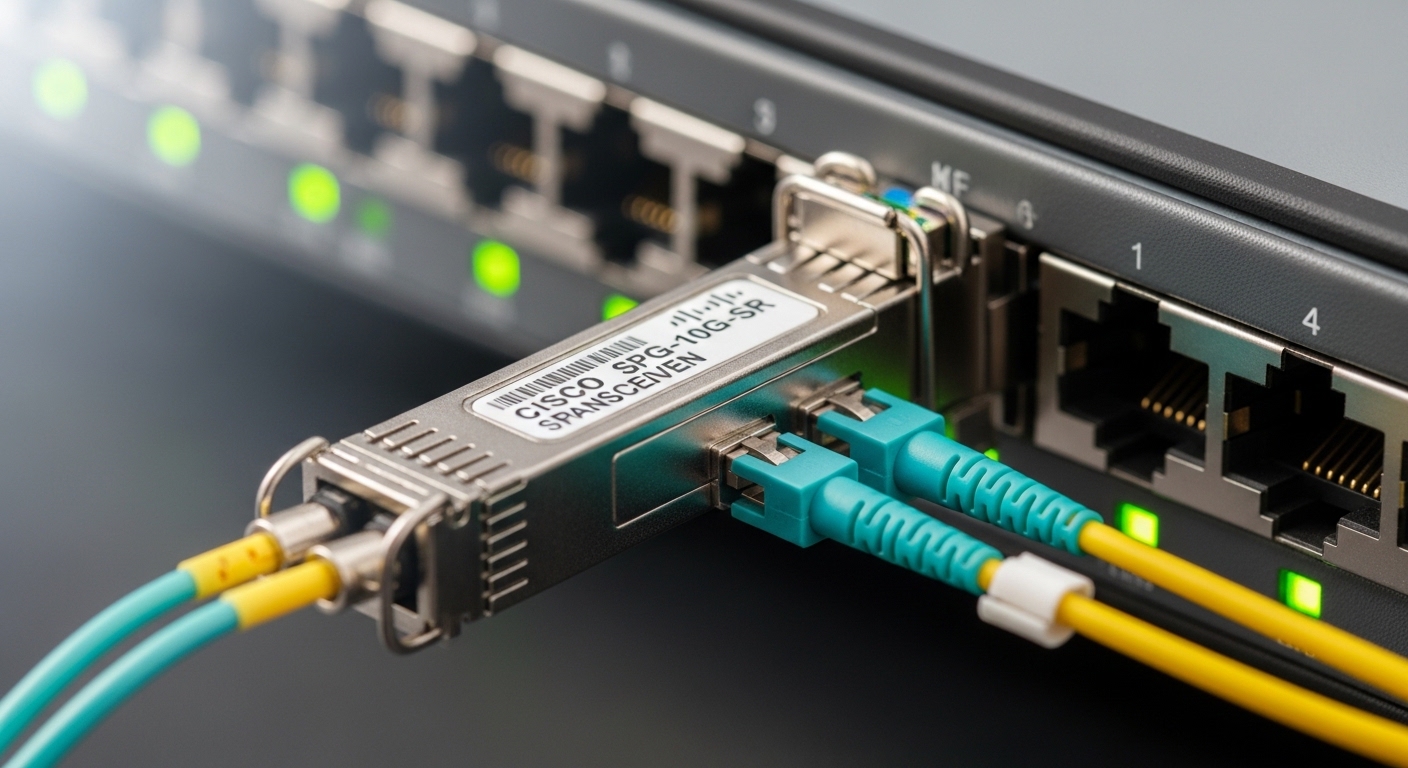
Reach mismatch against the actual fiber plant
Shortages often push teams toward “nearest available” optics, but reach is governed by link budget, not marketing reach. In practice, a 10 km rated module can fail on a 7 km path if you underestimated splice loss, connector reflectance, or patch panel attenuation. Verify with measured OTDR results and an end-to-end power budget that includes patch cords and jumpers.
Best-fit scenario: A colo facility with mixed OM3 and OS2 fiber where ToR-to-spine links were previously stable on vendor-matched optics, but a sudden backorder forces third-party replacements.
- Pros: Fewer surprises after install
- Cons: Requires OTDR and loss accounting discipline
Wavelength drift and wrong targeting for DWDM or CWDM
In dense metro designs, a module can be the right type yet the wrong wavelength slot. During shortages, procurement may substitute a similar SKU with a different ITU/CWDM mapping. Always confirm the laser central wavelength and confirm the system’s channel plan before patching.
Best-fit scenario: A regional transport ring using DWDM optics where maintenance windows are tight and substitutions happen quickly.
- Pros: Prevents “no light” and mis-tuned channel alarms
- Cons: Extra validation steps
DOM and vendor behavior differences
DOM support is not uniform across vendors. Even if a module advertises digital optical monitoring, scaling, thresholds, and alarm behavior can differ, affecting NMS alerts and potentially automation workflows. Confirm DOM readouts (Tx bias, Tx power, Rx power, temperature) and ensure your switch firmware expects the same diagnostics format.
Best-fit scenario: Leaf-spine networks where automated telemetry triggers circuit health actions based on DOM thresholds.
- Pros: Reduces false alarms and disruptive failovers
- Cons: Requires validation in a staging window
Power budget and receiver sensitivity assumptions
Shortage-driven substitutions can change optical output power or receiver sensitivity. If you do not re-check the link budget, you can pass initial link-up tests but degrade later with temperature swings, aging optics, or additional patching. Use the module datasheet specs for Tx power, Rx sensitivity, and receiver overload limits.
Best-fit scenario: High-density 25G/10G with frequent maintenance, where patch cords are swapped during rack refresh.
- Pros: More stable long-term link health
- Cons: Datasheet review workload
Connector and cleaning failures disguised as “optics issues”
A common outage pattern is contamination at LC/SC interfaces—especially when modules are swapped rapidly. During shortages, teams may handle optics more than usual or reuse patch cords. The result is higher insertion loss, elevated return loss, and intermittent link flaps.
Best-fit scenario: A fast-turn deployment where spare patch cords are pulled from a shared pool.
- Pros: Cleaning discipline improves mean time to repair
- Cons: Requires consistent process and tools
Switch compatibility and QSFP/SFP electrical signaling quirks
Not all optics behave identically with host PHYs. Some switches enforce vendor-specific compatibility lists or require specific firmware support for RS-FEC, OTN framing, or autoneg behavior. For example, Cisco compatibility programs often map optics to switch models and firmware releases, and mismatches can cause link instability.
Best-fit scenario: Mixed-vendor environments where the procurement plan changes mid-quarter.
- Pros: Prevents link flaps and PHY errors
- Cons: Requires compatibility verification per switch SKU
Temperature range and airflow assumptions
Optics can be rated for different operating temperature envelopes. In dense racks, airflow patterns matter: a module that works on a bench at room temperature might fail in a hot aisle if cool air does not reach the cage. Confirm the module’s operating temperature range and align it with the data center’s measured inlet air temperature.
Best-fit scenario: Upgrades in racks with blocked cable trays or revised fan profiles.
- Pros: Fewer thermal-related errors
- Cons: May require airflow rework
Procurement substitution gaps: SKU drift, SSRF, and documentation mismatches
During shortages, teams might receive a module that is “the same speed and fiber type” but differs in DOM calibration, laser class, or compliance markings. Keep a substitution log: supplier, part number, lot, and key datasheet parameters. This also helps with warranty claims and root cause analysis later.
Best-fit scenario: Multi-site operations where the same optics family is expected to behave consistently across locations.
- Pros: Better traceability and faster troubleshooting
- Cons: Adds administrative overhead
Optics compatibility snapshot (use this before you swap)
Below is a practical comparison for common short-reach optics. Always confirm your exact module family against the switch vendor’s optics guide and IEEE requirements. For Ethernet optics, the physical layer is anchored in IEEE 802.3 for the relevant speeds; consult the specific clauses for reach and modulation parameters.
| Module type | Wavelength / standard | Typical reach | Connector | Data rate | Operating temperature | Example part numbers |
|---|---|---|---|---|---|---|
| SFP+ SR | 850 nm, 10GBASE-SR | ~300 m (OM3), ~400 m (OM4) | LC | 10G | Commercial/industrial variants | Cisco SFP-10G-SR; Finisar FTLX8571D3BCL; FS.com SFP-10GSR-85 |
| SFP28 SR | 850 nm, 25GBASE-SR | ~100 m (OM3), ~150 m (OM4) | LC | 25G | Commercial/industrial variants | Common OEM and compatible SFP28 SR modules |
| QSFP28 SR4 | 850 nm, 100GBASE-SR4 | ~100 m (OM3), ~150 m (OM4) | LC (4 lanes) | 100G | Commercial/industrial variants | QSFP28 SR4 families from multiple vendors |
anchor-text: IEEE 802.3 optical Ethernet standards
Pro Tip: When shortages force substitutions, validate optics using measured Rx power and DOM telemetry during a controlled thermal soak. Many “works on install” failures show up after inlet temperatures rise or after a few days of link cycling.
Selection criteria checklist for fast, safe substitutions
- Distance and fiber type: Confirm OM3/OM4/OS2 and actual end-to-end loss using OTDR or verified link budgets.
- Switch compatibility: Match host model and firmware to the optics vendor’s compatibility matrix.
- DOM support and thresholds: Confirm telemetry scaling and alarm behavior expected by your NMS.
- Optical power parameters: Validate Tx power, Rx sensitivity, and receiver overload limits from the datasheet.
- Connector type and cleanliness: LC/SC format, inspection method, and cleaning process before insertion.
- Operating temperature and airflow: Align optics spec with measured inlet air temperature at the cage.
- Vendor lock-in risk: Prefer modules with clear documentation, traceable lots, and predictable DOM behavior.
- Warranty and RMA: Confirm return policy and availability of replacement lots if a link fails.
Common mistakes and troubleshooting tips during shortage swaps
-
Mistake: Installing “SR” optics without re-checking OM grade and patch cord losses.
Root cause: Reach ratings assume ideal conditions; real links include extra connectors and splices.
Solution: Rebuild the link budget using measured loss; validate with Rx power readings at the switch. -
Mistake: Blaming optics when the failure is actually contamination or damaged ferrules.
Root cause: Rapid handling during shortages increases dust exposure; mixed patch cord pools add risk.
Solution: Inspect with a scope, clean with approved methods, and replace suspect patch cords. -
Mistake: Ignoring DOM alarm thresholds differences.
Root cause: NMS or automation assumes vendor-specific diagnostics ranges.
Solution: Compare DOM readings between old and new modules; adjust thresholds or validate with vendor guidance. -
Mistake: Substituting modules that are electrically close but not PHY-compatible.
Root
