
If your AI framework is scaling from a handful of GPUs to multi-rack training, your network becomes the bottleneck long before your model does. This article helps infrastructure and IT teams choose the right high-speed optics by comparing SFP+ and QSFP28 in real deployment terms: bandwidth, reach, power, thermal behavior, and switch compatibility. You will also get an implementation checklist, ROI expectations, and field-tested troubleshooting steps that reduce downtime during cutovers.
Prerequisites: what you must measure before buying high-speed optics
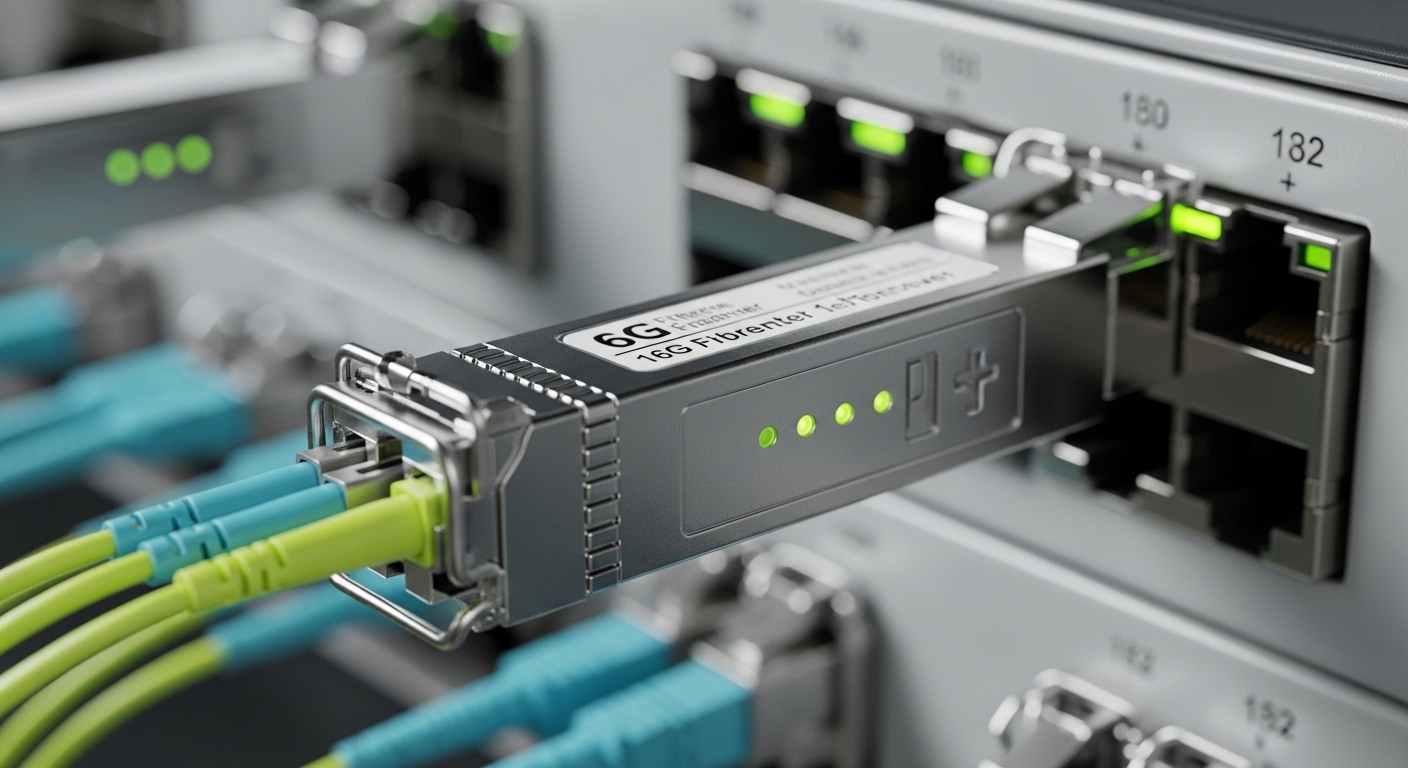
Before selecting SFP+ or QSFP28 optics, confirm both the electrical interface support on your switches and the physical fiber plant constraints. In the field, I have seen teams order the correct optics but fail during activation because a switch port was configured for a different breakout mode or because the fiber polarity was reversed.
Gather these inputs
- Switch model and port capabilities: e.g., Cisco Nexus 9336C-FX2 or 9300 series, or similar platforms that explicitly state SFP+ or QSFP28 support and breakout behavior.
- AI framework traffic pattern: all-reduce heavy east-west traffic (common in PyTorch DDP) favors consistent latency and adequate oversubscription ratios.
- Distances and link budget: short-reach 10G/25G over OM4/OM5 versus longer runs that may require different optics types.
- Fiber type and connector standard: OM4/OM5 with LC connectors is typical; verify whether you have MPO trunks for QSFP28.
- Operational constraints: ambient temperature near top-of-rack (ToR) switches, airflow direction, and cable bend radius.
Expected outcome: you can map each intended link (port count and distance) to a specific transceiver family and connector type with a clear migration path.
Step-by-step selection: SFP+ vs QSFP28 for AI training networks
Use this numbered implementation workflow to decide between SFP+ and QSFP28. The core idea is simple: SFP+ supports 10G links per port, while QSFP28 supports 25G per port, which directly affects how many uplinks you need, how you size ECMP paths, and how quickly you can scale training jobs without changing the whole fabric.
Determine your target throughput per rack
Start with your expected east-west traffic. For many AI clusters, the practical requirement becomes “enough bisection bandwidth so GPUs do not idle.” If you plan to run 8 GPUs per server and use 2x10G today, but you expect 4x25G to become the new baseline, QSFP28 may reduce the number of aggregate uplinks you need.
Expected outcome: a target design point such as “25G per server uplink” or “10G per server uplink with higher oversubscription tolerance.”
Match optics type to fiber plant and reach
For short reach, most modern deployments use multi-mode fiber with SR optics. Typical standards are governed by IEEE 802.3 for Ethernet PHY behavior and by vendor datasheets for optics compliance. In practice, you will choose between SR (short reach) optics variants that align with OM4 or OM5.
Expected outcome: a shortlist of optics families (example: 10G-SR for SFP+ and 25G-SR for QSFP28) that match your fiber type.
Validate switch port mode and breakout rules
SFP+ and QSFP28 are not interchangeable at the port level. Many switches allocate QSFP28 ports in 1x or breakout modes; some models support breakout into 4x25G lanes, while others do not. You must confirm whether your platform has native QSFP28 or uses a specific transceiver mapping.
Expected outcome: confirmation that the chosen optics will actually light the intended physical lanes with your current configuration.
Compare power, thermals, and density
QSFP28 typically consumes more power per module than SFP+ but can deliver 2.5x the line rate per port. That changes your power budgeting and the thermal margin around the switch. When upgrading a live AI rack, I recommend measuring inlet temperature and verifying airflow direction before swapping modules.
Expected outcome: a clear power and thermal feasibility check for your specific switch model.
Decide on DOM support and monitoring requirements
For high-speed optics in production, you want diagnostics (DOM) so you can track temperature, laser bias, received power, and error counters. QSFP28 modules often provide robust monitoring, but SFP+ can also support DOM depending on the vendor and transceiver generation.
Expected outcome: you can integrate link health into monitoring dashboards and change management workflows.
Plan the migration path to reduce risk
If you are mid-cycle on AI experiments, a dual-rate strategy can work: keep existing 10G SFP+ for non-critical links and deploy QSFP28 for the GPU-to-leaf or leaf-to-spine segments. This reduces downtime while you validate end-to-end performance and driver settings.
Expected outcome: staged cutovers with a rollback plan.
Pro Tip: When you compare SFP+ vs QSFP28, don’t only compare port speed. Compare the number of switch ports you must provision for the same aggregate bandwidth and the resulting power draw and airflow load. In dense AI racks, thermal margin can become the hidden limiter that forces you to throttle fan curves or to redesign cable routing.
Pro Tip: In many switch platforms, optical lane mapping and breakout mode determine whether the switch advertises the expected speed. Always confirm the port capability table for your exact switch SKU and firmware version before buying optics; otherwise, you can end up with “link up but wrong speed” symptoms that look like optics failures.
Key technical specs comparison for high-speed optics
Below is a practical comparison of common module characteristics you will encounter when choosing between SFP+ and QSFP28 for AI frameworks. Values vary by vendor and exact part number, so treat the table as a decision aid, then validate with datasheets and your switch compatibility list.
| Spec | SFP+ (10G SR example) | QSFP28 (25G SR example) |
|---|---|---|
| Target Ethernet line rate | 10.3125 Gb/s (10G class) | 25.78125 Gb/s (25G class) |
| Typical fiber reach (OM4) | ~300 m (vendor-dependent for SR) | ~100 m to 150 m (vendor-dependent for SR) |
| Typical connector | LC (single-fiber pair in most SR) | MPO (multi-fiber array common) |
| Module form factor | Hot-pluggable SFP+ | Hot-pluggable QSFP28 |
| Monitoring | DOM commonly available (verify) | DOM commonly available (verify) |
| Power per module | Often lower than QSFP28; check datasheet | Often higher; check datasheet |
| Operating temperature | Commercial or industrial variants; verify | Commercial or industrial variants; verify |
| Standards alignment | Ethernet PHY behavior per IEEE 802.3; optics per vendor datasheet | Ethernet PHY behavior per IEEE 802.3; optics per vendor datasheet |
Expected outcome: you can quickly filter options by reach, connector type, and monitoring needs before verifying with your switch vendor compatibility matrix.
Real part numbers you may see in procurement include Cisco-compatible optics such as Cisco SFP-10G-SR, and third-party SR examples like Finisar FTLX8571D3BCL or FS.com SFP-10GSR-85 for SFP+ class optics. For QSFP28, vendor catalogs commonly list 25G-SR MPO modules with OM4/OM5 reach ratings; verify the exact OM4/OM5 range and whether your fiber plant supports the required MPO polarity and lane mapping.
For authoritative baseline expectations, consult vendor datasheets and the relevant Ethernet PHY guidance in IEEE 802.3. anchor-text: IEEE 802.3 standard anchor-text: IEEE 802.3 working group portal
Selection checklist: decision factors engineers weigh in production
Use the following ordered checklist when selecting high-speed optics for AI clusters. This is the same sequence I use when reviewing an optics BOM with an architecture team and a field engineering crew.
- Distance and fiber type: confirm OM4 vs OM5, and ensure the optics reach rating covers worst-case patch loss and splice loss.
- Switch compatibility and firmware: confirm exact transceiver support for your switch SKU and firmware revision.
- Connector and polarity: LC vs MPO, and whether your MPO polarity scheme matches the optics expectation.
- Data rate and oversubscription math: QSFP28 reduces port count for the same aggregate bandwidth, but may change your uplink oversubscription ratio.
- DOM and telemetry requirements: verify that you can read optical diagnostics and that your monitoring stack supports them.
- Operating temperature and airflow: check module thermal specs and the switch inlet temperature range; avoid marginal cooling.
- Vendor lock-in risk: OEM optics can be pricier; third-party can lower cost but may require compatibility testing and more frequent RMA tracking.
- Spare strategy and MTTR: ensure you stock the right part numbers for your most common failure modes (dirty connectors, bad polarity, damaged MPO trunks).
Expected outcome: a defensible, auditable decision that survives procurement scrutiny and reduces operational risk during rollout.
Common mistakes and troubleshooting tips for high-speed optics
Optics failures are often not “bad optics.” They are usually configuration mismatches, fiber plant issues, or thermal and monitoring blind spots. Here are the most common failure modes I have seen, with root causes and fixes.
Failure point 1: Link comes up at the wrong speed or not at all
Root cause: breakout mode mismatch, incorrect port speed configuration, or switch firmware that does not support the module type on that port. This is especially common when mixing SFP+ and QSFP28 across different line cards.
Solution: verify the switch port mode and expected speed for that exact slot and port. Then confirm the optics is listed as compatible for the specific switch SKU and firmware level. If needed, apply the vendor-recommended firmware update before the optics swap.
Failure point 2: Intermittent errors under AI load
Root cause: fiber polarity reversal (common with MPO), dirty connectors, or marginal link budget due to high patch loss. Under heavy all-reduce traffic, even small optical power reductions can increase BER and trigger retransmissions.
Solution: clean connectors using proper lint-free wipes and validated cleaning tools, then re-seat optics. For MPO, verify polarity using the correct polarity keying method and test with a known-good reference patch. Use DOM readings for received power and temperature to correlate errors with optics health.
Failure point 3: Thermal throttling or premature module degradation
Root cause: operating in a high inlet temperature region or restricted airflow behind the switch. QSFP28 modules can run hotter; a minor airflow change during a rack refresh can push you past safe margins.
Solution: measure inlet temperature and confirm front-to-back airflow paths are unobstructed. Re-route cables to avoid blocking vents, ensure fan profiles are appropriate for your environment, and validate that the module temperature remains within the datasheet operating range.
Expected outcome: faster MTTR by addressing the most likely root causes in the correct order: configuration, fiber cleanliness and polarity, then thermal margin.
Cost and ROI note: where the money actually goes
Pricing varies by region and volume, but a realistic planning range is: OEM SFP+ SR optics often cost more than third-party equivalents, while QSFP28 SR optics typically cost more per module but can reduce the number of switch ports and uplink interfaces needed for the same aggregate bandwidth. Over a 3 to 5 year lifecycle, total cost of ownership (TCO) depends heavily on labor for validation, spare inventory, and failure rates rather than only the sticker price.
ROI lens: QSFP28 can deliver higher throughput per port, which can reduce the number of links and cabling complexity. However, if your fiber plant is short on MPO trunks and you must rework patch panels, the installation labor can outweigh the optics savings. A good approach is to pilot QSFP28 on a subset of racks, measure error rates and utilization, then scale only when telemetry confirms stable operation.
When estimating power impact, include switch port power draw plus module power. Even if QSFP28 uses more per module, fewer ports can reduce overall switching and cabling overhead. For procurement governance, require a compatibility test report for any third-party optics batch you approve, including optics DOM behavior and link stability under sustained load.
FAQ
Is SFP+ or QSFP28 better for AI frameworks?
For most modern AI training networks, QSFP28 is commonly preferred because 25G provides more headroom for east-west traffic and can reduce oversubscription. SFP+ can still be viable in transitional designs or where the fiber plant and switch ports are already standardized on 10G.
What fiber type should I use for high-speed optics in AI racks?
Many data centers use OM4 or OM5 multi-mode fiber for short-reach deployments. Always validate optics reach against your real patch and splice loss budget, not only the nominal spec.
Can I mix SFP+ and QSFP28 in the same switch?
Often yes, but only if your switch model supports both optics types on the relevant ports or line cards and if the firmware supports the optics behavior. You must also follow breakout mode rules and verify that speed negotiation matches your intended configuration.
Do I need DOM support for production?
DOM is strongly recommended because it enables proactive monitoring of temperature and optical power. Without DOM visibility, you may detect issues too late, especially when errors only appear under peak training load.
What is the most common cause of optics link failures?
In practice, the top causes are configuration mismatch (port mode/speed), fiber polarity issues with MPO, and dirty or damaged connectors. Cleaning and re-seating, followed by polarity verification, often resolves what looks like a defective module.
Should I buy OEM or third-party high-speed optics?
OEM optics reduce compatibility uncertainty, but third-party optics can lower cost if you validate them against your switch and run a pilot. For governance, require a batch-level acceptance test and track RMA and failure patterns over time.
Choosing between SFP+ and QSFP28 is less about “newer is better” and more about matching high-speed optics to your fiber plant, switch compatibility, and AI traffic realities. Next, align your optics plan with your fabric architecture using related topic: AI network fabric design considerations.
Author bio: I lead enterprise network architecture and field deployments, validating transceiver behavior with telemetry, optical power readings, and switch port mode checks. I help teams translate bandwidth targets into governed procurement and reliable cutovers.
