
If you run a SCADA site with remote RTUs, you already know the pain: Modbus TCP traffic gets fragile when copper links run long, surge-prone, or simply unreliable. This article helps engineers and integrators choose an RTU fiber module (typically an SFP for fiber) that makes Modbus TCP over Fiber behave predictably. You will get practical compatibility notes, a distance-and-power reality check, and field troubleshooting tips you can apply on Monday morning.
Why Modbus TCP over fiber changes the RTU reliability equation
Modbus TCP is TCP/IP at heart, so it inherits the usual network requirements: low packet loss, stable latency, and consistent link negotiation. Copper “works until it doesn’t” because of EMI, ground potential differences, and attenuation that rises with temperature and cable condition. Fiber mostly removes those failure modes, which is why an RTU fiber module is a common upgrade path for harsh industrial sites.
In practice, you are often connecting an RTU or gateway in the field to a control-room switch. Engineers typically use managed switches with VLANs, QoS marking (even if simple), and monitoring. A fiber SFP (for example, a 10G SR-class module like Cisco SFP-10G-SR or Finisar FTLX8571D3BCL) can be paired with the right switch port and patch panel to keep Modbus TCP sessions stable for polling cycles.
What “stable” means for SCADA polling
Most SCADA stacks poll deterministically (or close to it). If your RTU polling interval is 250 ms and you intermittently drop a few packets, TCP retransmissions can stretch cycle time and trigger “stale data” alarms. Fiber does not guarantee zero loss, but it reduces the physical-layer causes that lead to bursts of errors. That is the real win when using an RTU fiber module for Modbus TCP over Fiber.
Pro Tip: Many teams focus on reach and forget that link training behavior matters. If you mix an SFP with a switch that has strict optics/DOM checks, the link can flap under power cycling; confirm DOM compatibility and optics vendor support before rollout.
RTU fiber module architecture: pick the right SFP type and connector
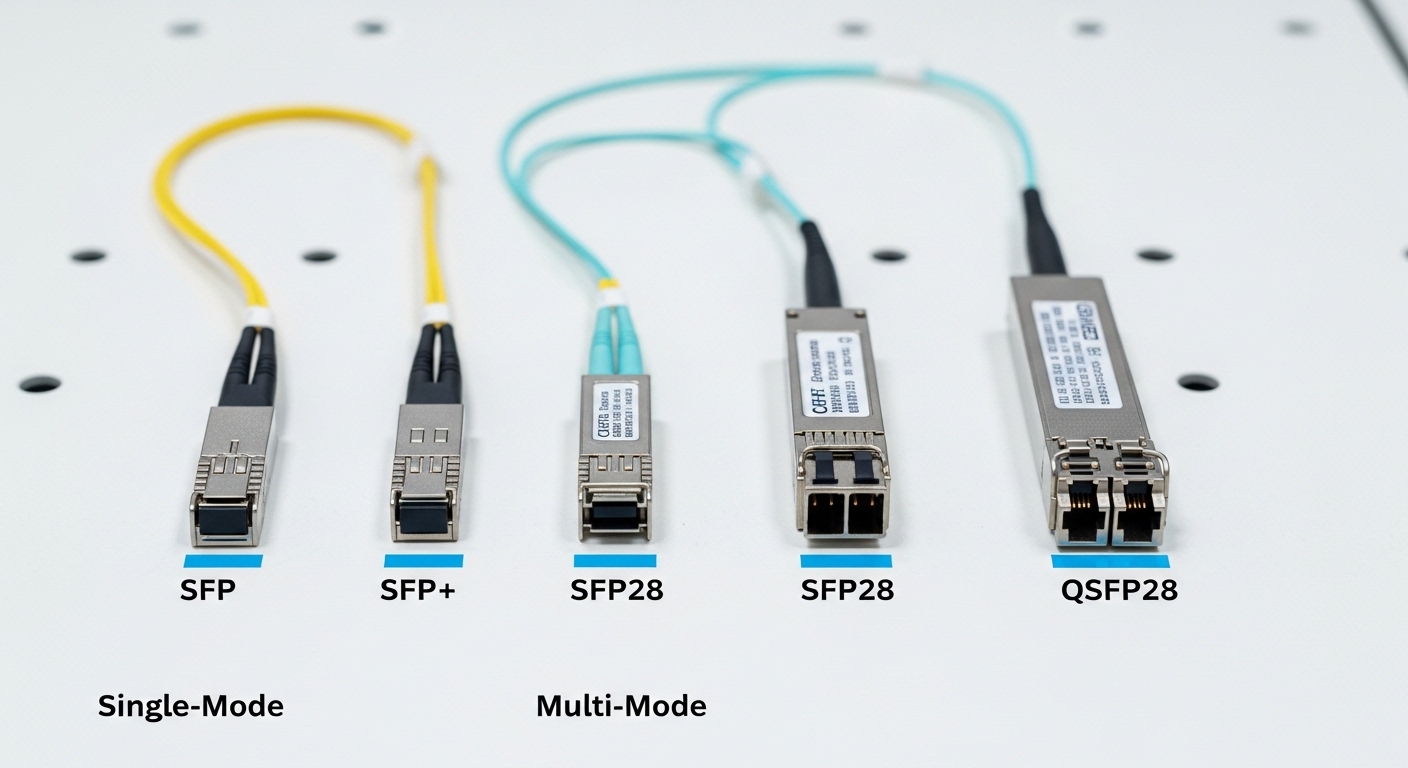
When people say “RTU fiber module,” they usually mean a pluggable transceiver installed in an RTU gateway, industrial media converter, or a small switch near the RTU. For SCADA, the most common pattern is: RTU network port (often RJ45 copper) feeds a local gateway or switch; that switch uplinks over fiber using an SFP. The fiber side uses a standard wavelength and connector type so your patching and splicing stay straightforward.
Common SFP categories for SCADA links
- 10G SR (850 nm, multimode): short reach inside buildings or campuses.
- 1G SX (often 850 nm): legacy SCADA systems with gigabit uplinks.
- 1G LX or 10G LR (1310 nm, single-mode): longer runs with fewer attenuation concerns.
- Ethernet rate matching: your switch port speed must match the module’s supported data rate; otherwise you may force down to a lower speed (sometimes fine, sometimes not).
Technical specs that actually matter
Below is an example comparison that reflects typical SCADA engineering choices: wavelength (nm), reach (km), optical power class, connector, and temperature range. Always validate against your vendor datasheets and your switch’s optics compatibility list.
| RTU fiber module (SFP example class) | Wavelength | Reach | Data rate | Fiber type | Connector | Optics monitoring | Operating temperature |
|---|---|---|---|---|---|---|---|
| Cisco SFP-10G-SR or equivalent | 850 nm | Up to 300 m (typical MMF) | 10G Ethernet | Multimode (OM3/OM4) | LC | Digital Optical Monitoring (DOM) | Commonly around -5 C to +70 C (verify) |
| Finisar FTLX8571D3BCL or equivalent | 850 nm | Up to 300 m (depends on MMF) | 10G Ethernet | Multimode (OM3/OM4) | LC | DOM | Typical telecom range (verify datasheet) |
| FS.com SFP-10GSR-85 or equivalent (example vendor class) | 850 nm | ~300 m class | 10G Ethernet | Multimode | LC | DOM (varies by SKU) | Verify per SKU |
For longer SCADA runs, you would switch to single-mode optics (1310 nm) and choose an SFP class aligned to your port speed and link budget. IEEE 802.3 defines Ethernet PHY behavior, but your exact link budget comes from the module datasheet plus your fiber attenuation, patch losses, and connector/splice specs.
<[[IMAGE:Close-up product photography of an SFP transceiver with an LC fiber pigtail inserted into a rugged industrial media converter, shot on a workbench; shallow depth of field, cool studio lighting, crisp metal texture and label readability, neutral gray background, 50mm lens look, high detail reflections]>>
Field-ready selection checklist for an RTU fiber module
Choosing an RTU fiber module is less about “best brand” and more about avoiding incompatibilities that cause link flaps, CRC errors, or unexpected speed negotiation. Below is the checklist engineers use when selecting optics for Modbus TCP over Fiber.
- Distance and fiber type: confirm whether your run is multimode or single-mode, then map to the module’s rated reach (not just “on paper,” but with your measured link loss).
- Switch and port compatibility: verify the SFP model is supported by your switch firmware and port type (10G vs 1G, SR vs LR, DOM expectations).
- Link budget math: include fiber attenuation (dB/km), patch panel losses, connector inspection losses, and splice losses. Keep margin for aging and dirty connectors.
- DOM and monitoring: if your network manager expects DOM, confirm the module provides it and that the switch reads it cleanly.
- Operating temperature: SCADA cabinets can hit hot spots near power supplies. Validate the module’s temperature range and derating guidance from the datasheet.
- Budget vs reliability: third-party optics can be fine, but confirm they pass your acceptance tests (link up time, error counters under load, DOM reporting).
- Vendor lock-in risk: if you buy proprietary optics, plan spares strategy. A field failure during a storm is not the time to discover a compatibility mismatch.
For standards grounding: Ethernet over fiber is covered by IEEE 802.3 for PHY behavior, while practical optics performance and operating limits come from the vendor datasheets. For network design practices, ANSI/TIA-568 and related structured cabling guidance help with installation quality and loss budgeting. See [Source: IEEE 802.3] and [Source: ANSI/TIA-568] plus the specific SFP datasheet from your module vendor. You can also cross-check DOM behavior with switch vendor documentation.
Pro Tip: Do a quick dirty-connector check before swapping optics. A surprising number of “bad SFP” incidents trace back to connector contamination; one careful cleaning pass can eliminate link drops and CRC spikes.
Deployment scenario: SCADA leaf-spine-ish plant network with RTUs
Imagine a manufacturing site with 48 RTU endpoints spread across two buildings. Each building has a small managed switch aggregation panel, and the control room uses a pair of core switches for redundancy. The leaf-side uplinks run at 10G to support occasional firmware updates and diagnostic bursts, while Modbus TCP polling runs continuously at 100 ms to 250 ms per device.
In Building A, you have a 220 m multimode run from the switch to a fiber patch cabinet. You install a 10G SR class RTU fiber module with LC connectors (850 nm). In Building B, the run is 1.8 km single-mode, so you select an SFP LR-class module (1310 nm). Both sides carry tagged VLANs for SCADA, and the switches log interface counters so you can correlate Modbus TCP latency spikes with link error bursts.
<[[IMAGE:Industrial lifestyle scene showing a fiber splice tray inside a metal field cabinet, with a technician wearing safety PPE cleaning an LC connector using a proper fiber cleaning tool; background includes a small rack with an SFP module visible through a cabinet window, cinematic lighting, warm ambient tones, documentary photography style, high realism, shallow depth of field]>>
Common mistakes and troubleshooting steps for Modbus TCP over Fiber
Even when the optics are “compatible,” SCADA networks fail in predictable ways. Here are concrete failure modes engineers see when using an RTU fiber module for Modbus TCP over Fiber.
Link comes up but Modbus TCP becomes intermittent
Root cause: marginal optical budget or dirty connectors causing occasional CRC errors and TCP retransmissions. Solution: check interface error counters (CRC/FCS), then clean LC connectors and inspect with a fiber scope. Re-measure link loss and confirm you have margin for splices and patch cords.
Switch port flaps after power cycling or during cabinet heat spikes
Root cause: optics incompatibility with switch DOM policy, or temperature operating outside module limits. Some switches enforce “DOM required” or strict optical thresholds. Solution: confirm the module’s DOM support and operating temperature range; update switch firmware if the vendor advises; ensure proper airflow and keep the module within spec.
Unexpected speed negotiation (10G drops to 1G) breaks performance assumptions
Root cause: mismatched SFP class or a switch port configured for a different speed. While Modbus TCP may still work, throughput and timing assumptions can fail when you are also doing diagnostics or backups. Solution: verify the port speed and optics rating; lock speed/duplex if your platform supports it, and confirm negotiated link parameters in the switch CLI/GUI.
“Wrong fiber type” installed: MMF optics on single-mode fiber or vice versa
Root cause: connector/patching confusion during construction or retrofits. The link may not come up, or it may come up unreliably with excessive errors. Solution: label fibers end-to-end, verify with OTDR or at least continuity tests, and match the SFP wavelength/fiber type to the actual plant fiber.
<[[IMAGE:Clean minimal concept illustration of an RTU gateway connected to a managed switch, with a fiber link represented as a glowing line and warning icons for CRC errors; flat vector style, dark background, neon blue and green accents, diagram-like clarity, subtle grid texture, high contrast]>>
Cost and ROI: what you pay, what you avoid
Pricing for an RTU fiber module varies widely by brand and rate. OEM 10G SR SFPs often cost roughly $120 to $250 per module depending on vendor and supply, while reputable third-party equivalents may land around $40 to $140. For TCO, the biggest driver is not purchase price—it is downtime risk and truck-roll frequency.
In a SCADA environment, a single failed uplink can delay maintenance work or trigger protective alarms. If the optics are cheaper but create higher failure rates or longer troubleshooting cycles due to compatibility quirks, your “savings” can vanish fast. A practical approach: buy one extra spare per site, test acceptance in a controlled setting, and track failure counters and DOM readings so you can predict replacements.
FAQ
What exactly counts as an RTU fiber module in SCADA projects?
In most deployments, it is the pluggable transceiver you install into a gateway, media converter, or switch near the RTU that carries Ethernet over fiber. It is commonly an SFP (or SFP+ depending on speed) with LC connectors and DOM support.
Can I use Modbus TCP over a 10G fiber link without changing my RTU logic?
Yes. Modbus TCP rides on Ethernet/IP, so upgrading the physical layer typically does not require changes to the Modbus registers or polling logic. You only need to ensure the network path remains stable and your switches handle VLAN and QoS consistently.
How do I choose between multimode 850 nm and single-mode 1310 nm?
Use multimode (850 nm, SR/SX-class) for shorter runs, typically within a few hundred meters, assuming OM3/OM4 fiber and correct patch losses. Use single-mode (1310 nm, LR-class) when runs approach or exceed typical multimode budgets or when you need longer-term stability.
Do I need DOM support for SCADA monitoring?
DOM is strongly recommended if your operations team relies on optics health dashboards. Without DOM, you may lose visibility into transmit power drift, receive power trends, and threshold warnings that help prevent outages.
Are third-party SFPs safe for industrial sites?
Often yes, but treat them like any critical component: verify switch compatibility, run a burn-in or acceptance test, and confirm DOM behavior. Also keep an emergency spare from the same batch so you can swap quickly if something goes wrong.
What is the fastest troubleshooting path when Modbus TCP latency spikes?
Start with interface counters for CRC/FCS errors and link flaps, then inspect and clean fiber connectors. If errors persist, validate the link budget and confirm the negotiated speed matches your design assumptions.
If you want to push this further, the next step is to align your SCADA network design with reliable Ethernet behavior and monitoring practices: see VLAN QoS design for SCADA networks for a practical approach to reducing latency surprises. With the right RTU fiber module, you can turn “mystery polling glitches” into predictable, measurable performance.
Author bio: I design and validate field-deployable network hardware setups, focusing on optics compatibility, link budget realism, and UI-friendly monitoring for operators. I’ve supported SCADA rollouts where small physical-layer details made the difference between stable telemetry and recurring outages.
