
Top 8 reliable options for SMB DAC links that actually stay up
If your small business uses 10G or 25G Ethernet for virtualization, backups, or NAS traffic, a flaky direct-attach copper (DAC) link can turn into recurring outages and support tickets. This buying guide helps SMBs choose reliable options for DAC solutions by focusing on the specs that affect link stability: reach, connector type, power class, temperature, and switch compatibility. It is written for network admins and field techs who need predictable behavior during installs and later maintenance.
We will compare common DAC families (SFP+ and QSFP28), review compatibility with vendor switch optics constraints, and include troubleshooting patterns from real deployments. I also call out where “works on the bench” fails once cables age, airflow changes, or the switch re-trains links under load.
10G SFP+ Active DAC: the practical default for 5–10 m
For most SMB leaf-spine or server-rack cabling, 10G SFP+ Active DAC is the most balanced choice. Active DAC uses retiming and equalization inside the copper assembly, which improves signal integrity over short to mid distances. In practice, it is the go-to for rack-to-rack runs when you want lower cost than fiber and you can keep the routing clean.
Typical real-world fit: a 3-tier setup with ToR switches, hypervisor hosts, and a backup appliance where you need about 7 m and want fewer components than a fiber patch panel build. Active DACs also tend to train more consistently than passive designs at the same reach when the switch uses stricter receiver thresholds.
Key specs to check: SFP+ form factor, 10.3125 Gb/s line rate (10G Ethernet), length in meters, and operating temperature range. Ensure the module supports the correct connector style and that your switch firmware enables third-party optics.
- Best fit: 10G links, server-to-switch or switch-to-switch within 5–10 m
- Pros: stable reach, lower latency than fiber, simple install
- Cons: sensitive to bend radius and cable quality if routed poorly
Quick compatibility note
Some SMB switches enforce an optics whitelist or require a specific DOM interpretation. If your switch supports SFF-8431/8432 management and DOM polling, you will get better visibility into link status and error counters.
10G SFP+ Passive DAC: lowest cost for very short runs
10G SFP+ Passive DAC is attractive when distances are tight and you want the simplest electrical path. Passive DAC contains no active retiming; it relies on the switch’s receiver sensitivity and the cable’s copper construction. As a result, it can be less forgiving if your patching creates sharp bends or if the cable assembly is marginal.
In SMB environments, passive DAC works well for 1–3 m inside a single rack or between adjacent shelves where cable management is disciplined. Field experience: if you reuse cables from a previous cabinet or you coil them during troubleshooting, passive links are more likely to show high CRC or intermittent flaps during link retraining.
- Best fit: 10G links under 3 m, controlled routing, minimal cable stress
- Pros: cheapest option, straightforward signal path
- Cons: less tolerant of distance and poor handling
25G SFP28 Active DAC: the upgrade path for SMB that is still cost-aware
If you are planning to move from 10G to 25G for virtualization density, NVMe-oF gateways, or high-throughput backups, 25G SFP28 Active DAC is often the first step that avoids fiber costs. Active copper at 25G can be stable over typical rack runs, but it is more sensitive to module quality and switch equalization behavior than 10G.
When selecting reliable options, treat length as a hard constraint rather than a guideline. Many 25G DAC assemblies are rated for specific maximum lengths based on switch receiver performance. If you are building for three years of growth, choose a length that leaves margin rather than buying “the longest that might work.”
- Best fit: 25G server-to-switch within typical rack distances, early migration from 10G
- Pros: lower install overhead than fiber, fast throughput upgrade
- Cons: stricter reach and handling requirements
25G QSFP28 Active DAC: fewer ports, higher throughput per link
25G QSFP28 Active DAC is a strong fit when you need fewer physical connections for the same bandwidth. QSFP28 is common on newer SMB and prosumer switches with high-density uplinks to storage and compute fabrics. The main advantage is port density and the ability to aggregate higher throughput per module slot.
Use this when your switch supports QSFP28 at 25G and you can keep the cabling within the specified reach. In a mixed environment, confirm that you are not mixing 10G SFP+ and 25G QSFP28 in a way that forces slower breakout modes. Reliable options also include models that implement DOM so you can monitor link quality and identify early degradation.
- Best fit: 25G switch uplinks and server connectivity with QSFP28 support
- Pros: compact, high throughput per port
- Cons: must match the switch’s QSFP28 profile exactly
DAC with DOM support: reduce downtime with better visibility
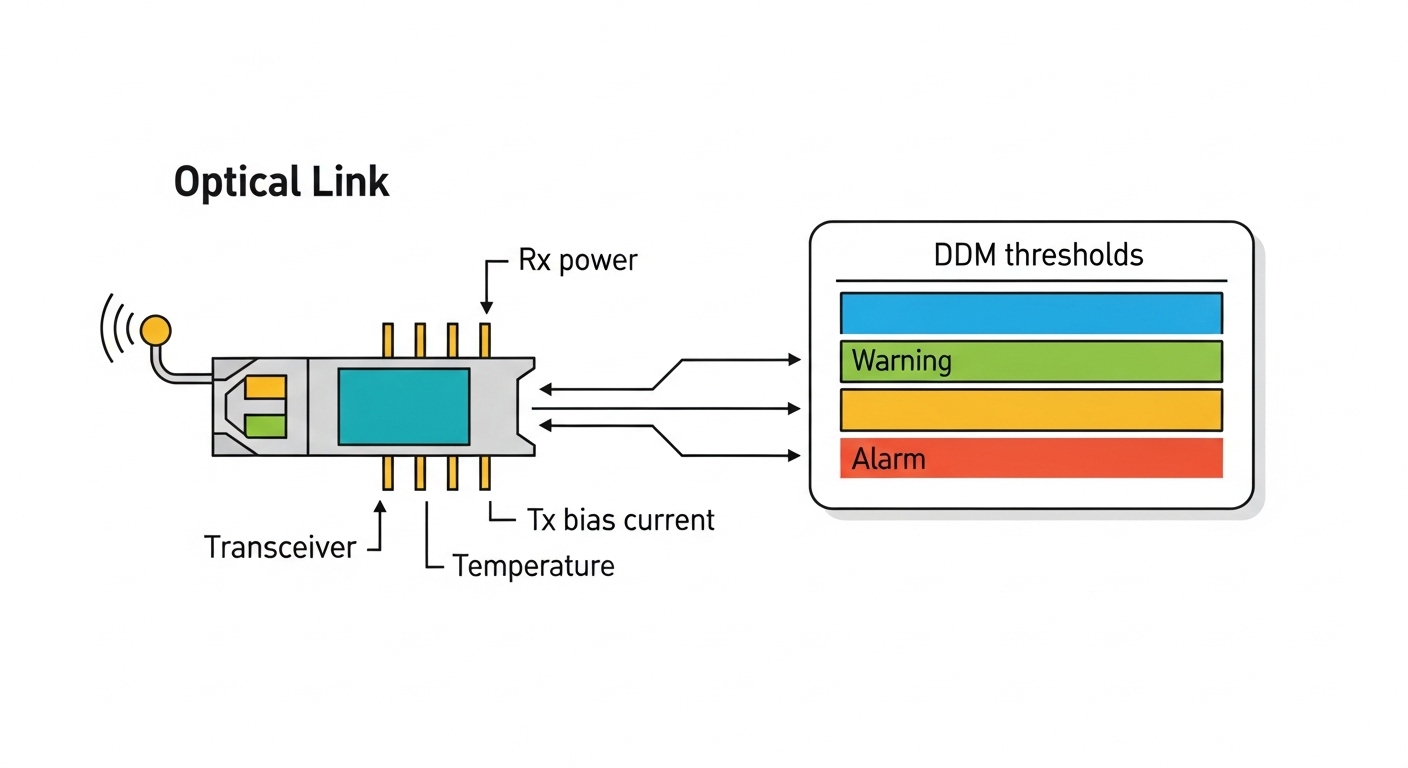
DOM (digital optical monitoring) support matters for DAC because it enables visibility into link state, vendor identifiers, and error counters depending on switch implementation. Even though DAC is copper, reputable modules provide management hooks so the switch can read module presence and status. That reduces “blind troubleshooting,” especially when you need to prove whether the module or the port is failing.
In practice, DOM-supported DAC helps when you see sporadic link flaps: you can correlate events with temperature changes, fan failures, or switch reboots. Reliable options should align to standard management expectations so the switch does not misinterpret the module.
- Best fit: SMBs with limited staff who need faster root cause analysis
- Pros: better monitoring, quicker swaps, fewer guess cycles
- Cons: third-party DOM behavior can vary by switch firmware
Temperature-rated DAC for hot aisles and constrained airflow
SMB racks often run warmer than planned because of budget-friendly fan kits, server oversubscription, or front-to-back airflow restrictions. A temperature-rated DAC can be the difference between stable links and gradual degradation. Copper signal integrity becomes less predictable as temperature rises and as mechanical stress changes over time.
When selecting reliable options, verify the module’s operating temperature range and compare it to your measured inlet air temperature. Field method: measure with a calibrated probe at the switch intake and near the cable bundle. If you are regularly above your equipment’s recommended ambient, prioritize temperature-rated DAC assemblies and improve cable management to avoid hot spots.
- Best fit: hot aisles, older HVAC, dense server racks
- Pros: better long-term stability, fewer intermittent failures
- Cons: slightly higher cost than non-rated parts
Vendor-compatible DAC: avoid firmware and optics profile mismatches
Switch vendors sometimes implement optics qualification rules that affect how DAC training and equalization are applied. Even if a DAC is electrically correct, a mismatch in configuration can cause link instability or refusal to link. Reliable options should be explicitly compatible with your switch family, including firmware revisions if the vendor documents them.
Practical example: if your switch offers a “copper DAC” mode or has port-level speed negotiation controls, confirm the DAC profile matches. For SFP+ and QSFP28, check whether the switch expects specific compliance details and whether it supports third-party modules without alarms.
- Best fit: mixed-vendor SMB networks and planned firmware upgrades
- Pros: fewer surprises during maintenance windows
- Cons: may limit the pool of third-party choices
Length-matched DAC with proper routing: reliability beats “max reach”
Many DAC failures are not electrical; they are mechanical. Exceeding bend radius, compressing cables against rack rails, or running them near high-voltage conductors can degrade signal quality. Reliable options include assemblies rated for the specified length and built for predictable retention and shielding.
During install, route cables with gentle arcs, avoid tight corners, and keep power cables separated. If you reconfigure server positions, replace DACs rather than forcing them into new paths. A small upfront cost here prevents intermittent CRC errors that are hard to reproduce.
- Best fit: dynamic SMB racks, frequent server moves, careful cable management
- Pros: stable links, lower troubleshooting time
- Cons: requires disciplined handling
Key spec comparison for DAC reliability: what to verify before buying
To choose reliable options, you must compare specs that directly influence physical layer stability. The table below consolidates the most decision-relevant parameters across common DAC types used in SMB networks.
| DAC type | Data rate / standard | Typical reach (SMB use) | Connector / form factor | Power class (typical) | DOM | Operating temperature (verify) |
|---|---|---|---|---|---|---|
| 10G SFP+ Passive DAC | 10.3125 Gb/s (10G Ethernet) | 1–3 m | SFP+ direct attach | Low power | Often present, varies | Check module datasheet |
| 10G SFP+ Active DAC | 10.3125 Gb/s (10G Ethernet) | 5–10 m | SFP+ direct attach | Moderate power (active electronics) | Common on higher-quality models | Check module datasheet |
| 25G SFP28 Active DAC | 25.78125 Gb/s (25G Ethernet) | 1–7 m (model dependent) | SFP28 direct attach | Moderate power | Often included on reputable options | Check module datasheet |
| 25G QSFP28 Active DAC | 25.78125 Gb/s (25G Ethernet) | 1–5 m (model dependent) | QSFP28 direct attach | Moderate power | Common on reputable options | Check module datasheet |
Standards context: Ethernet physical layer requirements and management expectations relate to IEEE 802.3 (10GBASE-SR/LR and 25GBASE-R families) and the SFF specifications for module form factors and management. For optics and module definitions, reference vendor datasheets and the relevant SFF documents. [Source: IEEE 802.3, [Source: SFF-8431/SFF-8432 via SFF committee documentation], [Source: switch vendor transceiver interoperability notes]
Selection checklist: how SMBs pick reliable options without rework
Use this ordered checklist during procurement or before swapping modules mid-maintenance window.
- Distance and margin: pick a module rated for your exact run length; do not plan to “stretch” to the maximum.
- Switch compatibility: confirm the module type and speed mode (SFP+ vs SFP28 vs QSFP28) and check vendor interoperability guidance. Use optics compatibility checklist.
- DOM and diagnostics: prefer DACs that support DOM so you can correlate link events with errors and module status.
- Operating temperature: compare module rating to your measured inlet temperature and cable-bundle heating.
- Power and airflow: ensure your switch’s power budget and airflow design remain within spec for the number of active modules.
- Connector quality and mechanical fit: confirm latch style, retention force, and cable jacket stiffness to avoid partial insertion.
- Vendor lock-in risk: if you choose a third-party DAC, validate it across your specific switch model and firmware revision before scaling.
- Warranty and RMA terms: reliability is also process; insist on documented DOA and return timelines.
Pro Tip: In the field, the fastest way to predict DAC stability is to check your switch’s link training behavior under load. If you can, monitor CRC/BER counters for 24 hours after installation; many “works at idle” cables fail only when traffic bursts trigger re-training or when airflow warms the bundle.
Common mistakes and troubleshooting for DAC reliability
Even good parts can fail if installs or expectations are off. These are the most frequent failure modes I have seen in SMB deployments, with root cause and fixes.
Link flaps after server moves
Root cause: cable forced into a new routing path exceeds bend radius or creates mechanical strain on the connector. Solution: replace the DAC, re-route using a cable tray with gentle arcs, and verify full latch engagement on both ends.
High CRC errors that disappear at low traffic
Root cause: reach beyond the module’s rated performance for your specific switch receiver equalization; or poor shielding from a low-quality assembly. Solution: shorten the run if possible, or upgrade from passive to active for the given distance; also check for routing near power conductors.
“Module not recognized” or no link after a switch firmware update
Root cause: optics profile changes in firmware, sometimes enforcing stricter compliance for third-party optics. Solution: verify with the switch vendor’s interoperability list; if needed, roll back firmware temporarily or switch to a validated DAC model.
Overheating in dense racks causing gradual degradation
Root cause: hot-spot inlet temperature near the switch or cable bundle; active DAC electronics run warmer in constrained airflow. Solution: improve airflow (fan placement, baffles), confirm measured temperatures, and use temperature-rated reliable options.
Cost and ROI note: what SMBs typically pay for reliable options
Pricing varies by data rate, reach, and whether you buy OEM versus third-party. As a practical range for SMB budgets: short 10G SFP+ passive DACs are commonly the lowest cost; 10G SFP+ active and 25G active DACs cost more, with QSFP28 often higher per link than SFP28 depending on market supply.
TCO matters more than sticker price. A marginal cable that causes intermittent CRC or a single downtime event can outweigh the cost difference due to lost production time, overtime for troubleshooting, and RMA logistics. Reliable options from reputable vendors with clear compatibility and warranty terms typically reduce failure rate and deployment churn. For budget planning, also include spares (at least one spare per switch model for critical uplinks) to cut mean time to repair.
FAQ: reliable options for DAC solutions in SMB networks
What is the difference between passive and active DAC for reliability?
Passive DAC relies on the switch receiver and the copper cable characteristics; it is usually more sensitive to distance and handling. Active DAC adds signal conditioning and retiming, improving stability over longer rated runs. For SMBs needing consistent behavior beyond very short distances, active is usually safer.
Can I use third-party DAC modules with my SMB switch?
Often yes, but reliability depends on compatibility with your specific switch model and firmware. Some switches enforce optics profiles or have incomplete DOM expectations. Validate with the vendor interoperability notes or test one module in the target port before scaling.
How do I choose the right length without wasting money?
Measure the run path and include slack; then select a DAC rated for that length with margin. Avoid buying the maximum rated length because real racks include routing bends and cable bundle heating. If you are unsure, step down in length or move to active DAC.
What diagnostics should I check after installing DAC links?
Look at interface up/down events, CRC counters, and any BER or error-rate indicators your switch exposes. Then leave it under real traffic for a period (for example, overnight) to catch “idle-only” stability. If you have DOM, record module ID and temperature readings for baseline.
When should I switch from DAC to fiber?
Switch to fiber when you need longer reach, harsher environments, or more flexible infrastructure changes. Fiber also reduces mechanical stress issues common in copper DAC during server moves. If you anticipate frequent re-cabling, fiber can lower long-term maintenance risk.
Do DACs need DOM for good reliability?
DOM is not required for the link to function, but it improves operational visibility and speeds troubleshooting. In SMB environments, faster root cause analysis often has direct ROI. Prefer reliable options that provide consistent DOM behavior with your switch.
Reliable options for DAC links come down to correct module type (SFP+/SFP28/QSFP28), realistic distance margin, verified switch compatibility, and disciplined installation. If you want to reduce future surprises, review optics compatibility checklist before buying spares for your next maintenance cycle.
Author bio: I have deployed and validated copper and fiber interconnects in SMB and enterprise edge networks, focusing on measured link errors, training behavior, and thermal stability. I write from field experience with SFP+/SFP28/QSFP28 optics, switch compatibility quirks, and practical cabling practices.
