
Running Quantum Key Distribution (QKD) over fiber is one of those projects where the physics is only half the battle. The other half is the practical role of the quantum transceiver: wavelength, reach, connector standards, optical budgets, and vendor firmware behavior. This guide helps network engineers and early-stage teams validate QKD links quickly, avoid common failure modes, and make selections that survive real deployments.
Prerequisites: what you must have before choosing a quantum transceiver
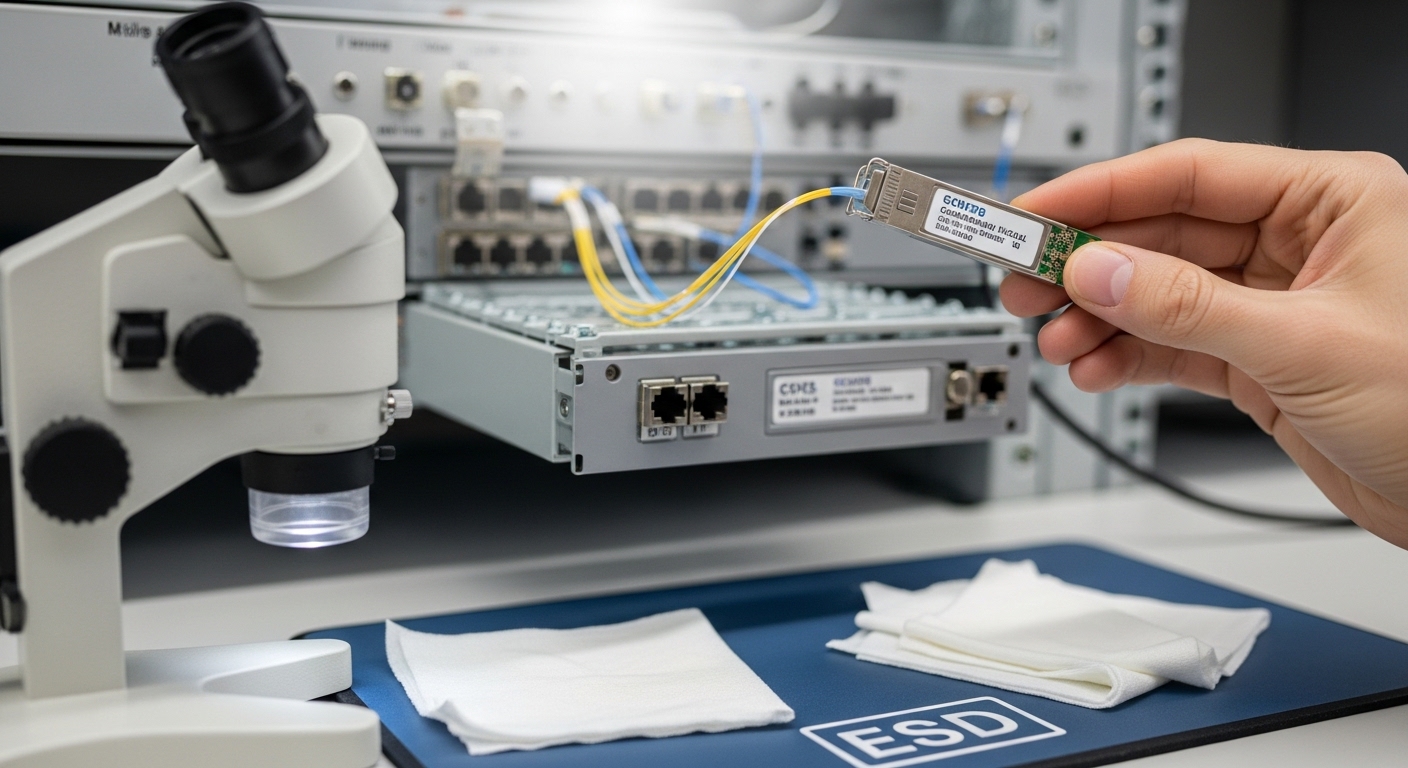
Before you pick hardware, align on the QKD system architecture and the fiber path you will use. Most field failures come from mismatched optics (wavelength or modulation format) or from optical budget surprises like connector losses and patch panel bends. If you are integrating with an existing 10G/25G plant, you also need to confirm that your transceiver wavelengths and filters do not collide with installed DWDM or wavelength-division multiplexing plans.
Confirm QKD wavelength and interface requirements
Start with the QKD vendor documentation for the quantum channel wavelength and the transceiver side interface. Many QKD systems use dedicated optical wavelengths and may require specific polarization handling, narrow linewidth, or strict timing windows. Treat the QKD unit as the “master” and ensure the quantum transceiver you select is explicitly supported for that wavelength and reach.
Expected outcome: You have the exact quantum channel wavelength (for example 1310 nm or 1550 nm class), required connector type, and the expected optical power range at the transceiver.
Measure fiber plant losses and environmental constraints
Use an OTDR and a loss budget spreadsheet. Include core factors: splice loss, connector loss, patch panel loss, and any estimated additional loss from aging. Also capture installation conditions: temperature range, bend radius policies, and whether the link crosses areas with high vibration or frequent maintenance.
Expected outcome: You can compute a link margin, not just a “datasheet reach.”
Identify the connector and physical form factor
QKD deployments often use standard fiber connectors even when the optics are specialized. Confirm whether you need SC/UPC, LC/UPC, or other polished styles, and whether the transceiver must be SFP, SFP+, QSFP, or a proprietary module format. If you are using a vendor’s “supported transceiver list,” prioritize it to reduce integration time.
Expected outcome: You avoid mechanical incompatibility and reduce the chance of return-loss issues.
How the quantum transceiver fits into QKD over fiber
A quantum transceiver is the optical interface that launches and receives the quantum signals used for key generation, typically alongside classical communication channels for sifting, error correction, and authentication. In fiber QKD, the transceiver’s job is not just “optical transport,” but maintaining the optical characteristics the QKD protocol expects. That includes wavelength stability, spectral purity, receiver sensitivity, and sometimes strict timing alignment to the QKD hardware.
On the classical side, QKD systems usually exchange metadata over authenticated classical channels. The transceiver itself may be separate from the classical networking stack, but it must still coexist with your overall network design, including cabling practices and optical filtering.
Match optical budget to the QKD link budget
Even though QKD protocols can tolerate losses differently than classical links, the transceiver must still stay within receiver sensitivity and transmitter power limits. Build a link budget using measured fiber attenuation (dB/km at the quantum wavelength), plus splice and connector losses. Remember that patch panels and “temporary” jumpers can add losses you did not model initially.
Expected outcome: Your computed margin is positive under realistic worst-case conditions (not just nominal values).
Align wavelength and filtering with the rest of your optics
If your fiber route shares infrastructure with DWDM or other services, check whether your QKD wavelength overlaps with existing channels. Use the QKD vendor’s recommended filters or confirm that your transceiver’s spectrum will not create unacceptable crosstalk. For classical pluggables, you can use typical references like IEEE 802.3 optical PHY guidance for interface behavior, but QKD is still governed by the QKD vendor’s optical constraints.
Expected outcome: You confirm channel spacing, avoid spectral overlap, and reduce crosstalk risk.
Pro Tip: In the field, the fastest QKD stabilization comes from treating connector cleanliness and return loss as first-class engineering parameters, not “maintenance hygiene.” A single contaminated connector can raise back-reflections enough to degrade the quantum receiver’s effective sensitivity, even when OTDR loss looks fine. Clean, re-terminate, and re-check with a microscope before changing firmware or swapping transceivers.
Spec table: what to verify when evaluating a quantum transceiver
Because “quantum transceiver” can refer to different module families depending on the QKD vendor, you must verify the exact optical parameters for your quantum channel. The table below shows common verification fields you should request from vendors, plus examples of standard fiber transceiver specs you might see in classical optics for context. Use it as a checklist for what to confirm, not as a guarantee of QKD compatibility.
| Parameter | What to verify for quantum transceiver | Typical reference (classical optics example) |
|---|---|---|
| Quantum channel wavelength | Exact center wavelength and tolerance; stability requirements | Examples: 1310 nm or 1550 nm class (varies) |
| Reach | Specified for the QKD system link budget, including margin | Example: SFP-10G-SR is rated for up to 300 m over OM3 multimode; FS.com SFP-10GSR-85 for 850 nm multimode class |
| Optical power range | Transmitter launch power and receiver sensitivity limits | Consult vendor datasheet; typical receive sensitivities vary by PHY |
| Connector type | SC/UPC, LC/UPC, etc.; polish and mating requirements | Common in SFP modules: LC duplex |
| Data rate interface | May be separate from QKD quantum channel; confirm electrical interface | Classical modules: 10G/25G/100G per IEEE 802.3 PHY |
| Operating temperature | Match your rack and outside plant conditions | Typical commercial pluggables: 0 to 70 C; extended: -40 to 85 C |
| DOM support | Presence of digital diagnostics; alarms the QKD controller can read | Classical SFP/SFP+ modules often include I2C-based DOM |
For optical behavior and interface expectations, you can cross-check general Ethernet optical module guidance against IEEE 802.3 and vendor datasheets for classical pluggables. For QKD-specific constraints, rely on the QKD platform documentation and the vendor’s supported module list. [Source: IEEE 802.3 Ethernet specifications] [Source: Vendor transceiver datasheets for DOM and optical parameters]
Selection criteria: a decision checklist engineers can run in one afternoon
To validate a quantum transceiver selection quickly, use this ordered checklist. It is designed to reduce rework and keep the QKD link from burning days on avoidable mismatches.
- Distance and attenuation model: confirm fiber attenuation at the quantum wavelength and include splice/connector losses.
- Switch or controller compatibility: verify the QKD controller supports the module type, electrical interface, and any DOM alarm mapping.
- Wavelength and spectral requirements: confirm center wavelength tolerance, linewidth class, and any filtering expectations.
- DOM support and alarm behavior: ensure the controller can read temperature, bias current, transmit power, and receive power; confirm threshold behavior.
- Operating temperature: match your rack cooling profile; avoid modules that drift near alarm thresholds during peak load.
- Vendor lock-in risk: assess whether third-party transceivers are supported; if not, plan spares and lifecycle strategy.
- Connector and polish standard: match UPC vs APC requirements and ensure you have compatible jumpers.
- Return-loss and cleanliness: plan cleaning and inspection steps as part of the deployment runbook.
Implementation guide: deploying QKD with a quantum transceiver without drama
This section gives you a step-by-step runbook you can adapt. The goal is to get a stable key rate quickly, then harden the link against maintenance realities.
Validate optics in a bench test
Before connecting to the live fiber, test the transceiver in a controlled environment with short jumpers. Confirm that the QKD controller reports normal temperature and optical power readings and that the quantum channel starts without persistent alarms. If the system provides a diagnostic “stabilization” state, capture the stabilization duration and key generation start time.
Expected outcome: You have baseline readings and a clean “known good” behavior for the module.
Install and clean connectors using a repeatable procedure
Use a microscope inspection process and cleaning kit before mating. Replace jumpers that show scratches or contamination. In multi-tenant facilities, coordinate with operations to prevent accidental re-patching with mismatched jumpers.
Expected outcome: You reduce back-reflection and improve the receiver’s effective sensitivity.
Bring up the link using the QKD system’s recommended parameters
Follow the QKD vendor’s bring-up sequence for timing, polarization if applicable, and classical authentication. If the system supports adjustable attenuation or calibration modes, start in “safe” mode and only widen parameters after you see stable measurements over several minutes.
Expected outcome: You achieve stable quantum detection and sustained key generation.
Monitor continuously and set alarm thresholds
Track transmitter power, receiver power, temperature, and any QKD-specific alarms such as QBER thresholds or detector saturation. Store time-series data so you can correlate dips in key rate with environmental changes, patch panel work, or planned maintenance windows.
Expected outcome: You can explain key rate changes with evidence, not guesswork.
Real-world deployment scenario: In a 3-tier data center leaf-spine topology with 48-port 10G ToR switches, an engineering team added a QKD link between two aggregation rows using a dedicated fiber bundle. They ran OTDR to estimate 0.35 dB/km attenuation plus 2.0 dB total connector and splice loss on a 5.2 km route, leaving a 3 dB margin versus the QKD vendor’s minimum sensitivity. After connector cleaning and a bench validation, the team saw key generation stabilize in under 15 minutes and maintained a consistent key rate during weekly patch panel changes, because they had alarm-backed monitoring for receiver power and temperature.
Common mistakes and troubleshooting: top failure points
When QKD fails to stabilize, it is usually one of a few recurring issues. Use these top failure modes as a structured troubleshooting path.
Failure point 1: “It works on the bench, fails in the field”
Root cause: Real fiber losses are higher than estimated due to patch panel losses, additional splices, or unexpected bend-induced attenuation. Solution: Re-run OTDR, update your loss budget, and verify jumper lengths and connector types match the plan.
Failure point 2: Persistent receiver alarms or unstable key rate
Root cause: Connector contamination or high return loss causes back-reflections that degrade quantum detection. Solution: Inspect with a microscope, clean with the correct method, and re-test with known-good jumpers. If the system logs DOM values, correlate receiver power dips with the stabilization window.
Failure point 3: Transceiver is detected but QKD never enters key generation
Root cause: Wavelength mismatch, unsupported module type, or incompatible electrical interface behavior (including DOM threshold mapping). Solution: Confirm the exact quantum channel wavelength tolerance and verify the module is in the QKD vendor’s supported list. If possible, switch to the vendor-recommended module model and compare diagnostic readings.
Cost and ROI note: what to budget for a quantum transceiver in QKD projects
Quantum-capable optics are typically priced higher than standard pluggables because they include tighter optical tolerances and may require vendor-specific firmware support. In early projects, you might see module pricing in the range of hundreds to low thousands of USD per unit depending on reach, operating conditions, and whether it is supported by the QKD platform. Total cost of ownership (TCO) often depends less on the module price and more on operational uptime: cleaning consumables, spare modules, and the time spent on requalification after maintenance.
OEM-supported transceivers reduce integration risk but can increase lock-in. Third-party options can reduce cost, yet they may require extra validation and can break during firmware upgrades. Plan for spares, define acceptance tests, and measure failure rates by tracking alarm frequency and key rate stability across maintenance cycles.
FAQ
What is a quantum transceiver in QKD?
A quantum transceiver is the optical interface used by a QKD system to send and receive the quantum signals that enable key generation. It must meet strict optical requirements like wavelength stability, receiver sensitivity, and sometimes spectral or timing constraints defined by the QKD platform. Always validate against the QKD vendor’s supported module requirements rather than assuming standard optics will work.
Can I use standard SFP or QSFP optics for QKD?
In many cases, no. QKD typically requires specialized quantum channel behavior and may rely on narrow tolerances, specific wavelengths, and vendor-defined receiver behavior. Even if a module “appears compatible” electrically, the quantum optics performance may not meet protocol needs. Treat standard Ethernet pluggables as reference only, not as a substitute.
How do I estimate whether my fiber distance will work?
Use OTDR and a loss budget at the quantum wavelength, including splice and connector losses. Then compare your calculated margin to the QKD vendor’s link budget and minimum receiver sensitivity. If you share fiber with other services, include additional considerations like filtering and crosstalk.
References & Further Reading: IEEE 802.3 Ethernet Standard | Fiber Optic Association – Fiber Basics | SNIA Technical Standards
What diagnostics should I monitor after deployment?
Monitor transmitter power, receiver power, module


