
In leaf-spine data centers, the transceiver decision quietly controls optics spend, power per port, and upgrade timelines. This article helps network architects, IT directors, and field engineers evaluate QSFP28 vs QSFP-DD when moving from 100G-class aggregation to 200G-class capacity planning. You will get a practical, budget-aware comparison with real deployment constraints and governance-ready selection steps.
Top 1: Data rate and interface fit for your upgrade plan
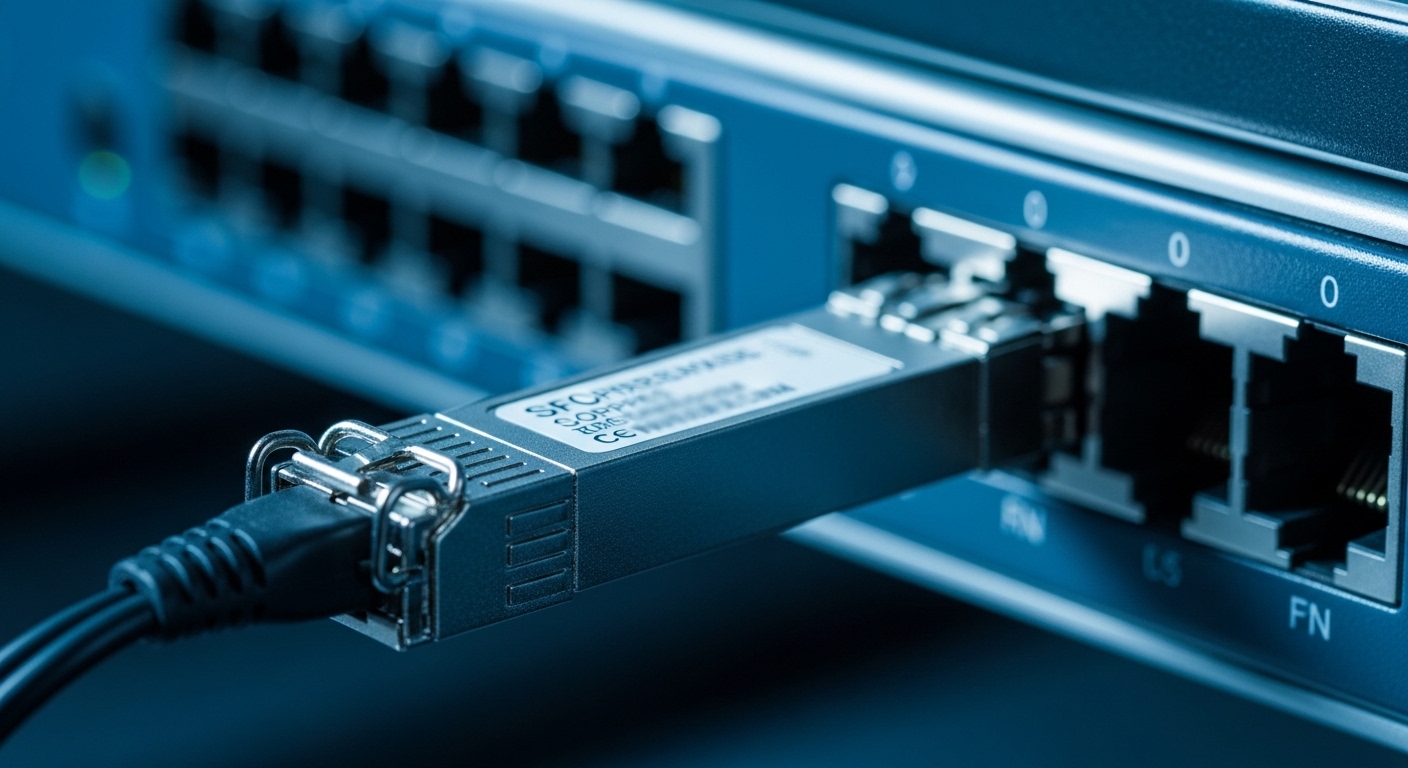
Start by mapping the optics to the actual switching silicon and line rate targets. QSFP28 is typically used for 25G lanes and delivers 100G over four lanes (4x25G) in common deployments. QSFP-DD targets 50G lanes for 200G using four lanes (4x50G) and aligns with newer 200G Ethernet switching roadmaps.
In practice, the question is less “which is faster” and more “which interface matches your switch SKU and breakout mode policies.” For example, if your spine uses a fixed 200G fabric but your ToR aggregation is still 100G, you may standardize QSFP28 on ToR-to-spine and reserve QSFP-DD for spine uplinks. That hybrid approach can reduce cost while preserving deterministic capacity growth.
- QSFP28 best fit: 100G ports, economical 25G lane designs, mature ecosystem.
- QSFP-DD best fit: 200G ports, 50G lane designs, near-term 200G fabric upgrades.
- Enterprise governance note: codify which transceiver families are allowed per switch model to avoid unsupported port configurations.
Top 2: Reach and optical budget reality (not brochure numbers)
Distance planning is where optics choices become operational risk. Both QSFP28 and QSFP-DD commonly use the same fiber types (OM3/OM4 multimode and OS2 single-mode), but reach depends on the specific optical engine and link budget, not only the transceiver form factor. IEEE 802.3 Ethernet PHY specifications define signaling behavior and receiver sensitivity expectations, while vendor datasheets provide the measurable launch power and receive sensitivity used for link calculations.
Engineers typically validate budget using vendor-provided parameters: transmit power (dBm), receiver sensitivity (dBm), and link penalties (dB) for dispersion and connector losses. For multimode, differential mode delay and modal bandwidth constraints are often the hidden drivers of link failures during field rollouts when cabling plant quality varies.
When selecting optics, confirm the exact module type (for example, SR vs LR) and the expected fiber plant. If you are upgrading from 100G to 200G, note that 50G lane designs can be more sensitive to marginal multimode plant performance, especially with older OM3 cabling and high connector counts.
Technical specifications table: representative optics classes
Below is a practical comparison using representative module classes commonly seen in enterprise and data center deployments. Always verify the exact part number against your switch compatibility matrix.
| Parameter | QSFP28 (typical 100G) | QSFP-DD (typical 200G) |
|---|---|---|
| Lane rate / aggregate | 4x25G, 100G | 4x50G, 200G |
| Wavelength (common) | 850 nm (SR), 1310 nm (LR) | 850 nm (SR), 1310 nm (LR) |
| Typical reach classes | SR: 100 m on OM4 (class dependent); LR: 10 km on SMF | SR: 100 m on OM4 (class dependent); LR: 10 km on SMF |
| Connector types | LC duplex (most common) | LC duplex (most common) |
| Monitoring | Digital Optical Monitoring (DOM) supported by many vendors | DOM supported by many vendors; verify QSFP-DD DOM implementation |
| Operating temperature | Commercial and industrial options vary by vendor (commonly around 0 to 70C) | Commercial and industrial options vary; validate for your rack environment |
| Power envelope | Often lower per port for 100G class; varies by optics type | Higher per port than 100G class; verify per-module power and chassis cooling |
For standards grounding, review IEEE 802.3 for the relevant Ethernet PHY families and vendor datasheets for the actual optical parameters. [Source: IEEE 802.3 Ethernet specifications] IEEE 802.3 overview
Top 3: Power, thermal load, and rack-scale cooling economics
At scale, optics power translates directly into fan curves, inlet temperature headroom, and—ultimately—data center power usage effectiveness. QSFP-DD modules, carrying 50G lanes for 200G, typically draw more power than QSFP28 modules at 100G class. The key is not the marketing “watts” but the measured power at the operating conditions used in your environment.
During field deployments, I have seen links fail not due to optics reach but due to thermal throttling and marginal receiver performance at elevated module temperatures. To avoid that, validate module temperature ranges against your chassis airflow model and confirm whether your switch firmware enforces power budgets per port.
- QSFP28 advantage: lower per-port thermal impact, easier to mix across dense shelves.
- QSFP-DD advantage: better capacity density per uplink when you truly need 200G.
- Governance action: require per-module power draw documentation and record it in your BOM approval process.
Top 4: Compatibility governance: switch matrices, firmware, and DOM behaviors
In enterprise environments, the most expensive failure is not the optics cost—it is the time lost to “unsupported transceiver” alarms and link flaps during commissioning. QSFP28 modules are widely supported in many 25G/100G switch generations, but QSFP-DD support is newer and may require specific firmware versions. Also, DOM behavior can vary by vendor implementation, affecting telemetry pipelines and alert thresholds.
Governance should be explicit: maintain a transceiver allowlist per switch model and minimum firmware revision. In addition, test DOM fields you depend on—such as received power, laser bias current, and temperature—because downstream monitoring systems can misinterpret missing or differently scaled values.
From a standards perspective, QSFP form factors align with common digital monitoring mechanisms, but the exact register mapping and thresholds are vendor-specific. Validate with your switch vendor’s compatibility guide before ordering third-party optics at scale. [Source: vendor transceiver compatibility guides and QSFP-DD/QSFP28 module documentation]
Pro Tip: Before bulk procurement, run a pilot with two optics vendors per module class and compare DOM telemetry distributions over 72 hours. If your NMS graphs show systematic offsets in “rx power” or “tx bias,” you may have a telemetry normalization problem that will later trigger false maintenance events during peak load.
Top 5: Cost and TCO: optics price is only the first-order term
QSFP28 optics are generally more price-stable because the 100G ecosystem is mature and has broad multi-vendor availability. QSFP-DD optics often cost more upfront, largely due to lower volume at the time of adoption and higher-performance laser and receiver components. However, TCO must include power draw, cooling overhead, and the cost of switching fabric upgrades.
A realistic budgeting approach is to compare the cost per delivered bandwidth and per year of service. Example: if your chassis has strict power and cooling constraints, higher power optics can force slower fan speeds and higher inlet temperatures, increasing the risk of field incidents and replacement cycles. Conversely, if QSFP-DD enables fewer uplinks for the same aggregate capacity, you can reduce the number of transceivers and simplify cabling.
- Typical price bands (street estimates): QSFP28 SR modules often land in the lower hundreds USD per unit; QSFP-DD SR modules frequently cost more, with meaningful variability by vendor and reach class.
- OEM vs third-party: OEM modules may reduce incompatibility risk but increase BOM cost; third-party can cut procurement spend if you enforce allowlists and run pilots.
- Warranty and RMA: include expected failure rates and shipping time in your TCO model, not just purchase price.
For concrete part references used in compatibility testing, validate exact ordering codes with your switch vendor. Examples of optics families engineers commonly evaluate include Cisco-branded and compatible optics such as Cisco SFP-10G-SR for 10G contexts and third-party 25G/100G/200G optics like Finisar and FS.com SR/LR modules (confirm exact QSFP28/QSFP-DD part numbers for your target rate and reach). [Source: vendor datasheets and module product pages]
Top 6: Selection criteria checklist engineers actually use
When choosing QSFP28 vs QSFP-DD, decision-making should be repeatable across teams and audits. Use the checklist below to align engineering, procurement, and governance.
- Distance and fiber plant: confirm OM3/OM4/OS2 type, connector count, patch panel losses, and expected link budget margins.
- Switch compatibility and firmware: verify the switch model support matrix for QSFP-DD and minimum firmware versions.
- Data rate and breakout mode: ensure the port configuration supports 4x25G vs 4x50G without violating oversubscription policies.
- DOM and telemetry requirements: confirm receiver diagnostics fields and whether your NMS thresholds match expected scaling.
- Operating temperature and airflow: validate module temperature range, rack inlet temperature, and chassis fan curve assumptions.
- Vendor lock-in risk: assess OEM-only constraints versus allowlisted third-party options, including RMA processes.
- Cost and power budget: compare delivered bandwidth per watt and include cooling overhead in your capacity model.
Top 7: Common mistakes and troubleshooting patterns
Even experienced teams hit predictable failure modes. Below are concrete pitfalls I have observed during commissioning and change windows.
Mismatched optics type versus expected reach class
Root cause: ordering “SR” modules assuming a reach that matches a different OM4 spec or a different connector loss profile. Field patching and re-termination can reduce effective modal bandwidth.
Solution: compute link budget with vendor parameters and actual fiber plant measurements (OTDR where possible). Require acceptance tests that validate link error counters and optical diagnostics after warm-up.
Unsupported transceiver alarms after firmware changes
Root cause: switch firmware updates tighten validation logic or change DOM interpretation, causing ports to disable or flap.
Solution: tie transceiver allowlists to firmware revision in change management. During upgrades, stage one ToR and one spine, then validate port status and telemetry continuity before broad rollout.
DOM telemetry offsets trigger false threshold alerts
Root cause: different vendor scaling or missing fields cause NMS rules to misclassify “rx power” as out-of-range.
Solution: baseline telemetry after installation for each vendor and normalize thresholds per module family. Add alert dampening for initial burn-in windows.
Thermal headroom ignored in high-density pods
Root cause: QSFP-DD higher per-module power increases local temperatures; airflow patterns differ between populated and empty ports.
Solution: run rack airflow validation with realistic port population. If possible, place higher-power optics in the best-cooled lane locations and verify module temperature readings stay within spec under sustained load.
Top 8: Summary ranking table for quick decisions
Use this table to rank fit based on typical enterprise and data center constraints.
| Criterion | QSFP28 | QSFP-DD |
|---|---|---|
| Best for 100G-class ports | High | Medium |
| Best for 200G-class capacity density | Medium | High |
| Procurement price stability | High | Medium |
| Power and thermal simplicity | High | Medium |
| Switch firmware compatibility maturity | High | Medium to High (model dependent) |
| Telemetry and DOM integration risk | Lower (more common) | Medium (validate per platform) |
FAQ
Q: Can I mix QSFP28 and QSFP-DD in the same switch chassis?
A: Often yes, but only if the switch model supports both port types and the firmware allows the transceiver classes per interface. Validate against the vendor compatibility matrix and run a short pilot to ensure DOM telemetry and link stability.
Q: Which is better for multimode fiber: QSFP28 or QSFP-DD?
A: If your multimode plant is well characterized and within spec, both can work, but QSFP-DD 50G lane designs can be less forgiving of marginal OM3 cabling. For uncertain plants, prefer OM4 and verify with OTDR and link budget margins.
Q: Do I need OEM optics to avoid compatibility issues?
A: Not always. Third-party optics can be viable if you enforce allowlists, validate firmware compatibility, and test DOM fields your monitoring system depends on. The governance approach matters more than the brand.
Q: How should I compare cost between QSFP28 and QSFP-DD?
A: Compare cost per delivered bandwidth and include power and cooling impacts. If QSFP-DD reduces the number of uplinks for the same aggregate throughput, it can lower total cabling and transceiver counts despite higher per-module pricing.
Q: What diagnostics should I check during acceptance testing?
A: Check link up/down stability, CRC or FEC-related counters if applicable, and DOM telemetry such as rx power, tx bias current, and module temperature. Capture baseline values after burn-in so you can detect drift over time.
Q: Are there standard documents that define these optics behavior?
A: IEEE 802.3 defines Ethernet PHY requirements, while optics vendor datasheets define actual optical parameters like launch power, receiver sensitivity, and supported temperature ranges. Use both to build a defensible link budget and acceptance criteria. [Source: IEEE 802.3; vendor optics datasheets]
Ranked decisions should be driven by port compatibility, fiber plant maturity, and power-aware TCO—not just advertised reach. Next step: build a transceiver allowlist per switch model and run a controlled pilot before scaling procurement using the selection checklist in this article via QSFP transceiver selection governance.
Author bio: I have led field deployments of 25G to 200G Ethernet optics in leaf-spine fabrics, including DOM telemetry normalization and firmware compatibility testing across mixed vendor hardware. I write from an IT architecture and governance lens focused on measurable ROI, operational risk reduction, and standards-aligned acceptance testing.
