
High-density networks fail the budget plan not because engineers pick the wrong optics, but because they underestimate total cost of ownership across optics, switching capacity, power, and operational risk. This article helps network architects and field engineers compare QSFP28 and QSFP-DD through an ROI lens, with concrete deployment numbers and compatibility constraints. You will get a step-by-step implementation guide, a troubleshooting section for the top failure modes, and a practical decision checklist you can apply during procurement.
Prerequisites and decision framing for QSFP28 vs QSFP-DD
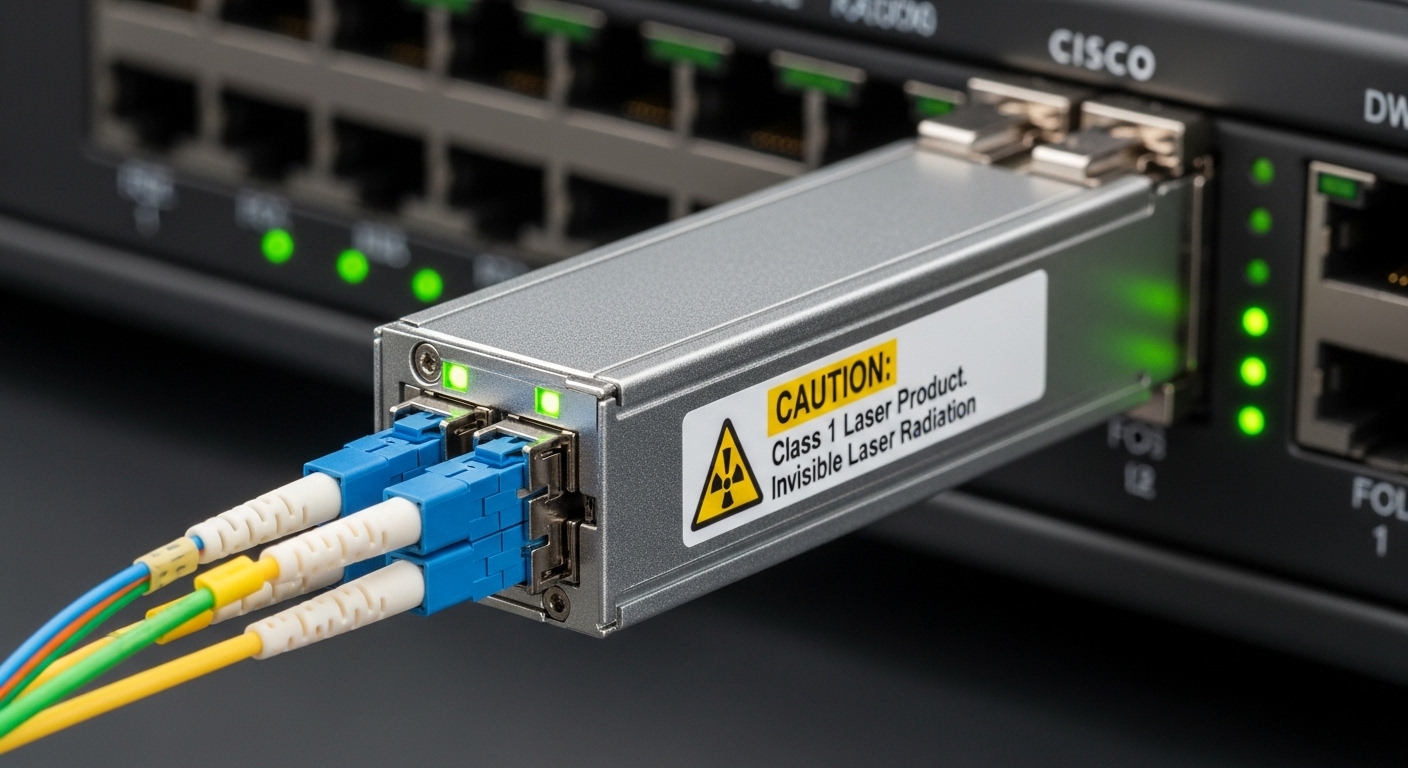
Before you compare optics pricing, lock down the network reality: link speed, lane mapping, fiber plant, and switch vendor behavior. In practice, the ROI of QSFP28 versus QSFP-DD is driven by whether your switches already support 25G/100G breakout modes, what optics are validated by the platform, and how often you can replace modules without re-qualifying optics. If you are running leaf-spine or spine-core with strict power envelopes, module power and port density matter as much as the per-module purchase price.
Define the target links and constraints
Write down the exact port type and expected traffic pattern. Example: 100G uplinks from ToR to spine using either 4x25G (QSFP28) or 1x100G (QSFP-DD), with 850 nm multimode fiber where possible. Capture the switch model numbers and firmware baseline, because some platforms accept third-party optics only for certain DOM modes and temperature ranges. Also confirm your allowed connector type (LC vs MPO/MTP) and whether you have OM3 or OM4 graded-index fiber.
Collect inputs you will use in the cost model
For ROI, you need at least: module list price and typical street price, installed power per port, planned replacement interval, and operational labor cost per optics swap. Field reality: optics are not “plug and forget” when you have strict compliance gates, spares tracking, and frequent RMA cycles. Use vendor datasheets and IEEE 802.3 clauses as your baseline for electrical/optical behavior; then adjust for your vendor’s validation program.
Step-by-step implementation: map your network to the right module family
This section is an implementation guide you can follow during an upgrade or greenfield build. The goal is to produce a go/no-go recommendation for QSFP-DD versus QSFP28 based on compatibility, reach, and lifecycle cost.
Audit switch port capabilities and breakout modes
On each target switch, record the port configuration options and supported optics families. For QSFP28, common use is 100G with 4 lanes of 25G (4x25G), while QSFP-DD is typically used for higher density 100G/200G/400G depending on platform mapping. Validate with the switch optics matrix in the vendor guide, not just the datasheet. In many deployments, “it fits” is not enough; the platform must support the electrical interface and DOM expectations.
Expected outcome: A table of which switch models and firmware versions support QSFP28 and QSFP-DD on the specific port groups you plan to use.
Choose reach and fiber type using actual link budgets
Do not decide based on marketing reach alone. For 850 nm multimode (MMF), QSFP28 optics often target typical ranges around 70 m on OM3 and 100 m on OM4 for 25G lanes, while QSFP-DD variants may support longer or higher-rate modes depending on the exact transceiver and lane coding. If you use single-mode fiber (SMF) at 1310/1550 nm, reach can extend to several kilometers, but cost and optics selection change quickly.
Expected outcome: A link budget worksheet per site: fiber type, end-to-end loss, connector loss, patch panel loss, and worst-case margin.
Compare power and thermal impact at port scale
ROI breaks when power caps are tight. QSFP-DD modules and the associated higher-rate signaling can change per-port power consumption and airflow requirements, especially in high-density chassis. Even when module power difference looks small on paper, the fleet impact is large: a 1000-port deployment magnifies every watt. Use vendor module datasheets for typical and maximum power, and confirm that your chassis thermal design supports the worst-case ambient.
Expected outcome: A power and thermal feasibility check: watts per populated port and whether your cooling plan needs adjustment.
Build a realistic cost model (purchase + operations)
Use a two-tier cost approach. Tier 1 is straightforward: optics unit price and required quantity. Tier 2 includes operational realities: RMA rate assumptions, inventory carrying cost, and labor time for swaps. In most enterprises, the “cheapest module” is not the lowest TCO if it causes more troubleshooting due to DOM mismatches, unsupported temperature behavior, or optics vendor lock-in.
Expected outcome: A TCO range for each option with conservative assumptions, not a single-point estimate.
Validate compatibility and DOM behavior in a staging environment
Before scaling, test with your exact switch models and firmware. Confirm DOM support (e.g., I2C accessibility), check whether the platform expects specific threshold values, and verify that alarms clear correctly. If you use third-party optics, verify the vendor’s compatibility list and whether they ship with the correct transceiver EEPROM parameters for your switch family. A staged validation avoids mass downtime and reduces rework during cutover windows.
Expected outcome: A lab sign-off report demonstrating link stability, error-free operation, and correct alarm behavior.
Key technical comparison: QSFP28 vs QSFP-DD for cost-benefit planning
Engineers often compare optics spec sheets, but ROI depends on how those specs map to your actual traffic and chassis constraints. The table below summarizes typical planning parameters. Always verify exact values for the specific part number you intend to buy, because QSFP-DD variants span multiple rates and optical wavelengths.
| Parameter | QSFP28 (typical planning) | QSFP-DD (typical planning) |
|---|---|---|
| Primary use case | 25G per lane designs; 100G via 4x25G | Higher density 100G/200G/400G depending on platform and signaling |
| Wavelength / optics examples | 850 nm MMF (SR), 1310/1550 nm SMF (LR/ER) | 850 nm MMF variants and SMF variants depending on rate |
| Typical MMF reach (planning) | ~70 m on OM3, ~100 m on OM4 for common SR classes | Varies by exact rate; often comparable or higher within same fiber class for supported modes |
| Connector style | LC for many SR optics; sometimes MPO/MTP depending on vendor | Often MPO/MTP for higher-density optical interfaces |
| Power considerations | Moderate module power; scales predictably at 25G lane granularity | May increase per module and/or require stronger thermal headroom at scale |
| Temperature range | Commonly commercial and industrial grades; confirm module class | Confirm grade and platform validation for your environment |
For standards context, QSFP28-style lane signaling aligns with the Ethernet physical layer requirements covered under IEEE 802.3 for 25G and 100G Ethernet variants. For optics electrical and optical behavior, the governing requirements are still validated via vendor datasheets and switch vendor compatibility matrices. Reference points include IEEE 802.3 for Ethernet PHY behavior and vendor transceiver documentation for optical parameters. [Source: IEEE 802.3] [Source: vendor transceiver datasheets and switch optics compatibility guides]
Pro Tip: In high-density racks, the hidden driver of QSFP-DD versus QSFP28 ROI is not optics cost per port—it is whether your chassis power budget and airflow remain within spec after you populate all planned optics. Many “works in the lab” failures show up only when ambient temperature rises and fans ramp under sustained load, causing marginal optical power or threshold alarms.
Selection criteria checklist engineers should use during procurement
Use this ordered checklist to avoid procurement mistakes that later become change-control incidents. It is designed for teams comparing QSFP28 and QSFP-DD options for the same logical network function (high-speed uplinks or high-rate interconnects).
- Distance and fiber class: confirm OM3 vs OM4 vs SMF, then map to the exact optics reach spec for your part number.
- Switch compatibility and firmware: validate supported transceiver families and DOM behavior for the specific switch model and revision.
- Port density and lane mapping: confirm whether your switch uses 4x25G breakout or higher-rate mappings that impact oversubscription and scheduling.
- Budget and TCO: model not only module purchase price but expected swap labor, RMA handling, and downtime cost.
- DOM and monitoring requirements: ensure the platform reads optical power, temperature, and alarm thresholds consistently.
- Operating temperature grade: confirm commercial vs industrial grade and validate your real rack ambient conditions.
- Vendor lock-in risk: evaluate the validated third-party options. If the switch only supports OEM optics, factor that into multi-year cost.
Common pitfalls and troubleshooting for QSFP28 and QSFP-DD optics
Below are the top failure modes seen during cutovers, with root causes and fixes. These apply to both QSFP28 and QSFP-DD, but the probability increases when you change the optics family or vendor.
Pitfall 1: “Link up” but high CRC or intermittent drops
Root cause: mismatch between expected optics parameters and actual transceiver EEPROM settings, or marginal receive power due to fiber contamination and connector geometry. Another cause is using an optics type that is electrically compatible but not validated for the target port group. Solution: clean connectors with appropriate lint-free wipes and alcohol, re-seat the module, and verify receive power readings via DOM. If errors persist, move the module to a validated port group and compare DOM thresholds.
Pitfall 2: Module not recognized or DOM alarms not clearing
Root cause: DOM/I2C behavior differs across vendors, or the switch expects specific monitoring thresholds. Some platforms also reject optics that do not match their EEPROM schema. Solution: stage-test the optics with the same switch firmware version; if needed, switch to an OEM-validated part or a third-party model explicitly listed by the switch vendor. Capture the exact alarm codes and correlate with the switch transceiver troubleshooting guide.
Pitfall 3: Thermal throttling or repeated reboots under sustained load
Root cause: thermal design margin is insufficient after full chassis population, especially with higher-rate optics that increase module power and heat output. Solution: measure rack ambient and chassis inlet temperatures, verify that airflow baffles are installed, and confirm that fan curves are functioning. If temperature is near limits, reduce port population temporarily, reseat airflow components, or adjust cooling setpoints.
Cost and ROI note: when QSFP-DD wins, when QSFP28 wins
Pricing varies widely by OEM, grade, and vendor validation program. In many market segments, QSFP28 optics are priced below QSFP-DD because QSFP-DD supports newer higher-density signaling and often requires tighter compatibility validation. However, QSFP-DD can win on ROI if it reduces the number of ports needed for the same throughput, lowers oversubscription pressure, or enables a cleaner upgrade path to future higher-rate traffic.
Realistic planning ranges: enterprise optics frequently land in the tens to low hundreds of dollars per module for validated OEM options, while third-party can be lower but comes with increased compatibility and RMA risk. For TCO, include expected replacement interval (often 3 to 5 years in active fleets), inventory carrying cost, and labor for swaps during maintenance windows. If QSFP-DD adoption forces a switch upgrade or requires new MPO/MTP cabling standards, that cabling rework can dominate the optics delta.
To ground selection, consider concrete optics examples from major vendors and distributors such as Cisco SFP-10G-SR style references for SR optics behavior, and analogous QSFP-class optics part families from vendors like Finisar or FS. For QSFP28 SR optics, you will commonly find 850 nm multimode modules with DOM support and specific reach classes. For QSFP-DD, you will find multiple rate classes, so part number specificity is mandatory. [Source: Cisco optics documentation] [Source: Finisar transceiver datasheets] [Source: FS.com transceiver product pages]
FAQ: QSFP28 vs QSFP-DD for high-density network purchases
Which is cheaper per port: QSFP28 or QSFP-DD?
In most deployments, QSFP28 optics are cheaper per module because the ecosystem is mature and the per-lane 25G architecture is widely standardized. QSFP-DD can still be cheaper per delivered throughput if it reduces the number of required ports or supports higher capacity per chassis slot. The only way to confirm is to compare your specific switch port mapping and total required uplink capacity.
Will QSFP-DD work in a switch that accepts QSFP28?
Not automatically. Even if a chassis can physically accept both module form factors, the electrical interface, lane mapping, and firmware validation must match the port group. Always verify the switch optics compatibility matrix and test with your exact firmware before scaling.
What fiber connector differences should I expect?
QSFP28 SR modules are often LC-based for simpler patching, though MPO/MTP variants exist. QSFP-DD optics frequently use MPO/MTP for higher density optical interfaces, which can require different patch panel hardware and cabling workflows. Confirm connector type early to avoid unexpected cabling rework costs.
How do I compare DOM and monitoring between vendors?
Focus on DOM accessibility for key metrics: transmit power, receive power, temperature, and alarm thresholds. Then confirm that your switch displays and clears alarms correctly under error-free traffic. If you use third-party optics, require compatibility documentation or run a staging test with the same firmware.
What is the biggest cause of optics-related outages?
Most outages stem from compatibility gaps (wrong optics family for a port group), fiber contamination, or thermal margin violations during sustained load. Even when link comes up, marginal receive power can cause CRC errors and intermittent drops that appear hours later under full traffic.
Should I standardize on one optics family across the fleet?
Standardization reduces training and spares complexity, which lowers operational risk. However, you may need a mixed strategy if some switch generations support only QSFP28 while newer switches support QSFP-DD. In that case, unify on validated vendors and DOM behavior, and keep a strict spares and RMA process.
If you want the fastest path to a defensible decision, start with Step 1 and Step 2: switch port capability and link budget. Then run the staged validation and TCO model before procurement—use related topic for your next planning step.
Author bio: I lead field deployments for high-density Ethernet fabrics, focusing on optics compatibility, DOM monitoring, and failure-mode driven cutovers. I translate vendor specs into measurable ROI models that survive real maintenance windows and thermal constraints.
