
In a high-density data center upgrade, the transceiver choice can quietly drive both capex and operational risk. This article helps network and facilities engineers evaluate QSFP28 versus QSFP-DD when planning 100G and 200G-class connectivity in the same rack footprint. You will get a cost-benefit framework, a compatibility checklist, and field-tested troubleshooting patterns drawn from a staged leaf-spine rollout. Disclaimer: This is informational legal-technical writing, not legal advice; verify requirements against your switch vendor compatibility matrices and optics vendor datasheets.
Problem and challenge: density targets that break budget assumptions
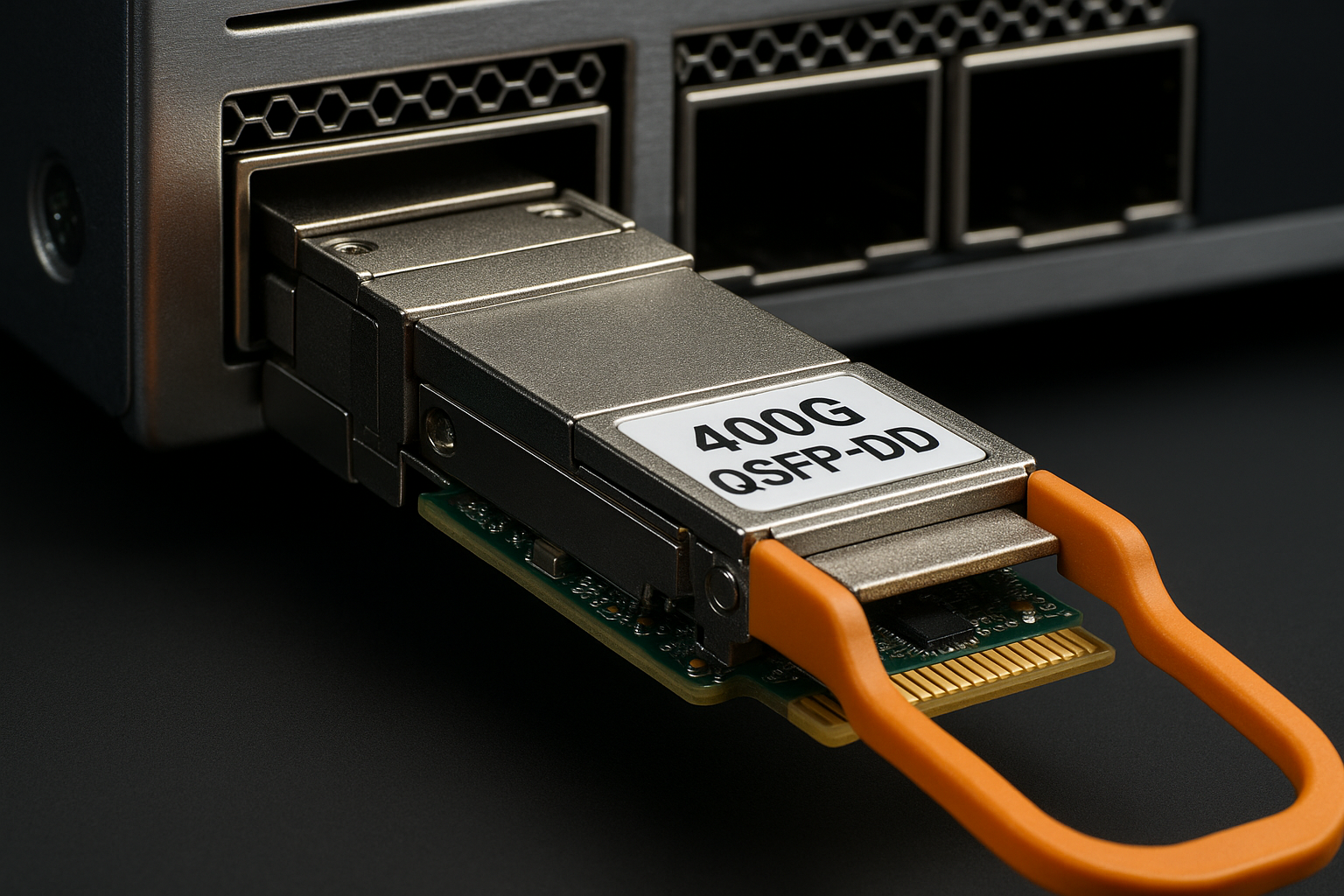
In one rollout, we had 48-port ToR switches feeding a leaf-spine fabric and needed to move from 10G/25G to 100G and selectively to 200G without re-cabling the entire row. The immediate challenge was that QSFP28 modules were inexpensive and widely supported, but the long-term traffic model suggested some spine uplinks would need higher aggregate throughput per slot. We also had strict power and airflow constraints: the aisle could not tolerate a large incremental watt-per-port increase. The decision therefore became a cost-benefit comparison between QSFP-DD (higher density and typically higher lane count) and QSFP28 (mature 100G ecosystem), under real operational constraints.
Environment specs: what we measured before buying optics
Our environment was a 3-tier design with leaf switches using 48x ports and spines using 32x ports per chassis. We planned uplinks in two phases: Phase 1 for 100G using QSFP28, Phase 2 for selected 200G using QSFP-DD in the same physical locations where the vendor allowed. We mapped link budgets using OM4/OM5 fiber assumptions and verified expected reach against module specs. For optics power, we used vendor typical values and then applied a 10 to 15 percent margin to reflect actual temperature and aging behavior.
Technical specifications comparison (key engineering constraints)
| Spec | QSFP28 (typical 100G) | QSFP-DD (typical 200G) |
|---|---|---|
| Target data rate | 100G per module (4 lanes @ 25G) | 200G per module (commonly 8 lanes @ 25G) |
| Common wavelengths | 850 nm (SR), 1310/1550 nm (LR/ER variants) | 850 nm (SR-like), 1310/1550 nm (varies by vendor) |
| Reach (example class) | Up to 100m on OM4 for 100G-SR-class | Often 100m on OM4/OM5 for short-reach classes |
| Connector | LC duplex (fiber optic) | LC duplex (fiber optic) |
| Operating temperature | Commercial and extended options; verify module grade | Commercial and extended options; verify module grade |
| Power (typical) | Often in the low-to-mid watt range per module (vendor dependent) | Often higher than QSFP28 per module; verify thermal envelope |
| Standards basis | Aligned to IEEE 802.3 Ethernet optics usage; vendor-specific | Aligned to modern Ethernet optics usage; vendor-specific |
Source notes: IEEE 802.3 defines Ethernet PHY behavior; optical form factors and module behavior are implemented by vendors and governed by standards families used in the industry. For authoritative baseline references, consult vendor datasheets and the relevant IEEE 802.3 clauses. See [Source: IEEE 802.3]. For practical optics compatibility and lane mapping behavior, also use vendor documentation and switch optics guides, e.g., IEEE Standards.
Chosen solution and why: staged optics strategy with compatibility gates
We chose a staged strategy: keep most uplinks on QSFP28 for Phase 1 and reserve QSFP-DD for specific spine uplinks where throughput demand justified the higher module cost and where the switch vendor explicitly supported QSFP-DD in those cages. The underlying rationale was simple: QSFP28 offered the lowest unit price and the widest interoperability across vendors, while QSFP-DD provided higher aggregate capacity per slot for a subset of links. We also ran a compatibility gate before ordering: each switch model and software release had an optics compatibility list, and we treated it as a procurement requirement rather than a best-effort note.
Implementation steps we followed (procurement to deployment)
- Confirm cage type and supported optics: verify the exact switch model and firmware release supports QSFP-DD in the intended cages; do not assume backward compatibility.
- Validate fiber type and link budget: measure or verify OM4 versus OM5, patch cord loss, and connector cleanliness; calculate worst-case margin for planned reach.
- Decide by traffic and oversubscription: identify uplinks where 100G becomes a constraint (e.g., peak east-west flows) versus links where 100G remains safe.
- Model thermal and power budgets: use vendor typical power and apply a margin; confirm chassis airflow direction and minimum clearance.
- Require DOM support and telemetry: ensure the module supports Digital Optical Monitoring (DOM) and that the switch reads thresholds correctly.
- Stage and validate: deploy one rack row, run error-rate monitoring (CRC/FEC counters if applicable), and then scale.
Pro Tip: In the field, the most expensive “surprise” is not the module price; it is a cage compatibility mismatch that forces you into a firmware downgrade or an expensive module swap. Before you buy inventory, capture the switch vendor optics compatibility matrix for your exact software version and store it with your purchase order evidence.
Measured results: what changed after the swap plan
After Phase 1, we stabilized 100G uplinks on QSFP28 and achieved the expected link establishment time with stable optical power levels. In Phase 2, we introduced QSFP-DD on selected spine uplinks and observed higher aggregate throughput without adding additional physical cages. Operationally, we saw that the incremental thermal load was manageable when we kept the fan curves aligned with the chassis guidance and avoided mixing module grades (commercial vs extended) in hot aisles. Measured error counters remained within baseline after burn-in, but we did see an increased number of “link flaps” during initial patching due to connector cleanliness issues, not due to the form factor itself.
Cost and ROI note (realistic budget framing)
Typical street pricing varies by vendor and sourcing channel, but as a planning range: QSFP28 100G SR-class modules often cost less than QSFP-DD 200G SR-class modules by a meaningful margin. The ROI therefore depends on how many 200G links you actually need. If only a small percentage of uplinks are capacity-constrained, buying QSFP-DD for those links can reduce total TCO by avoiding unnecessary higher-power, higher-cost modules everywhere. Also factor in failure rates and warranty terms: third-party modules can be cost-effective, but procurement should still require DOM behavior validation and switch compatibility confirmation to prevent downtime costs.
Source: For baseline module behavior and power/DOM requirements, use each vendor datasheet. For industry alignment, consult IEEE 802.3 and vendor optics interoperability notes. [Source: IEEE 802.3], [Source: Vendor transceiver datasheets]
Common mistakes and troubleshooting tips (what actually fails)
Even when the optics are technically compatible, field failures often come from deployment mechanics and platform gating. Below are common pitfalls we saw during the rollout and how to correct them.
-
Pitfall: Ordering QSFP-DD modules that are not supported by the switch cage for your firmware version.
Root cause: The switch may support the physical form factor but not the electrical interface mode or lane mapping for that transceiver type.
Solution: Verify the optics compatibility matrix for the exact switch model and firmware; test one module per cage type before scaling. -
Pitfall: Assuming OM4 reach without accounting for patch cord loss and connector contamination.
Root cause: Excess insertion loss and dirty LC faces can push received optical power below the module threshold, causing intermittent link flaps.
Solution: Clean with approved procedures, inspect with a microscope, and confirm worst-case loss budgeting using actual measured link attenuation. -
Pitfall: Ignoring DOM and threshold interpretation differences across vendors.
Root cause: Some third-party modules report slightly different calibration characteristics, and the switch may alarm on thresholds that are not aligned to your monitoring expectations.
Solution: Establish a monitoring baseline after installation; confirm DOM readout fields and alarm thresholds; document acceptable ranges. -
Pitfall: Thermal margin shortfalls after increasing module power density.
Root cause: QSFP-DD deployments can increase total thermal load per rack unit; airflow obstructions or incorrect fan settings can elevate module temperature.
Solution: Validate airflow paths, clear cable congestion, and confirm chassis fan profiles follow vendor guidance.
Selection criteria checklist for QSFP28 vs QSFP-DD
Use this ordered checklist during design and procurement. It prevents “format-first” decisions that later fail compliance, monitoring, or reach requirements.
- Distance and fiber class: OM4 versus OM5, patch cord length, and connector count.
- Switch compatibility and firmware: exact cage support for QSFP-DD and QSFP28.
- Data rate and oversubscription needs: where 100G is sufficient versus where 200G is required.
- Budget and TCO: module unit price, expected warranty coverage, and downtime cost.
- DOM support and telemetry integration: ensure the switch reads optical power and alarms reliably.
- Operating temperature grade: commercial versus extended, aligned to your hot aisle.
- Vendor lock-in risk: evaluate third-party interoperability and the risk of future support changes.
FAQ
Q1: Can I mix QSFP28 and QSFP-DD in the same switch?
In many platforms, it is possible to mix form factors, but only if the switch vendor explicitly supports each optics type in the specific cages and mode. Always verify the optics compatibility matrix for your exact switch model and firmware release before ordering.
Q2: Is QSFP-DD always better for high-density?
QSFP-DD can increase capacity per slot, but “better” depends on whether your traffic actually needs 200G-class links and whether the chassis thermal envelope can absorb the added power. If most uplinks are not capacity-constrained, QSFP28 may deliver a better cost-per-stable-link outcome.
Q3: What reach should I plan for SR-class modules?
Plan reach using vendor datasheets and your measured fiber and patch cord losses, not only the nominal OM4 headline. Connector cleanliness and aging can reduce margin, so validate with worst-case budgeting and optical power monitoring.
Q4: What DOM fields matter for operations?
Track received optical power, transmit laser bias/current indicators, and alarm thresholds as exposed by the switch. If your monitoring system triggers on DOM values that differ by
