
Your SMB telecom network grows in quiet bursts: a new rack, a faster uplink, a switch refresh. The wrong transceiver choice can strand you at the patch panel, forcing costly re-cabling and downtime. This guide helps operators and field engineers decide between QSFP and SFP modules for typical 1G to 100G optics, with practical steps, compatibility checks, and failure-mode troubleshooting.
Before You Buy: Prerequisites for QSFP and SFP Compatibility
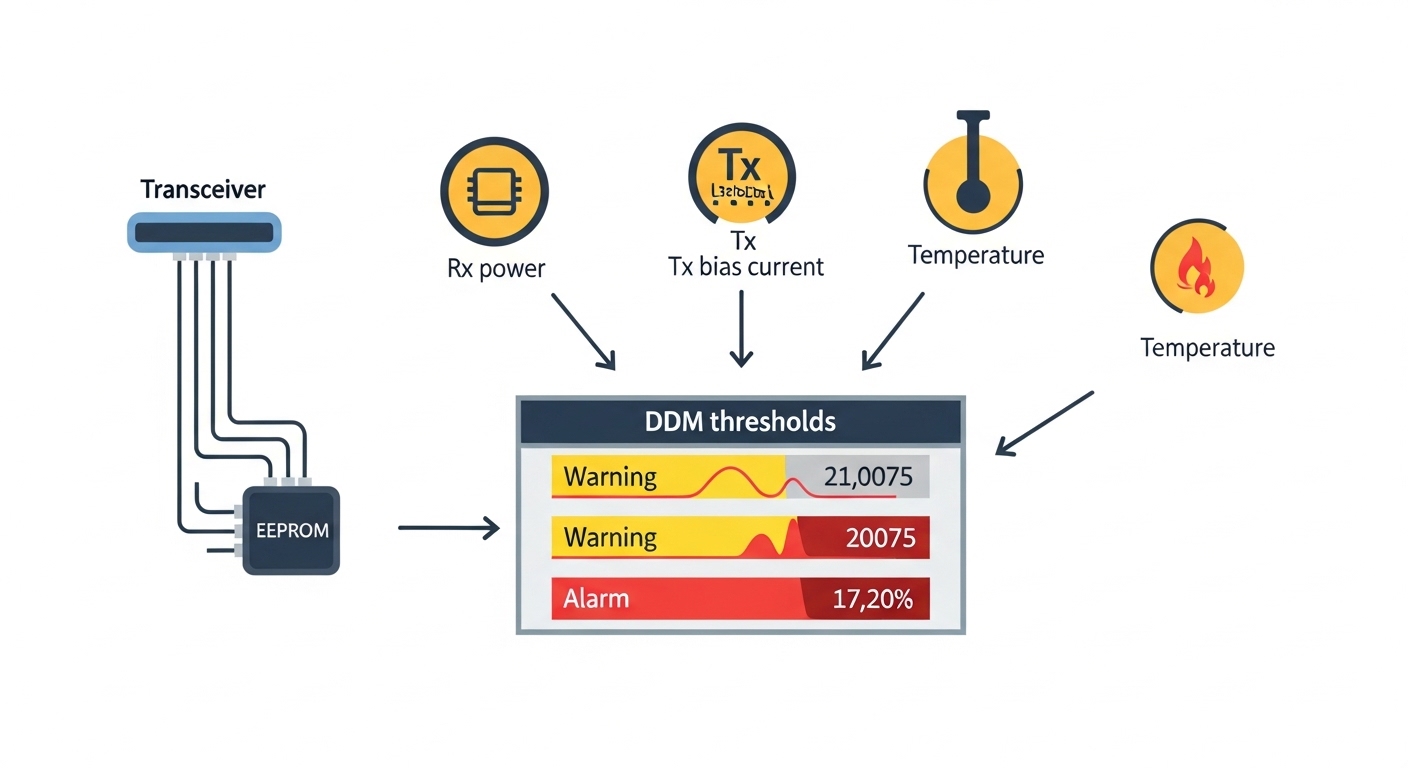
Start by treating optics like a system component, not a standalone gadget. SFP and QSFP differ in form factor, lane count, and electrical interface expectations; switches may also enforce vendor-specific DOM behavior. Gather the essentials so you can verify fit, speed, and optics budget before ordering.
Prerequisites (field checklist):
- Switch model and OS version (for example, Cisco IOS XE train, Juniper Junos, or vendor release notes) and the exact port type (e.g., QSFP28 vs QSFP+).
- Fiber type and plant: OM3 vs OM4 multimode, single-mode OS2, and connector style (LC is common).
- Measured link distance including slack and patch cords (walk the fiber route; do not trust inventory labels).
- Power and thermal constraints inside the rack (airflow direction, front-to-back vs back-to-front).
- DOM expectations: whether your switch reads temperature, voltage, and bias current via I2C.
Identify the port standard on the switch
Look up the switch datasheet or port mapping to confirm whether the port physically accepts SFP or QSFP optics. Then verify the speed mode supported per port (for example, 10G, 25G, 40G, 100G). If the port is “configurable,” confirm whether it supports breakout (for example, QSFP28 to 4x25G) or only native operation.
Expected outcome: You can state, for each target port, the exact transceiver family required (SFP, SFP+, QSFP+, QSFP28, or similar) and the target data rate.
Measure distance and select fiber type
Confirm multimode vs single-mode. For multimode, OM4 typically supports longer reach than OM3 at 10G and 40G/100G short-reach profiles, but actual performance depends on launch conditions and patch-cord quality. For single-mode, reach is often limited by optical budget and connector losses rather than fiber length alone.
Expected outcome: You have a distance number used in the optics budget, not a guess.
Confirm wavelength and connector match
For multimode short reach, you will often see nominal wavelengths like 850 nm. For single-mode, common wavelengths include 1310 nm and 1550 nm, depending on the standard profile. Connector mismatch is a classic SMB pain point; verify LC vs SC before you order.
Expected outcome: Your BOM includes the correct wavelength and connector style for the fiber plant.
QSFP vs SFP: How Form Factor Changes the Link Physics
Choosing between SFP and QSFP is mostly about how many lanes carry data and how the switch expects them to be electrically framed. SFP commonly maps to single-lane (or effectively single-channel) optics at 1G to 10G rates, while QSFP often carries multiple lanes in a compact footprint, enabling 40G and 100G class links with fewer physical ports.
At the standards level, Ethernet optical interfaces are defined across IEEE 802.3 families, while optical module behavior is also constrained by vendor and industry interoperability expectations. For practical compatibility, rely on the switch’s transceiver compatibility guide and the module’s electrical interface profile.
Map your target speed to the right module family
If you need 10G over short reach, SFP+ or QSFP+ may both appear in catalogs, but your switch port type decides the final answer. For 40G, QSFP+ or QSFP28 is typical, and for 100G, QSFP28 is the common path. Mixing module families across the wrong port will fail physically or electrically.
Expected outcome: You align speed and lane structure with the port type, not just the headline “10G/40G/100G.”
Check reach classes and optical budget assumptions
Even when a datasheet lists a nominal reach, real links must survive connector, splice, and patch losses. For multimode, modal bandwidth, differential mode delay, and patch-cord quality can reduce margin. For single-mode, higher loss components can push you past the receiver sensitivity limit.
| Key Spec | SFP (example class) | QSFP28 (example class) |
|---|---|---|
| Typical data rate | Up to 10G (SFP+) | 25G per lane, 100G aggregate |
| Nominal wavelength (common) | 850 nm (MM), 1310 nm or 1550 nm (SM) | 850 nm (MM short reach), 1310 nm/1550 nm (SM) |
| Typical reach (short reach) | ~300 m to 10 km depending on profile | ~100 m to 400 m on MM; up to 10 km on SM depending on profile |
| Connector type | Usually LC | Usually LC |
| Operating temperature | Often 0 to 70 C (vendor dependent) | Often 0 to 70 C; some variants -40 to 85 C |
| DOM support | Common, I2C-based monitoring | Common, I2C-based monitoring |
Reference optics examples (real part numbers): Cisco SFP-10G-SR, Finisar FTLX8571D3BCL, and FS.com SFP-10GSR-85 are frequently used short-reach 10G SR optics. For QSFP28 short-reach, look for QSFP28 100G SR4 style modules when your switch port expects that lane mapping. Always verify exact switch compatibility for your model and firmware.
Authority context: Ethernet optical module standards and link requirements are discussed in IEEE 802.3 series documents, while module electrical and optical behaviors are documented in vendor datasheets. IEEE 802.3 standards portal [Source: IEEE Standards]. Vendor-specific DOM and transceiver interface details are described in each transceiver datasheet. Cisco support and datasheets portal [Source: Cisco Support].
Selection Criteria: A Decision Checklist for SMB Telecom Teams
When an SMB team chooses optics, the best outcomes come from a disciplined checklist that reduces surprises at install time. Use the ordered factors below, because each one can independently invalidate a candidate module.
- Distance and fiber type: confirm OS2 vs OM3 vs OM4, then match to the reach profile.
- Switch compatibility: validate the port type and firmware compatibility guide; do not assume “works in another model.”
- Data rate and lane mapping: ensure the module supports the port’s expected mode (native vs breakout).
- DOM support and monitoring: check whether DOM fields are read correctly; some platforms may log “DDM unsupported.”
- Operating temperature: consider worst-case rack ambient; choose -40 to 85 C parts if your enclosure runs hot.
- Vendor lock-in risk: compare OEM vs third-party; plan for RMA and firmware quirks.
Pro Tip: In the field, the fastest way to avoid downtime is to test one spare transceiver in the exact target switch port before deploying a full batch. Even “compatible” third-party modules can differ in DOM timing or calibration behavior, and a single successful hot-swap can save hours of troubleshooting later.
Cost and ROI: What Actually Drives Total Cost of Ownership
QSFP optics often cost more per module than SFP, but they can reduce port density overhead and simplify cabling in high-speed designs. Typical street pricing varies widely by brand and temperature grade; in practice, OEM optics can run roughly 1.5x to 3x the cost of reputable third-party equivalents, with higher variance for legacy-part numbers. Your ROI should include not only purchase price, but also installation labor, downtime risk, and failure replacement logistics.
TCO model for SMB teams: Estimate annual replacement rate using your prior deployments, then add the cost of truck rolls and outage windows. If your rack has tight airflow and you routinely see elevated temperatures, the “cheapest” optic may quietly shorten life and increase RMA cycles.
Expected outcome: You choose optics that fit both the technical spec and the operational reality of your site.
Common Mistakes and Troubleshooting for QSFP and SFP Links
Failures usually fall into a small set of repeat offenders. Use these top pitfalls to diagnose quickly, with root cause and fix.
“Port shows no link” after module insertion
Root cause: Wrong module family for the port type (SFP in an SFP+ slot vs QSFP28 in a QSFP+ slot), or speed mismatch due to firmware mode. Some switches also require explicit configuration of breakout or speed.
Solution: Verify the port type in the switch GUI/CLI, then re-seat the module and confirm the negotiated rate. Check the optics compatibility matrix for your switch model and OS version.
CRC errors spike, then throughput collapses
Root cause: Fiber attenuation or connector contamination, especially with multimode patch cords and dusty LC interfaces. Another contributor is marginal optical budget that “works” at install but fails under temperature drift.
Solution: Clean connectors with approved fiber cleaning tools, re-terminate if needed, and verify link loss with an OTDR or power meter. If you have spare optics, swap at the same port to isolate whether the receiver is marginal.
DOM alarms: “DDM out of range” or “DOM not supported”
Root cause: DOM interpretation differences, module calibration variance, or DOM timing behavior that the platform flags. This is more common when mixing third-party optics across a platform with strict thresholds.
Solution: Confirm the switch expects standard DOM fields, then replace with a known-good module from the compatibility list. Review event logs and compare temperature and bias readings before declaring a hardware failure.
FAQ: QSFP vs SFP Decisions SMB Buyers Ask First
Which should I choose for 10G uplinks, SFP or QSFP?
Choose based on the switch port type. If your uplink ports accept SFP+ and you are running short-reach 850 nm multimode, SFP+ optics like Cisco SFP-10G-SR-class modules are common. If your switch uses QSFP+ for 40G breakout or shared high-speed slots, you may need QSFP+ optics that match the port’s lane mapping.
Can a QSFP module replace an SFP module if the speed looks similar?
No. Even when data rates appear comparable on paper, the physical form factor and electrical framing differ. A QSFP module will not physically fit an SFP cage, and it may not negotiate correctly even if a vendor provides an adapter.
How do I confirm DOM support before ordering spares?
Check your switch’s transceiver compatibility guide and the module datasheet for DOM/DDM compliance. Then, plan a staged deployment where one module is inserted and monitored for temperature, voltage, and bias readings under normal rack airflow.
What fiber issues matter most for short-reach multimode optics?
Connector cleanliness, patch-cord quality (including mode conditioning), and realistic link loss are the usual culprits. Always assume that patch cords add measurable attenuation and that multimode launch conditions affect margin.
Are third-party QSFP and SFP optics safe for production?
They can be, but only if they appear on your switch compatibility list and match the exact speed and wavelength profile. Budget for validation testing and expect occasional platform-specific quirks around DOM thresholds or vendor-specific EEPROM behavior.
What operating temperature should I plan for in an SMB rack?
Use worst-case ambient inside the rack, not the room thermostat reading. If your enclosure runs hot or airflow is inconsistent, prefer modules rated up to -40 to 85 C when available and ensure the rack meets vendor airflow recommendations.
If you want a reliable next step, start by auditing your switch port types and fiber plants, then apply the checklist above to shortlist QSFP and SFP candidates. For a broader complement to this decision, see fiber optic transceiver compatibility tips for practical validation workflows before you pull the first cable.
Author bio: I design fiber and transceiver experiences from the perspective of install-day reliability, focusing on compatibility, monitoring, and visual clarity in the field. I have supported deployments where optics selection saved hours by preventing DOM and lane-mapping surprises across real switch platforms.
