
Cloud operators pushing higher east west traffic quickly hit a practical wall: port density, optics power, and switch compatibility. This article helps network engineers and data center field teams decide between QSFP-DD and SFP+ transceivers for production cloud services, with a focus on measurable constraints like link budget, thermal limits, and DOM handling. You will get a decision checklist, a troubleshooting set of common failure modes, and realistic cost and ROI considerations.
Why cloud teams outgrow SFP+ and start standardizing on QSFP-DD
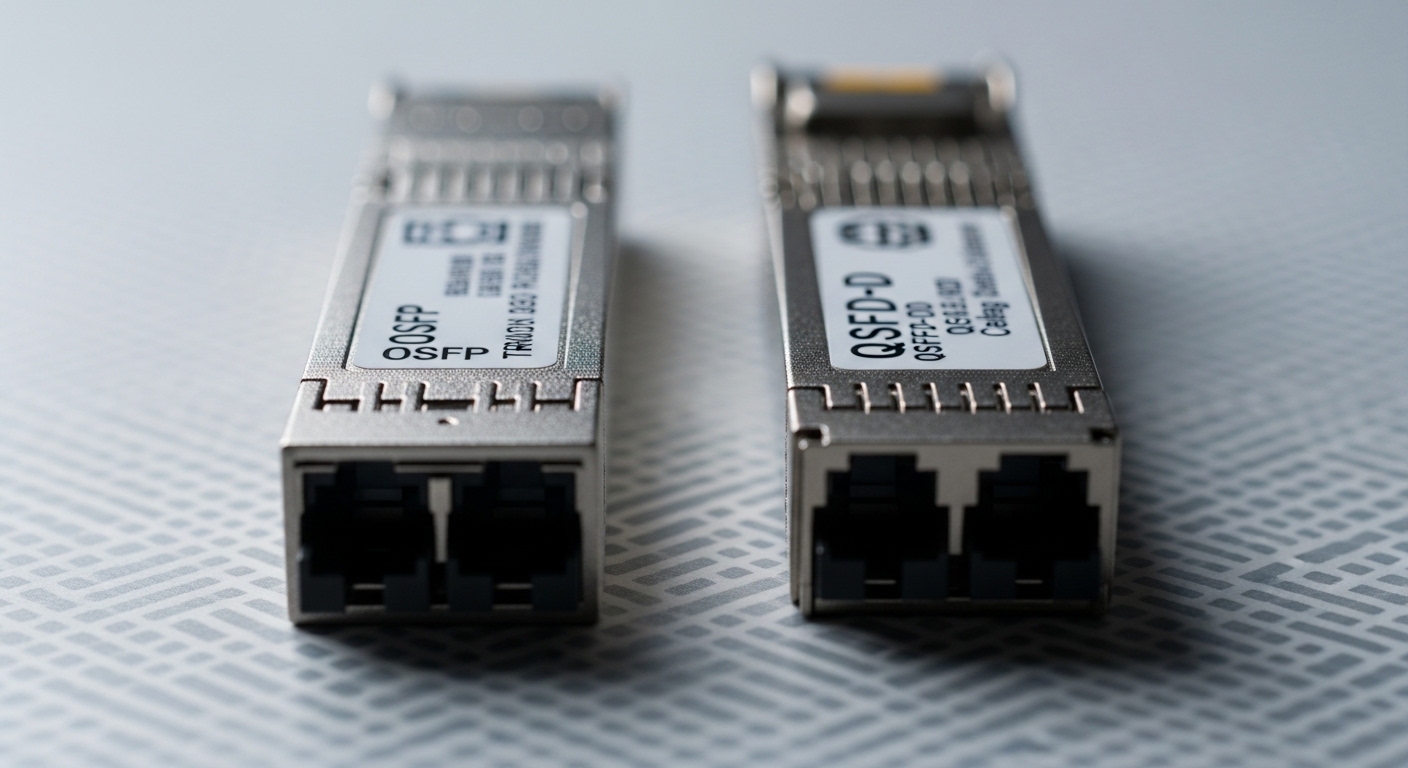
SFP+ is widely deployed for 10G and remains cost-effective in legacy tiers, but cloud leaf and spine designs increasingly demand more aggregate throughput per rack unit. Teams often migrate because QSFP-DD enables higher line rates per port and better optics density, reducing the number of uplinks and easing cabling complexity. In practice, engineers also see power and cooling pressure: higher total port counts with SFP+ can raise steady-state power draw in the optics plane. Standardization becomes easier when the switch platform supports consistent optics families and validated transceiver lists.
From an optical standpoint, both technologies can operate over multimode or single-mode depending on the specific transceiver, but QSFP-DD families typically align with newer Ethernet PHY generations that support higher bandwidth per lane group. That alignment matters when you are running oversubscription-sensitive applications like distributed storage, microservice RPC, or GPU cluster traffic. For the standards mapping, the Ethernet transceiver behavior is anchored in IEEE Ethernet PHY and PCS expectations; vendor implementations must meet those interfaces and the host switch requirements. Source: IEEE 802.3
Key spec comparison: QSFP-DD vs SFP+ optics you will actually deploy
Use the table below as a field checklist. Exact values depend on the vendor model (for example, Cisco and third-party optics), but the ranges are representative for planning. Always validate with the specific switch model’s optics compatibility matrix and transceiver vendor constraints.
| Spec | SFP+ | QSFP-DD |
|---|---|---|
| Typical per-port data rate | 10G (common) | 40G/100G class (depends on model) |
| Lane grouping | Single-lane or legacy multi-lane mapping | Higher parallelism; lane/bandwidth grouping depends on PHY |
| Connector types (common) | LC (fiber), sometimes direct-attach copper | LC (fiber) for optical; copper variants exist by platform |
| Typical multimode reach planning | Often ~300 m at 10G for OM3 class; varies by vendor | Often ~100 m (varies by optics and OM grade) |
| Typical single-mode reach planning | Often up to 10 km for 10G LR-class | Often 10 km or more depending on 40G/100G LR models |
| Transceiver power envelope | Lower per port, but total can rise with port counts | Higher per port, but fewer ports can reduce chassis-level optics count |
| DOM support | Commonly supported | Commonly supported; verify DOM format and thresholds |
| Operating temperature | Vendor-defined; often industrial to extended options | Vendor-defined; verify for your facility class |
For concrete examples of widely used optics families, teams often source QSFP-DD optics such as Finisar/NeoPhotonics class models (e.g., FTLX8571D3BCL) and vendor-branded 100G QSFP-DD SR/LR variants; check the exact wavelength and reach in the datasheet before ordering. For SFP+ 10G optics, Cisco-branded or equivalent modules like Cisco SFP-10G-SR are common in validated lists. Source: Cisco product support and transceiver compatibility
Decision checklist: choosing QSFP-DD or SFP+ for cloud service links
Engineers succeed when they treat the optics choice as a system constraint problem, not a “buy the fastest module” problem. Follow this ordered checklist during design and procurement.
- Distance and fiber type: confirm OM3/OM4/OS2 grade and the actual measured link length with patch cord loss budget.
- Switch compatibility: use the switch platform optics matrix; mismatched vendor firmware can cause “not present” or link flap.
- Data rate mapping: ensure the switch supports the required speed per port (for example, 40G/100G modes on QSFP-DD).
- DOM and telemetry: verify that DOM pages and threshold alarms match your monitoring stack (SNMP/telemetry).
- Operating temperature: confirm the transceiver’s rated range for the rack’s measured inlet temperature during peak.
- Power and thermal budget: compare total optics count and expected chassis power; measure before and after if possible.
- Vendor lock-in risk: decide whether you will standardize on OEM or allow third-party optics with validated part numbers.
- Spare strategy: keep at least one known-good spare per transceiver type and vendor family for faster incident response.
Pro Tip: In many production clouds, the biggest hidden cost is not optics price—it is time-to-recovery. Standardize on a small set of validated transceiver part numbers per switch model so your on-call team can replace modules without triggering compatibility failures or inconsistent DOM alarms.
Real-world deployment scenario: leaf-spine upgrade with measured constraints
Consider a 3-tier data center leaf-spine topology with 48-port 25G ToR switches and a spine tier built for higher uplink aggregation. A team is upgrading a storage-heavy workload where east west traffic increases from 12 Tbps to 20 Tbps across the same rack footprint. They initially tried to scale with more SFP+ 10G uplinks, but the number of optics and cables doubled, pushing optics-plane power higher and creating more field failures during patching events. The final design used QSFP-DD for the uplinks where the switch supports it, reducing the number of optics per rack and simplifying bend radius management.
In commissioning, field engineers measured inlet temperature at the rack level (for example, 28 C average during normal ops and spikes near 32 C under maintenance windows). They validated optical budget by confirming that the measured receive power stayed within the module’s specified sensitivity range and that link errors remained near baseline. They also confirmed DOM telemetry ingestion so alerts for high laser bias or temperature rise were visible in the network monitoring dashboards. For standards-aligned behavior, the host switch PHY and management interface expectations should follow the platform documentation and Ethernet compliance requirements anchored in IEEE Ethernet frameworks. Source: IEEE 802 overview
Common pitfalls and troubleshooting: SFP+ and QSFP-DD failure modes
These issues show up frequently during migrations, especially when mixing transceiver vendors or when cabling changes occur during maintenance.
“Module not recognized” or link never comes up
Root cause: switch compatibility mismatch or unsupported DOM/EEPROM fields for that exact part number. Some platforms require validated vendors or specific firmware handling. Solution: install only optics from the validated list for the exact switch SKU and check vendor/part number, not just form factor.
Link flaps under load after a clean insertion
Root cause: fiber connector contamination or marginal optical budget due to patch cord loss, especially when higher aggregate bandwidth increases sensitivity to loss and dispersion. Solution: clean connectors with certified fiber cleaning tools, re-seat modules, and re-measure with an optical power meter or OTDR to confirm the budget.
Monitoring shows high temperature or laser bias warnings, then traffic drops
Root cause: transceiver operating outside its rated environment due to rack airflow changes, blocked vents, or incorrect placement. Solution: verify inlet temperature, check airflow paths, and confirm the module’s rated temperature range; roll back to a known-good spare if the issue tracks the optics.
Mismatched speed mode negotiation after upgrade
Root cause: the switch port may not auto-negotiate to the intended QSFP-DD speed profile, or the transceiver is configured for a different lane mapping. Solution: set explicit port speed and confirm transceiver type in the switch CLI; validate the speed mode supported by that particular QSFP-DD model.
Cost and ROI: realistic budgeting for cloud optics
Pricing varies by vendor, wavelength, and whether the module is OEM-branded or third-party. In most procurement cycles, SFP+ 10G optics are typically cheaper per unit, but QSFP-DD can reduce the total number of ports and optics needed for the same aggregate bandwidth. TCO should include labor time for spares management, incident response, and the risk of compatibility delays. If you can reduce the number of optics per rack and stabilize operations with standardized part numbers, the ROI can appear quickly through fewer outages and faster replacements.
Operationally, teams also compare power consumption: even if QSFP-DD optics draw more per module, fewer modules and fewer port interfaces can lower the total optics count and reduce cooling stress. However, do not assume power savings without measurement; different switch platforms have different optics power accounting. Include failure rate history from your own incident logs, because the “cheapest” module often becomes expensive when it increases troubleshooting time.
FAQ
Q: Can QSFP-DD and SFP+ coexist in the same switch?
A: It depends on the switch model and how it partitions port groups. Many platforms support mixed optics types, but not all ports accept both form factors; always confirm the optics matrix for your exact SKU.
Q: What distance should I plan for with QSFP-DD multimode?
A: It depends on the specific QSFP-DD SR model and fiber grade (OM3 vs OM4). Validate with the vendor datasheet and confirm actual link loss with measured patch cord attenuation, not only installed fiber length.
Q: Do I need DOM support for monitoring and alerts?
A: For production cloud operations, yes. DOM provides temperature, voltage, bias, and optical power telemetry; without consistent DOM behavior, your NOC loses early warning signals and troubleshooting slows.
Q: Are third-party QSFP-DD optics safe for cloud production?
A: They can be safe if the exact part number is validated for your switch and you verify DOM behavior and link stability during a staged rollout. Avoid mixing random compatible-looking modules across different switch firmware versions.
Q: What is the fastest troubleshooting path when a new optics batch fails?
A: Start with compatibility verification against the validated list, then check connector cleanliness and optical power budget. Finally, compare DOM telemetry events between a known-good spare and the failing batch to isolate whether the problem is environmental, optical, or EEPROM/firmware related.
Next step: if you are planning a migration, map your current SFP+ uplink count to required aggregate bandwidth and test QSFP-DD speed profiles in a staging pod before rollout. Use the optics compatibility matrix and measured optical budgets to avoid surprises.
QSFP-DD migration checklist
Expert bio: I have deployed and troubleshot QSFP-DD and SFP+ optics in production cloud fabrics, including staged rollouts with DOM telemetry validation and optical budget verification. I write from field experience with switch compatibility matrices, fiber inspection workflows, and incident-driven operational tuning.
